

💻Working from home sounds simple until your laptop has 15 Chrome tabs open, a Zoom or Google Meet call running, Excel in the background, WhatsApp Web pinging constantly and a large file downloading at the same time.
That’s when the difference between a basic laptop and a good work-from-home laptop becomes obvious.
For WFH, you don’t necessarily need a gaming laptop or an ultra-expensive premium machine. What matters more is a reliable processor, 16GB RAM, fast SSD storage, a comfortable keyboard, a good webcam, useful connectivity and a display you can comfortably look at for hours.
This guide covers the best laptops for different work-from-home requirements in India—from basic office work and online meetings to multitasking, blogging, spreadsheets, programming and heavier professional workloads.
Quick answer: For most work-from-home users, look for 16GB RAM + 512GB SSD as the starting point. A 14-inch laptop makes more sense if you regularly move around, while a 15.6-inch or 16-inch laptop is better if it will mostly stay on your home-office desk.
Also Read | Best Laptop Bags for Office, College & Travel
Quick Comparison: Best Laptops for Work from Home
| Laptop | Best For | RAM / Storage | Screen | Approx. Price |
|---|---|---|---|---|
| Dell Pro 15 Essential | ⭐ Best Overall WFH | Up to 16GB / 1TB | 15.6″ FHD | ₹55,000+ |
| Lenovo IdeaPad Slim 3 15IRH10 | Best Performance Value | 16GB / 512GB | 15.3″ WUXGA | ₹74,000+ |
| HP OmniBook 3 14 | Best Portable WFH Laptop | 16GB / 512GB | 14″ 2K | ₹90,000 |
| ASUS Vivobook 15 | Best Everyday Work Laptop | Up to 16GB / 512GB | 15.6″ FHD | ₹60,000+ |
| Lenovo ThinkBook 14 | Best Business-Focused Pick | 16GB / 1TB | 14″ | ₹1 lakh+ |
| ASUS Vivobook 16 | Best Large Screen | Up to 16GB / 1TB | 16″ | ₹65,000+ |
Prices are indicative India-market/listing prices and can change with configuration, retailer, bank offers and sales.
1. Dell Pro 15 Essential — Best Overall for Work from Home 🏆
Best for: Office work, spreadsheets, video meetings, documentation and everyday professional use
If you want a laptop primarily for work and don’t need gaming-level performance, the Dell Pro 15 Essential is a practical place to start.
Dell positions the model for small-business productivity and offers configurations ranging from Ryzen 3 through Ryzen 7, with options for 16GB memory and up to 1TB SSD storage. The 15.6-inch display is available with a 120Hz FHD IPS panel, and the larger chassis includes a numeric keypad.
Why it works well for WFH
- 15.6-inch workspace
- FHD IPS display options
- Up to 16GB RAM
- 512GB or 1TB SSD options
- Numeric keypad
- Multiple processor configurations
- Windows 11 options
- Business-oriented design
The numeric keypad can be particularly useful if your work involves Excel, accounting, invoices or numbers-heavy spreadsheets.
Best for
✔ Excel and spreadsheets
✔ MS Office
✔ Video calls
✔ Browsing
✔ Documentation
✔ Accounting work
✔ General office work
Skip if
❌ You want an extremely lightweight laptop for frequent travel.
Verdict: ⭐ Best balanced choice for a traditional home-office setup.
Also Read | Best Bluetooth Keyboards for Phones, Tablets & Laptops
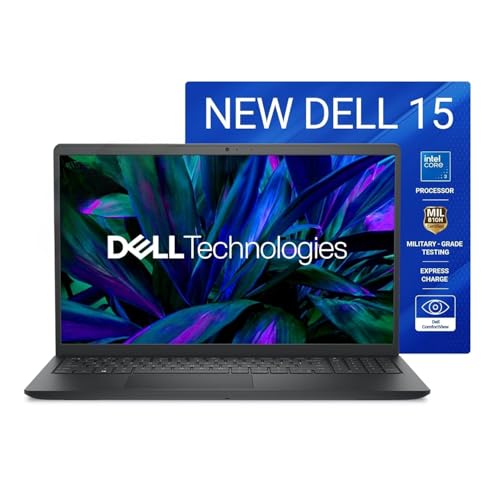
- Operating System: Ubuntu
- Processor: Core 3-100U
- Memory: 8GB DDR5/512 GB
2. Lenovo IdeaPad Slim 3 15IRH10 — Best Performance Value
Best for: Multitasking, programming, research, heavy browser use and demanding office work
The Lenovo IdeaPad Slim 3 15IRH10 is particularly interesting if your work involves more than basic documents and meetings.
Current India listings show configurations with an Intel Core i5-13420H, 16GB DDR5 RAM and 512GB SSD, along with a 15.3-inch 1920 × 1200 display.
The H-series processor gives this configuration more performance headroom than the basic U-series machines commonly found at lower prices.
Why it stands out
- Intel Core i5-13420H
- 16GB DDR5 RAM
- 512GB SSD
- 15.3-inch 16:10 display
- Good multitasking potential
- Suitable for sustained workloads
Best for
✔ Multiple Chrome tabs
✔ Excel
✔ Coding
✔ Research
✔ Canva
✔ Content creation
✔ Video meetings
✔ Large documents
Skip if
❌ Your priority is maximum portability.
Verdict: ⭐ A strong choice when performance matters more than having the lightest possible machine.
Also Read | Best Laptop Stands in India: Top Picks
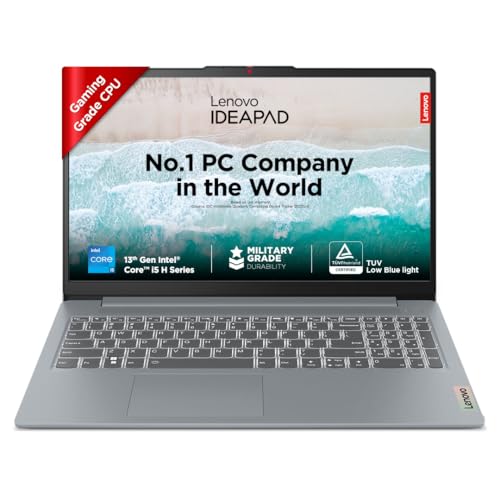
- Processor: Intel Core i5-13420H | Speed: 2.1 GHz (Base) – 4.6 GHz (Max) | 8 Cores | 12 Threads | 12MB Cache
- Display: 15.6″ FHD (1920×1080) | 300Nits Brightness | Anti Glare |TUV Low Blue Light Certified
- Memory and Storage: 16GB RAM LPDDR5-4800 | 512 GB SSD
3. HP OmniBook 3 14 — Best Portable WFH Laptop
Best for: People who work from different rooms, cafés, coworking spaces or while travelling
A home-office laptop doesn’t always stay at home.
If you want something easier to carry, the HP OmniBook 3 14 is worth considering. HP’s current India listing shows a configuration with an Intel Core 5 120U, 16GB RAM, 512GB SSD and 14-inch 1920 × 1200 display, with Microsoft Office Home 2024 included.
Why it stands out
- 14-inch size
- 16GB RAM
- 512GB SSD
- 1920 × 1200 display
- Intel Core 5 processor
- Office Home 2024
- More portable than a typical 15.6-inch laptop
Best for
✔ Hybrid work
✔ Freelancers
✔ Remote employees
✔ Travel
✔ Meetings
✔ Writing
✔ Presentations
✔ Browsing
Skip if
❌ You want the largest possible screen for spreadsheets.
Verdict: ⭐ Best direction for people who don’t want a bulky home-office laptop..
Also Read | Laptop Tables: 10 Smart Picks for Comfortable Work
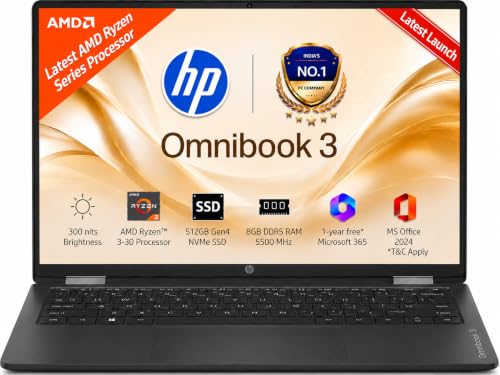
- 【Processor, Memory & Storage】- AMD Ryzen 3 30 (up to 4.1 GHz max boost clock, 4 MB L3 cache, 4 cores, 8 threads)| Memory…
- 【Display & Graphics】 – 35.6 cm (14″) diagonal, 2K (1920 x 1200), IPS, micro-edge, anti-glare, 300 nits, low power, 62.5%…
- 【Operating System & Preinstalled Software】: Windows 11 Home Single Language | MS Office Home 2024 |1 year Microsoft 365 …
4. ASUS Vivobook 15 — Best Everyday Work Laptop
Best for: Office work, students, freelancers and general productivity
The ASUS Vivobook 15 has been one of the more practical mainstream laptop families for people who want a combination of everyday performance and useful features.
The current ASUS India listing for the Vivobook 15 family includes configurations with up to a 13th Gen Intel Core i5-13500H, 16GB memory and 512GB SSD. It also includes features such as a 180-degree hinge, ErgoSense keyboard, Wi-Fi 6, fingerprint sensor on selected configurations and a physical webcam privacy shield.
Why it stands out
- Up to Intel Core i5-13500H
- Up to 16GB RAM
- Up to 512GB SSD
- 15.6-inch display
- 180-degree hinge
- Comfortable keyboard
- Webcam privacy shutter
- Wi-Fi 6
- Optional fingerprint sensor
Best for
✔ Work from home
✔ MS Office
✔ Online meetings
✔ Blogging
✔ Canva
✔ Browsing
✔ Presentations
✔ Freelancing
Skip if
❌ You specifically need a premium OLED display or workstation-level performance.
Verdict: ⭐ One of the easiest all-round recommendations for everyday productivity.
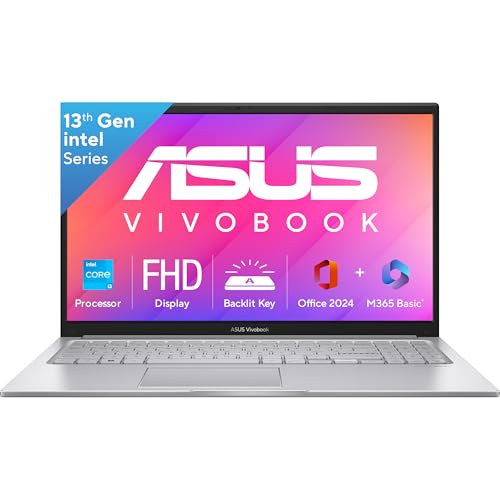
- Processor, Memory & Storage : Intel Core i3-1315U Processor 1.2 GHz (10MB Cache, up to 4.5 GHz, 6 cores, 8 Threads) | Me…
- Operating System & Software : Windows 11 Home | Software : Microsoft 365 Basic with 100GB Cloud Storage for 1 Year + Off…
- Display & Graphics : 15.6-inch, FHD (1920 x 1080) 16:9 aspect ratio, 60Hz refresh rate, 250nits Brightness, 45% NTSC col…
5. Lenovo ThinkBook 14 — Best Business-Focused Option
Best for: Professionals who want a more business-oriented machine
If your laptop is your primary work device and you’re willing to spend more, the Lenovo ThinkBook range deserves consideration.
A current India-market configuration lists the ThinkBook 14 with a Core 5-210H processor, 16GB RAM and 1TB SSD.
Why it stands out
- Business-focused design
- 14-inch form factor
- 16GB RAM
- 1TB SSD
- Strong productivity configuration
- Better suited to professional users
Best for
✔ Business users
✔ Managers
✔ Freelancers
✔ Consultants
✔ Heavy office work
✔ Large local files
Skip if
❌ Your budget is below ₹60,000.
Verdict: ⭐ A more professional option when you want to spend more on your primary work machine.
Also Read | Best Accessories for Your Laptop

- Processor: Intel Core 3 100U (1.2 GHz base clock, up to 4.7 GHz max boost clock, 10MB cache, 6 cores) | Memory: 8GB DDR5…
- Operating System: This is a DOS based laptop. Requires separate purchase and installation of operating system software (…
- Display: 14 inch (35.56 cm) WUXGA (1920 X 1200), brightness: 300 nits, IPS display, Anti-glare | Intel Integrated Graphi…
6. ASUS Vivobook 16 — Best Large Screen for Home Office
Best for: Excel, research, split-screen work and people who don’t travel much
Sometimes the simplest productivity upgrade is more screen space.
ASUS currently lists the Vivobook 16 family with options including up to 16GB memory and up to 1TB SSD storage. Some configurations use a 16-inch 16:10 display, which gives you useful vertical space for documents and web pages.
Why it stands out
- 16-inch display
- 16:10 aspect ratio on selected models
- Up to 16GB RAM
- Up to 1TB SSD
- Good for multitasking
- Useful for split-screen workflows
Best for
✔ Excel
✔ Research
✔ Blogging
✔ Content writing
✔ Multiple windows
✔ Online teaching
✔ Home-office desk setups
Skip if
❌ You regularly carry your laptop around.
Verdict: ⭐ A great choice when your laptop is essentially a portable desktop.
Also Read | 10 Laptop Setup Essentials
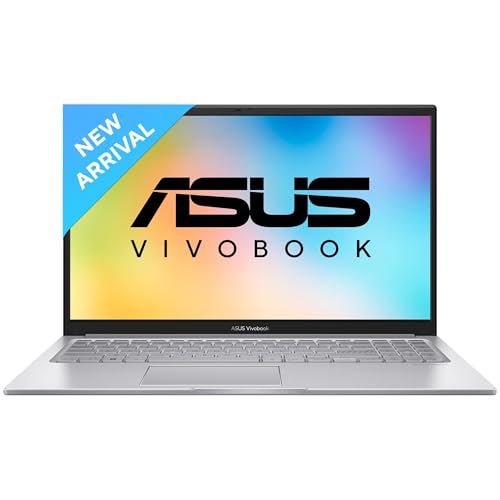
- Processor, Memory & Storage : AMD Ryzen 5 150 Processor 3.3GHz (18MB Cache, up to 4.55 GHz, 6 cores, 12 Threads) | Memor…
- Operating System & Software : Windows 11 Home | Software : Microsoft Office Home 2024 for lifetime + Microsoft 365 Basic…
- Display & Graphics : 16.0-inch, FHD+ WUXGA (1920 x 1200) 16:10 aspect ratio, 60Hz Refresh rate, 300nits Brightness, 45% …
What Makes a Good Work-from-Home Laptop?
Don’t buy a laptop just because the processor name looks impressive.
For WFH, these are the specifications that matter most.
1. RAM: Get 16GB if You Can
For a new work laptop in 2026, 16GB RAM is the sweet spot.
Why?
Because your actual workload may include:
- Chrome
- Gmail
- Google Docs
- Excel
- Teams
- Zoom
- WhatsApp Web
- Canva
- Spotify
- PDF files
- File Explorer
Running all of these together can quickly make 8GB feel restrictive.
Our recommendation
8GB → Basic work only
16GB → Recommended
24GB/32GB → Heavy multitasking and professional workloads
Current WFH laptop roundups similarly use 16GB RAM and 512GB SSD as a practical baseline for multitasking.
2. SSD: Don’t Buy a Slow Storage Laptop
For work, an SSD is essential.
A 512GB SSD is a good starting point.
256GB
Fine for:
- Cloud-first users
- Basic documents
- Light office work
512GB
Better for:
- Office work
- Photos
- Videos
- Documents
- Apps
- Local project files
1TB
Ideal for:
- Bloggers
- Designers
- Video editors
- Large file libraries
- Professionals storing projects locally
3. Which Processor Do You Need?
You don’t need a Core i9 just to use Excel.
Basic WFH
Look for:
- Intel Core 3
- Ryzen 3
- Modern entry-level processors
Regular professional work
Look for:
- Intel Core 5
- Core i5
- Ryzen 5
Heavy multitasking
Look for:
- Core 5 / Core i5 H-series
- Core 7 / Core i7
- Ryzen 7
Creative or professional workloads
Consider:
- Core Ultra
- Ryzen AI
- Dedicated GPU configurations
For ordinary WFH, 16GB RAM + SSD + a modern mid-range processor is generally more useful than spending heavily on a flagship CPU.
4. 14-Inch vs 15.6-Inch vs 16-Inch
This is one of the most overlooked laptop decisions.
| Screen Size | Best For |
|---|---|
| 13–14 inch | Travel and hybrid work |
| 15–15.6 inch | General home-office use |
| 16 inch | Excel, research and multitasking |
Choose 14-inch if:
You move around frequently.
Choose 15.6-inch if:
The laptop will mostly sit on your desk.
Choose 16-inch if:
You want more workspace without connecting an external monitor.
5. Webcam Matters More for WFH
A laptop can have a fantastic processor and still be frustrating for remote work if the webcam is poor.
Before buying, check:
- Webcam resolution
- Microphone quality
- Privacy shutter
- Noise cancellation
- Camera placement
ASUS, for example, lists AI noise-cancellation technology and a physical webcam shield on the Vivobook 15 family.
6. Keyboard Comfort Is Not Optional
If you’re typing for 6–8 hours a day, the keyboard matters.
Look for:
- Comfortable key travel
- Full-size layout
- Backlighting
- Dedicated number pad if you use Excel
- Good palm rest
If your work involves a lot of numbers, a 15.6-inch laptop with a numeric keypad can be much more convenient than a compact 14-inch machine.
Best Laptop for Different WFH Jobs
👩💻 For corporate office work
Good balance of screen size, productivity features and business orientation.
📊 For Excel & accounting
The larger display and numeric-keypad configuration make sense.
✍️ For bloggers & writers
A practical balance of keyboard, screen and performance.
🎨 For Canva
Lenovo IdeaPad Slim 3 or ASUS Vivobook 15
Prioritise 16GB RAM and a good SSD.
👨💻 For coding
The Core i5 H-series configuration provides more performance headroom.
📹 For frequent video calls
ASUS Vivobook 15 or HP OmniBook 3
Pay attention to webcam, microphone and portability.
🧳 For hybrid work
The smaller form factor makes more sense for carrying around.
🏠 For a permanent home-office desk
The larger display is useful for multitasking.
Do You Need a Gaming Laptop for Work?
No.
A gaming laptop makes sense if your work involves:
- 3D rendering
- GPU-intensive AI applications
- Video editing
- CAD
- 3D modelling
- Gaming after work
But for:
- Excel
- Word
- PowerPoint
- Zoom
- Google Meet
- Blogging
- Canva
- Research
a gaming laptop is usually unnecessary.
You’ll generally get a lighter, quieter and more practical machine by buying a productivity laptop instead.
Laptop vs Desktop for Work from Home
| Factor | Laptop | Desktop |
|---|---|---|
| Portability | ⭐⭐⭐⭐⭐ | ⭐ |
| Desk space | ⭐⭐⭐ | ⭐⭐ |
| Upgradeability | ⭐⭐ | ⭐⭐⭐⭐⭐ |
| Built-in screen | ✅ | ❌ |
| Built-in battery | ✅ | ❌ |
| Long-term performance | ⭐⭐⭐ | ⭐⭐⭐⭐⭐ |
| Home-office flexibility | ⭐⭐⭐⭐⭐ | ⭐⭐⭐ |
Choose a laptop if:
You want flexibility.
Choose a desktop if:
Your computer will never leave your desk and you want maximum performance per rupee.
Common WFH Laptop Buying Mistakes 🚫
Buying 8GB because it is cheaper
You may save money initially but feel the limitation sooner.
Buying a huge processor with only 8GB RAM
Balanced specifications matter more.
Buying a gaming laptop unnecessarily
You may end up carrying extra weight and paying for a GPU you never use.
Ignoring the webcam
Especially important for remote employees.
Buying 256GB storage
It can become restrictive surprisingly quickly.
Ignoring the keyboard
A laptop that looks good in specifications can still be uncomfortable for long typing sessions.
Choosing based only on brand
HP, Dell, Lenovo, ASUS and Acer all have good options.
The specific configuration matters more than the logo.
What Should You Spend?
Under ₹45,000
Look for:
- 8GB–16GB RAM
- 512GB SSD
- Modern Core 3 / Ryzen 3-class processor
Good for basic office work.
₹45,000–₹65,000
This is the sweet spot for many home-office buyers.
Look for:
- 16GB RAM
- 512GB SSD
- Core 5 / Ryzen 5-class processor
- FHD display
₹65,000–₹90,000
You can start getting:
- Better processors
- Better displays
- More premium build
- Better portability
- Larger storage
₹90,000+
Worth considering if you need:
- Premium displays
- Excellent portability
- Higher-end performance
- Business-class features
- Creative workloads
Don’t spend ₹1 lakh simply to use Word, Excel and Zoom.
The WFH Laptop Sweet Spot
If you want a simple specification checklist, this is what I’d target:
16GB RAM + 512GB SSD + modern Core 5/Core i5 or Ryzen 5-class processor + FHD/WUXGA display + good webcam + comfortable keyboard.
You don’t need the most powerful laptop available.
You need a laptop that can handle your browser tabs, meetings, documents, spreadsheets and work applications without making you fight with the machine every day. 💻
FAQs
Is 16GB RAM enough for work from home?
Yes. For most office and remote-work tasks, 16GB is a very comfortable target.
Is 8GB RAM enough for WFH?
It can handle basic work, but 16GB is preferable if you regularly multitask.
Is an i5 better than an i3 for work from home?
Generally, a modern Core i5/Core 5-class processor gives you more performance headroom, particularly when multitasking.
Is 512GB SSD enough?
For most professionals, yes. Move to 1TB if you store lots of videos, photos or project files locally.
Is a 15.6-inch laptop too big for WFH?
Not if it mostly stays on your desk. In fact, the larger screen can be more comfortable for spreadsheets and multitasking.
Do I need a dedicated graphics card?
Not for normal office work, browsing, meetings or documents. Consider one for video editing, 3D work, AI workloads or gaming.
Which is better for WFH: laptop or desktop?
A laptop is better if you want flexibility. A desktop is better if the computer will remain permanently at your desk and you prioritise upgradeability and performance.
How much should I spend on a WFH laptop?
For many users, ₹45,000–₹70,000 is the most sensible range. Spending more only makes sense when you have specific performance, display, portability or professional requirements.
Final Verdict 🏆
The best laptop for working from home depends heavily on what your actual work looks like.
🥇 Best Overall WFH
A practical choice for conventional office productivity, spreadsheets and home-office use.
🥈 Best Performance Value
A stronger option for multitasking, programming and heavier workloads.
🥉 Best Portable WFH Laptop
Better suited to hybrid workers and people who move around.
💼 Best Everyday Work Laptop
A well-rounded option for office work, freelancing, blogging and online meetings.
🏢 Best Business-Focused Option
Worth considering when professional features and a business-oriented design matter more.
🖥️ Best Large-Screen WFH Laptop
Ideal for a desk-based setup where screen real estate matters.