
Buying a laptop on a budget doesn’t mean settling for something that becomes frustrating after a few months. For students, freelancers, remote workers and everyday users, the sweet spot is usually a laptop that can comfortably handle documents, presentations, browsing, video calls, streaming, online classes, spreadsheets and everyday multitasking without pushing the budget unnecessarily high.
The challenge is that laptop listings can look very similar on paper. One machine may offer a newer processor, another may give you more RAM, while another may have better portability or a more useful port selection.
So in this guide, we’ll look at budget-friendly laptops available in the Indian market, what specifications actually matter, and how to choose between entry-level and more capable configurations. Amazon India’s current student-laptop guide also highlights assignments, note-taking, online classes, coding and browsing as important student workloads, while recommending attention to RAM, SSD storage, battery life, connectivity and display quality.
Also Read | Best Laptop Stands in India: Top Picks | Best Bluetooth Keyboards for Phones, Tablets & Laptops
Note: Laptop prices and configurations change frequently. The product options below reflect listings found during research and should be checked again before purchase.
💻 What Is a Budget Laptop in 2026?
For this guide, budget laptop broadly means a Windows laptop positioned below the premium segment, with the most useful options generally falling around ₹35,000–₹70,000, depending on processor, RAM, storage and display.
There is a big difference between a ₹30,000 entry-level laptop and a ₹60,000 laptop, though.
A ₹30,000–₹40,000 machine can be perfectly adequate for:
- 📚 Online classes
- 🌐 Web browsing
- 📝 Word processing
- 📊 Basic spreadsheets
- 🎥 YouTube and streaming
- 🖥️ Presentations
- 💬 Video meetings
Moving toward ₹50,000–₹70,000 can give you more breathing room for:
- Heavy multitasking
- Larger spreadsheets
- Programming
- Photo editing
- More browser tabs
- Longer-term everyday use
- More demanding productivity applications
🥇 1. Acer Aspire Lite Ryzen 5 5625U — 16GB/512GB
The Acer Aspire Lite configuration with AMD Ryzen 5 5625U, 16GB RAM and 512GB SSD is one of the more capable configurations in this budget-oriented group.
It combines a six-core Ryzen 5 processor with plenty of RAM and SSD storage, making it suitable for users who don’t want an entry-level machine.
Key configuration:
- AMD Ryzen 5 5625U
- 16GB RAM
- 512GB SSD
- 15.6-inch Full HD display
- Windows 11
- Around 1.59 kg
- Amazon India listing found during research
Good for: Students, office work, multitasking, browsing, programming and general productivity.
The current product listing showed ₹59,990 on Amazon India when researched. Acer Aspire Lite Ryzen 5 5625U 16GB/512GB₹59,990Amazon.in + others
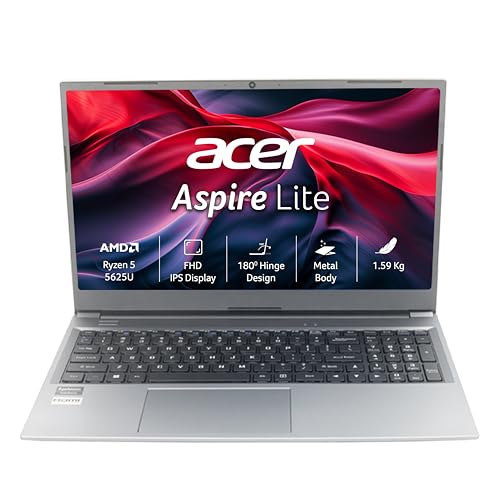
- Processor: AMD Ryzen 5 5625U processor (2.3 GHz base clock, up to 4.3 GHz max boost clock, 16 MB L3 cache, 6 cores) | Me…
- Operating System: Windows 11 Home |Preinstalled Software: None
- Display: 15.6″ Full HD TN 1920 x 1080, high-brightness TFT LCD :16:9 aspect ratio ,Ultra-slim design, Mercury free, envi…
💻 2. Lenovo IdeaPad Slim 3 Ryzen 5
The Lenovo IdeaPad Slim 3 family has several configurations, so check the exact processor and RAM before ordering.
The Ryzen 5 configuration currently listed on Amazon gives you a more capable platform than basic Ryzen 3/Core 3 machines.
Good for:
- College assignments
- Microsoft Office
- Browsing
- Online classes
- Programming
- Everyday work
- Light creative applications
The researched Amazon listing showed a price around ₹63,225, although laptop pricing can change quickly. Lenovo IdeaPad Slim 3 Ryzen 5₹63,225amazon.in + others

- Processor: AMD Ryzen 5 7530U | Speed: 3GHz (Base) – 4.5GHz (Max) | 6 Cores | 12 Threads | 16MB Cache
- Display: 15″ FHD IPS (1920×1080) | 300Nits Brightness | Anti Glare |TUV Low Blue Light Certified
- Memory and Storage: 8GB RAM DDR4-3200 | 512 GB SSD, Expandable upto 1TB.
🧑💻 3. Lenovo IdeaPad Slim 3 Ryzen 5 7520U
Another IdeaPad Slim 3 configuration uses the Ryzen 5 7520U processor and a 15.6-inch Full HD display.
This is the sort of configuration that makes sense for someone who wants a traditional 15.6-inch laptop for:
- Study
- Office work
- Excel
- PowerPoint
- Browsing
- Streaming
- Video calls
The current Amazon listing found during research was around ₹62,750. Lenovo IdeaPad Slim 3 Ryzen 5 7520U₹62,750Amazon.in + others
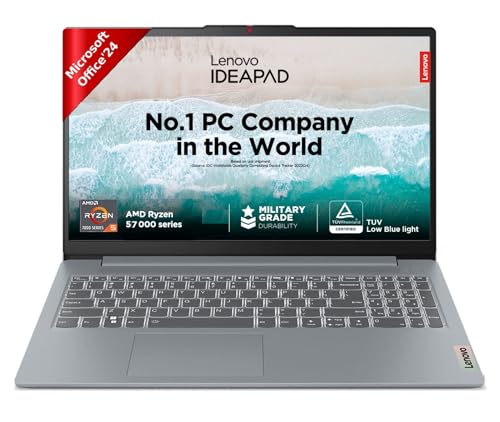
- Processor: AMD Ryzen 5 7520U | Speed: 2.8GHz (Base) – 4.3GHz (Max) | 4 Cores | 8 Threads | 4MB Cache
- Display: 15.6″ FHD (1920×1080) | 250Nits Brightness | Anti Glare |TUV Low Blue Light Certified.
- Memory and Storage: 16GB Soldered LPDDR5-5500 | 512GB SSD M.2 2242 PCIe
🧳 4. MSI Modern 14 — Core i3 13th Gen
If portability matters, the MSI Modern 14 is worth looking at.
The researched configuration features:
- Intel Core i3-1315U
- 16GB RAM
- 512GB NVMe SSD
- 14-inch Full HD display
- Windows 11
- Microsoft Office/Microsoft 365 bundle listed
The combination of 14-inch size + 16GB RAM + 512GB SSD makes it particularly relevant for students who carry their laptop between classes, libraries and home.
The Amazon listing was around ₹61,890 during research. MSI Modern 14 Core i3 13th Gen₹61,890amazon.in

- Processor: 13th Generation Intel Core i3-1315U Up To 4.5GHz
- Operating System: Pre-loaded Windows 11 Home with lifetime validity |Preinstalled Software: MSI Center | In the box: Lap…
- Display: 36CM FHD (1920×1080), 60Hz 45%NTSC IPS-Level Panel
🌿 5. ASUS Vivobook Go 15 Ryzen 5
The ASUS Vivobook Go 15 is designed around a relatively straightforward thin-and-light concept.
The Ryzen 5 configuration found on Amazon is suitable for users looking for:
- Large 15.6-inch workspace
- Everyday productivity
- Online learning
- Office applications
- Browsing
- Entertainment
The exact configuration should be checked carefully because Vivobook Go 15 is sold in multiple variants.
The researched Amazon listing was around ₹65,000. ASUS Vivobook Go 15 Ryzen 5₹65,000Amazon.in + others
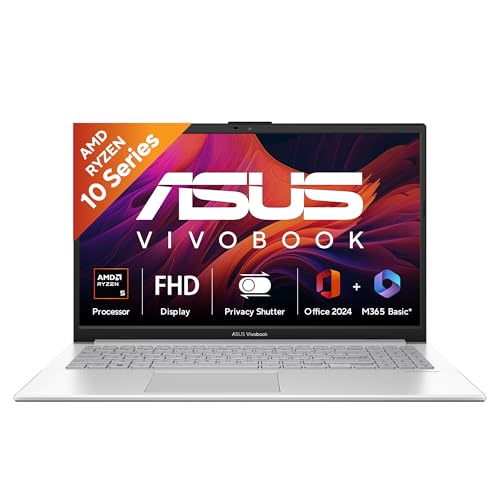
- Processor, Memory & Storage : AMD Ryzen 5 40 Processor 2.8GHz (6MB Cache, up to 4.3GHz, 4 cores, 8 Threads) | Memory : L…
- Operating System & Software : Windows 11 Home | Software : Microsoft Office Home 2024 for lifetime + Microsoft 365 Basic…
- Display & Graphics : 15.6-inch, FHD (1920 x 1080) 16:9 aspect ratio, 60Hz Refresh rate, 250nits Brightness, 45% NTSC col…
🖥️ 6. ASUS Vivobook 15 Core i3 13th Gen
The ASUS Vivobook 15 with a 13th-generation Core i3 processor is another option for everyday productivity.
It’s particularly relevant if you prefer:
- A 15.6-inch screen
- Windows
- Traditional laptop design
- Office applications
- Online classes
- Browsing
- Entertainment
The Amazon listing researched was around ₹55,000. ASUS Vivobook 15 Core i3 13th Gen₹55,000Amazon.in + others
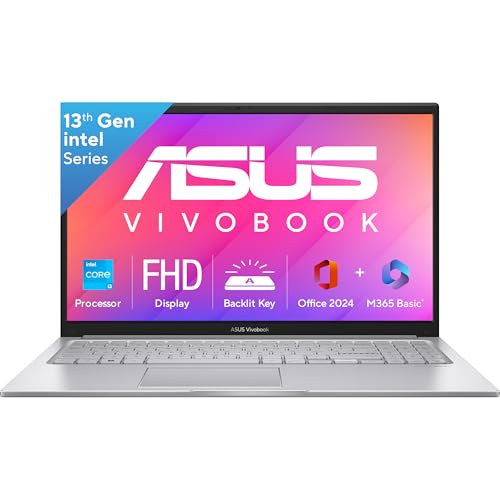
- Processor : Intel Core i3-1315U Processor 1.2 GHz (10MB Cache, up to 4.5 GHz, 6 cores, 8 Threads)
- Display : 15.6-inch, FHD (1920 x 1080) 16:9 aspect ratio, 60Hz refresh rate, 250nits Brightness, 45% NTSC color gamut, A…
- 【Software : Microsoft 365 Basic with 100GB Cloud Storage for 1 Year + Office Home 2024 with lifetime validity | Operatin…
⚡ 7. ASUS Vivobook 15 with Intel Core 3 100U
The newer Intel Core 3 100U configuration gives buyers another option in the entry-to-mid budget range.
The researched listing includes:
- Intel Core 3 100U
- 8GB RAM
- 512GB SSD
- 15.6-inch Full HD display
- Windows 11
This type of configuration is aimed at everyday productivity rather than gaming or professional workstation workloads.
The Amazon listing was around ₹59,990 during research. ASUS Vivobook 15 Core 3 100U₹59,990Amazon.in + others
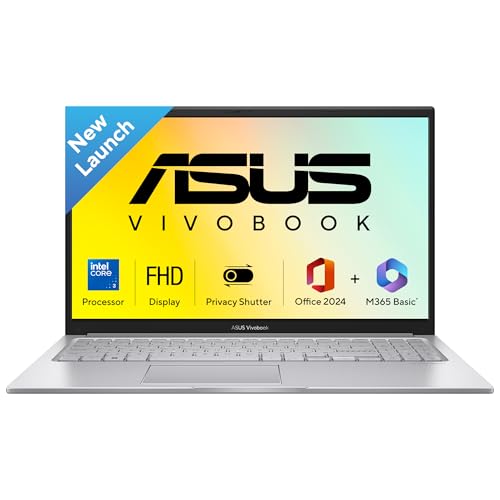
- Processor, Memory & Storage : Intel Core 3 Processor 100U 1.2 GHz (10MB Cache, up to 4.7 GHz, 6 cores, 8 Threads) | Memo…
- Operating System & Software : Windows 11 Home | Software : Microsoft Office Home 2024 for lifetime + Microsoft 365 Basic…
- Display & Graphics : 15.6-inch, FHD (1920 x 1080) 16:9 aspect ratio, 60Hz Refresh rate, 250nits Brightness, 45% NTSC col…
💻 8. Acer Aspire Lite Ryzen 3 5400U
For shoppers trying to keep the cost lower, the Acer Aspire Lite with Ryzen 3 5400U is another option.
The configuration found on Amazon was listed around ₹41,990.
Good for:
- Students
- Browsing
- Documents
- Online classes
- Presentations
- Streaming
- Basic office work
It is better viewed as an everyday productivity laptop, rather than a machine for demanding editing or gaming. Acer Aspire Lite Ryzen 3 5400U₹41,990Amazon.in + others
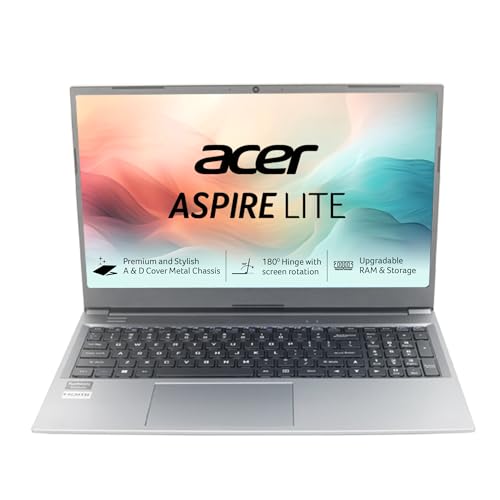
- Processor: AMD Ryzen 3 5400Uprocessor(2.6 GHz base clock, up to 4.0 GHz max boost clock, 8 MB L3 cache, 8 cores)|Operati…
- Visibly Stunning: 15.6″ Full HD IPS 1920 x 1080, high-brightness TFT LCD : 16:9 aspect ratio, Ultra-slim design ,Mercury…
- Internal Specifications: RAM – Dual channel DDR4, 2 SODIMM sockets, 8 GB of DDR4 Memory Upgradable up to 32GB, DDR4 3200…
💰 9. Acer 15 Smartchoice Ryzen 3 7320U
If your budget is closer to the lower end, Acer’s 15-inch Smartchoice configuration offers:
- AMD Ryzen 3 7320U
- 8GB DDR5 RAM
- 256GB SSD
- Windows 11 Home
- Microsoft Office 2021 listed
- Approximately 1.59 kg
The Amazon listing found during research was around ₹41,090.
This is the type of laptop that works well when your priority is basic academic and office productivity rather than high-performance computing. Acer 15 Smartchoice Ryzen 3 7320U₹41,090Amazon.in
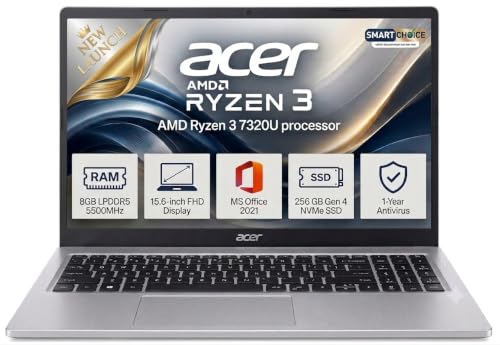
- AMD Ryzen 3 7320U Processor: Reliable everyday performance for office work, browsing, video calls, and multitasking with…
- 15.6 Inch Full HD Display: Enjoy sharp, vibrant visuals for work, study, and entertainment on a spacious screen
- 8GB DDR5 RAM and 256GB SSD: Fast, responsive performance with quick app loading and ample storage for files and media at…
🏠 10. Acer One 15 Ryzen 3 7320U
The Acer One 15 is another lower-cost configuration built around Ryzen 3 7320U.
The researched configuration includes:
- Ryzen 3 7320U
- 8GB RAM
- 256GB SSD
- Windows 11 Home
- 15.6-inch class display
The Amazon listing was around ₹37,889 during research. Acer One 15 Ryzen 3 7320U₹37,889Amazon.in + others
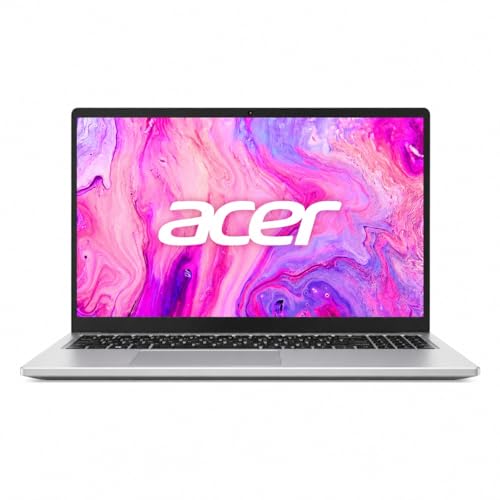
- Responsive Everyday Performance: Power through your daily to-do list without a hitch. Driven by the efficient AMD Ryzen …
- Massive & Lightning-Fast Storage: Say goodbye to slow boot times and endless loading screens. The generous 512GB NVMe SS…
- Stunning 15.6″ Full HD IPS Visuals: Bring your favorite shows and work projects to life. The spacious 15.6-inch Full HD …
📊 Budget Laptop Comparison
| Laptop | Processor | RAM | Storage | Screen | Suitable For |
|---|---|---|---|---|---|
| Acer Aspire Lite | Ryzen 5 5625U | 16GB | 512GB | 15.6″ FHD | Multitasking & work |
| Lenovo IdeaPad Slim 3 | Ryzen 5 | Varies | Varies | 15.6″ class | Study & productivity |
| Lenovo IdeaPad Slim 3 | Ryzen 5 7520U | Varies | Varies | 15.6″ FHD | Study & work |
| MSI Modern 14 | Core i3-1315U | 16GB | 512GB | 14″ FHD | Portable work |
| ASUS Vivobook Go 15 | Ryzen 5 | Varies | Varies | 15.6″ | Students & work |
| ASUS Vivobook 15 | Core i3 13th Gen | Varies | Varies | 15.6″ | Office & study |
| ASUS Vivobook 15 | Core 3 100U | 8GB | 512GB | 15.6″ FHD | Everyday use |
| Acer Aspire Lite | Ryzen 3 5400U | Varies | Varies | 15.6″ | Budget productivity |
| Acer 15 Smartchoice | Ryzen 3 7320U | 8GB | 256GB | 15.6″ | Basic student use |
| Acer One 15 | Ryzen 3 7320U | 8GB | 256GB | 15.6″ | Basic work & study |
Always verify the exact RAM, storage and processor configuration on the retailer page before purchasing, because the same laptop family can have multiple variants.
🎓 What Should Students Look for in a Laptop?
A student doesn’t necessarily need a powerful gaming laptop.
For assignments, research, presentations, online classes and everyday productivity, the following specifications are a sensible starting point.
🧠 1. Processor
The CPU determines how quickly the laptop handles many everyday operations.
For a new budget laptop, look for something around:
- Intel Core i3 / Core 3 or better
- AMD Ryzen 3 or better
If your budget allows, stepping up to Core i5 or Ryzen 5 can provide additional performance headroom.
Amazon’s student guide similarly identifies Intel Core i3/i5/i7 and AMD Ryzen processors across different budget and performance levels.
💾 2. RAM
RAM becomes particularly important when you have multiple applications open.
For example:
Chrome + Word + Spotify + WhatsApp + PowerPoint + PDF
can quickly become a demanding multitasking workload on an entry-level machine.
Practical guide
| RAM | Suitable For |
|---|---|
| 4GB | Very basic use |
| 8GB | Everyday study & office work |
| 16GB | Heavy multitasking & longer-term use |
| 32GB | Specialist workloads |
For a new Windows laptop, 8GB should be treated as a practical baseline, while 16GB is preferable if the budget permits.
🚀 3. SSD Storage
An SSD is one of the most important upgrades over traditional hard-drive storage.
It helps with:
- Faster booting
- Faster application loading
- Faster file access
- Better overall responsiveness
For most students and office users, 512GB SSD is a comfortable target.
A 256GB SSD can work, but you’ll need to manage your files more carefully.
Amazon’s student guide also identifies SSD storage as an important factor for performance and durability.
🖥️ 4. Display Size
Laptop screens around 14–15.6 inches are practical for most students.
14-inch
Best if you:
- Travel frequently
- Carry the laptop to college
- Prefer portability
- Work in smaller spaces
15.6-inch
Best if you:
- Work from home
- Use spreadsheets
- Watch lectures
- Want more screen space
- Don’t mind a larger laptop
Amazon’s student guide similarly identifies 13–15-inch laptops as a practical balance between portability and usability.
🔋 5. Battery Life
Battery life matters considerably for students.
Imagine attending three lectures and then spending another few hours in the library. Constantly searching for a charging point isn’t exactly convenient.
Look for:
- Efficient processors
- Battery-saving modes
- USB-C charging where supported
- Manufacturer-rated battery claims
- Real-world reviews before purchase
Don’t rely entirely on the advertised maximum battery figure because actual runtime varies with brightness, applications, connectivity and workload.
🎥 6. Webcam and Microphone
Online classes and remote work have made webcams much more important.
Before buying, check:
- Webcam resolution
- Microphone quality
- Speaker quality
- Camera placement
- Privacy shutter, if available
For basic Zoom, Google Meet and Teams calls, a decent integrated webcam is usually sufficient.
🔌 7. Ports and Connectivity
Don’t underestimate ports.
A useful student laptop may include:
- USB-A
- USB-C
- HDMI
- 3.5mm audio
- Wi-Fi
- Bluetooth
USB-C is particularly useful for newer accessories and peripherals.
Amazon’s student guide also highlights USB-C, HDMI, Bluetooth and Wi-Fi as useful connectivity considerations.
⌨️ 8. Keyboard Quality
You’ll probably type thousands of words on your laptop during college or work.
Look for:
- Comfortable key travel
- Full-size keyboard
- Dedicated number pad if you use Excel heavily
- Backlighting if you frequently work at night
A backlit keyboard isn’t essential, but it can be a useful convenience.
👜 Best Laptop Size for Students
If you’re taking your laptop to college every day, portability becomes important.
13–14 inch
🎒 Easier to carry
🪶 Generally more portable
📚 Good for lecture notes
💼 Convenient for commuting
15.6 inch
🖥️ Larger workspace
📊 Better for spreadsheets
🎬 Better for entertainment
⌨️ More comfortable for some users
For most students, 14-inch and 15.6-inch laptops are the practical middle ground.
💼 Best Budget Laptop for Office Work
Office users typically need:
- Microsoft Office
- Browser
- Video meetings
- PDF tools
- Excel
- Cloud storage
- Messaging applications
You don’t necessarily need a dedicated GPU.
A laptop with:
Core i3/Core 3 or Ryzen 3 + 8GB RAM + 512GB SSD
can cover ordinary office workloads.
If your work involves heavier Excel files, multitasking, programming or content creation, consider:
Core i5/Ryzen 5 + 16GB RAM + 512GB SSD
🧑💻 Best Budget Laptop for Coding Students
Coding requirements depend heavily on the course.
For basic:
- HTML/CSS
- JavaScript
- Python
- Java
- C/C++
- VS Code
a modern Core i3/Core 3 or Ryzen 3 configuration can be sufficient.
For:
- Android Studio
- Docker
- Virtual machines
- Machine learning
- Large development environments
you should consider moving toward 16GB RAM and a stronger processor.
🎨 What About Video Editing?
This is where extremely cheap laptops start becoming less attractive.
Basic:
- Canva
- Simple image editing
- Short 1080p clips
- Social media graphics
can be handled by many modern integrated-GPU laptops.
But if you regularly use:
- Adobe Premiere Pro
- DaVinci Resolve
- After Effects
- Blender
- 4K video
you should consider a laptop with a stronger CPU, more RAM and potentially a dedicated GPU.
A ₹35,000 entry-level student laptop shouldn’t be purchased expecting workstation-level video editing.
🎮 Can Budget Laptops Handle Gaming?
Some can handle casual or lighter games, but gaming should not be the primary reason for buying an entry-level productivity laptop.
If gaming is a major requirement, look specifically for:
- Dedicated GPU
- Adequate cooling
- Higher-power CPU
- 16GB RAM
- Fast display
- Upgradeable storage/RAM where possible
That usually pushes the budget significantly higher.
💡 8GB vs 16GB RAM
This is one of the most important buying decisions.
8GB RAM
Fine for:
- Word
- Excel
- Browsing
- Online classes
- Streaming
- Basic coding
- Everyday work
16GB RAM
Better for:
- Heavy multitasking
- Programming
- Photo editing
- Larger spreadsheets
- Content creation
- Multiple browser tabs
- Longer-term use
If the price difference between otherwise similar configurations is reasonable, 16GB can provide considerably more breathing room.
💾 256GB vs 512GB SSD
256GB
Enough for:
- Office files
- Documents
- Online classes
- Basic applications
But you’ll need to manage storage.
512GB
More comfortable for:
- Photos
- Videos
- Documents
- Applications
- College projects
- Offline media
For a primary laptop, 512GB is generally the more convenient target.
❌ Budget Laptop Mistakes to Avoid
1. Buying purely based on price
₹5,000 cheaper isn’t necessarily better if the configuration is dramatically weaker.
2. Buying 4GB RAM for serious Windows use
It can become restrictive very quickly.
3. Choosing HDD storage for a new laptop
An SSD generally makes much more sense for a modern everyday laptop.
4. Ignoring upgrade options
Some laptops have soldered RAM or limited upgrade paths.
If you’re planning to keep the laptop for several years, investigate this before purchasing.
5. Looking only at processor names
“Ryzen 5” or “Core i5” alone doesn’t tell you everything.
Processor generation, architecture, power class and exact model matter.
6. Ignoring the display
A laptop can have excellent specifications but an unpleasant display.
Look for:
- Full HD resolution
- Reasonable brightness
- Comfortable viewing angles
- Appropriate screen size
7. Buying an old model simply because it’s discounted
An older laptop can still be useful, but compare it against newer alternatives before buying.
💰 What Budget Should You Set?
Here’s a practical way to think about it:
| Budget | Suitable Workload |
|---|---|
| ₹30K–₹40K | Basic study & browsing |
| ₹40K–₹50K | Study + office work |
| ₹50K–₹60K | Better multitasking |
| ₹60K–₹70K | Stronger everyday productivity |
| ₹70K+ | More demanding workloads |
These are guideline bands rather than fixed market categories because laptop pricing changes frequently.
🛒 Before You Buy: Final Checklist
Before clicking Buy Now, check:
☑️ Processor generation
☑️ Exact processor model
☑️ RAM capacity
☑️ Whether RAM is upgradeable
☑️ SSD capacity
☑️ Display resolution
☑️ Display type
☑️ Webcam
☑️ Keyboard
☑️ USB ports
☑️ USB-C functionality
☑️ HDMI
☑️ Wi-Fi version
☑️ Battery specifications
☑️ Weight
☑️ Operating system
☑️ Microsoft Office inclusion
☑️ Warranty
☑️ Service availability
☑️ Current seller
☑️ Current price
☑️ Return/replacement policy
Amazon’s student buying guide similarly recommends checking display, RAM, battery, CPU, storage, operating system, graphics and connectivity before purchasing
🎯 Which Configuration Makes the Most Sense?
If you’re confused by dozens of specifications, start with these targets.
📚 For Students
Core i3/Core 3 or Ryzen 3 + 8GB + 512GB SSD + Full HD
💼 For Office Work
Core i3/Core 3 or Ryzen 3 + 8GB/16GB + 512GB SSD
🧑💻 For Coding
Core i5/Ryzen 5 + 16GB + 512GB SSD
🎨 For Content Creation
Core i5/Ryzen 5 or better + 16GB + 512GB/1TB SSD
Consider a dedicated GPU for heavier editing.
❓ Frequently Asked Questions
Is 8GB RAM enough for students?
Yes, 8GB can handle common student activities such as browsing, documents, presentations, online classes and basic multitasking. If your budget allows, 16GB provides more headroom.
Is 512GB SSD enough for college?
For most students, yes. It gives considerably more breathing room than a 256GB drive for applications, documents, photos and projects.
Is Ryzen 3 good for students?
A modern Ryzen 3 laptop can be suitable for basic academic and office tasks. Students doing heavier programming, editing or multitasking should consider Ryzen 5 or an equivalent processor.
Is Core i3 enough for office work?
For everyday office work such as Word, Excel, email, browsing and video calls, a modern Core i3-class laptop can be sufficient.
Should I buy a 14-inch or 15.6-inch laptop?
Choose 14 inches if portability is important. Choose 15.6 inches if you value a larger workspace.
Do students need a dedicated graphics card?
Not usually. Integrated graphics are sufficient for documents, browsing, streaming and many academic applications. Dedicated graphics become more relevant for gaming, 3D work and demanding video editing.
Is a cheap laptop good for work from home?
Yes, provided your workload is primarily browser-based productivity, documents, spreadsheets, email and video meetings.
How much should I spend on a student laptop?
A practical starting point is around ₹40,000–₹60,000 for a Windows laptop with a modern processor, 8GB or more RAM and SSD storage. Higher budgets can provide more performance and longevity.
🏁 Final Thoughts
The right budget laptop isn’t necessarily the one with the longest specification sheet.
For most students and everyday professionals, the fundamentals matter more:
Modern processor + 8GB/16GB RAM + SSD + Full HD display + comfortable keyboard + useful ports + reasonable battery life.
If you’re working with a tighter budget, a Ryzen 3/Core 3 machine can cover basic productivity. If you regularly multitask, code, work with larger files or want more performance headroom, stepping up to a Ryzen 5/Core 5-class laptop with 16GB RAM and 512GB SSD makes more sense.
And most importantly, check the exact configuration before buying. Laptop families such as IdeaPad, Aspire, Vivobook and HP 15 are sold in numerous variants, and the processor, RAM, storage and display can differ significantly between listings.