
A tablet can be that sweet spot between a smartphone and a laptop. You get a larger screen for reading and movies, a touchscreen for casual browsing, and enough flexibility to handle online classes, office documents, video calls and everyday work.
But choosing a tablet in India isn’t as simple as looking at RAM and storage.
Some tablets are better suited to reading and note-taking, some focus more on movies and entertainment, while others are designed to handle productivity and multitasking.
So, if you’re looking for the best tablets for reading, work and entertainment, this guide covers 10 options worth comparing across different budgets and use cases.
Note: Tablet prices, sellers and stock on Amazon India can change frequently. Always check the exact storage, RAM, connectivity variant and current availability before purchasing.
Also Read | Top 5 Tablet Accessories | Top 5 Tablet Accessories Part II
Quick Comparison: 10 Tablets to Consider
| Tablet | Display | RAM / Storage | Connectivity | Best suited for |
|---|---|---|---|---|
| Samsung Galaxy Tab S10 Lite | 10.9-inch LCD | 6GB / 128GB | Wi-Fi | Reading, notes & work |
| Redmi Pad 2 | 11-inch 2.5K LCD | 6GB / 128GB | Wi-Fi + 4G | Entertainment & reading |
| Samsung Galaxy Tab A11 | 8.7-inch LCD | Up to 8GB / 128GB | Wi-Fi / Cellular variants | Portability & everyday use |
| Samsung Galaxy Tab A11+ | 11-inch | Up to 8GB / 128GB | Wi-Fi / 5G variants | Entertainment & everyday work |
| Redmi Pad 2 Pro | Large LCD | 8GB / 128GB | Wi-Fi / 5G variants | Productivity & entertainment |
| OnePlus Pad Lite | 11-inch | 8GB / 128GB | Wi-Fi | Entertainment & everyday use |
| OnePlus Pad 2 | Large high-refresh display | Varies by variant | Wi-Fi | Work & multitasking |
| Lenovo Idea Tab Plus | 12.1-inch | 8GB / 256GB | Wi-Fi / 5G variants | Productivity & media |
| Lenovo Yoga Tab Plus | Large high-resolution display | 16GB / 256GB | Wi-Fi | Heavy productivity |
| Apple iPad A16 | 11-inch Liquid Retina | 128GB+ | Wi-Fi / Cellular | Work, study & Apple ecosystem |
1. Samsung Galaxy Tab S10 Lite
Best for Reading, Notes & Everyday Work
10.9-inch LCD • 6GB RAM • 128GB storage • Wi-Fi • S Pen
The Samsung Galaxy Tab S10 Lite is an interesting option if your tablet needs to do more than stream videos.
The model you’re considering comes with a 10.9-inch display, 6GB RAM, 128GB storage, Wi-Fi connectivity and S Pen support. Samsung also lists a 90Hz refresh rate and microSD expansion.
The S Pen is particularly useful if you plan to use your tablet for handwritten notes, PDF annotations, sketches or study material.
Why consider it?
The Galaxy Tab S10 Lite can fit into several everyday workflows:
📖 Reading ebooks and PDFs
📝 Handwritten notes
💼 Office documents
🎓 Online classes
🌐 Web browsing
🎬 YouTube and streaming
📹 Video calls
📱 Social media
The 10.9-inch size also provides more room than a smartphone without becoming as bulky as many large laptops.
S Pen advantage
One of the biggest reasons to consider this tablet is the S Pen experience.
It can be useful for:
- Taking handwritten notes
- Annotating PDFs
- Highlighting study material
- Drawing
- Making quick diagrams
- Signing or marking documents
If you’re the kind of person who likes writing things down rather than typing everything, this can make a noticeable difference.
Pros
- S Pen support.
- 10.9-inch display.
- 6GB RAM and 128GB storage configuration.
- 90Hz display.
- Expandable storage.
- Suitable for reading and productivity.
- Samsung ecosystem.
Cons
- Wi-Fi configuration doesn’t provide independent mobile data.
- LCD display rather than AMOLED.
- Keyboard accessories cost extra.
- 128GB can become limiting if you download lots of large files.
Best for: Students, readers, professionals and people who want a tablet for notes + reading + everyday work.
![Samsung Galaxy Tab S10 Lite [Smartchoice], 10.9-inch (27.7 CM), L...](https://m.media-amazon.com/images/I/31oyMoCO2TL.jpg "Best Tablets for Reading, Work & Entertainment 2")
- DISPLAY: Lose yourself in a 10.9-inch (27.7 CM) TFT LCD touch display. COLOR & DESIGN: 6GB RAM + 128GB Storage, Wifi Onl…
- RAM & STORAGE: With up to 8GB of memory and 256GB of storage, it enables fast, seamless multitasking and support for lar…
- CONNECTIVITY: Wi-Fi 6E and Bluetooth 5.3 keep you latency-free in competitive lobbies; USB 2.0 for rapid file transfers….
2. Redmi Pad 2
Best for Entertainment, Reading & 4G
11-inch 2.5K LCD • 6GB RAM • 128GB storage • Wi-Fi + Cellular 4G
The Redmi Pad 2 is one of the most interesting options in this list if entertainment is an important part of your tablet usage.
The configuration you’re considering comes with 6GB RAM, 128GB storage and Wi-Fi + Cellular 4G.
Xiaomi lists an 11-inch 2560 × 1600 display, 274 PPI and up to a 90Hz refresh rate. It also offers a 9,000mAh battery and quad speakers with Dolby Atmos.
Why consider it?
The Redmi Pad 2 works well for:
🎬 Movies
📺 Streaming
📖 Reading
🌐 Browsing
🎓 Online classes
🎮 Casual gaming
💼 Everyday productivity
📱 Mobile internet
The 4G cellular version is particularly useful if you frequently use your tablet away from home.
Display
The 2.5K resolution is one of the tablet’s major attractions.
Xiaomi lists:
- 2560 × 1600 resolution
- 274 PPI
- Up to 90Hz refresh rate
- Reading mode
- 600-nit outdoor mode
That combination makes it suitable for both text-heavy content and video.
Audio
The tablet also has quad speakers with Dolby Atmos, which makes it more entertainment-oriented than many basic tablets.
Pros
- 11-inch 2.5K display.
- Up to 90Hz refresh rate.
- 6GB + 128GB configuration available.
- 4G cellular option.
- Quad speakers.
- Dolby Atmos.
- 9,000mAh battery.
- Expandable storage.
- Reading mode.
Cons
- Redmi Smart Pen sold separately.
- LCD rather than AMOLED.
- 4G rather than 5G on the cellular model.
- Larger size may be less comfortable to hold for long periods.
Best for: People who want a tablet mainly for reading, streaming, browsing and mobile connectivity.

- DISPLAY: 11-inch (27.94 CM), LCD display, 2.5K Sharp & Clear resolution , 90Hz refresh rate, 600 Nits brightness, 274 PP…
- RAM & STORAGE: 6 GB RAM, 128 GB ROM, Expandable storage upto 2TB, Up to 16GB RAM*, LPDDR4X RAM
- CONNECTIVITY: Wi-Fi 5 (802.11a/b/g/n/ac), Wi-Fi Direct Dual band support 2.4GHz & 5Ghz, Miracast, Bluetooth 5.3, Dual SI…
3. Samsung Galaxy Tab A11
Best for Portability & Everyday Use
Compact display • Up to 8GB RAM • 128GB storage
If you don’t actually need a large 11-inch tablet, the Samsung Galaxy Tab A11 is worth considering.
Samsung’s current product listing shows an 8GB memory and 128GB storage configuration, along with a 90Hz display.
Its smaller form factor makes it more portable than the larger tablets in this list.
Why consider it?
A compact tablet can be convenient for:
- Reading ebooks
- Browsing
- Watching short videos
- Social media
- Casual gaming
- Travel
- Online classes
- Basic entertainment
It can also be easier to hold while reading compared with a larger 11- or 12-inch tablet.
Pros
- Compact and portable.
- 90Hz display.
- Up to 8GB memory.
- 128GB storage option.
- Samsung software ecosystem.
- Suitable for everyday entertainment.
Cons
- Smaller display isn’t ideal for large PDFs.
- Less screen space for multitasking.
- Not the first choice for extensive office work.
Best for: People who want a portable tablet for reading, browsing and casual entertainment.
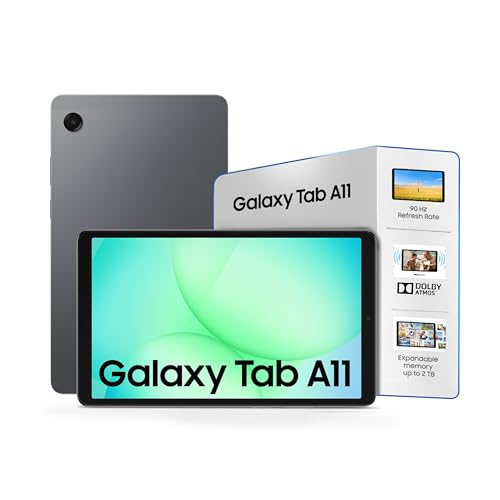
- Iconic Premium Design and Clean Silhouette: Available in classic Gray and Silver, the Galaxy Tab A11 blends well with yo…
- Optimized for entertainment: 90Hz refresh rate. Bright and clear display even under direct sunlight.
- Rich Audio Experience: Galaxy Tab A11 features Dolby-engineered Dual Speakers. 3.5 mm audio jack
4. Samsung Galaxy Tab A11+
Best for Large-Screen Everyday Entertainment
Large display • Up to 8GB RAM • 128GB storage
The Samsung Galaxy Tab A11+ moves into the larger-screen category.
Samsung’s current tablet lineup includes the Galaxy Tab A11+ alongside the A11 and S-series models.
The A11+ can make sense if you want a Samsung tablet mainly for:
🎬 Streaming
📖 Reading
🌐 Browsing
🎓 Study
💼 Everyday productivity
Why consider it?
The larger display gives you more space for websites, documents and video.
It can also be useful for people who prefer watching content on a tablet rather than a phone but don’t want to move into a premium flagship tablet.
Pros
- Large display.
- Samsung ecosystem.
- Suitable for entertainment.
- Useful for everyday browsing.
- Multiple memory/storage configurations.
Cons
- Not positioned like Samsung’s premium S-series tablets.
- Accessory costs can increase the overall price.
- Check exact RAM and connectivity variant before buying.
Best for: Users looking for a large Samsung tablet for entertainment, reading and everyday work.
![Samsung Galaxy Tab A11+ [Smartchoice], 11-inch (27.82 CM), LCD Di...](https://m.media-amazon.com/images/I/31q0GEvdKNL.jpg "Best Tablets for Reading, Work & Entertainment 5")
- DISPLAY: Lose yourself in a 11-inch (27.82 CM) TFT LCD touch display running at 90Hz — every frame rendered in crisp, sm…
- RAM & STORAGE: The Galaxy Tab A11+ offers ample memory and storage capacity. With up to 8 GB of memory and 256 GB of sto…
- CONNECTIVITY: Wi-Fi 5 and Bluetooth 5.3 keep you latency-free in competitive lobbies; USB 2.0 for rapid file transfers. …
5. Redmi Pad 2 Pro
Best for Larger-Screen Productivity & Entertainment
Large display • 8GB / 128GB configuration • Wi-Fi / 5G options
If the standard Redmi Pad 2 feels a little small for your needs, the Redmi Pad 2 Pro moves into a larger tablet category.
Xiaomi’s current store listing includes the Redmi Pad 2 Pro in 8GB + 128GB and 5G configurations.
Why consider it?
A larger tablet can be particularly useful when your tablet doubles as:
- A work screen
- A study device
- A streaming screen
- A document viewer
- A browsing device
It also gives you more room for multitasking.
Pros
- Larger display.
- 8GB RAM configuration.
- 128GB storage option.
- 5G version available.
- Suitable for productivity and entertainment.
Cons
- More expensive than the standard Redmi Pad 2.
- Larger body is less portable.
- Check whether the exact listing includes a pen or keyboard.
Best for: Users who want a larger Android tablet for work and entertainment.
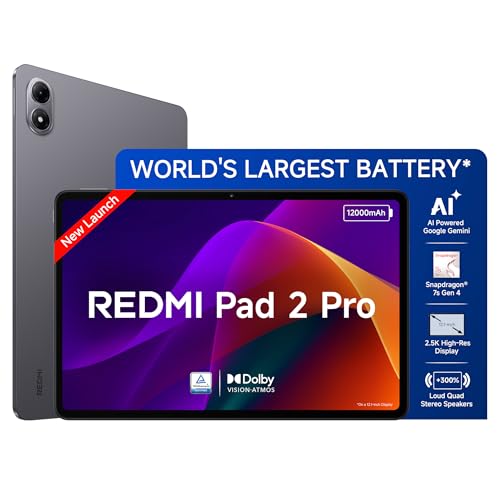
- DISPLAY: 12.1-inch (30.73 CM), LCD display, 2.5K Sharp & Clear resolution , 120Hz refresh rate, 500 Nits brightness, 249…
- RAM & STORAGE: 8 GB RAM, 128 GB ROM, Expandable storage upto 2TB, Up to 16GB RAM*, LPDDR4X + UFS 2.2
- CONNECTIVITY: Wifi 6, SBC, AAC, LDAC, Bluetooth 5.4, IPv6
6. OnePlus Pad Lite
Best for Everyday Entertainment & Browsing
11-inch display • 8GB / 128GB configuration
The OnePlus Pad Lite is another current Android tablet worth considering.
A current shopping result surfaces an Amazon India listing for the OnePlus Pad Lite with an 11-inch display and 8GB/128GB configuration, priced around ₹20,386 at the time of the product search.
The price can change, so check the live Amazon listing before publishing your affiliate link.
Why consider it?
The Pad Lite is aimed at everyday tablet use rather than being a laptop replacement.
It can suit:
- Streaming
- Reading
- Browsing
- Online classes
- Social media
- Casual gaming
- Basic productivity
Battery
OnePlus markets the Pad Lite around its large 9,340mAh battery, making battery capacity one of its major selling points.
Pros
- 11-inch display.
- 8GB RAM configuration.
- 128GB storage.
- Large battery.
- Suitable for everyday entertainment.
- OnePlus ecosystem.
Cons
- Not aimed at high-end professional workloads.
- Check exact accessory availability.
- Storage options vary by configuration.
Best for: People who want a large everyday entertainment and browsing tablet.
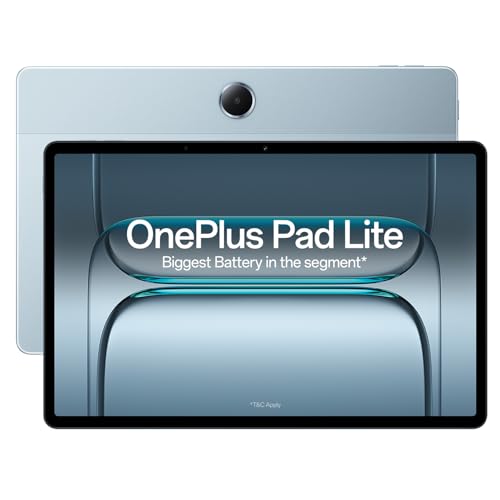
- DISPLAY: Triple your phone’s real estate with a 27.94cm (11 inch) Massive Display; 500 nits brightness; 1 billion colors…
- STORAGE: 8GB RAM, 128GB ROM
- CONNECTIVITY: Bluetooth, WiFi and LTE; Bluetooth 5.4; Support WiFi 5(802.11ac), 802.11a/b/g/n,WLAN 2.4G/WLAN 5.1G/WLAN 5…
7. OnePlus Pad
Best for Work & Multitasking
The OnePlus Pad is a more productivity-oriented option compared with the Pad Lite.
A current shopping result also surfaces a OnePlus Pad listing on Amazon.in, around ₹31,399 at the time of the search.
Its larger, high-refresh display and stronger hardware make it more relevant for users who want to use a tablet for both work and entertainment.
Why consider it?
You can use a tablet like this for:
💼 Productivity
📑 Documents
🌐 Research
🎬 Streaming
🎮 Gaming
📝 Notes
📹 Video calls
It can also make sense if you want a device that sits between a basic tablet and a laptop.
Pros
- High-refresh display.
- Stronger productivity focus.
- Suitable for multitasking.
- Good for entertainment.
- Keyboard/accessory ecosystem.
Cons
- Accessories can increase the overall cost.
- Android tablet apps may not always match desktop software.
- Check the exact RAM/storage configuration before ordering.
Best for: Users looking for a work-and-entertainment Android tablet.

- [Fastest Performance with Snapdragon 8 Gen 3]: The upgraded Qualcomm Adreno GPU yields 25% faster graphics rendering and…
- [Pro-level high fps gaming experience]: 144Hz refresh rate ensures ultra-smooth, high-FPS visuals. Snapdragon 8 Gen 3 de…
- [Cinematic experience with 12.1″ 3K Display]: 3K Display (30.73cm), 7:5 ReadFit ratio; Display type: IPS LCD; Display re…
8. Lenovo Idea Tab Plus
Best for Large-Screen Work & Media
12.1-inch display • 8GB RAM • 256GB storage
The Lenovo Idea Tab Plus is worth considering if you want more screen space than a typical 10- or 11-inch tablet.
Current product results show an 8GB + 256GB Wi-Fi configuration, while other variants are available with 5G and pen bundles.
Why consider it?
The larger display can be useful for:
- Reading PDFs
- Research
- Documents
- Streaming
- Online classes
- Split-screen work
- Note-taking
The 256GB storage option is also useful if you keep lots of documents, apps and offline media on your tablet.
Pros
- Large 12.1-inch-class display.
- 8GB RAM.
- 256GB storage option.
- Productivity-friendly size.
- Pen bundles available for some configurations.
Cons
- Larger and less portable than compact tablets.
- Check whether the pen is included with your selected listing.
- Accessory bundles vary.
Best for: People who want a large-screen tablet for work, reading and entertainment.
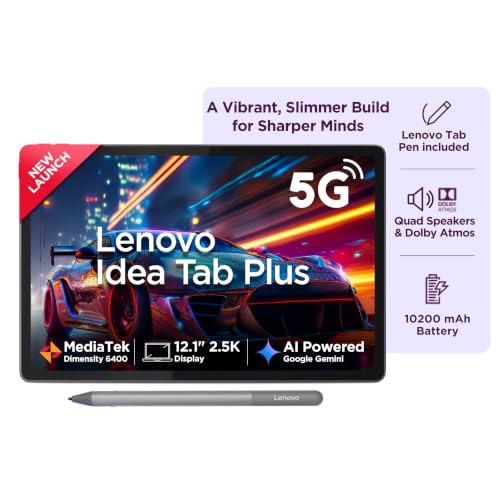
- Crisp, Bright, and Brilliantly Detailed – Experience immersive clarity on a stunning 12.1″ 2.5K display with a sharp 256…
- Powerful, Efficient, and Ready for Anything – Driven by the MediaTek Dimensity 6400 octa-core processor, featuring 2 hig…
- Fast, Spacious, and Built for More – Equipped with 8GB LPDDR4x soldered memory for smooth multitasking and seamless app …
9. Lenovo Yoga Tab Plus
Best for High-End Android Productivity
Large high-resolution display • 16GB RAM • 256GB storage
The Lenovo Yoga Tab Plus sits in a considerably higher performance category.
A current Lenovo listing shows a 16GB configuration, while current product results list the Yoga Tab Plus around ₹64,999 from Lenovo India.
This isn’t the tablet I’d suggest simply for reading ebooks. It’s more relevant when you want a powerful Android tablet for work, media and demanding multitasking.
Why consider it?
A premium tablet like this can make sense for:
- Productivity
- Multitasking
- Creative applications
- Large documents
- Entertainment
- High-resolution content
- Professional tablet workflows
Pros
- 16GB RAM configuration.
- Large high-resolution display.
- Premium positioning.
- Strong productivity potential.
- Suitable for entertainment as well.
Cons
- Much more expensive than budget and mid-range tablets.
- Overkill for basic reading and streaming.
- Accessories can increase the total cost.
Best for: Users looking for a premium Android tablet for demanding productivity and entertainment.
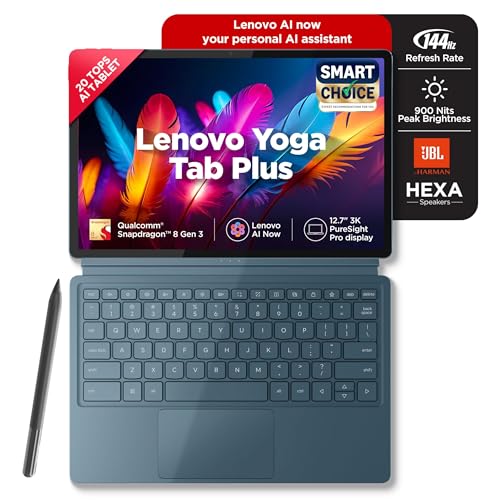
- Unleash Your Creativity: The Lenovo Yoga Tab Plus is a creative powerhouse built for artists, designers, and visionaries…
- Create with Precision on a Stunning 3K Display – Bring your ideas to life on a massive 12.7-inch 3K PureSight Pro displa…
- Next-Generation Power for Creativity and AI – Experience ultra-fast performance with the Snapdragon 8 Gen 3 processor, e…
10. Apple iPad A16
Best for iPadOS & the Apple Ecosystem
11-inch Liquid Retina display • A16 chip • 128GB and higher storage options
The Apple iPad with A16 is the obvious alternative if you’re comfortable moving from Android to iPadOS.
Amazon’s listing describes the 11-inch model with an A16 chip, Liquid Retina display, USB-C, Wi-Fi 6 and optional 5G cellular connectivity. Storage starts at 128GB.
Why consider it?
The iPad can work well for:
📖 Reading
💼 Work
🎓 Study
🎬 Entertainment
🎨 Creative apps
📹 Video calls
🌐 Browsing
Apple’s ecosystem is also an important consideration if you already use an iPhone or Mac.
Apple Pencil support
The iPad supports Apple Pencil options, which can make it useful for handwritten notes, drawing and document annotation.
Pros
- A16 chip.
- 11-inch Liquid Retina display.
- iPadOS.
- Strong app ecosystem.
- USB-C.
- Wi-Fi 6.
- Cellular option available.
- Apple Pencil compatibility.
Cons
- Accessories cost extra.
- iPadOS isn’t the same as macOS.
- Cellular variants cost more.
- Check the exact Amazon seller and configuration before ordering.
Best for: Users who want iPadOS, strong app support and integration with Apple devices.

- WHY IPAD — The 11″ iPad is now more capable than ever with the superfast A16 chip, a stunning Liquid Retina display, adv…
- PERFORMANCE AND STORAGE — The superfast A16 chip delivers a boost in performance for your favourite activities. And with…
- 27.69 CM (11″) LIQUID RETINA DISPLAY — The gorgeous Liquid Retina display is an amazing way to watch movies or draw your…
Which Tablet Should You Choose for Reading?
Reading isn’t just about screen size.
You should also consider:
- Resolution
- Brightness
- Reading mode
- Blue-light reduction
- Weight
- Aspect ratio
- Stylus support
- Storage
For ebooks
A compact tablet such as the Galaxy Tab A11 can be convenient because it’s easier to hold.
For PDFs
An 11-inch or larger screen can be more comfortable.
Consider:
- Galaxy Tab S10 Lite
- Redmi Pad 2
- Galaxy Tab A11+
- Lenovo Idea Tab Plus
For handwritten notes
The Samsung Galaxy Tab S10 Lite is particularly interesting because of its S Pen support.
Which Tablet Is Best for Work?
A tablet can handle a surprising amount of work, but the definition of “work” matters.
For emails, research, documents, browsing and meetings, most of the tablets in this guide can be useful.
For more demanding work, consider tablets with:
- More RAM
- Larger displays
- Keyboard support
- Stylus support
- Better multitasking
- Larger storage
The OnePlus Pad, Lenovo Idea Tab Plus, Lenovo Yoga Tab Plus and iPad A16 are particularly worth considering if productivity is a major part of your usage.
Which Tablet Is Better for Entertainment?
For entertainment, pay attention to:
🎬 Display quality
🔊 Speaker setup
🔋 Battery
📱 Streaming-app support
💾 Storage
The Redmi Pad 2 is particularly entertainment-focused with its 11-inch 2.5K display and quad Dolby Atmos speakers.
The OnePlus Pad Lite is another option if you want a large screen and substantial battery capacity.
For a premium experience, the Lenovo Yoga Tab Plus and iPad family offer more powerful hardware.
Wi-Fi vs Cellular Tablet
This is one of the easiest decisions to overlook.
Wi-Fi tablet
Choose Wi-Fi if you mainly use the tablet:
🏠 At home
🏢 In the office
🎓 At college
☕ In cafes
📶 Around reliable Wi-Fi networks
It’s usually the simpler option.
Cellular tablet
A cellular tablet can make more sense if you:
✈️ Travel frequently
🚆 Use public transport
💼 Work outside the home
🎓 Attend college
🌐 Need independent internet access
The Redmi Pad 2 cellular model, for example, supports 4G mobile connectivity.
How Much RAM Do You Need?
For everyday tablet use, you don’t necessarily need the highest RAM configuration available.
4GB
Suitable for:
- Basic reading
- Browsing
- Streaming
- Simple apps
6GB
A good middle ground for:
- Reading
- Streaming
- Online classes
- Office apps
- Everyday multitasking
8GB+
Useful if you regularly:
- Multitask
- Use heavier apps
- Keep many apps open
- Work with larger files
- Want more performance headroom
But RAM alone doesn’t determine performance. The processor, software optimization and storage technology matter too.
How Much Storage Do You Need?
64GB
Suitable for lighter users who mostly stream content.
128GB
A practical choice for:
- Apps
- Documents
- Photos
- Ebooks
- Some downloaded movies
- Everyday use
256GB+
Useful if you:
- Download lots of videos
- Install large games
- Keep large work files
- Store photos and videos locally
If your tablet supports microSD expansion, you have another option for storing files.
Do You Need a Keyboard?
If you’re buying a tablet primarily for entertainment, no.
If you’re buying it for blogging, office work or long documents, a keyboard can make the experience considerably easier.
Before purchasing a keyboard, check:
- Official compatibility
- Bluetooth support
- Trackpad availability
- Keyboard layout
- Protective case integration
- Total cost
Remember that a ₹20,000 tablet can become a much more expensive setup once you add a keyboard, stylus and case.
Do You Need a Stylus?
Not everyone does.
Stylus is useful for:
📝 Handwritten notes
📖 PDF annotation
🎨 Drawing
✍️ Signing documents
📚 Study notes
You probably don’t need one if you mainly:
🎬 Watch movies
🌐 Browse websites
📱 Use social media
📖 Read ebooks
The Samsung Galaxy Tab S10 Lite makes particular sense for pen users because S Pen support is part of its feature set. Xiaomi’s Redmi Pad 2 also supports the Redmi Smart Pen, but Xiaomi states that it is sold separately.
Tablet Buying Checklist
Before clicking Buy Now, check these details carefully.
✔ RAM
Make sure the listing has the RAM capacity you actually want.
✔ Storage
Confirm whether you’re buying 64GB, 128GB, 256GB or another variant.
✔ Connectivity
Don’t accidentally buy a Wi-Fi model when you need cellular connectivity.
✔ Stylus
Check whether the pen is included or sold separately.
✔ Keyboard
Check whether the keyboard is included in the package.
✔ Charger
Check the current box contents.
✔ Warranty
Check the warranty terms and seller information.
✔ Return policy
Especially important for expensive electronics.
✔ Current price
Amazon prices can change quickly during sales.
✔ Exact variant
This is extremely important.
Two listings can have the same tablet name but different:
- RAM
- Storage
- Connectivity
- Colour
- Included accessories
Always verify the exact product page before adding your affiliate link.
Tablet vs Laptop
A tablet isn’t automatically a laptop replacement.
| Task | Tablet | Laptop |
|---|---|---|
| Reading | Excellent | Good |
| Streaming | Excellent | Excellent |
| Browsing | Excellent | Excellent |
| Handwritten notes | Excellent with stylus | Depends on device |
| Video calls | Good | Good |
| Long typing | Keyboard recommended | Usually easier |
| Basic office work | Good | Excellent |
| Advanced desktop software | Limited | Better suited |
| File-heavy workflows | Depends on OS | Generally easier |
| Portability | Excellent | Varies |
If your primary tasks are reading, browsing, streaming, note-taking and light work, a tablet can be a very practical device.
If your workflow revolves around desktop software and hours of typing, a laptop is still likely to be more convenient.
Frequently Asked Questions
Which is the best tablet for reading?
Look for a comfortable display, good brightness control, reading mode and a size that you can comfortably hold. The Samsung Galaxy Tab S10 Lite and Redmi Pad 2 are both relevant options, while the smaller Galaxy Tab A11 can be easier to carry.
Which tablet is good for office work?
For everyday office work, consider models such as the Samsung Galaxy Tab S10 Lite, OnePlus Pad, Lenovo Idea Tab Plus and iPad A16. Your choice should depend on the office applications and accessories you need.
Is 6GB RAM enough for a tablet?
For reading, streaming, browsing, online classes and everyday productivity, 6GB can be adequate. Heavier multitasking may benefit from 8GB or more.
Is 128GB enough for a tablet?
For most everyday users, 128GB is a practical starting point. If you download lots of movies, games or large work files, consider 256GB or expandable storage.
Should I buy a Wi-Fi or cellular tablet?
Choose Wi-Fi if you usually have reliable internet access. Choose cellular if you regularly need independent mobile internet when travelling or working outside.
Is the Redmi Pad 2 good for entertainment?
The Redmi Pad 2 has an 11-inch 2.5K display, up to 90Hz refresh rate and quad speakers with Dolby Atmos, making it well suited to streaming and general media consumption.
Does the Redmi Pad 2 support a stylus?
Yes. Xiaomi supports the Redmi Smart Pen with the Redmi Pad 2, but the pen is sold separately.
Does the Samsung Galaxy Tab S10 Lite support S Pen?
Yes. Samsung lists S Pen support for the Galaxy Tab S10 Lite. Check the exact Amazon India configuration and box contents before ordering.
Can a tablet replace a laptop?
For light productivity, yes. For specialised desktop applications, extensive typing and complex professional workflows, a laptop may still be more practical.
Which screen size is best for reading?
There isn’t one perfect size. Around 8–9 inches can be easier to hold for ebooks, while 10–12 inches can be more comfortable for PDFs, documents and magazines.
Final Thoughts
The best tablet for you depends on what you actually plan to do with it.
If your priority is reading + handwritten notes + productivity, the Samsung Galaxy Tab S10 Lite is an interesting option thanks to its S Pen support.
If you want reading + entertainment + 4G connectivity, the Redmi Pad 2 is worth considering, particularly because of its 11-inch 2.5K display and quad Dolby Atmos speakers.
If portability matters, the Samsung Galaxy Tab A11 is a smaller option.
If you want a larger Samsung tablet, the Galaxy Tab A11+ is worth comparing.
For larger-screen Android use, the Redmi Pad 2 Pro and Lenovo Idea Tab Plus expand the options.
The OnePlus Pad Lite is another everyday entertainment option, while the OnePlus Pad moves further toward productivity.
At the premium end, the Lenovo Yoga Tab Plus and Apple iPad A16 offer more powerful hardware and broader productivity possibilities.
The important thing?
Don’t buy a tablet just because the specification sheet looks impressive.
Think about your actual routine:
📖 Mostly reading? Prioritize display comfort and portability.
💼 Mostly work? Look at multitasking, accessories and app compatibility.
🎬 Mostly entertainment? Focus on display, speakers and battery.
✍️ Lots of handwritten notes? Look closely at stylus support.
📶 Frequent travel? Consider cellular connectivity.
💾 Lots of downloads? Choose sufficient storage or expandable storage.
And most importantly, check the live Amazon India listing immediately before publishing your affiliate link, because availability and pricing can change even when the tablet itself remains actively sold.