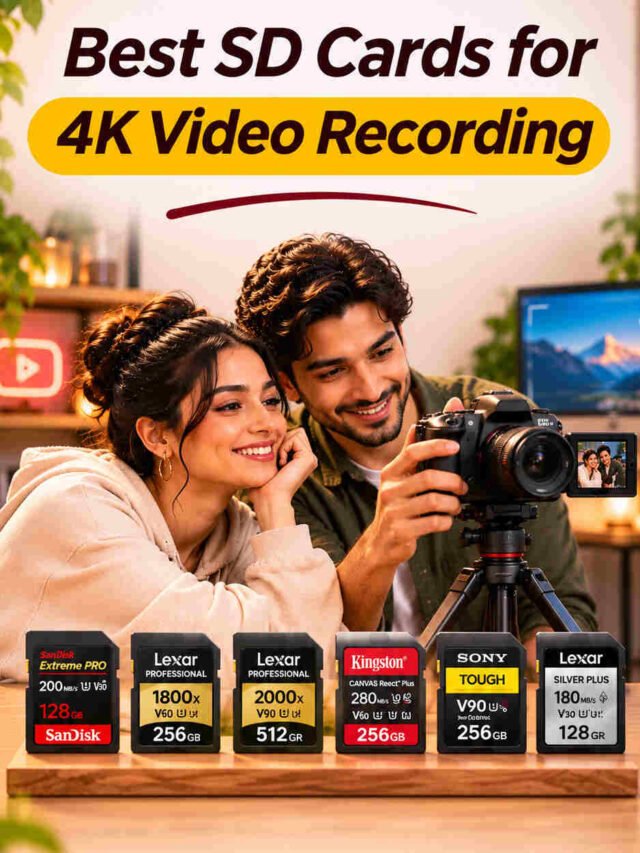
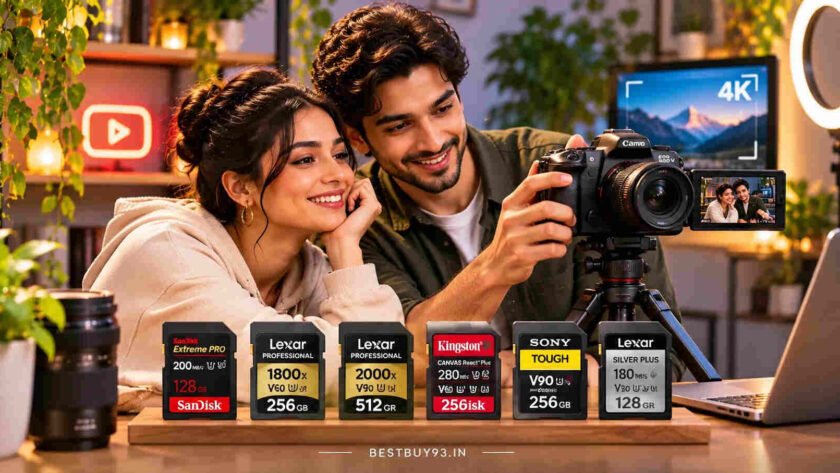

You buy a shiny new 4K camera, hit record…and the camera complains that your memory card is too slow.
Excellent. Nothing says “creator life” quite like discovering that the tiny rectangle inside your ₹1 lakh camera has opinions. 😭🎥
For reliable 4K video recording, capacity is only half the story. The more important specification is sustained write speed how quickly the card can continuously accept video data without slowing down or dropping frames.
That is why symbols such as V30, V60 and V90 matter.
According to the SD Association, Video Speed Class represents guaranteed minimum sequential write performance: V30 guarantees at least 30MB/s, V60 at least 60MB/s and V90 at least 90MB/s under the relevant standard.
For many standard 4K recording modes, a good V30 card is enough. Higher-bitrate 4K 60p, 10-bit and professional codecs may benefit from or explicitly require V60, while demanding All-Intra, 4K 120fps and some 8K workflows can call for V90.
But here’s the crucial part:
Your camera manual always wins.
A V90 card isn’t automatically better value if your camera only needs V30 and only has a UHS-I card slot.
For this guide, we compared SD cards suited to 4K creators based on Video Speed Class, UHS interface, rated read/write speed, capacity, camera compatibility, durability, Indian availability and overall value.
Quick Answer: Which SD Card Is Best for 4K Video?
| Pick | SD Card | Interface | Video Class | Best For |
|---|---|---|---|---|
| 🏆 Best Overall | SanDisk Extreme PRO SDXC | UHS-I | V30 | Most 4K creators |
| 🎥 Best for Higher-Bitrate 4K | Lexar Professional 1800x GOLD | UHS-II | V60 | 4K 60p & hybrid cameras |
| 🚀 Best Premium | Lexar Professional 2000x GOLD | UHS-II | V90 | 4K 120p, All-Intra & selected 8K |
| 💰 Best Value UHS-II | Kingston Canvas React Plus V60 | UHS-II | V60 | Enthusiast/pro 4K |
| 🛡️ Best Rugged Premium | Sony SF-G TOUGH | UHS-II | V90 | Outdoor/pro shooting |
| ⚡ Best Fast UHS-I Alternative | Lexar SILVER PLUS | UHS-I | V30 | Vlogging & 4K 60p |
| 💸 Best Budget V30 | Kingston Canvas Go! Plus | UHS-I | V30 | Everyday 4K recording |
Our Top Recommendation
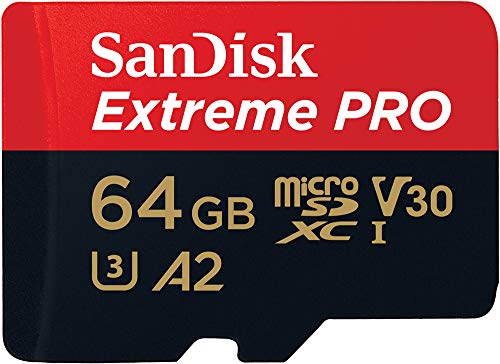
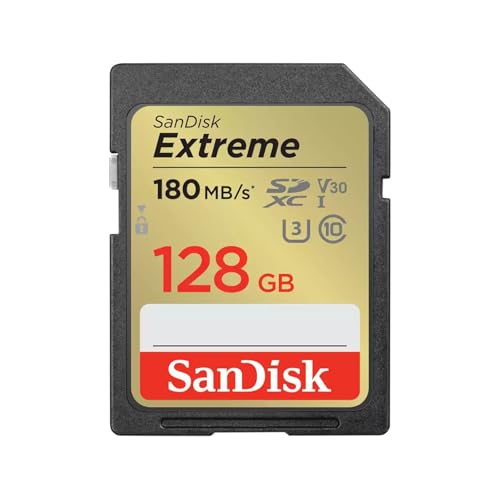
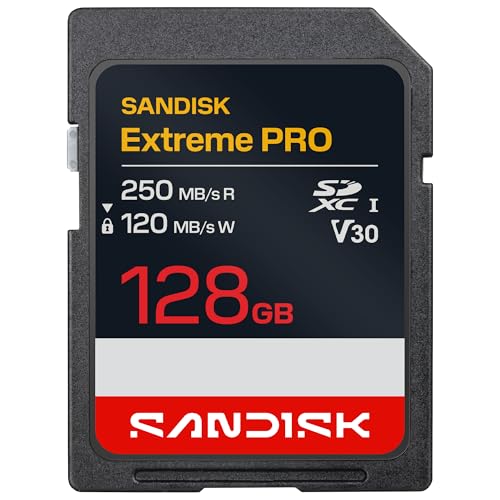
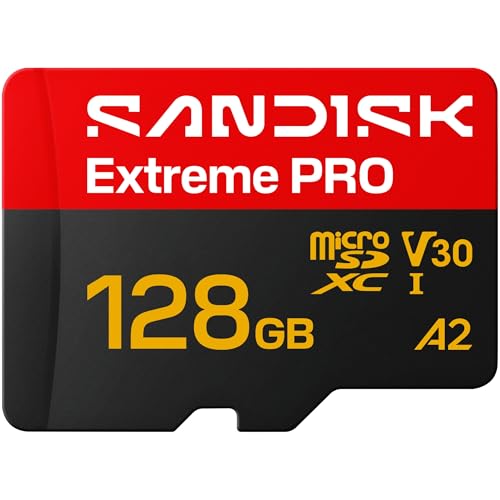
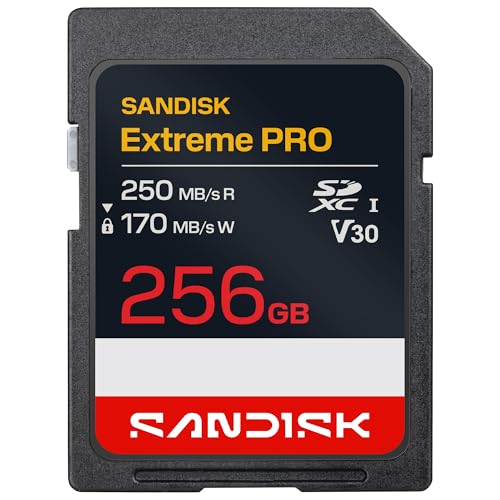
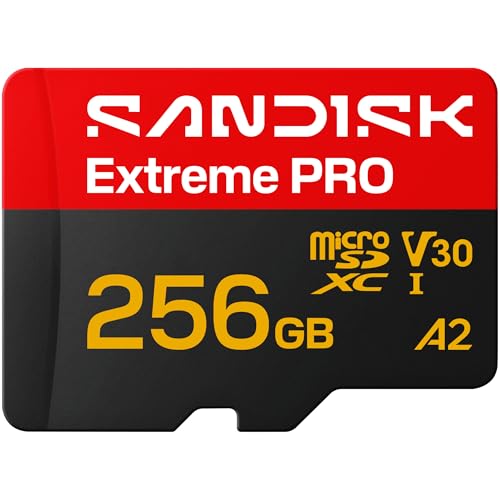
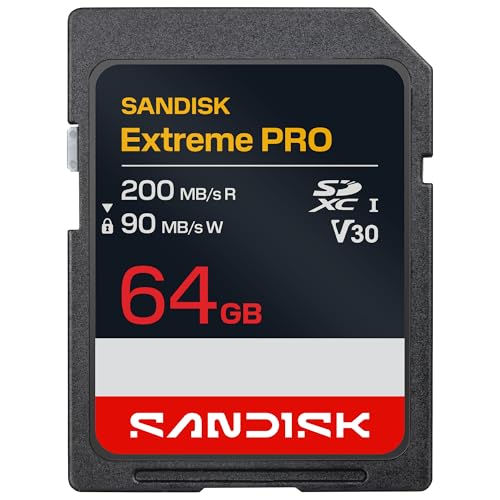
For most creators shooting standard 4K video, the SanDisk Extreme PRO UHS-I V30 is the safest all-round recommendation.
The current 128GB model is rated for up to 200MB/s read and 90MB/s write, uses UHS-I and carries V30/U3-class positioning for 4K workflows.
However, if your camera supports UHS-II and you regularly shoot heavier 4K modes, the Lexar Professional 1800x V60 or Kingston Canvas React Plus V60 makes more sense.
For professional high-bitrate modes that explicitly require V90, move up to the Lexar Professional 2000x or Sony SF-G TOUGH.
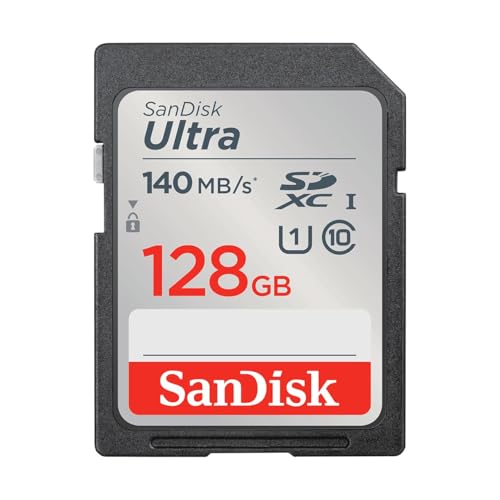
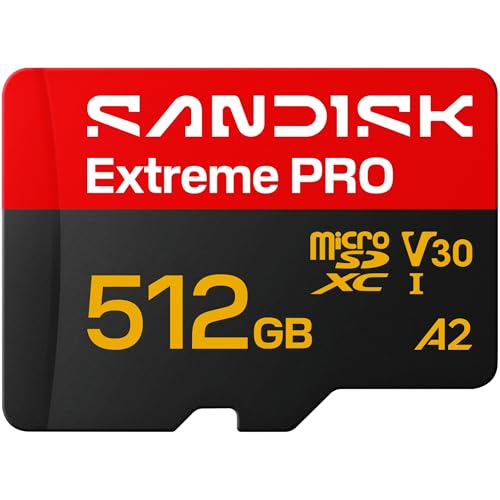
1. SanDisk Extreme PRO UHS-I SDXC — Best Overall
For most mirrorless-camera and DSLR users recording ordinary 4K footage, the SanDisk Extreme PRO UHS-I offers the best balance of speed, compatibility and price.
SanDisk currently lists the 128GB version with:
- Up to 200MB/s sequential read
- Up to 90MB/s sequential write
- UHS-I interface
- Lifetime limited warranty
- 4K UHD positioning
Why We Recommend It
The main reason is simple:
most creators don’t actually need V90.
If you’re recording standard 4K 24p/25p/30p or typical compressed 4K footage from a mainstream mirrorless camera, V30 is often sufficient as long as your camera manufacturer approves that class for the selected recording mode.
That means you can spend less on storage and buy more capacity instead of unnecessary speed.
And for creators, capacity usually disappears faster than expected.
One day you’re shooting a 10-minute vlog.
The next day there are 37 takes, B-roll, slow motion, vertical clips, thumbnails, behind-the-scenes footage and one mysterious clip of the floor that somehow lasted nine minutes. 😭
Best For
- YouTubers
- Vloggers
- Travel creators
- Standard 4K video
- Hybrid photo/video shooting
- Mainstream UHS-I cameras
Who Should Skip It
Skip it if your camera’s high-bitrate recording modes explicitly require:
- V60
- V90
- UHS-II
No amount of brand reputation overrides your camera manufacturer’s recording-media requirements.
Pros & Cons
| Reasons to Buy | What We Don’t Like |
|---|---|
| Strong value for standard 4K | V30 may not suit demanding codecs |
| Widely compatible UHS-I | Slower than UHS-II cards |
| Up to 200MB/s read | Write speed lower than premium V60/V90 |
| Good for photo + video | Premium recording modes may reject it |
| Easy to find in India | Full advertised transfer speeds may require compatible reader |
Our Verdict
Best overall for most 4K creators.
Unless your camera manual specifically demands V60 or V90, this is the sort of card that makes far more financial sense than automatically buying a professional UHS-II model.



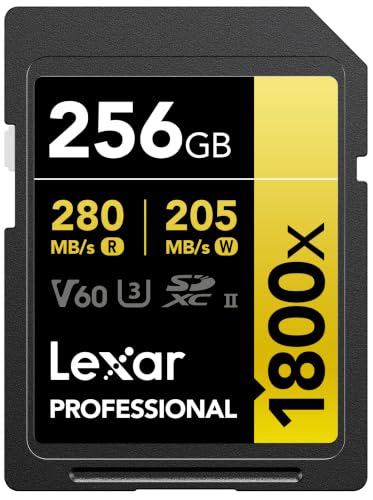
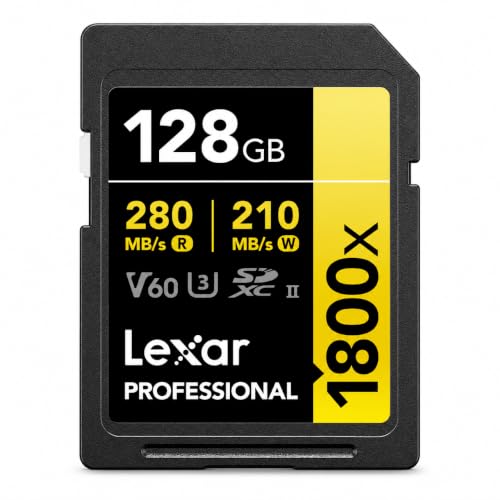
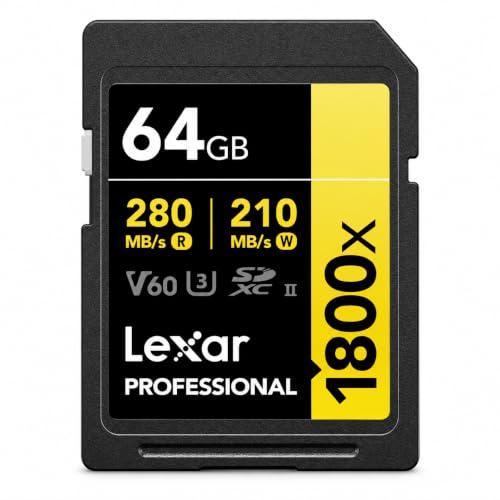
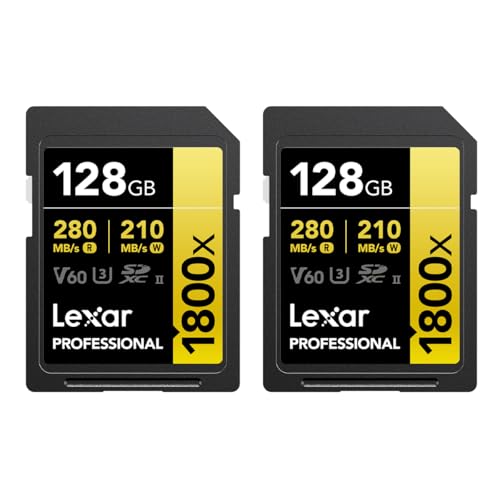
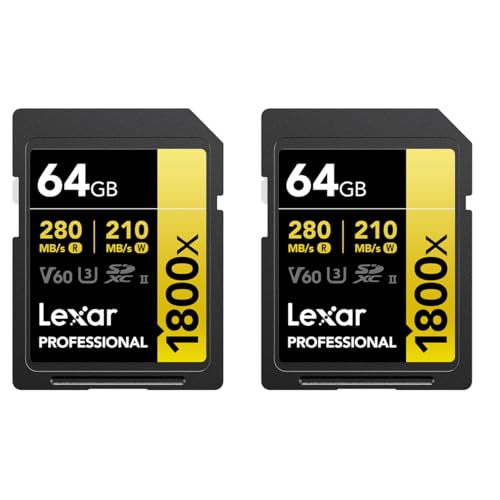
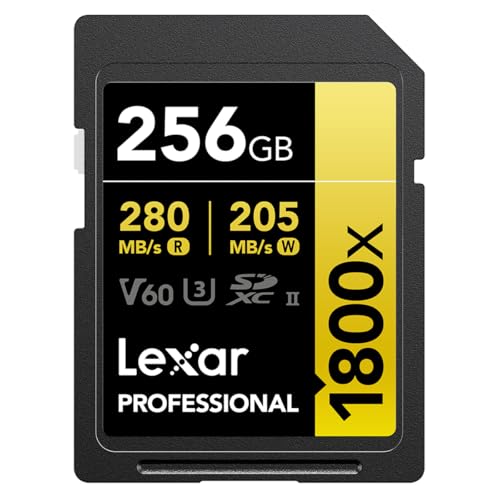
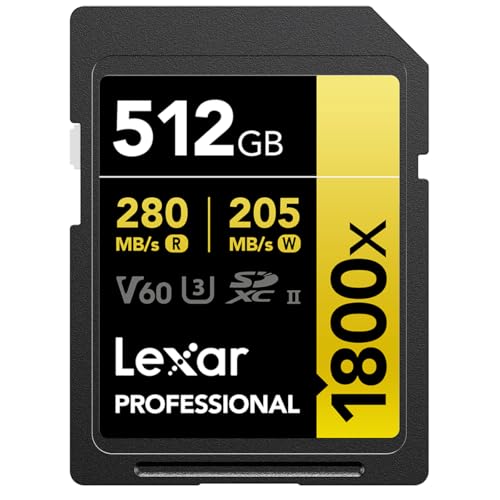
2. Lexar Professional 1800x SDXC UHS-II GOLD — Best for Higher-Bitrate 4K
The Lexar Professional 1800x GOLD is where things become more serious.
It uses:
- UHS-II
- U3
- V60
- Up to 280MB/s read
- Up to 210MB/s write on 64GB–128GB capacities
- Up to 205MB/s write on larger capacities
Lexar positions it for higher-bitrate 4K recording and enthusiast/professional hybrid shooting.
Why V60 Matters
V30 guarantees at least 30MB/s sustained sequential write performance.
V60 doubles that minimum guarantee to 60MB/s.
That extra headroom becomes valuable when recording:
- 4K 60fps
- 10-bit video
- 4:2:2 codecs
- Higher-bitrate internal recording
- Longer continuous takes
Lexar’s current speed-class guide specifically places its 1800x V60 series in the higher-bitrate 4K / longer burst category.
Best For
- Advanced mirrorless cameras
- 4K 60p
- 10-bit video
- Higher-bitrate recording
- Hybrid shooters
- Fast RAW burst photography
Who Should Skip It
Skip it if your camera only has a UHS-I slot.
A UHS-II card is backward compatible in many UHS-I devices, but it will operate at lower interface speeds rather than delivering its full UHS-II performance.
Translation:
premium card + slow slot = premium money sitting in economy class.
Pros & Cons
| Reasons to Buy | What We Don’t Like |
|---|---|
| V60 sustained performance | More expensive than V30 |
| Fast UHS-II transfers | Needs UHS-II device for full benefit |
| Up to 280MB/s read | Overkill for basic 4K |
| Up to ~210MB/s write | Requires compatible reader for fastest offload |
| Suitable for serious hybrid shooting | — |
Our Verdict
Best choice for serious creators shooting higher-bitrate 4K without jumping all the way to expensive V90 cards.





3. Lexar Professional 2000x SDXC UHS-II GOLD — Best Premium V90 Card
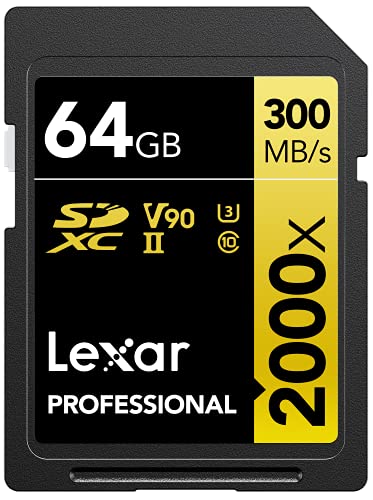
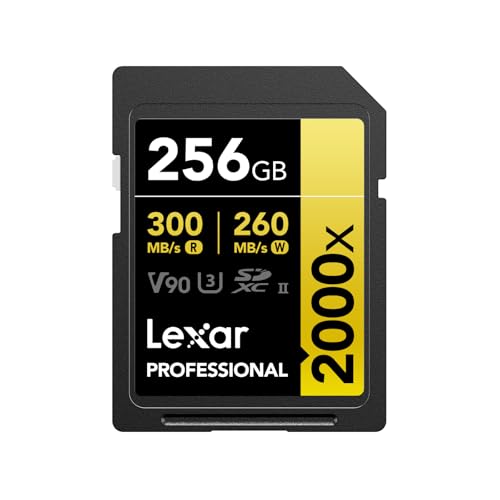
The Lexar Professional 2000x GOLD is built for considerably more demanding workflows.
Lexar lists:
- UHS-II
- U3
- V90
- Up to 300MB/s read
- Up to 260MB/s write
- Capacities from 64GB to 512GB
The V90 rating guarantees at least 90MB/s sustained write performance. Lexar positions the card for high-bitrate All-Intra recording, selected 8K workflows and heavy RAW burst photography.
Why We Recommend It
Some professional recording modes don’t merely benefit from V90.
They require it.
Certain cameras restrict high-bitrate modes, 4K high-frame-rate modes or All-Intra codecs unless a sufficiently fast card is inserted.
That’s when V90 becomes useful rather than luxurious.
Best For
- 4K 120fps
- All-Intra codecs
- Selected 8K recording
- Professional filmmaking
- RAW burst photography
- Cameras that explicitly require V90
Who Should Skip It
Almost every casual 4K creator.
If your recording mode needs only V30, this card is wildly unnecessary.
Think of it like buying a commercial oven because you make toast.
Technically impressive.
Financially questionable. 😭
Pros & Cons
| Reasons to Buy | What We Don’t Like |
|---|---|
| V90 minimum sustained write | Expensive |
| Up to 300MB/s read | Unnecessary for ordinary 4K |
| Up to 260MB/s write | Requires UHS-II slot |
| Suitable for demanding professional modes | Lower value for casual creators |
| Fast workflow/offload | — |
Our Verdict
Best premium card for cameras and recording modes that genuinely require V90.



4. Kingston Canvas React Plus V60 — Best Value UHS-II Card
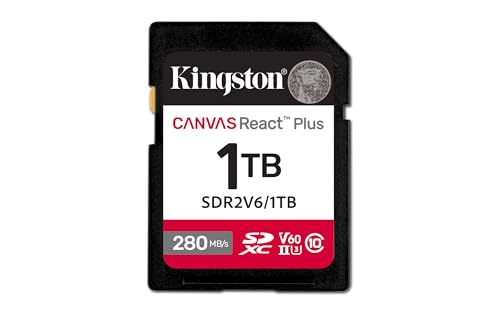
Kingston’s Canvas React Plus V60 offers one of the most attractive ways to enter UHS-II video recording without automatically buying a V90 card.
Kingston currently specifies:
- 128GB, 256GB, 512GB and up to 1TB depending on market
- UHS-II
- U3
- V60
- Up to 280MB/s read
- 100MB/s write on 128GB
- Up to 150MB/s write on 256GB and larger versions
Kingston specifically positions the line for professional UHS-II cameras recording 4K, including higher frame-rate workflows.
Why We Recommend It
The Canvas React Plus V60 is a good middle ground.
You get:
V60 reliability + UHS-II workflow speeds + sensible capacities
without paying V90 prices.
For many hybrid creators, this is actually the sweet spot.
Best For
- 4K 60fps creators
- Hybrid mirrorless cameras
- Event videography
- Long-form YouTube
- Faster burst photography
- UHS-II-equipped cameras
Who Should Skip It
If your camera only shoots modest 4K bitrates, Kingston’s own Canvas Go! Plus V30 may be enough.
Durability
Kingston says its memory cards are tested for resistance against water, temperature extremes and X-rays.
That’s useful for travel creators who carry cards through airports and changing environments.
Our Verdict
One of the best value V60 options for UHS-II cameras.
- High-performance UHS-II standard
- Ultimate speeds to support professional camera use Ultimate speeds to support professional camera use
- Large storage capacities for digital content library Large storage capacities for digital content library
5. Sony SF-G TOUGH UHS-II V90 — Best Rugged Premium Card
Some creators shoot from a bedroom desk.
Others shoot:
- Weddings
- Beaches
- Wildlife
- Mountains
- Outdoor events
- Dusty locations
- Rainy locations
For the second group, the Sony SF-G TOUGH makes a lot more sense.
Sony lists the series with:
- UHS-II
- V90
- Up to 300MB/s read
- Up to 299MB/s write
- IP68 dust/water resistance
- Drop protection up to 5m
- A one-piece body without the conventional fragile write-protect switch and ribs
Why We Recommend It
The speed is already professional-grade.
The real differentiator is physical construction.
Sony says the card is designed to be significantly more bend-resistant than standard SD specifications and can withstand harsh environments.
That’s valuable because SD cards are tiny.
Tiny things have an unfortunate tendency to:
- Fall
- Get stepped on
- End up in random pockets
- Meet water
- Disappear into camera bags for six months
Best For
- Wedding professionals
- Wildlife shooters
- Travel filmmakers
- Outdoor productions
- Harsh shooting environments
- Professional V90 workflows
Who Should Skip It
If your entire production happens beside a laptop in an air-conditioned room, you’re paying a serious premium for ruggedness you may never need.
Important Note
Sony previously ran a replacement programme for certain older SF-M and SF-G TOUGH memory cards affected by a recording issue; that programme ended on March 31, 2025. Buyers should purchase current genuine stock from reliable sellers and verify the exact model.
Our Verdict
Best rugged V90 option for professionals who genuinely shoot in demanding environments.

- Provided with 5 Year Plan
- SDXC Memory Card
- Storage – 128 GB
- World's* TOUGHEST & FASTEST SD Card
- Read Speed-300* MB/s, Write Speed-299* MB/s
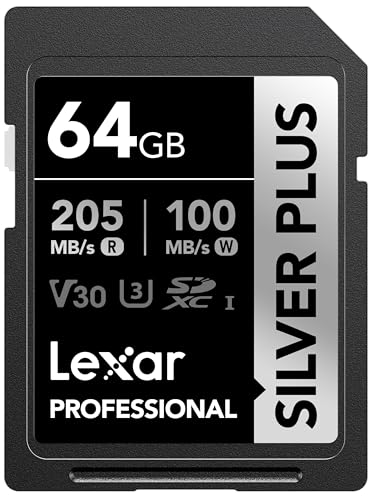
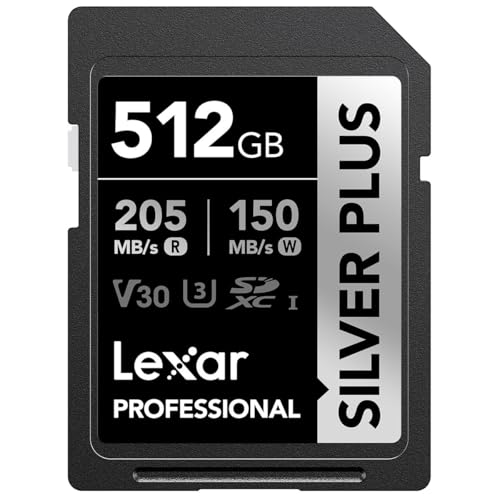
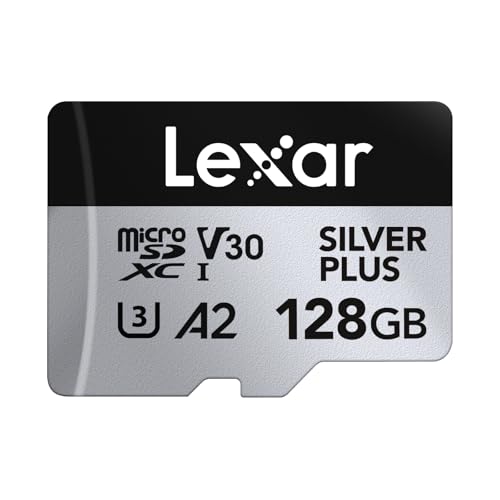
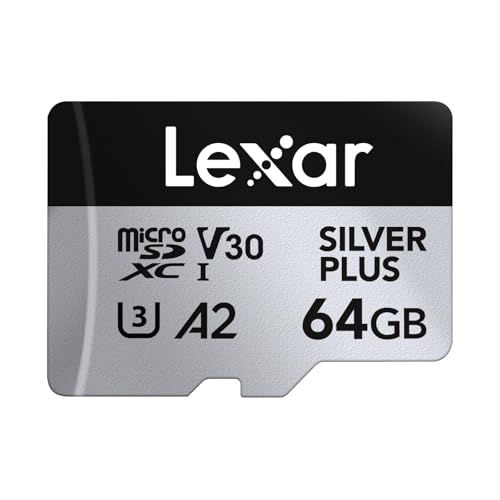
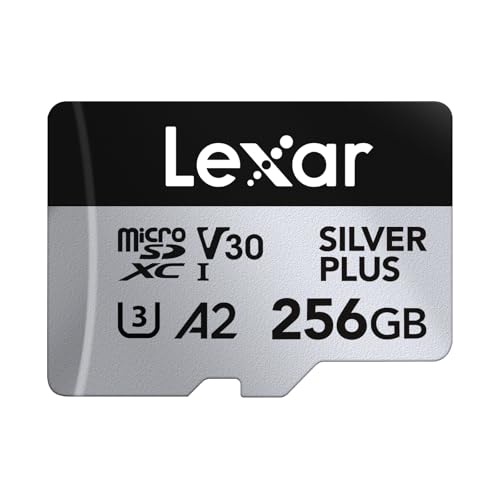
6. Lexar Professional SILVER PLUS UHS-I V30 — Best Fast UHS-I Alternative
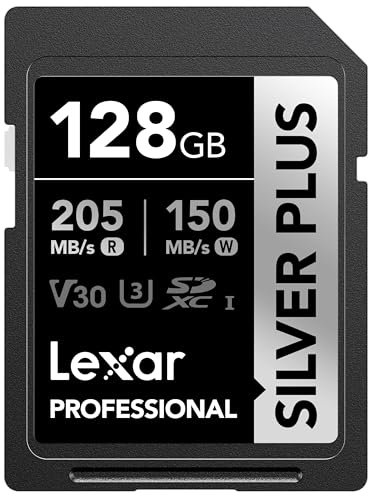
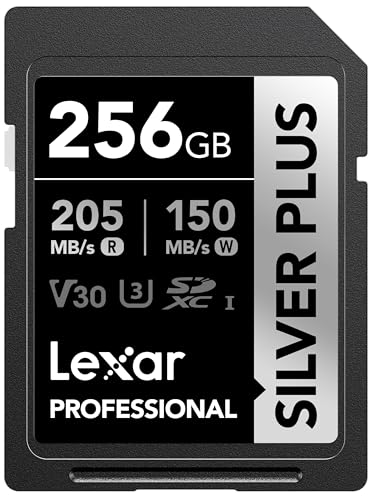
The updated Lexar SILVER PLUS is an interesting alternative for people who don’t need UHS-II.
Lexar’s current generation is rated at up to:
- 255MB/s read
- 180MB/s write on 128GB–1TB
- UHS-I
- U3
- V30
Lexar also positions it for up to 4K 60fps recording on compatible equipment.
Why We Recommend It
Most V30 cards are thought of as the “basic” category.
The SILVER PLUS complicates that assumption by offering unusually high peak UHS-I transfer figures while still retaining V30 classification.
That can be useful for:
- Faster card offloading
- Burst photography
- Travel creation
- 4K vlogging
But Remember
The V30 symbol, not the advertised 180MB/s peak write speed, is the key guaranteed video specification.
Peak speed and sustained minimum speed are not interchangeable.
That distinction matters enormously.
Best For
- Fast UHS-I cameras
- 4K vlogging
- Travel video
- Burst photography
- Creators wanting faster transfers
Our Verdict
Excellent high-performance V30 alternative if your camera doesn’t require V60.


7. Kingston Canvas Go! Plus SD — Best Budget V30 Card
For mainstream 4K, Kingston’s Canvas Go! Plus is a very sensible choice.
Kingston lists the current model with:
- UHS-I
- U3
- V30
- Capacities from 64GB to 1TB
- Up to 200MB/s read
- Up to 100MB/s write on 64GB–128GB
- Up to 160MB/s write on 256GB–1TB
Kingston specifically describes it as suitable for 4K UHD video and burst photography.
Why We Recommend It
It gives casual creators exactly what they need without asking them to pay for professional specifications they’ll never use.
Best For
- Entry-level mirrorless cameras
- Vlogs
- YouTube videos
- Travel
- Standard 4K
- Budget creator kits
Who Should Skip It
If your camera menu specifically lists V60 or V90 for your preferred recording mode, follow that requirement.
Our Verdict
Best budget-oriented option for mainstream V30 4K workflows.

- With superior transfer speeds of up to 200MB/s¹, the Canvas Go! Plus SD card accelerates your workflow and efficiency so…
- Featuring U3 and V30 speed ratings, the Canvas Go Plus allows you to capture stunning 4K Ultra-HD videos without worryin…
- It also excels in burst-mode photography, offering smooth, consistent shots. Take your vision on the road with the Canva…
V30 vs V60 vs V90: What Do These Numbers Actually Mean?
This is the most important section of the guide.
The V number represents minimum guaranteed sequential write speed.
| Video Class | Minimum Sustained Write | Typical Use |
|---|---|---|
| V30 | 30MB/s | Standard 4K |
| V60 | 60MB/s | Higher-bitrate 4K |
| V90 | 90MB/s | Very high bitrate, All-Intra, selected 8K |
The SD Association defines these standards specifically because video recording requires continuous data writing and cannot simply “pause” while the memory card catches up.
Lexar’s current 2026 guidance gives a useful practical breakdown:
V30: standard 4K, travel and vlogging
V60: roughly higher-bitrate 4K / 4K 60p hybrid workflows
V90: demanding All-Intra, 4K 120fps and selected 8K workflows
But these are guidelines.
Again:
Check your camera manual.
A Sony, Canon, Nikon, Fujifilm or Panasonic camera may require a specific speed class for a specific codec.
UHS-I vs UHS-II: What’s the Difference?
Look at the back of the SD card.
UHS-I
Usually has one row of contacts.
It’s common in:
- Entry-level cameras
- Mid-range mirrorless cameras
- Consumer devices
UHS-I is enough for many 4K workflows.
UHS-II
Has a second row of contacts.
It provides much higher potential transfer bandwidth and is commonly used for:
- V60
- V90
- Professional cameras
- Fast burst photography
- High-bitrate video
The SD Association notes that V60 and V90 classes require UHS-II or faster bus modes.
Can a UHS-II Card Work in a UHS-I Camera?
Often yes.
UHS-II SD cards are typically backward compatible with UHS-I hosts, but they’ll operate at the slower interface speed. Lexar explicitly notes this behaviour for its UHS-II cards.
So buying UHS-II doesn’t magically make a UHS-I camera faster.
How Much SD Card Capacity Do You Need for 4K Video?
64GB
Good for:
- Short shooting sessions
- Backup card
- Occasional 4K
But it fills quickly.
128GB — Best Starting Point
For most creators, 128GB is the minimum I’d comfortably recommend.
It’s practical for:
- YouTube
- Vlogging
- Interviews
- Short events
- Product videos
256GB — Sweet Spot
For frequent 4K creators, 256GB is arguably the best balance.
It gives enough space for longer recording sessions without putting every shoot on one enormous card.
512GB
Great for:
- Weddings
- Long events
- Documentary work
- Long-form recording
- High-bitrate footage
1TB
Useful for specialised long-duration workflows, but think about risk.
Putting an entire massive shoot on one card creates one large point of failure.
Many professionals prefer rotating several cards instead.
What to Look for When Buying an SD Card for 4K Video
1. Check Your Camera’s Approved Speed Class
This comes first.
Not the brand.
Not the colour.
Not Amazon reviews.
Your camera’s requirement.
Some recording modes may specify:
- U3
- V30
- V60
- V90
- CFexpress instead of SD entirely
2. Prioritise Sustained Write Speed
Read speed affects how quickly you copy footage to your computer.
Write speed affects recording.
For video, the second one matters more.
More specifically:
minimum sustained write performance matters more than flashy peak write speed.
3. Check UHS Compatibility
If your camera only supports UHS-I, paying heavily for a UHS-II card may provide little real recording benefit.
Check:
- Camera slot
- Card
- Card reader
All three need compatible speeds if you want the full workflow benefit.
4. Buy Enough Capacity
4K eats storage quickly.
Avoid buying a tiny high-end V90 card when a larger V60 or V30 card would meet your camera’s needs better.
Capacity is part of performance because constantly stopping to change cards is not exactly ideal during a wedding ceremony. 😭
5. Use Reliable Sellers
Counterfeit memory cards are a real concern in online marketplaces.
Buy from:
- Authorised dealers
- Reputable camera stores
- Trusted retailers
- Official brand channels
An unrealistically cheap “1TB V90 professional card” deserves suspicion.
Very enthusiastic suspicion.
6. Consider Durability
Travel and outdoor shooters should look at claims such as:
- Waterproofing
- Temperature resistance
- Shock resistance
- X-ray resistance
- Drop resistance
Sony TOUGH is the standout example here, while Kingston and Lexar also advertise environmental durability on selected card ranges.
7. Buy a Fast Card Reader Too
A fast SD card can record beautifully and then spend half your evening transferring footage through an ancient USB 2.0 reader.
For UHS-II cards, use a UHS-II-compatible card reader if you want their higher offload speeds.
Common Mistakes to Avoid
Assuming Every “4K Card” Is Equal
Two cards may both say 4K while one is V30 and another is V90.
Check the speed class.
Buying V90 Just Because It’s Faster
Faster doesn’t automatically mean smarter.
If your camera only requires V30, your footage will not suddenly become more cinematic because the card cost four times as much.
Ignoring Recording Mode
Your camera may accept V30 for one 4K mode and require V60/V90 for another.
Codec, bitrate and frame rate all matter.
Confusing Read Speed With Write Speed
“300MB/s” on packaging often catches attention.
But ask:
300MB/s doing what?
Read speed mostly affects transfer/offload.
Recording depends on write performance.
Using a Fake or Suspiciously Cheap Card
A counterfeit memory card can:
- Report fake capacity
- Corrupt clips
- Stop recording
- Fail without warning
Saving ₹1,000 isn’t impressive if it destroys footage from a ₹2 lakh shoot.
Filling Cards Completely
Leave some breathing room.
And format cards in-camera when appropriate rather than treating one card like a permanent storage drive for three years of unrelated footage.
Keeping Footage Only on the SD Card
Once a shoot is complete:
copy → verify → back up.
An SD card is capture media.
It should not be the only permanent copy of irreplaceable footage.
How We Selected These SD Cards
We evaluated cards based on:
- Video Speed Class
- UHS interface
- Minimum sustained-write classification
- Manufacturer-rated read/write speeds
- Capacity options
- 4K suitability
- High-frame-rate suitability
- Camera compatibility
- Durability
- Current Indian availability
- Relative value
- Creator use cases
- Manufacturer documentation
We prioritised official product and SD Association specifications for technical information.
BestBuy93.IN has not claimed personal hands-on testing of these SD cards.
Prices, stock and model generations can change, so always verify the exact card code and specifications before ordering.
Frequently Asked Questions
Is V30 enough for 4K video?
For many standard 4K recording modes, yes. V30 guarantees a minimum sustained write speed of 30MB/s and is widely associated with 4K recording. However, high-bitrate, high-frame-rate or professional codecs may require V60 or V90, so always check your camera’s manual. SD Card
Do I need V60 for 4K 60fps?
Sometimes. Many cameras can record certain 4K 60p modes on V30, while others require V60 depending on bitrate and codec. Lexar’s current guidance positions V60 primarily for higher-bitrate 4K 60p and professional hybrid workflows. SD Card
Is V90 necessary for 4K video?
Usually not for ordinary 4K. V90 is primarily useful when the camera requires very high sustained writes, such as high-bitrate All-Intra recording, 4K 120fps or selected 8K modes. SD Card
What does U3 mean on an SD card?
U3 indicates a UHS Speed Class with a minimum sequential write performance of 30MB/s. It commonly appears alongside V30 on cards designed for 4K recording. SD Card
Is UHS-II better than UHS-I?
UHS-II supports higher interface bandwidth and is necessary to take full advantage of many V60 and V90 cards. However, if your camera only supports UHS-I, a UHS-II card will not deliver its maximum potential. SD Card
Is 128GB enough for 4K video?
For many vlog, YouTube and short-form projects, yes. Frequent creators may find 256GB more comfortable, particularly when recording higher-bitrate or longer sessions. SD Card
Which SD card is best for Sony cameras?
It depends entirely on the specific Sony model and recording mode. Standard modes may work with V30, while professional Sony recording formats can require V60, V90 or even CFexpress Type A. Check the camera’s official media requirements before purchasing. SD Card
Can a slow SD card damage video quality?
A slow card won’t normally make each frame lower quality. Instead, the camera may refuse the recording mode, stop recording unexpectedly or fail to write data reliably if the card cannot sustain the required speed. SD Card
Final Verdict
For most people searching for the best SD card for 4K video recording, the smartest option isn’t necessarily the fastest one.
It’s the fastest card your workflow actually needs.
For standard 4K video, the SanDisk Extreme PRO UHS-I V30 is our Best Overall pick. It offers strong mainstream compatibility and sensible performance without forcing creators into expensive UHS-II territory.
For higher-bitrate 4K work, the Lexar Professional 1800x V60 is our preferred upgrade. Its V60 rating and UHS-II interface make it much better suited to demanding 4K 60p, 10-bit and hybrid workflows.
If you specifically need V90, the Lexar Professional 2000x GOLD offers up to 300MB/s read and 260MB/s write performance with the 90MB/s sustained minimum associated with V90.
The Kingston Canvas React Plus V60 is our Best Value UHS-II pick, while the Sony SF-G TOUGH is the rugged premium option for creators working in harsh environments.
For mainstream budget 4K, the Kingston Canvas Go! Plus V30 gives you exactly the class most casual creators actually need.
Best Picks at a Glance
🏆 Best Overall: SanDisk Extreme PRO V30
🎥 Best for Higher-Bitrate 4K: Lexar Professional 1800x V60
🚀 Best Premium V90: Lexar Professional 2000x
💰 Best Value UHS-II: Kingston Canvas React Plus V60
🛡️ Best Rugged: Sony SF-G TOUGH V90
⚡ Best Fast UHS-I: Lexar SILVER PLUS V30
💸 Best Budget: Kingston Canvas Go! Plus V30
Before ordering, remember the rule that saves both money and headaches:
Camera recording mode → required Video Speed Class → compatible SD card.
Not:
“This one has the biggest number, add to cart.” 😂🎥