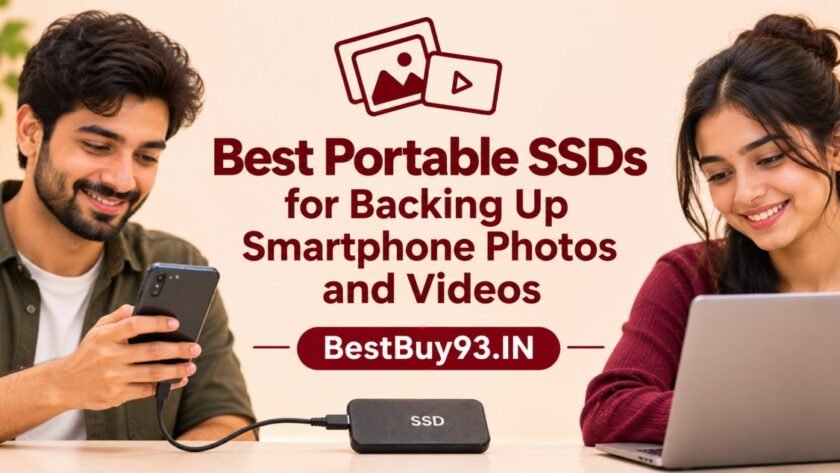

Your smartphone may have an excellent camera, but all those high-resolution photos, 4K videos, travel clips and everyday memories can quickly eat up its storage. And when your phone starts showing that dreaded “Storage Almost Full” notification, deleting your favourite pictures is hardly an exciting solution!
A portable SSD (Solid State Drive) offers a convenient way to transfer and store large files without depending entirely on cloud storage. These compact drives can connect to compatible smartphones, tablets and computers, making them useful for photographers, content creators, vloggers and anyone who regularly records videos.
But which portable SSD should you buy? Is a 1TB drive enough? Does every USB-C SSD work with an iPhone or Android phone? And is paying extra for a 2,000MB/s drive actually worthwhile?
In this guide, we’ll explore some of the best portable SSDs worth considering in 2026, compare their important features, discuss smartphone compatibility and explain what to check before buying.
Also Read | iPhone 18 Pro & Pro Max: Complete Guide
Quick Picks: Best Portable SSDs at a Glance
| Portable SSD | Best For | Key Highlight |
|---|---|---|
| Samsung T7 Shield | Best overall rugged option | IP65-rated protection |
| Crucial X9 Pro | Everyday photo and video backups | Compact design and 10Gbps interface |
| SanDisk Extreme Portable SSD | Travel and outdoor use | Rugged portable design |
| Samsung T7 | Everyday storage | Slim and lightweight form |
| Kingston XS1000 | Compact backup storage | Small, pocket-friendly design |
| Samsung T9 | High-speed file transfers | Up to 2,000MB/s claimed speeds |
| SanDisk Creator Phone SSD | Smartphone creators | Designed around mobile content workflows |
Important: The table identifies use-case matches, not results from our own laboratory testing. Check the exact capacity, regional product variant, cable and phone compatibility before purchasing.
1. Samsung T7 Shield Portable SSD – Best Overall for Rugged Backups
The Samsung T7 Shield is a strong option for people who regularly travel with their smartphones and want a portable drive with additional physical protection. Its rubberised exterior gives it a more rugged feel than a conventional slim external SSD.
Samsung advertises sequential read speeds of up to 1,050MB/s and write speeds of up to 1,000MB/s. It uses a USB 3.2 Gen 2 interface and is available in capacities including 1TB, 2TB and 4TB, depending on the market and variant.
Its IP65 rating provides specified dust and water resistance, while Samsung also advertises drop resistance up to 3 metres under its testing conditions. These features make it worth considering for people who carry their storage device in a camera bag or travel backpack.
Why consider it?
- Up to 1,050MB/s advertised read speed.
- IP65-rated dust and water resistance.
- Rubberised exterior for additional physical protection.
- Multiple storage capacities.
- Hardware-based AES 256-bit encryption support.
What to keep in mind: It is larger and heavier than some ultra-compact SSDs. IP65 does not mean waterproof under every condition, so avoid treating it as a drive that can be submerged.
Best for: Travellers, vloggers and smartphone users who want a more rugged backup drive.


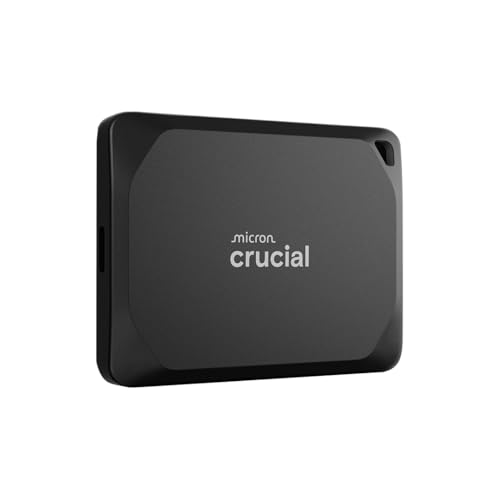
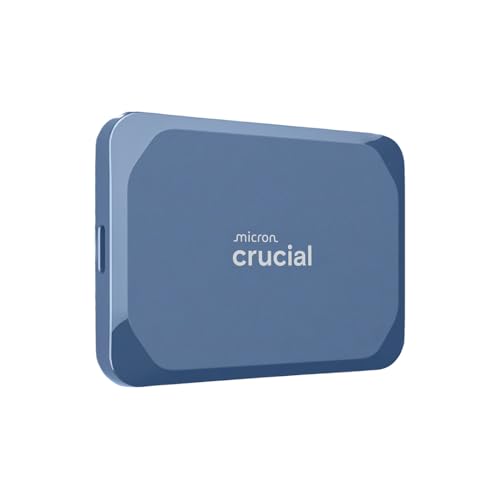
2. Crucial X9 Pro Portable SSD – Best for Everyday Photo Backups
If your primary requirement is transferring smartphone photos, videos and documents to external storage, the Crucial X9 Pro deserves consideration.
It uses a USB 3.2 Gen 2 interface and advertises sequential read speeds of up to 1,050MB/s and write speeds of up to 975MB/s. The compact design makes it convenient to carry alongside a smartphone or laptop.
Crucial lists IP55-rated protection and drop resistance up to 2 metres for this model. It also advertises password protection and 256-bit AES hardware encryption features.
For everyday users, the important advantage is that you do not necessarily need an extremely high-speed SSD to back up phone photos. A well-matched 10Gbps portable SSD can already offer plenty of performance for common file-transfer tasks.
Why consider it?
- Compact portable design.
- Up to 1,050MB/s advertised read speed.
- IP55-rated protection.
- Hardware encryption features.
- Suitable for a range of compatible devices.
What to keep in mind: Actual transfer speeds depend on your phone, computer, cable and workload. Its advertised speed will not automatically be available through every smartphone USB-C port.
Best for: Everyday smartphone backups, personal photo libraries and transferring video files.



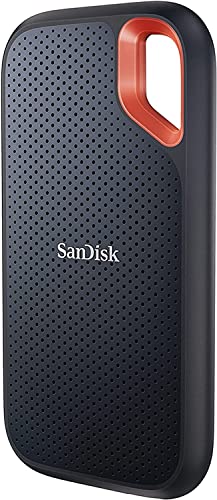
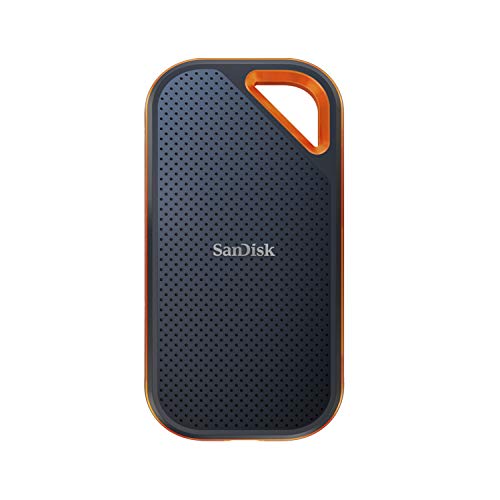
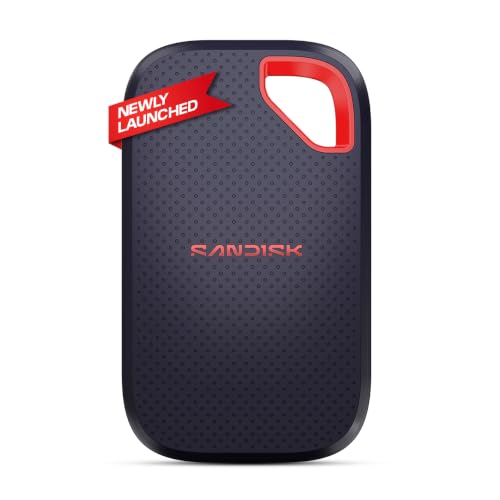
3. SanDisk Extreme Portable SSD – Best for Travel and Outdoor Use
The SanDisk Extreme Portable SSD is another popular option for people who need portable storage for photographs and video recordings.
Its compact design and protective exterior make it suitable for carrying during trips, outdoor shoots and everyday commutes. The product family includes different capacities and model generations, so buyers should check the exact model number rather than assuming all versions have identical specifications.
The newer and commonly listed Extreme Portable SSD variants advertise speeds of up to 1,050MB/s read and 1,000MB/s write. However, specifications can differ between generations.
Why consider it?
- Portable design for travel.
- Rugged-style exterior.
- Useful for large photo and video libraries.
- Available in multiple capacities, depending on the variant.
- USB-C connectivity.
What to keep in mind: Do not confuse the standard SanDisk Extreme Portable SSD with the Extreme PRO version. They are different products with different performance specifications. Also check the exact product generation and warranty information.
Best for: Travellers, mobile photographers and people who regularly move files between devices.
4. Samsung T7 Portable SSD – Best for Everyday Storage
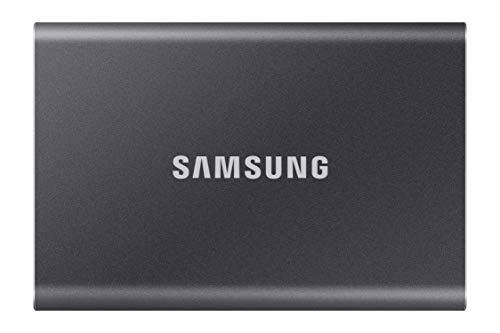
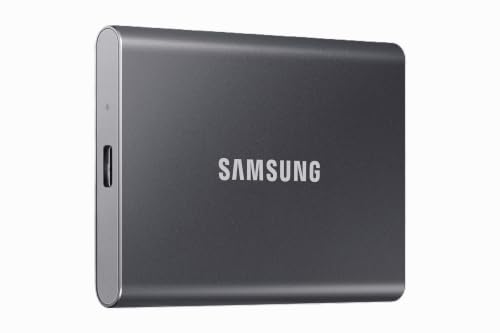
The standard Samsung T7 is a practical alternative if you want a slim external SSD without necessarily needing the thicker protective exterior of the T7 Shield.
It uses USB 3.2 Gen 2 connectivity and advertises sequential read and write speeds of up to 1,050MB/s and 1,000MB/s respectively.
For smartphone users, it can be useful for storing photographs, transferring recorded videos and keeping an additional copy of important documents.
The slim design also makes it convenient to store in a small pouch or laptop sleeve.
Why consider it?
- Slim and portable design.
- Up to 1,050MB/s advertised read speed.
- USB-C connectivity.
- Available in several storage capacities.
- Hardware encryption support.
What to keep in mind: Unlike the T7 Shield, the standard T7 does not carry the same IP65 rating. If your drive will frequently be exposed to dusty or damp environments, compare the two carefully.
Best for: Everyday users who want a compact external SSD for home, office and travel backups.



5. Kingston XS1000 Portable SSD – Best Compact Backup Option
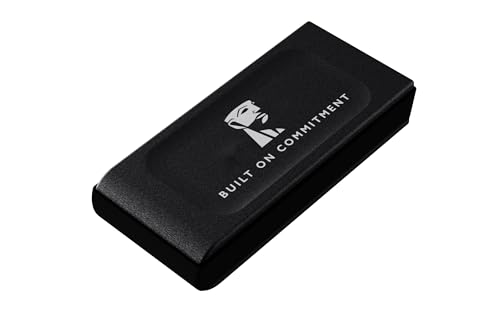
The Kingston XS1000 is designed for people who prefer a small external SSD that can easily fit into a pocket or compact storage pouch.
Its USB 3.2 Gen 2 interface supports advertised read speeds of up to 1,050MB/s. The product family includes different capacities, with availability depending on the market.
For smartphone users, its small size can be particularly convenient. You can keep it with your charging cable and transfer important files whenever your phone storage starts filling up.
Why consider it?
- Compact and lightweight design.
- Up to 1,050MB/s advertised read speed.
- USB-C connectivity.
- Convenient for everyday backups.
- Suitable for carrying alongside mobile devices.
What to keep in mind: The XS1000 is not the same product as the faster Kingston XS2000. Check the model number carefully. Also, a compatible USB connection is necessary to get the best possible transfer performance.
Best for: Users who prioritise portability and want an everyday external backup drive.


6. Samsung T9 Portable SSD – Best for High-Speed Transfers
Do you regularly move large 4K video files, long recordings or extensive photography folders? The Samsung T9 is worth considering if your computer supports its faster interface.
Samsung advertises sequential read and write speeds of up to 2,000MB/s. It uses USB 3.2 Gen 2×2 connectivity, which supports higher theoretical bandwidth than the 10Gbps interface used by the standard T7 family.
However, here is an important detail: buying a 2,000MB/s SSD does not guarantee that your smartphone will transfer files at that speed. Your phone’s USB hardware, operating system and cable can limit performance.
Why consider it?
- Up to 2,000MB/s advertised read and write speeds.
- Designed for demanding file-transfer workflows.
- Multiple storage capacities.
- USB-C connection.
- Useful for compatible high-performance computers.
What to keep in mind: The full advertised speed requires a compatible USB 3.2 Gen 2×2 host. A USB-C connector alone is not enough. For ordinary smartphone photo backups, the additional speed may not justify the extra cost.
Best for: Content creators and users who also transfer large files using compatible computers.


7. SanDisk Creator Phone SSD – Best for Smartphone Content Creators
The SanDisk Creator Phone SSD is particularly interesting for people who use their smartphones as their primary content-creation devices.
Unlike a conventional external SSD that is primarily marketed for general-purpose storage, this product is designed around mobile content workflows. Its phone-focused design makes it worth considering for creators who record, transfer and manage video footage on compatible devices.
It is important to check the exact mounting arrangement, cable requirements and phone compatibility before purchasing. Do not assume that every smartphone supports direct recording to an external SSD simply because the drive connects through USB-C.
Why consider it?
- Designed with mobile creators in mind.
- Useful for smartphone video workflows.
- External storage for large content files.
- Worth considering for compatible recording setups.
What to keep in mind: Check the supported phone models, recording applications, mounting accessories and power requirements. Direct recording support is device- and app-dependent.
Best for: Smartphone vloggers, mobile filmmakers and creators who regularly record large video files.


Portable SSD Comparison: What Should You Compare?
Here is a simplified comparison of the main specifications to consider.
| Model | Interface | Advertised Maximum Speed | Main Buying Advantage |
|---|---|---|---|
| Samsung T7 Shield | USB 3.2 Gen 2 | Up to 1,050MB/s read | IP65 protection |
| Crucial X9 Pro | USB 3.2 Gen 2 | Up to 1,050MB/s read | Compact everyday storage |
| SanDisk Extreme Portable | USB 3.2 Gen 2 on common V2 variants | Up to 1,050MB/s read | Travel-friendly design |
| Samsung T7 | USB 3.2 Gen 2 | Up to 1,050MB/s read | Slim design |
| Kingston XS1000 | USB 3.2 Gen 2 | Up to 1,050MB/s read | Compact size |
| Samsung T9 | USB 3.2 Gen 2×2 | Up to 2,000MB/s read | Faster compatible-host transfers |
| SanDisk Creator Phone SSD | USB 3.2 Gen 2 on listed model | Up to 1,000MB/s read | Mobile creator workflow |
These are manufacturer-advertised maximum figures for relevant model families, not guaranteed smartphone transfer speeds. Specifications may vary by generation and capacity. Always verify the precise SKU.
What to Look for When Buying a Portable SSD for Your Smartphone
Before spending money on an external SSD, consider these important factors.
1. Check Your Smartphone’s USB-C Compatibility
This is the first thing to investigate.
A USB-C port describes the physical connector, not necessarily the data-transfer speed. Two smartphones with USB-C ports can support very different USB standards.
Check:
- Whether your phone supports USB OTG or external storage.
- Which USB data-transfer standard it supports.
- Whether it can supply sufficient power to the SSD.
- Whether your phone’s file manager recognises external drives.
For iPhones, USB-C models and older Lightning models have different connection requirements. Check Apple’s compatibility guidance for your exact iPhone model.
2. Choose the Right Storage Capacity
How much storage do you actually need?
| Capacity | Suitable For |
|---|---|
| 500GB | Occasional backups and smaller photo libraries |
| 1TB | Regular smartphone photos and videos |
| 2TB | Large photography and video collections |
| 4TB | Heavy content creation and long-term storage |
For most people who regularly record videos, 1TB is a sensible starting point. If you shoot lots of 4K footage, consider 2TB or more.
3. Understand Read and Write Speeds
Read speed refers to how quickly a drive can retrieve stored data. Write speed refers to how quickly it can save new data.
When backing up smartphone footage, write speed matters because you’re transferring files onto the SSD.
However, the actual speed depends on the slowest part of the connection: the phone, SSD, cable or software.
4. Check the File System
Portable SSDs may arrive formatted using exFAT, NTFS or another file system.
exFAT is commonly useful for moving large files between supported Windows, macOS and mobile devices. However, compatibility varies by operating system and device.
Before formatting a drive, remember that formatting normally erases existing data. Always back up files first.
5. Look for Physical Protection
If you travel frequently, consider:
- Dust resistance.
- Water resistance.
- Drop-resistance claims.
- A protective carrying case.
- A reliable warranty and service network.
An IP rating describes specific tested protection conditions. It does not mean a drive is indestructible.
6. Consider Encryption and Password Protection
Your smartphone may contain personal photographs, financial documents and private videos. If you carry backups outside your home, security features can be useful.
Look for hardware encryption or password-protection options, and check whether the software is compatible with your devices.
How to Back Up Smartphone Photos and Videos to a Portable SSD
The process is relatively straightforward, although the exact steps depend on your smartphone.
For Android phones:
- Connect the SSD using a compatible USB-C cable or adapter.
- Open your phone’s file manager.
- Locate the external storage device.
- Select the photographs and videos you want to back up.
- Copy them into a folder on the SSD.
- Check that the copied files open correctly before deleting anything from your phone.
For compatible USB-C iPhones:
- Connect the SSD to your iPhone.
- Open the Files app.
- Check whether the external drive appears under Locations.
- Copy or move supported files using the available file-management options.
- Open a few transferred files to confirm that the backup is complete.
Some iPhone workflows, including direct video recording to external storage, have additional device, format, cable and application requirements. Check Apple’s official external-storage guidance before relying on a particular setup.
Our tip: Keep a second copy of important photographs. An external SSD is convenient, but it should not be your only backup.
Portable SSD vs Cloud Storage: Which Is Better?
| Feature | Portable SSD | Cloud Storage |
|---|---|---|
| Internet required | No, for local transfers | Usually required |
| Initial cost | Higher hardware purchase | Often subscription-based |
| File access | Direct access when connected | Depends on internet and service |
| Physical portability | Yes | Not applicable |
| Physical damage risk | Yes | Managed by the provider |
| Sharing files | Requires transfer or connection | Often easy through links |
| Storage expansion | Buy another drive or larger drive | Upgrade subscription |
The best approach may be to use both. Keep a local SSD backup for convenient access and a separate cloud or off-site backup for important files.
Pros and Cons of Portable SSDs
| Reasons to Buy | What to Keep in Mind |
|---|---|
| Fast local file transfers | Actual speed depends on the phone and connection |
| Compact and travel-friendly | Easy to misplace |
| No monthly cloud subscription required | Requires an initial purchase |
| Convenient for large videos | Storage capacity is limited |
| Useful across compatible devices | File-system compatibility matters |
| No moving mechanical parts | Still vulnerable to physical damage and electronic failure |
Frequently Asked Questions
1. Can I connect a portable SSD directly to my smartphone?
Yes, many modern Android phones and USB-C iPhones can connect to compatible external SSDs. However, support depends on the phone model, operating system, power requirements, file system and cable.
2. Is a 1TB portable SSD enough for smartphone backups?
A 1TB SSD is a good starting point for many users. However, people who record frequent 4K videos or maintain extensive photo libraries may benefit from 2TB or 4TB storage.
3. Can I record videos directly to an external SSD?
Some supported smartphones and recording applications allow direct recording to external storage. This is not a universal feature, so check the exact phone model, recording format, app and SSD requirements.
4. Is a portable SSD better than a pen drive?
For large photo and video libraries, a portable SSD generally offers higher performance and more storage capacity than a basic pen drive. However, a USB-C flash drive may be more convenient for occasional small transfers.
5. Will a 2,000MB/s SSD transfer files faster than a 1,000MB/s SSD on my phone?
Not necessarily. Your smartphone must support the required USB interface to benefit from the faster drive. Otherwise, the connection will limit transfer speeds.
6. Can I use the same portable SSD with Android, iPhone and a laptop?
Often, yes, provided the devices support the drive’s file system and connection requirements. exFAT is a common cross-platform choice, but check compatibility before formatting.
7. Should I delete photos from my phone immediately after backing them up?
It is better to verify the backup first. Open a selection of transferred photos and videos, and ideally keep another copy in cloud storage or on a second drive before deleting the originals.
Final Verdict: Which Portable SSD Should You Buy?
The best portable SSD depends on how you use your smartphone.
- Best overall rugged option: Samsung T7 Shield for its advertised IP65 protection and portable design.
- Best everyday backup option: Crucial X9 Pro for compact storage and its 10Gbps interface.
- Best travel-oriented alternative: SanDisk Extreme Portable SSD.
- Best slim everyday option: Samsung T7.
- Best compact option: Kingston XS1000.
- Best for compatible high-speed systems: Samsung T9.
- Best mobile creator-focused option: SanDisk Creator Phone SSD.
For most smartphone users, a good 1TB or 2TB portable SSD with a compatible USB-C connection is a more sensible purchase than paying extra for the highest advertised speed.
And remember: backing up your memories is not just about freeing up phone storage. It is about keeping photographs, videos and important moments accessible even when you eventually upgrade your smartphone.