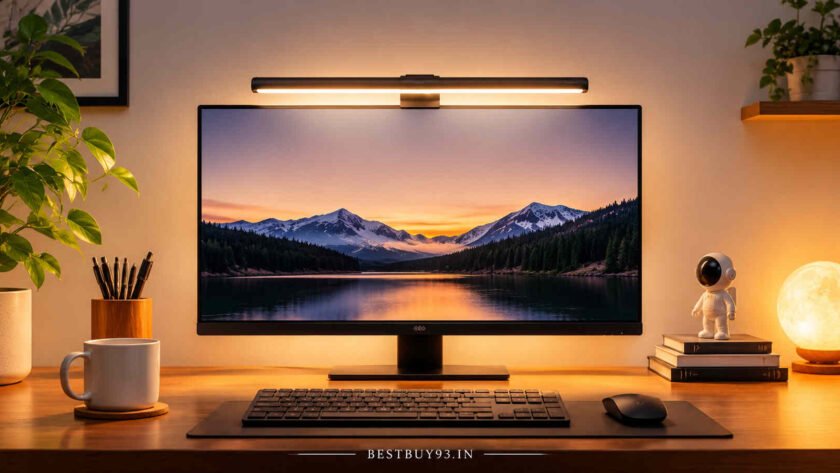

Working late, editing videos, writing blogs or spending hours at your computer can make a poorly lit desk feel uncomfortable. Your monitor may be bright enough, but what about the keyboard, notebook, mouse and the rest of your workspace? Using a regular desk lamp can help, but it may also create unwanted reflections on your screen or take up valuable desk space.
That’s where a monitor light bar comes in. It sits on top of your monitor and directs light towards your desk, helping illuminate your workspace without placing a traditional lamp beside your display.
However, not every monitor light bar offers the same lighting quality. Features such as asymmetric optical design, adjustable colour temperature, brightness controls, mounting compatibility and backlighting can make a noticeable difference.
In this guide, we’ll explore some of the best monitor light bars to consider, compare their features, discuss their pros and cons, and explain what to check before buying one in India.
Also Read | Best Cameras for Beginner YouTubers
Quick Comparison: Best Monitor Light Bars
| Monitor Light Bar | Best For | Notable Features |
|---|---|---|
| BenQ ScreenBar Halo 2 | Best premium option | Front and rear lighting, wireless controller, auto-dimming |
| BenQ ScreenBar Pro | Best for productivity | Asymmetric lighting, motion sensor, touch controls |
| BenQ ScreenBar | Best minimalist premium option | Adjustable brightness, colour temperature, compact design |
| Baseus i-Wok Series | Everyday desk lighting | Adjustable brightness and colour temperature |
| Baseus i-Wok 2 | Value-oriented option | USB-powered design, asymmetric lighting |
Prices and availability can change. Check the current seller listing, exact model and warranty before ordering.
1. BenQ ScreenBar Halo 2 – Best Premium Monitor Light Bar
Best for: Professionals, content creators and people who work for long hours in dimly lit rooms.
If you want a premium monitor light bar with more than basic desk illumination, the BenQ ScreenBar Halo 2 deserves a place on your shortlist. It combines front-facing task lighting with rear-facing ambient lighting, giving your desk a more balanced lighting setup.
Its asymmetric optical design directs the front light towards the desk instead of the monitor. The rear light adds illumination behind the display, helping soften the contrast between a bright screen and a dark wall.
The wireless controller lets you adjust brightness and colour temperature without repeatedly reaching for the light bar. It also offers automatic dimming based on the surrounding light conditions.
Key highlights:
- Front and rear lighting with a three-zone backlight design.
- Adjustable colour temperature from 2700K to 6500K.
- Wireless controller with a digital display.
- Automatic dimming and motion-sensing functionality.
- Compatibility with supported flat and curved monitors.
- Webcam mounting accessory included.
Reasons to Buy
- Premium lighting controls and useful customisation.
- Rear lighting adds another layer to the workspace setup.
- Suitable for people who spend extended periods at their desks.
What We Don’t Like
- Premium pricing makes it an expensive choice.
- Its additional features may be unnecessary for casual computer users.
- Monitor thickness and curvature still need to be checked.
Our Take: Choose the ScreenBar Halo 2 if you want a premium lighting setup with front illumination, rear ambience and convenient wireless controls.

- ENHANCED BACKLIGHT FOR VISUAL COMFORT: Wide and adjustable ambient backlight reduces contrast between your screen and da…
- GLARE-FREE FRONT LIGHT (ASYM-Light Technology): Precision front lighting at an 18° anti-glare angle illuminates your des…
- WIRELESS CONTROLLER FOR EASY ADJUSTMENTS: The intuitive wireless dial controls brightness, color temperature, and modes,…
2. BenQ ScreenBar Pro – Best for Productivity
Best for: Writers, programmers, designers and people working with documents throughout the day.
The BenQ ScreenBar Pro is designed for people who want focused desk illumination without adding another lamp to their workspace.
It uses asymmetric lighting to direct illumination towards the desk while limiting unwanted reflections on the display. Its integrated touch controls make brightness and colour-temperature adjustments straightforward.
Another useful feature is its motion sensor, which can automatically switch the light on or off based on activity around the desk.
Key highlights:
- Asymmetric optical lighting.
- Adjustable colour temperature.
- Integrated touch controls.
- Motion-sensing automatic operation.
- USB-C power.
- Designed for compatible flat and curved monitors.
Reasons to Buy
- Clean, minimalist design.
- Convenient automatic lighting functionality.
- Suitable for productivity-focused desk setups.
What We Don’t Like
- No wireless desktop controller like the Halo 2.
- No comparable rear ambient-lighting system.
- Still costs more than basic monitor light bars.
Our Take: The ScreenBar Pro is a sensible premium choice if you want focused front lighting and automatic operation without paying extra for a separate wireless controller and elaborate backlighting.
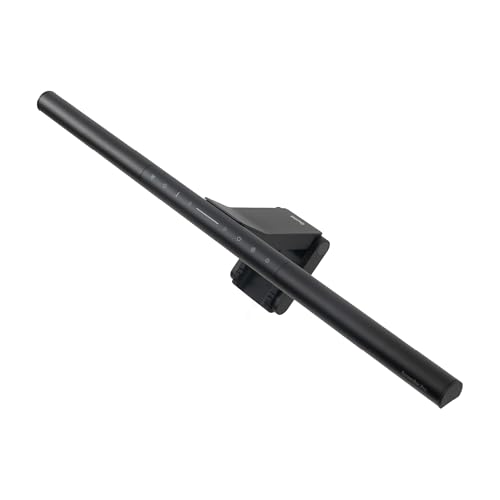
- [No glare – 3rd generation ASYM light] The advanced asymmetric look of the ScreenBar Pro reduces screen reflections and …
- [Automatic on/off] An ultrasonic sensor detects movements at a distance of up to 70 cm. The light turns on automatically…
- [Ultra-wide illumination] With 1000 lx in the middle and 500 lux in the range of 85 x 50 cm, the ScreenBar Pro surpasses…
3. BenQ ScreenBar – Best Minimalist Premium Option
Best for: People who want straightforward monitor lighting without unnecessary extras.
Not everyone needs wireless controllers, rear ambient lighting or motion sensors. Sometimes, a simple and well-designed monitor light bar is enough.
The original BenQ ScreenBar focuses on desk illumination, adjustable lighting and a compact mounting system. It uses asymmetric optics to direct light towards your workspace while reducing reflections on the display.
It offers multiple brightness levels and colour-temperature settings, making it useful for different working environments.
Key highlights:
- Asymmetric optical design.
- Adjustable brightness.
- Eight colour-temperature settings.
- Built-in touch interface.
- Compact monitor-mounted design.
- Automatic dimming functionality.
Reasons to Buy
- Minimalist appearance.
- Useful lighting adjustments.
- Saves desk space compared with a conventional lamp.
What We Don’t Like
- Fewer premium features than the Halo 2.
- No rear ambient lighting.
- The original model has more limited mounting compatibility than newer BenQ options.
Our Take: Consider the original ScreenBar if you want a premium but relatively straightforward monitor light. Check the monitor’s thickness and curvature carefully before purchasing.

- EYE CARING & TOP QUALITY – Flicker-free and anti-blue light hazard LED light source with CRI>95 for natural colours. Lon…
- NO SCREEN GLARE – With carefully calculated beams, ScreenBar’s ASYM-Light technology prevents screen reflections and dir…
- WIDE LIGHTING COVERAGE – Provides a 500lx brightness across a wide 60x30cm area, effectively balancing ambient light and…
4. Baseus i-Wok Series – Best for Everyday Desk Lighting
Best for: Students, home-office users and everyday computer users.
The Baseus i-Wok series offers an alternative to premium monitor light bars. It is worth considering if you want a monitor-mounted lighting solution without immediately moving into the higher-priced BenQ range.
Different i-Wok versions have different controls and specifications, so make sure you check the exact model number before buying.
Depending on the version, you may find adjustable brightness, colour-temperature controls and a USB-powered setup.
Key highlights:
- Monitor-mounted design.
- USB-powered operation on compatible models.
- Adjustable lighting on selected versions.
- Compact design that helps free up desk space.
- Useful for everyday computer work.
Reasons to Buy
- More accessible than many premium alternatives.
- Compact and practical for smaller desks.
- Convenient option for everyday use.
What We Don’t Like
- Features vary across i-Wok models.
- Don’t assume every version has automatic dimming.
- Mounting compatibility and optical performance need to be checked for the exact listing.
Our Take: The Baseus i-Wok series is worth exploring if you want a functional monitor light bar without paying for premium extras. Prioritise the exact model’s optical design and mounting mechanism over appearance.

- Resting-Type Design for Thick Monitors:-Specially engineered Resting Type clamp-free design that securely sits on thick,…
- Easy Touch Sensor Controls:-Features an intuitive touch sensor panel for switching modes, adjusting brightness, and powe…
- USB Powered – Plug & Play:- Works with any USB power source including monitors, laptops, power banks, or adapters. No ba…
5. Baseus i-Wok 2 – Value-Oriented Monitor Light Bar
Best for: Budget-conscious buyers who want a simple USB-powered lighting upgrade.
The Baseus i-Wok 2 is another model to consider when comparing monitor-mounted lighting accessories. Its compact form makes it suitable for desk setups where space is limited.
It is particularly important to distinguish the i-Wok 2 from other products in the i-Wok family. Listings can look similar even when their controls, lighting features and accessories differ.
Before purchasing, check whether the listing specifically mentions asymmetric illumination, adjustable brightness, colour temperature and the included power cable.
Key highlights:
- Compact monitor-mounted design.
- USB-powered operation.
- Adjustable lighting on the listed version.
- Space-saving alternative to a traditional desk lamp.
Reasons to Buy
- Practical form factor.
- Suitable for compact workstations.
- Worth comparing against more expensive screen bars.
What We Don’t Like
- Feature sets can differ between sellers and versions.
- Warranty and after-sales support should be checked.
- Don’t assume it offers the same optical performance as a premium BenQ model.
Our Take: Consider the i-Wok 2 if its verified specifications and price suit your setup. Compare the actual model number rather than relying on product photographs alone.
- Resting-Type Design for Thick Monitors:-Specially engineered Resting Type clamp-free design that securely sits on thick,…
- Easy Touch Sensor Controls:-Features an intuitive touch sensor panel for switching modes, adjusting brightness, and powe…
- USB Powered – Plug & Play:- Works with any USB power source including monitors, laptops, power banks, or adapters. No ba…
What to Look for When Buying a Monitor Light Bar
Before choosing a monitor light bar, understand which features actually make a difference. A stylish light bar is great, but the purpose is to improve desk illumination without introducing another source of screen glare.
1. Asymmetric Optical Design
This is one of the most important features to look for.
A conventional light source may spread light in multiple directions, potentially creating reflections on your monitor. An asymmetric optical design directs the beam towards the desk and away from the display.
However, no product should be assumed to be completely reflection-free in every setup. Screen finish, viewing angle and light-bar positioning also matter.
2. Adjustable Brightness
Look for multiple brightness levels or stepless dimming. This allows you to adjust the light according to your room’s ambient lighting.
A light that is comfortable during the afternoon may feel too bright late at night. Having control over brightness makes the accessory more versatile.
3. Adjustable Colour Temperature
Colour temperature is measured in Kelvin (K). Many monitor light bars offer warm-to-cool lighting adjustments.
| Colour Temperature | Lighting Appearance | Suitable Use |
|---|---|---|
| 2700K–3000K | Warm white | Relaxed evening use |
| 3500K–4500K | Neutral white | General desk work |
| 5000K–6500K | Cool white | Brighter daytime environments |
Choose a light that lets you adjust the colour temperature instead of forcing you to work under one fixed setting.
4. Monitor Compatibility
This is where many buyers make a mistake.
Not every monitor light bar fits every display. Check:
- Monitor thickness.
- Curved or flat screen design.
- Bezel shape.
- Rear housing and protrusions.
- Built-in webcam position.
- Whether the mounting clip can sit securely.
For example, BenQ’s original ScreenBar has a different compatibility range from the ScreenBar Pro and Halo 2. The newer models support a wider range of monitor thicknesses and curvature.
5. Lighting Coverage
A short light bar may be sufficient for a compact desk, but a larger workstation may need wider illumination.
Consider the width of your monitor, keyboard and working area. If you regularly use notebooks or documents beside your keyboard, check whether the light bar provides enough coverage for those areas.
6. Power and Connectivity
Most monitor light bars use USB power. Before buying, check whether the product requires USB-A or USB-C and whether the included cable is compatible with your setup.
You can potentially power a light bar through a monitor USB port, computer or suitable USB adapter. However, check the manufacturer’s power requirements first.
7. Webcam Clearance
If you regularly attend online meetings or record videos, make sure the light bar doesn’t obstruct your webcam.
Some models include dedicated webcam accessories. Others may require a separate mounting solution.
8. Build Quality and Warranty
Look for a sturdy mounting clip, reliable controls and clear warranty information. A monitor light bar should sit securely without putting unnecessary pressure on the monitor.
For imported models, check the seller’s return policy and Indian warranty coverage before ordering.
Pros and Cons of Monitor Light Bars
| Reasons to Buy | What to Keep in Mind |
|---|---|
| Saves valuable desk space | Not every model fits every monitor |
| Illuminates the keyboard and work surface | Poorly designed optics can create reflections |
| Adjustable brightness on many models | Premium options can be expensive |
| Colour-temperature control on selected models | USB power requirements vary |
| Convenient for compact workstations | Does not replace general room lighting |
Monitor Light Bar vs Traditional Desk Lamp
Which one should you choose? It depends on how you use your desk.
| Feature | Monitor Light Bar | Traditional Desk Lamp |
|---|---|---|
| Placement | Mounted on the monitor | Placed on the desk |
| Desk space | Saves desk space | Requires desk space |
| Light direction | Designed to illuminate the desk | Depends on lamp design and positioning |
| Screen reflections | Asymmetric optics can help reduce reflections | Incorrect positioning may create glare |
| Portability | Depends on mounting design | Usually easy to move |
| Whole-room lighting | Not designed for this purpose | Some models provide wider illumination |
If you mainly need light for your keyboard, mouse and documents, a monitor light bar can be convenient. If you need to illuminate a larger area, a traditional desk lamp may be more suitable.
How to Position a Monitor Light Bar Correctly
Buying a good monitor light bar is only half the job. Its positioning also matters.
- Place the light bar securely along the top edge of your monitor.
- Make sure the mounting clip does not obstruct the webcam.
- Angle the light towards your keyboard and desk.
- Adjust brightness according to your room’s lighting.
- Check the screen for reflections, particularly when displaying dark content.
- Reposition the bar if the light shines directly into your eyes.
Try the setup while viewing both a bright document and a dark screen. This simple check can help identify unwanted reflections.
Frequently Asked Questions
1. Do monitor light bars reduce screen glare?
Monitor light bars with asymmetric optical designs are intended to direct light towards the desk rather than the display. This can help minimise reflections, although results depend on monitor placement, screen finish and light-bar positioning.
2. Are monitor light bars good for long working hours?
They can make a desk more comfortable to use by improving workspace illumination and reducing the contrast between a bright screen and a dark desk area. However, they are not a treatment for eye strain or vision problems.
3. Can a monitor light bar fit a curved monitor?
Some models support curved monitors, but compatibility depends on the curvature and mounting design. Check the manufacturer’s specifications before purchasing.
4. Can I use a monitor light bar with a laptop?
Some products are designed specifically for external monitors and may not fit laptop screens securely. Check the manufacturer’s compatibility guidance rather than assuming a universal fit.
5. Does a monitor light bar replace a desk lamp?
Not completely. A monitor light bar primarily illuminates the workspace directly in front of the monitor. It may not provide sufficient light for an entire room or larger working area.
6. Which colour temperature is best for working?
There is no single ideal setting for everyone. Neutral white is a useful starting point for everyday work, while warmer settings may feel more comfortable in the evening. Adjust it according to your preference and surroundings.
7. Do monitor light bars consume a lot of electricity?
Most LED monitor light bars are designed for relatively low-power operation. Check the rated power consumption of the specific model to understand its electricity requirements.
8. Are expensive monitor light bars worth buying?
Premium models can offer better mounting systems, additional lighting zones, wireless controls and automatic dimming. If you only need basic desk illumination, a simpler model may be sufficient.
Final Thoughts
The best monitor light bar is not necessarily the brightest or most expensive one. It is the one that fits your monitor, illuminates your working area and keeps unwanted light away from your screen.
The BenQ ScreenBar Halo 2 stands out as a premium option with front and rear lighting, while the BenQ ScreenBar Pro is worth considering for productivity-focused workstations. If you prefer something simpler, the original ScreenBar offers a more minimalist approach. Baseus i-Wok models are alternatives worth comparing when looking for a more accessible option.
Before making a purchase, check the mounting compatibility, optical design, brightness controls and warranty. A little research can save you from buying a light bar that looks great in photographs but doesn’t work with your actual desk setup.