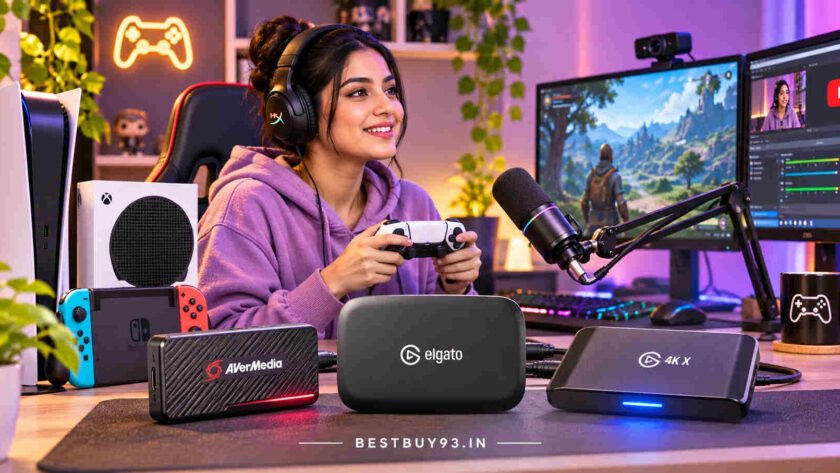

You can have the gaming PC, the RGB setup, the expensive controller and enough enthusiasm to shout “LET’S GOOO!” every six minutes but if your gameplay recording looks blurry, stutters or forces you to sacrifice the resolution you actually play at, your YouTube gaming setup still has a weak link. 🎮😭
That is where a capture card comes in.
A good capture card takes the HDMI video signal from a console, gaming PC, handheld or other compatible source and sends it to your recording or streaming computer. This lets software such as OBS Studio capture the gameplay while the HDMI passthrough sends the game to your monitor or television with minimal added delay.
For YouTube creators, capture cards are especially useful for recording gameplay from:
- PlayStation 5 / PS5 Pro
- Xbox Series X and Series S
- Nintendo Switch and Switch 2
- Gaming PCs in dual-PC setups
- Handheld consoles with video output
- Other unencrypted HDMI devices
But capture-card specifications are incredibly easy to misunderstand.
4K passthrough does not automatically mean 4K capture.
A card may let you play at 4K60 while only recording at 1080p60.
Another may support 4K144 passthrough but require a 10Gbps USB port before you can access its highest recording modes.
And then there is HDR, VRR, party-chat audio and enough HDMI terminology to make a normal human suddenly reconsider whether uploading gameplay was worth it.
So let’s simplify it.
After comparing current capture resolutions, passthrough capabilities, USB interfaces, HDR/VRR support, software compatibility and Indian pricing, here are some of the best capture cards for recording gameplay and streaming on YouTube in 2026.
Best Capture Cards: Quick Comparison
| Capture Card | Best For | Max Capture | Key Passthrough | Approx. India Price* |
|---|---|---|---|---|
| Elgato Game Capture 4K S | Best Overall | Up to 4K60 | 4K60, high-FPS 1440p/1080p | ~₹19,000–₹20,000 |
| Elgato Game Capture Neo | Best for Beginners | 1080p60 | Up to 4K60 HDR | ~₹13,000 |
| AVerMedia Live Gamer MINI GC311 | Best Simple 1080p Pick | 1080p60 | 1080p60 | ~₹10,000–₹12,500 |
| Elgato Game Capture 4K X | Best High-Refresh External Card | Up to 4K144 SDR | Up to 4K144 HDR/VRR | ~₹26,000–₹29,000 |
| AVerMedia Live Gamer ULTRA 2.1 | Best HDMI 2.1 Alternative | Up to 4K144 on Windows | 4K144 HDR/VRR | ~₹33,000+ |
| Elgato Game Capture 4K Pro | Best Internal PCIe Pick | Up to 4K60 | Up to 8K60 | ~₹32,000 |
*Prices fluctuate significantly. Check Amazon India, specialist PC retailers and official distributor listings before buying.
Our Top Pick: Elgato Game Capture 4K S
For most YouTube gaming creators in 2026, the Elgato Game Capture 4K S offers the best overall balance.
It can capture up to 4K60, supports high-frame-rate capture including 1080p120 and beyond in supported configurations, offers HDR10 passthrough up to 4K60 and works with Windows, macOS and compatible iPads. It uses USB 3.0 Type-C and HDMI 2.0.
For creators using a PS5, Xbox Series X/S or Switch 2 who mainly want to upload or stream at 1080p60 or 4K60, this covers nearly everything you actually need without immediately paying for an HDMI 2.1 capture card.
Current Indian PC retailers have listed the 4K S around ₹19,000–₹20,000, although prices can change quickly.
1. Elgato Game Capture 4K S
Best Capture Card Overall for YouTube Gaming
The Elgato 4K S is the capture card I would start with if someone said:
“I have a PS5/Xbox/Switch 2, I want proper YouTube gameplay, and I don’t want to replace my capture card again next year.”
It sits in a very useful middle ground.
You are no longer limited to 1080p60 capture, but you also are not paying HDMI 2.1 flagship money just to say your capture card supports frame rates your YouTube uploads may never use.
The 4K S can capture up to 3840 × 2160 at 60 fps in supported SDR workflows. It also supports high-frame-rate capture at lower resolutions and VRR passthrough.
Key Features
| Feature | Elgato 4K S |
|---|---|
| Interface | USB 3.0 Type-C |
| HDMI | HDMI 2.0 |
| Max 4K capture | 4K60 |
| 1080p capture | Up to high frame rates |
| HDR passthrough | Up to 4K60 |
| HDR capture | Up to 1080p60 on Windows |
| VRR | Yes |
| Analog audio input | 3.5 mm |
| Platforms | Windows, Mac, compatible iPad |
| Software | Elgato Studio, OBS and others |
Elgato specifically positions the 4K S for devices such as Switch 2, PS5 and Xbox Series X, and its current documentation confirms compatibility with those systems as well as PCs and other HDMI sources.
Why It Makes Sense for YouTube
YouTube supports 4K uploads.
That means a creator who records high-quality gameplay can preserve additional detail even if many viewers ultimately watch at lower resolutions.
At the same time, livestreaming at 1080p60 remains perfectly sensible.
The 4K S gives you both options.
Reasons to Buy
| What We Like | What We Don’t Like |
|---|---|
| True 4K60 capture | HDMI 2.0 rather than HDMI 2.1 |
| Strong balance of price and performance | 4K high-refresh gamers need 4K X |
| Works with OBS | HDR capture is more limited than SDR |
| VRR passthrough | Requires USB 3.0 |
| Analog audio input | USB-A adapter isn’t included |
| Windows, Mac and iPad support | More expensive than 1080p-only cards |
Best For
PS5, Xbox Series X/S and Switch 2 creators who want a capture card they can keep for several years.
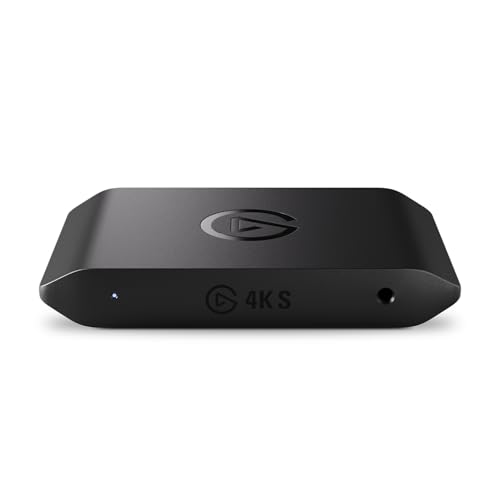
- 4K60 Capture: Record in cinematic quality with crisp detail and vivid colors.
- HFR Support: Play and capture in 1440p120 or 1080p240
- Cross-Platform Compatible: Works with PS5, Xbox Series X/S, Switch 2, and more.
2. Elgato Game Capture Neo
Best Capture Card for Beginner YouTubers
Here is the reality:
Not every gaming creator needs 4K144 capture.
If your videos are uploaded at 1080p60, paying extra for a monster HDMI 2.1 card may accomplish approximately nothing except making your bank account lighter.
The Elgato Game Capture Neo is designed around a simpler workflow.
It captures up to 1080p60, while still allowing up to 4K60 HDR passthrough to your gaming display.
That is an important distinction.
You can play your console at 4K60 on your television while your computer receives a 1080p60 recording feed.
For many YouTube gaming channels, that is completely adequate.
Key Features
- 1080p60 capture
- Up to 4K60 HDR passthrough
- USB 3.0
- HDMI input and output
- Plug-and-play UVC-style workflow
- OBS Studio support
- Streamlabs support
- Elgato Studio support
- Windows and Mac compatibility
- Compatible iPad support
Elgato lists PS5, PS4, Xbox Series X/S, Xbox One, Nintendo Switch and PC among supported sources.
Why It Is Great for Beginners
The biggest advantage is that you do not have to understand every high-end video specification before starting.
If your goal is:
console → capture card → laptop → OBS → YouTube
Neo handles that type of workflow well.
Important Limitation
Neo does not capture 4K.
Its recording ceiling is 1080p60.
So do not see “4K60 passthrough” in a product listing and assume your recorded file will be 4K.
This is one of the most common capture-card shopping mistakes.
Reasons to Buy
| What We Like | What We Don’t Like |
|---|---|
| Straightforward 1080p60 capture | No 4K recording |
| 4K60 HDR passthrough | Less future-proof than 4K S |
| Easy setup | No 3.5 mm analog audio input listed |
| OBS and Streamlabs support | High-refresh gaming support is limited |
| Compact | HDMI cable may need to be purchased separately |
| Good for first gaming channel | Premium over generic budget cards |
Best For
Beginner streamers and creators who plan to upload primarily at 1080p60.

- Capture PlayStation, Xbox, Switch, laptops, PCs, iPad, and other devices
- Play 4K60 HDR games without image quality loss or lag
- Record or stream your skills in smooth Full HD 1080p60 quality
3. AVerMedia Live Gamer MINI GC311
Best Simple 1080p60 Capture Card
The AVerMedia Live Gamer MINI GC311 takes an old-school approach that still makes a lot of sense:
do 1080p60 properly and keep everything else simple.
AVerMedia lists both maximum passthrough and recording resolution at 1080p60.
Unlike many USB capture cards that leave all encoding work to the PC, Live Gamer MINI supports hardware H.264 encoding.
That can be useful for modest systems.
Key Specifications
| Feature | AVerMedia Live Gamer MINI |
|---|---|
| Interface | USB 2.0 |
| HDMI input | Yes |
| HDMI passthrough | Yes |
| Max passthrough | 1080p60 |
| Max capture | 1080p60 |
| Hardware encoding | H.264 |
| Weight | Approx. 74.5 g |
| 4K | No |
| HDR | No |
| High-refresh support | No |
Who Should Buy It?
Someone playing:
- Nintendo Switch
- Older consoles
- 1080p-focused games
- Casual PS5/Xbox streams where 4K passthrough is not important
For those setups, 1080p60 is enough.
But There Is a Catch
Indian pricing can make the GC311 awkward.
The device itself is relatively basic, yet current Indian listings sometimes place it surprisingly close to newer capture cards.
That means you should compare its actual selling price with Elgato Neo before buying.
If the prices are close, Neo’s 4K60 passthrough gives it a major practical advantage.
Reasons to Buy
| What We Like | What We Don’t Like |
|---|---|
| Reliable 1080p60 format | No 4K |
| Hardware H.264 encoding | No HDR |
| Very compact | Only USB 2.0 |
| HDMI passthrough | 1080p60 passthrough ceiling |
| Simple workflow | Current India pricing can be high |
Best For
Nintendo Switch creators and straightforward 1080p streaming setups.
Buy Now on Amazon India

- Game capture card for streaming and recording Xbox, PlayStation or WiiU console gameplays.
- Full HD quality. Capture in full HD 1080p with H.264 hardware encoder.
- RECentral—Powerful Streaming Software
4. Elgato Game Capture 4K X
Best External Capture Card for High-Refresh Gaming
This is where things get serious.
The Elgato 4K X uses HDMI 2.1 and USB 3.2 Gen 2.
Its current specification supports passthrough up to 4K144 HDR, 1440p240 and 1080p240 depending on the configuration. Capture can reach 4K144 SDR, with HDR capture supported at lower combinations such as up to 4K30 HDR.
That makes this dramatically different from a basic 1080p capture device.
Why HDMI 2.1 Matters
Suppose you own:
- PS5 Pro
- Xbox Series X
- High-end gaming PC
- 4K120/144Hz gaming monitor
You probably do not want your capture card forcing your gaming experience down to 4K60.
The 4K X is built to preserve far more of those high-refresh modes while simultaneously capturing gameplay.
Key Features
- HDMI 2.1 input/output
- USB 3.2 Gen 2 10Gbps
- Up to 4K144 SDR capture
- Up to 4K144 passthrough
- VRR support
- HDR support
- 3.5 mm audio input
- OBS support
- Windows and Mac support
- Compatible iPad support
USB Port Warning
This matters.
For the highest-quality modes, you need the right USB connection.
Elgato recommends USB 3.2 Gen 2 for full performance. USB 3.2 Gen 1 can work, but some recording formats and resolutions become limited.
Do not buy this card for an old laptop and assume the USB-C shape guarantees maximum performance.
USB-C describes the connector.
Not necessarily the speed.
Technology loves making simple things complicated.
Reasons to Buy
| What We Like | What We Don’t Like |
|---|---|
| HDMI 2.1 | Expensive |
| 4K144-class capture capability | Needs a fast USB connection |
| Excellent high-refresh passthrough | Overkill for 1080p YouTube |
| VRR | HDR recording limitations vary by OS |
| Great for next-gen systems | Requires capable computer hardware |
| Portable external design | More demanding storage requirements |
Best For
PS5 Pro, Xbox Series X and gaming-PC creators using high-refresh 4K displays.

- Capture 4K gameplay at 120 frames per second, or even 144* FPS
- HDMI 2.1 interface for capturing high frame rates up to 240fps in 1080p resolution
- VRR passthrough lets you play with zero screen tearing on VRR-enabled monitors
5. AVerMedia Live Gamer ULTRA 2.1 GC553G2
Best HDMI 2.1 Alternative
If Elgato is not your preferred ecosystem, AVerMedia Live Gamer ULTRA 2.1 is one of the most capable alternatives.
It uses:
- HDMI 2.1
- USB 3.2 Gen 2 Type-C
- Up to 4K144 HDR/VRR passthrough
- Up to 1440p240 HDR/VRR passthrough
- Up to 1080p360 HDR/VRR passthrough
AVerMedia’s current specification also lists capture up to 4K144 on supported Windows workflows and up to 4K60 on macOS.
Audio Is a Strength
One interesting advantage is its audio connectivity.
It includes separate 4-pole 3.5 mm connections for:
- Headset audio
- Gamepad audio
and supports multi-channel audio functionality in compatible workflows.
For console creators who regularly need to deal with party chat, this is worth noticing.
System Requirements Matter
AVerMedia recommends considerably stronger hardware for its maximum capture modes.
For example, its 4K144 MJPEG capture guidance calls for hardware around the level of a 12th-gen Intel Core i5, RTX 3060 and 16GB RAM or better.
In other words:
Buying a ₹30,000+ capture card does not magically turn an underpowered laptop into a 4K144 production workstation.
The entire system matters.
Reasons to Buy
| What We Like | What We Don’t Like |
|---|---|
| HDMI 2.1 | Expensive |
| Extremely high refresh-rate support | Demanding system requirements |
| 4K144-class capture on Windows | macOS capability is more limited |
| HDR/VRR passthrough | USB 3.2 Gen 2 required |
| Useful audio connections | Way beyond what casual streamers need |
| RGB lighting | Higher-end workflows are more complex |
Best For
Advanced console streamers, high-refresh PC gamers and creators building serious dual-PC streaming rigs.

- 4K144 Pass-through & 4K60 Capture: Experience lifelike gaming with 4K144 pass-through (PC)/4K120 (console) and seamless …
- HDR and VRR Support: Immerse in vibrant, true-to-life visuals through HDR and tear-free gaming with VRR. Specifically de…
- Live Party Chat: Seamlessly integrate your headset via the 4 Pole 3.5mm port on the 4K capture card. Manage game/chat vo…
6. Elgato Game Capture 4K Pro
Best Internal PCIe Capture Card
Everything so far has been an external USB capture card.
But desktop users have another option:
PCIe capture cards.
The Elgato 4K Pro installs directly into a compatible desktop PCIe slot.
It records up to 4K60 while supporting passthrough modes up to 8K60, according to Elgato’s current specification.
Why Choose Internal?
An internal card makes particular sense for a permanent dual-PC setup.
For example:
Gaming PC → HDMI → Capture card inside streaming PC.
You avoid having another little box sitting on the desk and do not depend on a USB cable for the capture interface.
But It Is Not for Laptops
Obviously, you need:
- A desktop PC
- A compatible PCIe slot
- Enough internal space
- Suitable CPU/GPU hardware
Elgato specifically notes that 4K Pro is a desktop-only PCIe product and is not compatible with laptops.
Reasons to Buy
| What We Like | What We Don’t Like |
|---|---|
| Clean internal setup | Desktop only |
| 4K60 recording | Installation required |
| Very high-end passthrough | Expensive |
| No USB bandwidth worries | Not portable |
| Excellent for dual-PC rigs | Needs available PCIe slot |
| HDR recording support | Unnecessary for most console creators |
Best For
Dedicated streaming PCs and permanent dual-PC gaming studios.

- Play in mind-blowing 8K60 HDR10, capture stunning 4K60 HDR10 quality
- Capture PC, PS5, Xbox Series X, Switch, Steam Deck, Mac, iPhone 15, etc.
- HDMI 2.1 interface for capturing high frame rates up to 240fps in 1080p resolution
Capture Card Comparison: Which One Should You Buy?
| Product | Capture | Passthrough | Connection | Best Use |
|---|---|---|---|---|
| Elgato 4K S | Up to 4K60 | Up to 4K60 / high-FPS lower resolutions | USB 3.0 | Most creators |
| Elgato Neo | 1080p60 | 4K60 HDR | USB 3.0 | Beginners |
| AVerMedia GC311 | 1080p60 | 1080p60 | USB 2.0 | Simple 1080p |
| Elgato 4K X | Up to 4K144 SDR | Up to 4K144 HDR/VRR | USB 10Gbps | High-refresh gaming |
| AVerMedia GC553G2 | Up to 4K144 Windows | Up to 4K144 HDR/VRR | USB 10Gbps | Advanced HDMI 2.1 |
| Elgato 4K Pro | 4K60 | Up to 8K60 | PCIe | Dual-PC desktop |
How We Selected These Capture Cards
This guide is based on product research and current manufacturer specifications, rather than claims of personally testing every capture card.
We evaluated:
- Maximum capture resolution
- Maximum capture frame rate
- HDMI passthrough
- HDR support
- VRR support
- High-refresh passthrough
- USB bandwidth
- OBS compatibility
- Console compatibility
- Audio input
- Windows/macOS support
- Portability
- Indian availability
- Current pricing
- Overall usefulness for YouTube creators
We also gave priority to current models.
For example, the Elgato HD60 X remains available through some Indian retailers, but Elgato now lists it as discontinued/legacy and recommends its newer 4K S instead.
That does not mean the HD60 X suddenly stopped working.
It simply means I would not make it the primary recommendation for someone buying brand-new equipment in late 2026.
What to Look for When Buying a Capture Card
1. Capture Resolution vs Passthrough Resolution
This is the single most important specification to understand.
Capture
What your computer actually records.
Passthrough
What gets forwarded to your gaming display.
Example:
A device may offer:
4K60 passthrough + 1080p60 capture.
That means:
You play at 4K60.
Your recorded video is 1080p60.
That is exactly how Elgato Game Capture Neo works.
Do not confuse these numbers.
2. Is 1080p60 Enough for YouTube?
For many gaming channels:
Yes.
1080p60 remains perfectly suitable for:
- Livestreams
- Walkthroughs
- Competitive gameplay
- Nintendo Switch videos
- Casual gaming channels
4K becomes more valuable when:
- You upload highly detailed cinematic gameplay
- You create game comparisons
- You crop footage heavily in editing
- You want higher-resolution archival footage
3. Do You Need 4K60 Capture?
If you regularly upload 4K gameplay, yes.
That is where the Elgato 4K S becomes especially attractive.
It gives you 4K60 recording without forcing you to jump directly to expensive HDMI 2.1 hardware.
4. Do You Need HDMI 2.1?
Only if your setup can actually use it.
HDMI 2.1 capture cards become valuable when you play at modes such as:
- 4K120
- 4K144
- 1440p240
- Other high-refresh configurations
For a 4K60 television?
HDMI 2.0 capture equipment may already be enough.
Do not buy HDMI 2.1 simply because 2.1 is a larger number than 2.0.
Your wallet deserves evidence.
5. VRR Support
VRR stands for Variable Refresh Rate.
It lets supported displays dynamically adjust refresh rate to the game’s frame output, helping reduce tearing and stutter.
If you use a modern PS5/Xbox/gaming-PC setup with a VRR monitor or TV, choose a capture card that supports VRR passthrough if possible.
Elgato 4K S, 4K X and AVerMedia Live Gamer ULTRA 2.1 all support VRR in relevant modes.
6. USB 3.0 vs USB 3.2 Gen 2
Basic 1080p capture does not require insane bandwidth.
High-end capture does.
USB 3.0 / 5Gbps
Enough for many 1080p and 4K capture products.
USB 3.2 Gen 2 / 10Gbps
Needed to unlock the highest-quality modes on cards such as 4K X and AVerMedia ULTRA 2.1.
Check your laptop or motherboard specifications.
Again:
A USB-C port does not automatically mean 10Gbps.
7. Check Your Computer Requirements
The capture card sends video to your computer.
Your computer still has to:
- Receive it
- Encode it
- Record it
- Stream it
- Potentially run OBS scenes, alerts and webcam feeds simultaneously
For example, Elgato recommends at least an 8th-generation Core i5/Ryzen-class system and 8GB RAM for its 4K S baseline requirements.
Higher capture settings naturally benefit from stronger hardware.
8. OBS Compatibility
For YouTube streaming, OBS Studio compatibility is extremely important.
OBS gives you:
- Game capture
- Webcam overlays
- Microphone mixing
- Alerts
- Scenes
- Stream recording
- YouTube streaming
All major products in this roundup support OBS or standard capture workflows compatible with it.
9. Party Chat Audio
Console audio gets surprisingly complicated.
Gameplay audio generally travels over HDMI.
Party chat may not always behave the same way depending on:
- Console
- Headset
- Controller
- Audio routing
Products such as Elgato 4K S and 4K X provide a 3.5 mm analog audio input, while AVerMedia ULTRA 2.1 provides headset and gamepad audio connections.
If party-chat recording matters, check your exact console setup before ordering.
10. Internal vs External Capture Cards
External Capture Card
Best if you:
- Use a laptop
- Switch between systems
- Want portability
- Record console gameplay
- Do not want to open a PC
Examples:
Elgato 4K S
Elgato Neo
Elgato 4K X
AVerMedia ULTRA 2.1
Internal PCIe Capture Card
Best if you:
- Own a desktop streaming PC
- Have an available PCIe slot
- Want a permanent dual-PC setup
- Prefer fewer external devices
Example:
Do PC Gamers Actually Need a Capture Card?
This is important.
If you game and record on the same PC, you may not need a capture card at all.
OBS can capture PC games directly through software.
A capture card becomes significantly more useful when you want to capture:
- A console
- A second gaming PC
- A handheld with HDMI output
- Another HDMI device
or when you want to separate gaming and streaming workloads across two computers.
So please do not buy a ₹20,000 capture card just because every gaming desk photo on Instagram has one.
For a single-PC setup, test OBS first.
Free is a lovely specification.
Capture Card vs OBS Game Capture
| Feature | Capture Card | OBS Game Capture |
|---|---|---|
| Console recording | ✅ | ❌ |
| Same-PC game recording | ✅ Possible | ✅ Excellent |
| Dual-PC setup | ✅ | Needs capture device |
| Additional hardware cost | Yes | No |
| HDMI passthrough | ✅ | N/A |
| Portable console capture | ✅ | ❌ |
| Best for PS5/Xbox | ✅ | ❌ |
| Best for single gaming PC | Often unnecessary | ✅ |
What Capture Card Do You Need for PS5?
For straightforward PS5 recording at 1080p60:
Elgato Game Capture Neo is enough.
Want 4K60 recording?
Choose Elgato 4K S.
Want to preserve high-refresh HDMI 2.1 gaming modes?
Look at Elgato 4K X or AVerMedia Live Gamer ULTRA 2.1.
What Capture Card Do You Need for Nintendo Switch?
The original Nintendo Switch does not need an expensive HDMI 2.1 card.
1080p60 capture is more than enough for most use cases.
Switch 2 changes the equation because it supports higher video-output capabilities.
Elgato specifically positions the 4K S as a strong option for Switch 2, while still supporting the original Switch.
What Capture Card Do You Need for Xbox Series X?
Again, it depends on your display.
If you play at standard 4K60:
Elgato 4K S makes sense.
If you actively use higher refresh-rate modes:
Elgato 4K X or AVerMedia ULTRA 2.1 becomes more appropriate.
Frequently Asked Questions
Which capture card is best for YouTube gaming?
For most creators, the Elgato Game Capture 4K S offers an excellent combination of 4K60 recording, VRR support, portability and OBS compatibility.
Is a capture card necessary for streaming on YouTube?
For console streaming, a capture card is usually required when using a computer-based streaming setup.
For gaming and streaming from the same PC, OBS can often capture the game directly without one.
Is 1080p60 good enough for YouTube gaming?
Yes.
1080p60 remains a strong format for gameplay videos and livestreams, particularly if bitrate and source quality are good.
Can a capture card record PS5 gameplay?
Yes.
Models such as Elgato Neo, 4K S and 4K X explicitly support PS5 sources.
Can a capture card record Xbox Series X?
Yes.
The same modern Elgato and AVerMedia products support Xbox Series X/S gameplay capture.
Can I record Nintendo Switch gameplay?
Yes.
The Switch outputs HDMI video through its dock, making it well suited to capture-card workflows.
Should I buy a 4K capture card?
If you plan to upload 4K gameplay, want greater editing flexibility or own a modern console and want more future-proof hardware, it can be worthwhile.
If you only upload 1080p60, you may not need to pay extra.
What is passthrough?
Passthrough sends the original gameplay signal through the capture card to your monitor or television while simultaneously sending a separate feed to your recording computer.
Does a capture card reduce gaming performance?
A properly configured external capture-card setup generally does not make the console render the game itself differently.
However, your available passthrough resolution, HDR, VRR or refresh-rate options depend on what the capture card supports.
Can I use a capture card with a laptop?
Yes.
External USB capture cards such as Elgato Neo, 4K S, 4K X and AVerMedia ULTRA 2.1 can work with compatible laptops.
Internal PCIe models such as 4K Pro require a desktop computer.
Final Verdict: Which Capture Card Should You Buy?
For most YouTube gaming creators in 2026, the Elgato Game Capture 4K S is the strongest overall choice.
It gives you 4K60 capture, modern console compatibility, VRR, HDR passthrough and enough performance for serious YouTube recording without entering the highest HDMI 2.1 price tier.
If you are just starting and expect to stream or upload at 1080p60, choose the Elgato Game Capture Neo instead.
If you want an extremely simple 1080p solution and find it at a good price, the AVerMedia Live Gamer MINI GC311 remains useful.
For high-refresh next-generation setups, Elgato 4K X is the standout external premium option, supporting HDMI 2.1 and capture up to 4K144 in supported workflows.
The AVerMedia Live Gamer ULTRA 2.1 competes directly in that premium category and adds strong high-refresh and audio capabilities.
And if you are building a permanent desktop streaming PC, the Elgato 4K Pro makes more sense than hanging another USB box off your desk.
The key is not to buy the capture card with the biggest resolution number.
Buy according to:
what you play at, what you upload at, what your monitor supports and what your computer can actually encode.
Because there is absolutely no achievement unlocked for buying a 4K144 capture card and then discovering your laptop’s USB port is running at 480 Mbps. 🎮😭