
🏠🔐 Home security is no longer just about installing a strong lock on the front door.
Modern homes can combine strong doors and locks, CCTV cameras, video doorbells, motion sensors, smart locks, alarms, lighting, reliable Wi-Fi and backup power to create multiple layers of protection.
And that’s the key idea behind good home security:
Don’t depend on one device. Build layers.
A CCTV camera can help you monitor your property, but it doesn’t physically secure your door. A smart lock can control access, but it won’t monitor your parking area. A video doorbell can show you who’s outside, but it can’t cover every corner of a villa.
So, whether you live in an apartment, independent house or villa in India, this guide will help you understand what you actually need without turning your home into a security control room. 😄
Also Read | Video Doorbell vs CCTV: Which Is Better?
⚡ What Is the Best Home Security Setup?
For most homes, a good security system combines:
🚪 Strong Door & Lock → 📹 Video Doorbell → 🎥 Security Cameras → 🚨 Door/Motion Sensors → 💡 Outdoor Lighting → 📱 Smart Alerts → 🔋 Backup Power
You don’t necessarily need everything on Day 1.
Start by protecting the most vulnerable entry points, then expand your security setup according to your home and budget.
🛡️ The 7 Layers of Home Security
| Security Layer | What It Does | Priority |
|---|---|---|
| 🚪 Strong doors & locks | Prevents unauthorized entry | ⭐⭐⭐⭐⭐ |
| 📹 Video doorbell | Monitors visitors & deliveries | ⭐⭐⭐⭐ |
| 🎥 CCTV/security cameras | Monitors wider areas | ⭐⭐⭐⭐⭐ |
| 🚨 Door/motion sensors | Detects unexpected activity | ⭐⭐⭐⭐ |
| 💡 Security lighting | Improves visibility | ⭐⭐⭐⭐ |
| 📱 Smart alerts | Provides remote awareness | ⭐⭐⭐⭐ |
| 🔋 Power/network backup | Keeps security running | ⭐⭐⭐⭐ |
Let’s understand each layer properly.
🚪 1. Start With Your Doors and Locks
Before buying cameras, look at the most obvious entry point:
Your front door.
A ₹20,000 security camera cannot compensate for a weak door that can easily be forced open.
Check:
- Door strength
- Door frame
- Hinges
- Lock quality
- Secondary locking mechanism
- Balcony/terrace doors
- Accessible windows
If you’re upgrading to a smart lock, don’t look only at flashy features.
Modern smart locks may offer several access methods, including fingerprint, PIN, app access and physical-key backup, depending on the model.
🔐 Smart Lock Features Worth Looking For
Look for:
- 👆 Fingerprint access
- 🔢 PIN/passcode
- 📱 App access
- 🔑 Physical emergency key
- 🔋 Low-battery warning
- 🚨 Tamper alerts
- 👥 Temporary/guest access
- 🔒 Automatic locking
Some ecosystems can even combine smart locks with video doorbells, allowing you to see and communicate with a visitor before remotely unlocking the door.
🇮🇳 Important for Indian Doors
Don’t assume every smart lock will fit your door.
Indian homes use everything from:
Wooden doors → Metal doors → Double doors → Safety doors → Mortise locks
Check the required:
- Door thickness
- Backset
- Lock type
- Door opening direction
- Clearance
- Existing cut-outs
before purchasing.
📹 2. Add a Video Doorbell at the Entrance
A video doorbell is one of the most useful upgrades for an apartment or main entrance.
Instead of opening the door whenever the bell rings, you can check who’s outside first. 👀
Depending on the model, a smart video doorbell can provide:
- 📹 Live video
- 🔔 Doorbell alerts
- 👤 Person detection
- 🌙 Night vision
- 🗣️ Two-way audio
- 📦 Delivery monitoring
- 📱 Remote viewing
- 💾 Recorded clips
This is especially useful for households receiving frequent online deliveries.
Video Doorbell Is Best For:
Visitors + Couriers + Service Personnel + Doorstep Activity
But remember:
A video doorbell protects your doorstep visibility. It does not replace whole-property surveillance.
🎥 3. Use CCTV Cameras for Wider Coverage
If a video doorbell answers:
“Who’s at my door?”
CCTV answers:
“What’s happening around my property?”
Security cameras are useful for monitoring:
- 🚪 Main entrance
- 🚗 Parking
- 🏡 Driveway
- 🌳 Backyard
- 🪜 Staircases
- 🚧 Main gate
- 🏢 Common approaches
- 🏠 Side passages
Modern systems range from simple Wi-Fi cameras to sophisticated multi-camera PoE systems with NVR storage.
📷 What Resolution Should a Security Camera Have?
You’ll commonly encounter:
- 1080p
- 2K
- 3MP
- 4MP
- 5MP
- 4K
Higher resolution can provide more detail, but don’t buy purely based on megapixels.
Image quality also depends on:
Sensor + Lens + Lighting + Dynamic Range + Compression + Camera Placement
A badly positioned 4K camera can be less useful than a properly positioned 2K camera.
🌙 4. Don’t Ignore Night Vision
Security isn’t useful only during daylight.
For outdoor cameras and video doorbells, check nighttime performance carefully.
Common technologies include:
⚫ Infrared Night Vision
Produces usable images in very low light, often in monochrome.
🌈 Colour Night Vision
Uses a sensitive sensor and/or additional lighting to retain colour.
💡 Spotlight Cameras
Activate built-in lighting when movement is detected.
For entrances, parking spaces and outdoor areas, nighttime image quality can matter just as much as daytime resolution.
👀 5. Position Cameras Strategically
One of the biggest home-security mistakes is buying several cameras without planning where they’ll actually point.
🏢 Apartment
A practical setup might be:
Main Door → Video Doorbell
Inside Entrance/Living Area → Indoor Security Camera
You may not need a six-camera CCTV system.
🏡 Independent House
Consider:
Main Gate → CCTV
Front Door → Video Doorbell
Parking → CCTV
Side Passage → CCTV
Back Entrance → CCTV
🏰 Villa / Larger Home
A more complete setup might include:
Main Gate → Outdoor Camera
Driveway → CCTV
Parking → CCTV
Front Door → Video Doorbell
Side Access → CCTV
Backyard → CCTV
Terrace/accessible area → Camera
The exact number of cameras should depend on your property’s blind spots and access points, not an arbitrary number.
🤖 6. Use AI Detection Instead of Endless Notifications
Anyone who has used a badly configured motion camera knows this pain:
“Motion detected.”
Two minutes later:
“Motion detected.”
Then again:
“Motion detected.”
And eventually you discover the terrifying intruder was… 🌳😂
a tree moving in the wind.
Modern smart cameras can provide more useful detection depending on the model, such as:
- 👤 Person detection
- 🚗 Vehicle detection
- 🐕 Pet detection
- 📦 Package detection
- 🚨 Line-crossing alerts
- 🔊 Sound detection
This can dramatically reduce irrelevant notifications.
🚨 7. Add Door and Window Sensors
Cameras tell you what happened.
Sensors can tell you something has changed.
A contact sensor typically detects whether a:
- Door
- Window
- Cabinet
- Gate
has been opened or closed.
Smart-home ecosystems increasingly combine cameras, locks, doorbells, sensors and hubs as parts of broader home-security systems. TP-Link’s current smart-home portfolio, for example, includes security cameras, doorbells, locks, hubs and door sensors.
Useful Automation Example
IF front door opens while Away Mode is active → Send alert + activate indoor camera + turn on entrance light.
That’s where smart-home security becomes genuinely useful.
🕵️ 8. Add Motion Sensors
Motion sensors can help monitor areas where movement shouldn’t normally happen at certain times.
Examples:
🌙 At Night
Motion detected in passage → Turn on light
🏖️ While You’re Away
Unexpected movement → Send notification
🚪 Entrance
Motion detected → Activate lighting/camera automation
Sensors are particularly useful because they can act as triggers for other devices.
💡 9. Lighting Is Part of Home Security Too
People often spend thousands on cameras while leaving their entrance completely dark.
Good lighting improves:
- Camera visibility
- Visitor identification
- Nighttime navigation
- General awareness around entrances
Consider lighting around:
- 🚪 Main door
- 🚧 Gate
- 🚗 Parking
- 🪜 Staircases
- 🌳 Side passage
- 🏡 Backyard
You can use:
Motion Sensor → Light ON → Camera captures clearer footage
Simple. Effective. 💡
📱 10. Create a Smart Home Security Routine
Individual devices become much more powerful when they work together.
For example:
🏠 Away Mode
When everyone leaves:
Lock Door → Activate Sensors → Enable Camera Alerts → Turn Off Selected Lights → Randomly Automate Certain Lights
🌙 Good Night Mode
At bedtime:
Check Lock → Arm Door Sensors → Activate Outdoor Alerts → Turn Off Main Lights → Keep Security Lighting Active
🚪 Visitor Mode
When the doorbell detects someone:
Send Phone Alert → Show Video → Enable Two-Way Audio
These automations reduce the number of things you need to remember manually.
📶 11. Your Wi-Fi Is Part of Your Security System
This gets overlooked constantly.
If you’re using:
- Smart locks
- Video doorbells
- Wi-Fi cameras
- Smart sensors
- Cloud recording
your network becomes part of your security infrastructure.
Check Wi-Fi coverage at:
Front Door → Gate → Parking → Balcony → Outdoor Camera Locations
Many smart-home devices continue to rely on 2.4GHz Wi-Fi, especially because it can provide useful range compared with higher-frequency bands.
For larger homes, consider:
- Mesh Wi-Fi
- Ethernet
- PoE cameras
- Strategically positioned access points
A ₹10,000 camera with terrible Wi-Fi connectivity will still give you a terrible experience. 😄
🔑 12. Secure Your Smart-Home Accounts
Physical security and cybersecurity are increasingly connected.
For apps controlling your cameras, doorbells and locks:
- 🔐 Use strong, unique passwords
- 📲 Enable two-factor authentication where available
- 🔄 Keep device firmware updated
- 🚫 Don’t share the primary account unnecessarily
- 👥 Use family/guest access features where supported
- 📡 Secure your Wi-Fi network
- 🛑 Avoid leaving default passwords unchanged
If someone gains unauthorized access to your camera account, that’s a security problem even if they never physically enter your home.
💾 13. Local Storage vs Cloud Storage
Security footage needs somewhere to go.
☁️ Cloud Storage
Advantages
- Remote access
- Off-site footage
- Convenient backups
Disadvantages
- May require subscription
- Depends more on internet/cloud availability
- Privacy considerations
💾 Local Storage
Examples include:
- microSD card
- DVR
- NVR
- NAS
- Hub storage
Advantages
- Can avoid recurring cloud fees
- More control over recordings
- Some systems can continue local recording without internet
Disadvantages
- Storage hardware can be damaged or stolen
- Requires maintenance
- Storage capacity is finite
🏆 Best Approach?
For higher-security setups, a combination of local recording + optional off-site/cloud backup can provide useful redundancy.
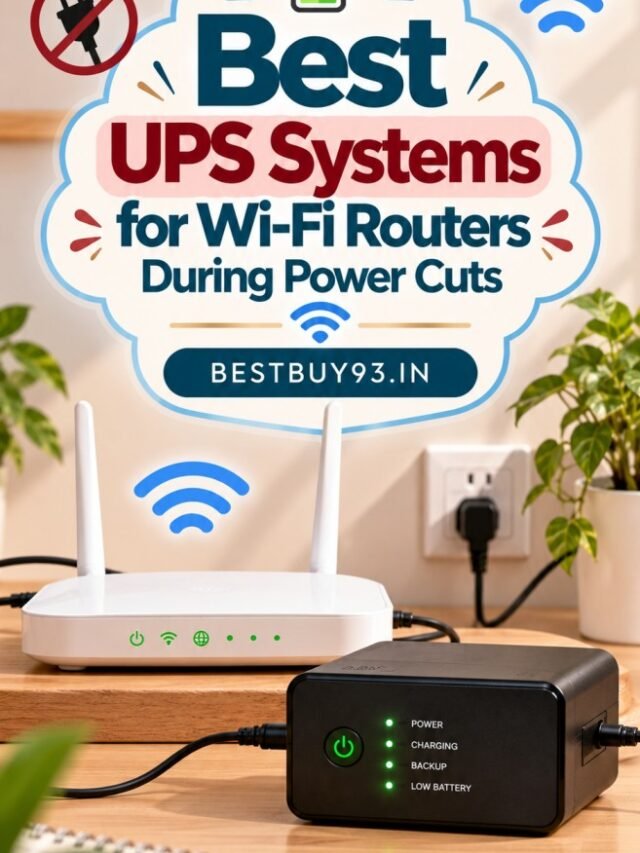
🔋 14. Plan for Power Cuts
This deserves special attention in India. 🇮🇳
Your security system may include:
Camera → Router → NVR/DVR → Switch → Smart Hub
If just one critical component loses power, part of the system may stop working.
Consider backup power for:
- Wi-Fi router
- CCTV DVR/NVR
- PoE switch
- Smart-home hub
- Critical cameras
Battery-powered doorbells and cameras can help, but remember:
A battery camera may stay powered while your Wi-Fi router goes offline.
So battery power alone doesn’t guarantee remote monitoring.
🚨 15. Should You Install a Home Alarm?
For some homes, absolutely.
A security alarm can combine:
- Door sensors
- Window sensors
- Motion sensors
- Siren
- Smart hub
- Phone notifications
The goal isn’t just to record an intrusion.
It’s also to detect and respond to unexpected entry.
For larger independent homes, alarms can become an important additional security layer.
🏢 Best Home Security Setup for an Apartment
You probably don’t need to overcomplicate it.
A strong apartment setup could be:
🚪 Strong Main Door + Quality Lock
⬇️
📹 Video Doorbell
⬇️
🚨 Door Sensor
⬇️
🎥 Indoor Camera
⬇️
📱 Smart Alerts
⬇️
🔋 Router Backup
That’s already a strong layered setup for many apartments.
Always consider your housing society’s rules and other residents’ privacy before installing cameras facing common areas.
🏡 Best Home Security Setup for a Villa
Villas need broader protection because there are usually more entry points.
Consider:
🚧 Main Gate
Outdoor CCTV
🚗 Parking/Driveway
Outdoor CCTV
🚪 Main Entrance
Video Doorbell + Strong Lock
🌳 Backyard
Outdoor CCTV
🚶 Side Passage
Motion Detection + CCTV
💡 Exterior
Motion-activated lighting
🚨 Doors/Windows
Contact Sensors
💾 Recording
NVR/DVR or appropriate local/cloud storage
🔋 Infrastructure
UPS/Inverter backup
For a large property, think of security as a system, not a collection of gadgets.
🧓👶 Home Security Isn’t Only About Burglary
Smart security devices can also help with everyday household awareness.
For example:
- Checking whether someone arrived home
- Monitoring deliveries
- Seeing who rang the doorbell
- Checking whether a door was left open
- Monitoring pets
- Checking the house while travelling
- Receiving alerts about unexpected activity
That’s why modern home security increasingly overlaps with smart-home automation.
❌ Common Home Security Mistakes
Avoid these:
1. Buying Cameras Before Planning Coverage
First identify entry points and blind spots.
2. Ignoring the Main Door
Start with physical security.
3. Using Weak Passwords
Your security app needs security too.
4. Putting Every Device on Cloud-Only Storage
Understand what happens if the internet goes down.
5. Ignoring Power Backup
Especially important for routers and recorders.
6. Installing Cameras Too High
You may capture the top of someone’s head instead of their face.
7. Ignoring Night Performance
Test cameras after sunset.
8. Ignoring Privacy
Don’t unnecessarily point cameras at neighbours or private areas.
9. Buying Everything From Different Ecosystems
Check whether devices can work together before purchasing.
10. Assuming Expensive = Secure
Good placement and configuration matter just as much as hardware.
🛒 Home Security Buying Checklist
Before buying anything, ask:
| Question | Why It Matters |
|---|---|
| What area am I protecting? | Determines device type |
| Apartment or villa? | Changes coverage requirements |
| Indoor or outdoor? | Determines weather resistance |
| Wired or wireless? | Affects reliability & installation |
| Wi-Fi signal available? | Critical for smart devices |
| Night vision required? | Important for 24-hour monitoring |
| Local or cloud storage? | Determines recording method |
| AI detection available? | Reduces unnecessary alerts |
| Battery or mains power? | Affects maintenance |
| Backup power available? | Important during outages |
| Smart-home integration? | Enables automation |
| Subscription required? | Affects long-term cost |
💰 How Much Should You Spend on Home Security?
There’s no magic budget.
Instead of buying everything at once, build your system in stages.
💰 Stage 1 — Essential Security
Strong Door + Good Lock + Entrance Lighting
💰💰 Stage 2 — Smart Entrance
Add:
Video Doorbell + Door Sensor
💰💰💰 Stage 3 — Surveillance
Add:
Indoor/Outdoor Cameras + Storage
💰💰💰💰 Stage 4 — Complete Smart Security
Add:
Smart Lock + Sensors + Alarm + Automation + Backup Power
This approach lets you improve security without wasting money on devices you don’t actually need.
❓ Frequently Asked Questions
What is the best home security system for an Indian home?
There isn’t one universal system. A strong setup usually combines physical locks, entrance monitoring, security cameras, sensors, lighting, smart alerts and reliable power/network infrastructure according to the property’s layout.
Is CCTV enough for home security?
No. CCTV is useful for surveillance and evidence, but it shouldn’t replace strong doors, locks, lighting and intrusion detection.
Is a video doorbell worth buying?
For apartments and homes with frequent visitors or deliveries, yes, it can be extremely useful because it combines entrance monitoring with visitor communication.
Do I need CCTV if I already have a video doorbell?
If you only need to monitor your apartment entrance, perhaps not. For villas, parking areas, gates and larger properties, additional security cameras usually provide much better coverage.
Are smart locks safe?
A good smart lock can add convenient access controls such as fingerprints, PINs and app management, but the quality of the physical lock, installation, account security and backup access methods all matter. Current smart locks can support multiple unlocking methods, including fingerprint, PIN, app and physical keys.
Should security cameras use Wi-Fi or Ethernet?
Wi-Fi is easier to install, while Ethernet/PoE can provide more predictable connectivity for permanent multi-camera installations. The right choice depends on your property and installation requirements.
What happens to smart security during a power cut?
Battery devices may continue operating, but routers, hubs, recorders and wired cameras may stop unless they have backup power. Plan your UPS/inverter strategy around the whole system.
Is local storage better than cloud storage?
Neither is universally better. Local storage provides more direct control and can reduce subscription costs, while cloud storage can provide off-site access and redundancy. Some users may benefit from both.
🔎 How We Researched This Home Security Guide
For this guide, we focused on practical home-security layers rather than recommending gadgets simply because they’re “smart.”
We considered:
- 🚪 Physical entry security
- 📹 Video doorbells
- 🎥 CCTV/security cameras
- 🔐 Smart locks
- 🚨 Door and motion sensors
- 💡 Security lighting
- 🤖 AI detection
- 💾 Storage
- 📶 Network reliability
- 🔋 Power backup
- 📱 Remote monitoring
- 🔒 Account security
- 🏢 Apartment requirements
- 🏡 Villa requirements
- 🇮🇳 Indian-home considerations
We also checked current smart-home security ecosystems. For example, current platforms combine devices such as cameras, video doorbells, smart locks, sensors and hubs rather than treating each product as an isolated gadget.
🏆 Final Verdict: Build Layers, Not Just a Gadget Collection
The biggest takeaway from this Home Security Guide is simple:
Good home security isn’t one camera, one lock or one alarm. It’s a combination of layers.
Start with the basics:
🚪 Secure the entrance.
Then improve awareness:
📹 See who’s at the door.
Expand your coverage:
🎥 Monitor important areas.
Detect unexpected activity:
🚨 Add sensors and alerts.
Improve visibility:
💡 Use proper lighting.
And finally, make sure everything continues working:
📶 Reliable Network + 🔋 Backup Power
For an apartment, this could be as simple as a strong lock + video doorbell + door sensor + indoor camera.
For a villa, it may mean CCTV around the property + video doorbell + smart lock + sensors + lighting + recording + backup power.
The goal isn’t to fill your house with security gadgets.
The goal is to make sure each device protects a specific vulnerability and all those layers work together. 🏠🔐✨
Also Read | Best Video Doorbells in India