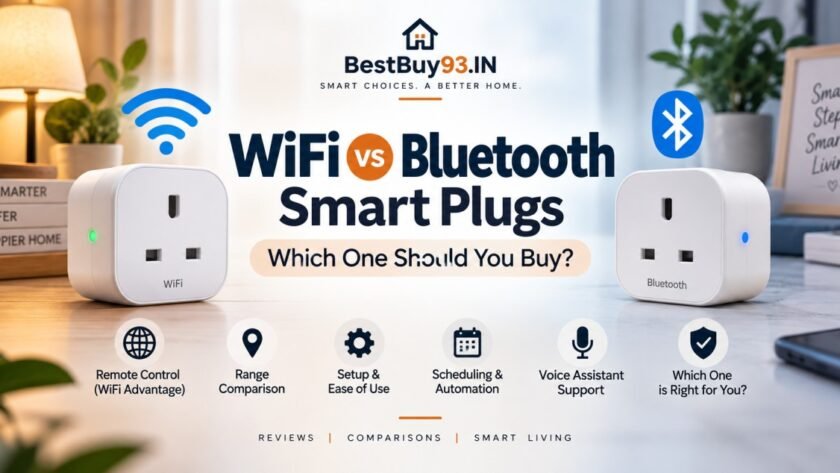

Smart plugs are one of the easiest ways to make ordinary appliances smarter. Plug one into a wall socket, connect your appliance, and suddenly you can control it from your phone, schedule when it turns on or off, and even build simple smart-home routines. 🔌🏠
But there’s one decision that can make or break the experience: WiFi or Bluetooth?
At first glance, both types seem to do the same thing. However, the way they connect to your phone, their range, remote-control capabilities, setup process, and smart-home features can be quite different.
In this guide, we’ll compare WiFi vs Bluetooth smart plugs in simple terms, explain the advantages and disadvantages of each, and help you decide which type makes more sense for your home.
Bestsellers: Click Here
Hot New Releases: Click Here
📌 WiFi vs Bluetooth Smart Plugs: Quick Verdict
For most people, WiFi smart plugs are the better choice. They offer remote control from anywhere, scheduling, voice-assistant support, and generally integrate better into a connected smart home.
Bluetooth smart plugs make more sense if you want simple local control, don’t need to operate your appliances while you’re away, or want to avoid adding another device to your WiFi network.
| Feature | WiFi Smart Plug | Bluetooth Smart Plug |
|---|---|---|
| Internet required | Usually yes for remote features | No for basic local control |
| Remote control | ✅ Yes | ❌ Usually no |
| Control from outside home | ✅ Yes | ❌ No |
| Range | Excellent with WiFi coverage | Shorter |
| Setup | Easy | Usually very easy |
| Scheduling | ✅ Yes | ✅ Often |
| Voice control | ✅ Excellent | ⚠️ Depends on ecosystem |
| Smart-home integration | ⭐⭐⭐⭐⭐ | ⭐⭐⭐ |
| Phone battery usage | Low | Can be higher during active connection |
| Best for | Full smart-home control | Simple local automation |
🔌 What Is a WiFi Smart Plug?
A WiFi smart plug connects directly to your home’s WiFi network. Once configured through its companion app, you can control the connected appliance using your smartphone.
The big advantage is that your phone doesn’t need to be physically close to the plug.
For example, imagine you’ve left home and suddenly remember:
“Wait… did I leave the table lamp switched on?” 😭
With a WiFi smart plug, you can open the app and turn it off remotely, assuming the plug and your home’s internet connection are still working.
You can also create schedules such as:
- Turn the bedroom lamp on at 7:00 PM
- Switch the coffee maker off at 9:00 AM
- Turn a fan on before you arrive home
- Switch appliances off automatically at bedtime
That makes WiFi plugs particularly useful for everyday automation.
📱 What Is a Bluetooth Smart Plug?
Bluetooth smart plugs communicate directly with your smartphone or another compatible Bluetooth device.
Instead of relying on your home WiFi network, the plug establishes a short-range wireless connection.
This makes Bluetooth smart plugs attractive for people who want something straightforward.
You can generally control the plug when you’re within Bluetooth range, depending on the particular model and your phone.
The catch?
If you’re sitting at work and suddenly think:
“I should turn that lamp off.”
Bluetooth isn’t going to magically reach your Mumbai apartment from your office. 😂
That’s where WiFi has a clear advantage.
⚔️ WiFi vs Bluetooth Smart Plugs: Key Differences
1. Remote Control 🏠📱
This is probably the biggest difference.
WiFi Smart Plugs
WiFi-connected plugs can usually be controlled through the manufacturer’s app over the internet.
That means you can potentially control your appliances:
- From another room
- From your office
- While travelling
- From another city
- Even while you’re on vacation
As long as the plug has power and the required internet/cloud connection is working.
Bluetooth Smart Plugs
Bluetooth is primarily designed for local communication.
Your phone needs to be within Bluetooth range to communicate directly with the plug unless the particular ecosystem provides another way to bridge the connection.
Winner: WiFi 🏆
2. Range 📡
WiFi generally wins here too.
Your WiFi router provides coverage throughout your home, although walls, floors and router placement can affect signal strength.
Bluetooth has a much shorter practical range, particularly when walls or other obstacles are involved.
For a plug sitting next to your bed, Bluetooth may be perfectly fine.
For controlling something on another floor of the house, WiFi is generally more convenient.
Winner: WiFi 🏆
3. Internet Dependency 🌐
Here’s where Bluetooth gets interesting.
A basic Bluetooth smart plug can communicate locally without requiring an internet connection.
WiFi smart plugs, on the other hand, commonly rely on your home network and internet-connected services for remote control and cloud features.
However, there’s an important distinction:
WiFi doesn’t necessarily mean every function stops working without internet.
Some products can continue offering local functionality, while others depend heavily on cloud services. Always check the manufacturer’s specifications before buying.
Winner: Bluetooth for simple local control
⏰ 4. Scheduling & Automation
Both WiFi and Bluetooth smart plugs can support scheduling, but the exact functionality depends on the product.
A smart plug might let you create routines such as:
Morning
7:00 AM → Turn appliance ON
Evening
6:30 PM → Turn lamp ON
Night
11:30 PM → Turn lamp OFF
WiFi models tend to offer more sophisticated automation because they can communicate with broader smart-home ecosystems.
Some can trigger actions based on other connected devices, time, location, sensors or routines.
Winner: WiFi 🏆
🗣️ 5. Voice Assistant Support
If you’re building a smart home, voice control can be a big deal.
Instead of grabbing your phone, you might say:
“Turn off the living room lamp.”
WiFi smart plugs are commonly designed to work with major smart-home ecosystems and voice assistants, although compatibility varies by model.
Bluetooth-only plugs can have more limited functionality unless they are part of an ecosystem that provides a compatible hub or bridge.
So if voice control is high on your list, check compatibility before purchasing, rather than assuming every smart plug works with every assistant.
Winner: WiFi 🏆
⚡ 6. Power Consumption
Bluetooth technology is generally designed for efficient short-range communication, while WiFi can consume more power during active wireless communication.
However, for a smart plug connected to mains electricity, this difference is usually far less important than it would be for a battery-powered gadget.
You’re plugging the device into the wall anyway.
So don’t choose Bluetooth purely because you think it will dramatically reduce your electricity bill. It won’t. 😄
Winner: Essentially a draw for most smart-plug buyers
🔐 7. Security
Both technologies can be secure when implemented properly.
But security isn’t simply about choosing WiFi or Bluetooth.
You should also consider:
- Encryption
- Manufacturer reputation
- App security
- Firmware updates
- Account security
- Two-factor authentication
- Whether the device requires cloud connectivity
For WiFi plugs, use a strong WiFi password and keep your router firmware updated.
For Bluetooth devices, use reputable manufacturers and keep your phone’s operating system and Bluetooth security features updated.
Winner: No clear winner
💰 8. Price
Bluetooth smart plugs can sometimes be attractive if you’re looking for a basic, inexpensive solution.
However, pricing varies considerably between brands and models.
WiFi smart plugs have become increasingly affordable, so the price difference isn’t necessarily large enough to justify sacrificing remote control.
If two plugs cost roughly the same, we’d generally pick WiFi for the additional flexibility.
Winner: WiFi for overall value
🏆 WiFi vs Bluetooth Smart Plugs: Who Should Buy What?
Here’s the easiest way to decide.
Choose a WiFi smart plug if you:
✅ Want remote control
✅ Want to control appliances while travelling
✅ Want voice control
✅ Want advanced automation
✅ Have several smart-home devices
✅ Want broader smart-home integration
✅ Don’t mind connecting the plug to your WiFi
Choose a Bluetooth smart plug if you:
✅ Only need nearby control
✅ Don’t need remote access
✅ Want simple local connectivity
✅ Prefer avoiding another WiFi-connected device
✅ Have a very specific Bluetooth-based smart-home ecosystem
🛒 What to Look for When Buying a Smart Plug
Don’t just look at WiFi vs Bluetooth.
There are several other specifications that matter.
1. Maximum Load
This is extremely important.
Check the plug’s rated electrical load before connecting high-power appliances.
For example, don’t assume that because something is called a “smart plug,” it can safely operate every appliance in your house.
Pay attention to the manufacturer’s stated maximum load and the requirements of your appliance.
2. App Quality
A smart plug is only as pleasant to use as its software.
Look for an app that provides:
- Easy setup
- Scheduling
- Timers
- Automation
- Device sharing
- Firmware updates
- Reliable notifications
A fantastic plug with a terrible app can become a daily headache.
3. Smart-Home Compatibility
Before buying, check whether the plug supports the ecosystem you already use.
For example, you may want compatibility with:
- Amazon Alexa
- Google Home
- Apple Home
- Samsung SmartThings
- Matter
Don’t buy first and check compatibility later.
That’s how you end up owning a smart plug that is technically smart but refuses to cooperate with the rest of your house. 😅
4. 2.4GHz WiFi Support
Many affordable WiFi smart plugs work on 2.4GHz WiFi rather than 5GHz.
This isn’t necessarily a problem. In fact, 2.4GHz can provide better range and wall penetration.
But you should check your router and the plug’s requirements before buying.
5. Physical Design
A smart plug shouldn’t block adjacent sockets unnecessarily.
Look for a compact design if you’re installing several plugs around the house.
Also check:
- Plug orientation
- Socket compatibility
- Button placement
- LED indicators
- Build quality
These little details become surprisingly important after you’ve installed five of them.
🧪 Our Research Methodology
For smart-home comparisons like this, we evaluate products and technologies based on the features that actually affect everyday use.
Our comparison considers:
- Connectivity technology
- Practical range
- Remote-control capability
- Automation features
- Voice-assistant compatibility
- Smart-home ecosystem support
- Ease of setup
- Reliability considerations
- Power requirements
- Overall convenience and value
We also recommend checking current product specifications, user reviews and compatibility information before purchasing because smart-home features can vary significantly between models.
📊 WiFi vs Bluetooth Smart Plugs: Final Comparison
| Category | WiFi | Bluetooth |
|---|---|---|
| Remote access | ⭐⭐⭐⭐⭐ | ⭐⭐ |
| Local control | ⭐⭐⭐⭐ | ⭐⭐⭐⭐⭐ |
| Range | ⭐⭐⭐⭐⭐ | ⭐⭐⭐ |
| Setup simplicity | ⭐⭐⭐⭐ | ⭐⭐⭐⭐⭐ |
| Automation | ⭐⭐⭐⭐⭐ | ⭐⭐⭐ |
| Voice control | ⭐⭐⭐⭐⭐ | ⭐⭐⭐ |
| Smart-home integration | ⭐⭐⭐⭐⭐ | ⭐⭐⭐ |
| Internet independence | ⭐⭐⭐ | ⭐⭐⭐⭐⭐ |
| Best overall | 🏆 | |
| Best for basic local use | 🏆 |
🏁 Final Verdict: WiFi or Bluetooth Smart Plug?
If you’re asking us to pick one technology for the average home, we’d go with WiFi.
It’s simply more flexible.
You get remote control, better smart-home integration, broader automation possibilities and easier access when you’re away from home.
Bluetooth isn’t bad. In fact, it’s a perfectly sensible option when you only need simple, nearby control and don’t care about controlling your appliances remotely.
Think of it this way:
Bluetooth = “Control this thing near me.”
WiFi = “Control this thing wherever I am.”
And for a smart home that’s supposed to make life easier, that second option is usually the winner. 🏆🔌
❓ Frequently Asked Questions
Is WiFi better than Bluetooth for smart plugs?
For most users, yes. WiFi generally provides better range, remote control and smart-home integration.
Can a Bluetooth smart plug work without WiFi?
Yes, many Bluetooth smart plugs can provide local control without a WiFi connection, although exact functionality depends on the model.
Can I control a WiFi smart plug from outside my home?
Usually yes, provided the plug, your home internet connection and the manufacturer’s required services are functioning.
Do Bluetooth smart plugs use the internet?
Basic Bluetooth communication does not require the internet. However, some products may use additional hubs, apps or internet services for certain features.
Which is better for Alexa or Google Home?
WiFi smart plugs are generally the more straightforward choice, but always verify compatibility for the specific model you’re considering.
Are WiFi smart plugs safe?
They can be safe when properly designed, certified and operated within their rated electrical limits. Always check the manufacturer’s maximum load rating before connecting an appliance.
🔌 The Bottom Line
For a connected smart home → WiFi.
For simple nearby control → Bluetooth.
And if the price difference is small, WiFi is usually the smarter long-term buy. 🚀
Also Read | Best Smart Plugs in India for a Smarter Home