


Working on a laptop from the sofa or bed sounds wonderfully comfortable until your back starts complaining, your laptop gets too hot and your coffee has nowhere safe to sit. 😅💻
A good laptop table can make working, studying, browsing or watching content much more comfortable. Unlike a traditional desk, a laptop table is often designed to be compact, portable and flexible, making it useful for bedrooms, small apartments, dorm rooms and even occasional work-from-bed setups.
But not every laptop table is worth buying.
Some are little more than a flat board with legs, while others offer adjustable height, tilting surfaces, storage, cooling features or foldable designs. The trick is figuring out which features actually matter for your laptop and your routine.
In this guide, we’re looking at the Laptop Tables that make sense for different needs from students and work-from-home users to people who simply want a comfortable surface for casual laptop use.
Also Read | Study Table: 10 Smart Picks for Your Study Space
🏆 10 Laptop Table Types Worth Considering
There isn’t one perfect laptop table for everyone. Your ideal choice depends on where you use your laptop, how long you use it and how much space you have.
Here are the main types worth considering.
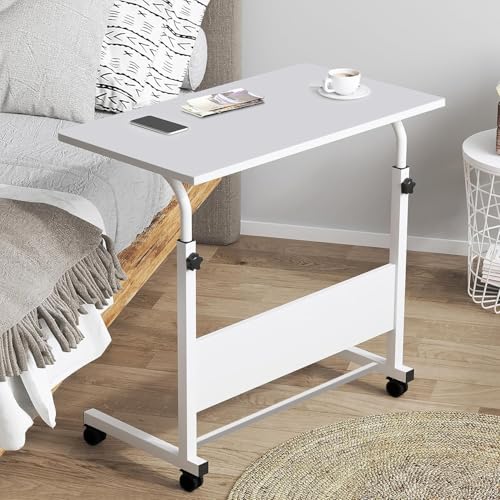
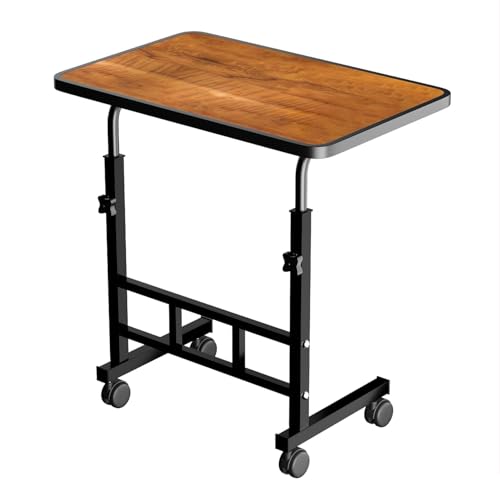
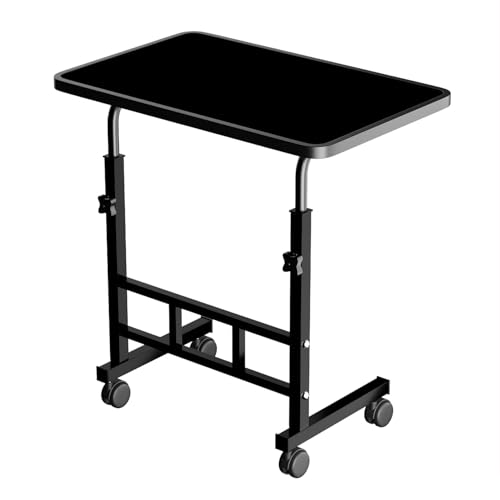
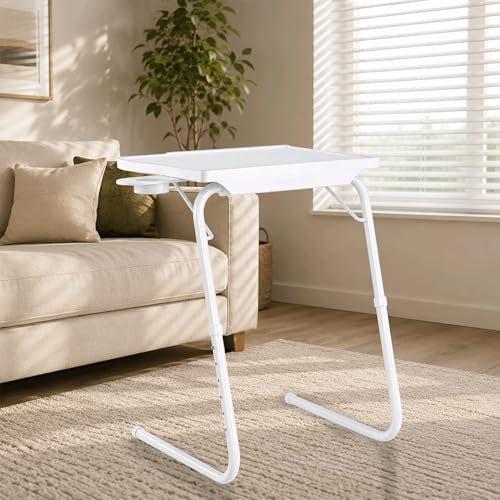
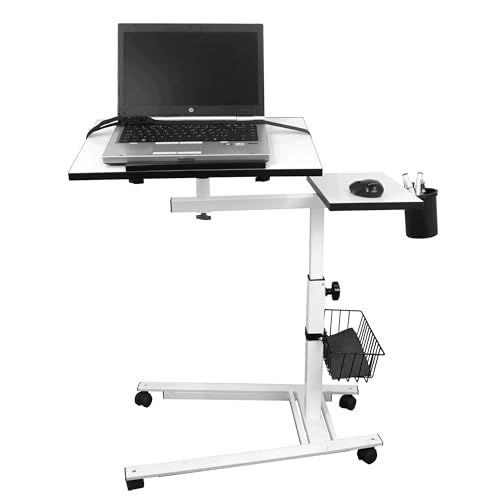
1. Adjustable Laptop Table
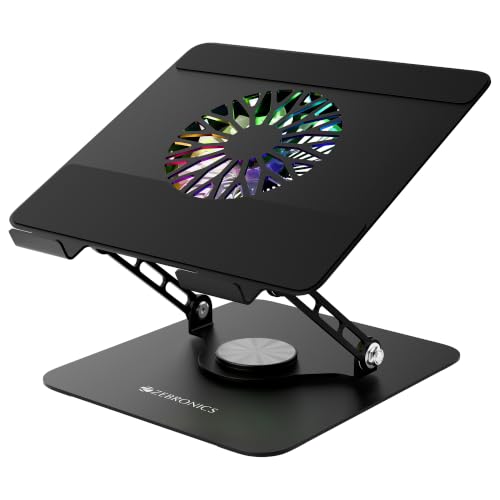
An adjustable laptop table lets you change the working height and, on some models, the tabletop angle.
This can be useful if you switch between:
- Sitting on a chair
- Sitting on the sofa
- Sitting on the bed
- Working at a higher surface
Why We Like It
The biggest advantage is flexibility.
Instead of being stuck with one fixed height, you can adjust the table to suit your setup.
Best For:
People who use their laptop for extended periods and want more flexibility.
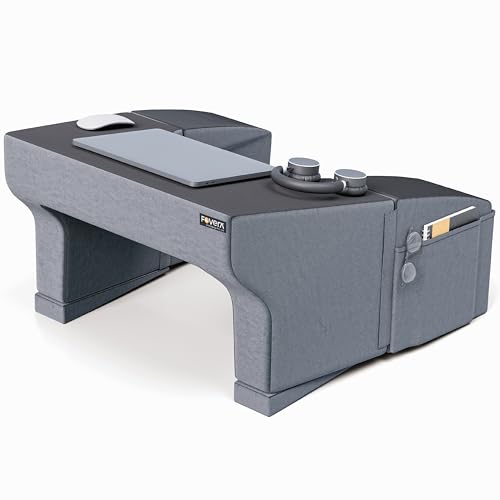
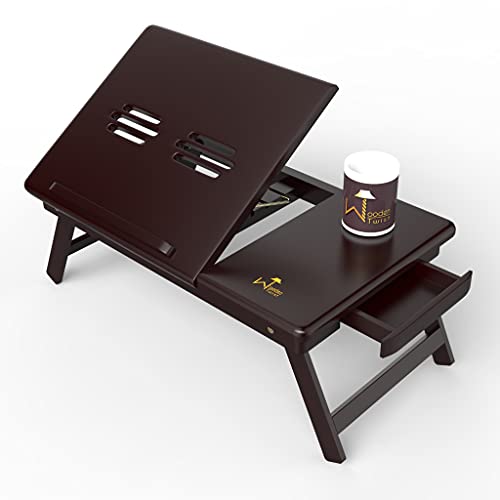
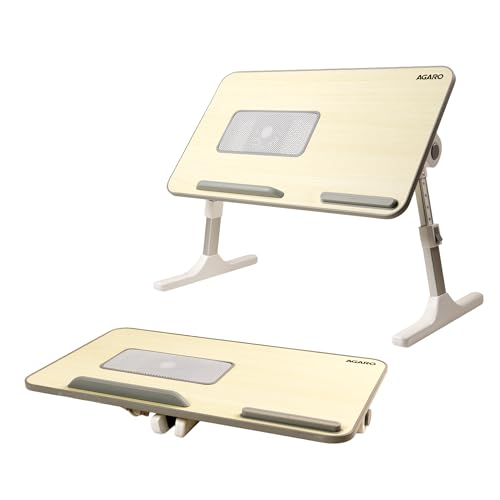
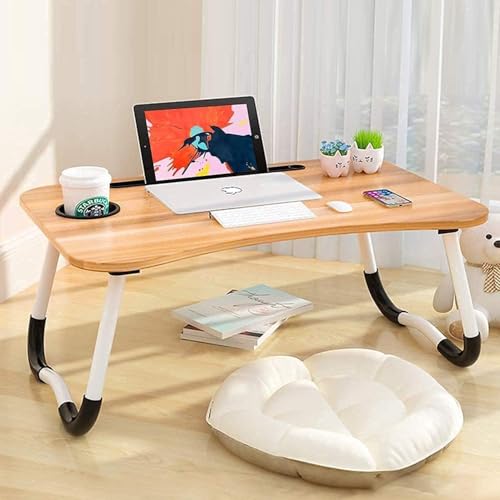
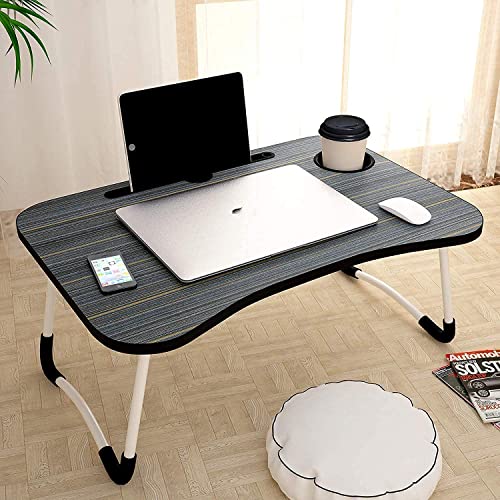
🛏️ 2. Laptop Table for Bed
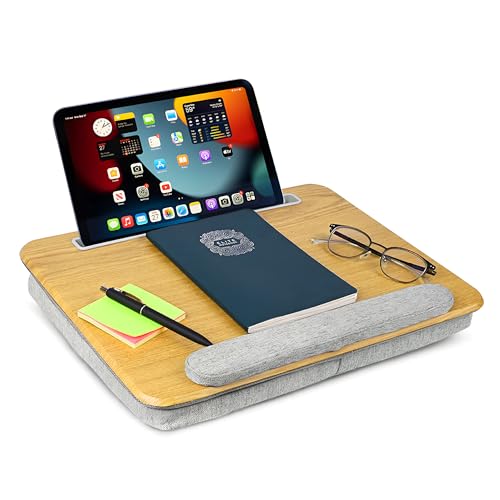
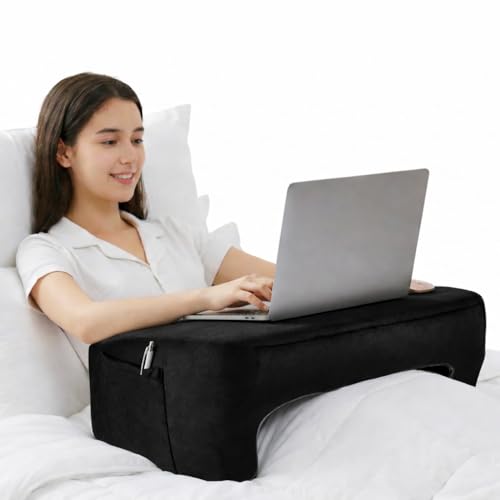
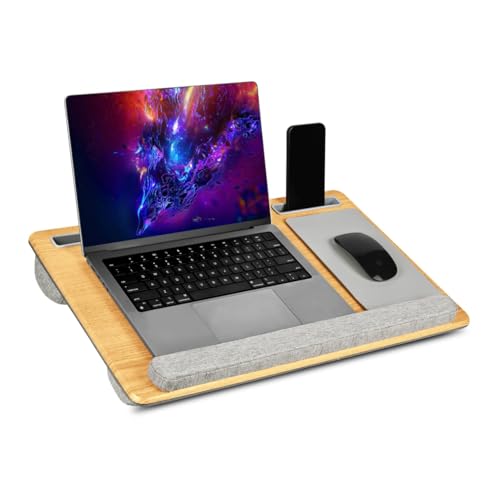
A bed laptop table is designed specifically for use while sitting or reclining on a bed.
Many models have short legs or a low-profile design that fits comfortably over your lap or mattress.
Some also include:
- Tablet slots
- Phone holders
- Cup holders
- Storage compartments
- Foldable legs
Best For:
Casual laptop use, browsing, studying and watching videos from bed.
However, don’t assume that working from bed for eight hours is automatically ergonomic just because the table has a fancy cushion. 😄
🪑 3. Laptop Table for Sofa Use
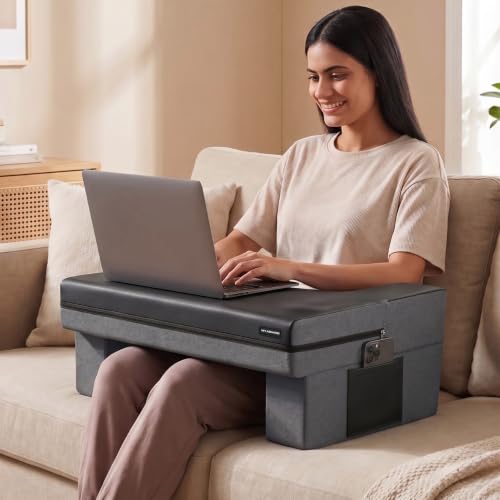
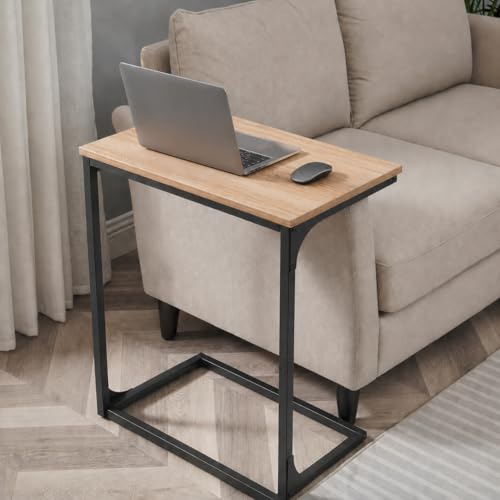
If your sofa doubles as your unofficial home office, a compact laptop table can be surprisingly useful.
Look for a design that can sit comfortably over your lap or beside the sofa.
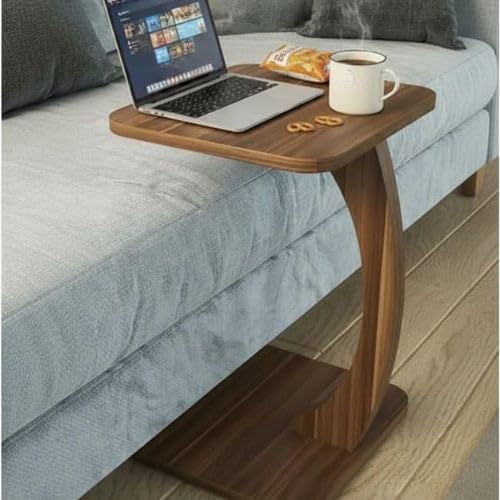
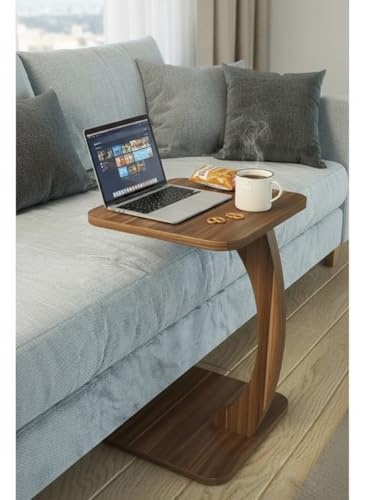
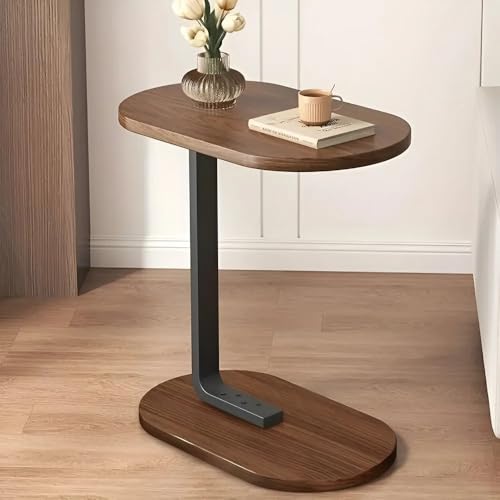
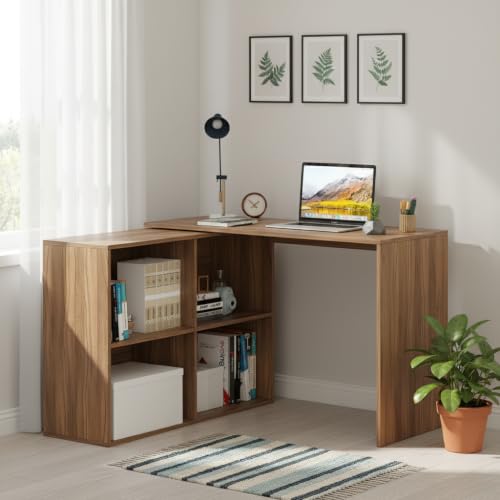
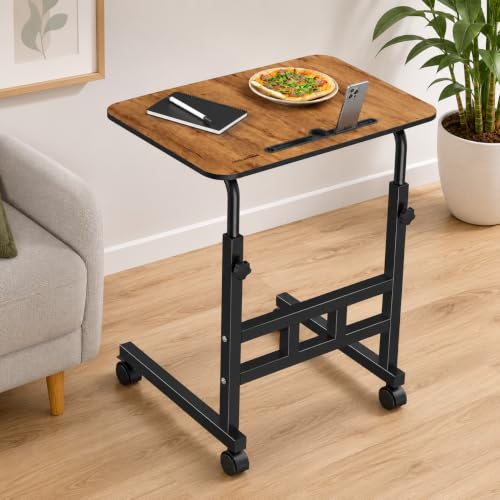
A C-shaped side table can also be useful because its base slides underneath the sofa while the tabletop sits beside you.
Best For:
Working, browsing or studying from the sofa.
📦 4. Foldable Laptop Table
Foldable Laptop Tables are excellent when storage space is limited.
You can:
- Open the table when needed.
- Place your laptop on it.
- Fold it after use.
- Store it beside a wardrobe or under the bed.
They’re particularly useful for:
- Small bedrooms
- Rental apartments
- Dorm rooms
- Guest rooms
Best For:
People who don’t want a permanent workstation.


🎒 5. Portable Laptop Table
A portable laptop table is designed for flexibility.
Depending on the design, it can be moved between:
- Bedroom
- Living room
- Balcony
- Study area
- Office
- Travel accommodation
Look for a lightweight design with a sturdy frame.
There’s no point buying a “portable” table that’s so heavy you need a workout session just to move it. 😂
Best For:
Students, renters and people who change work locations frequently.

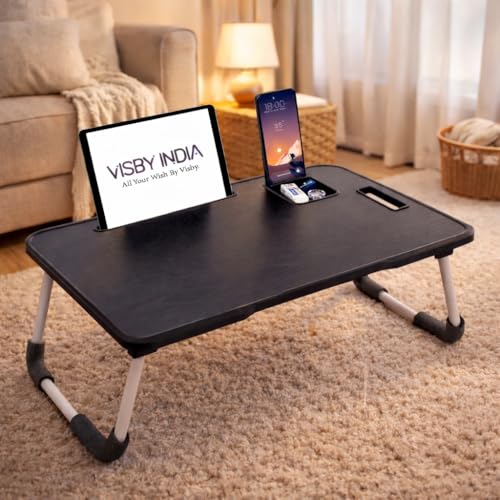


📚 6. Laptop Table for Students
Students may want something slightly more versatile than a basic laptop stand.
A student-friendly laptop table can provide room for:
- Laptop
- Notebook
- Textbook
- Mouse
- Stationery
- Water bottle
If you’re using your laptop for long study sessions, prioritize a stable tabletop and comfortable working height.
Best For:
Students and online learners.
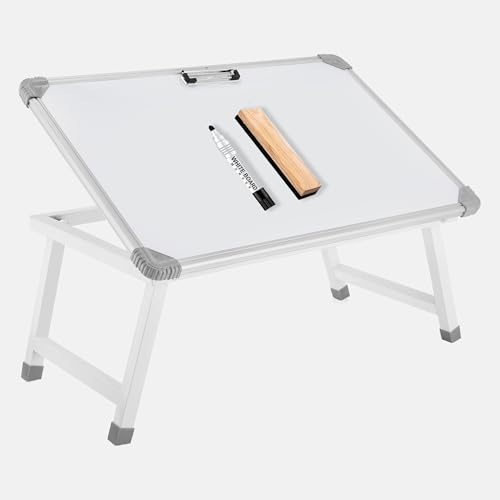

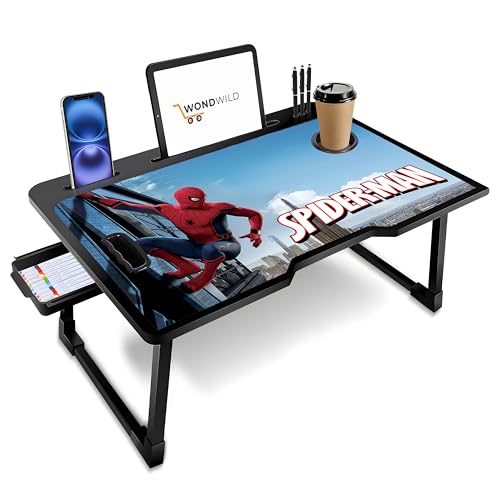
🏠 7. Laptop Table for Small Spaces
If your bedroom is small, a large computer desk may simply be unnecessary.
A compact laptop table can provide a dedicated workspace without permanently consuming a large section of the room.
Look for:
- Slim construction
- Foldable legs
- Compact tabletop
- Lightweight frame
- Minimal storage
Best For:
Small bedrooms, apartments and compact homes.

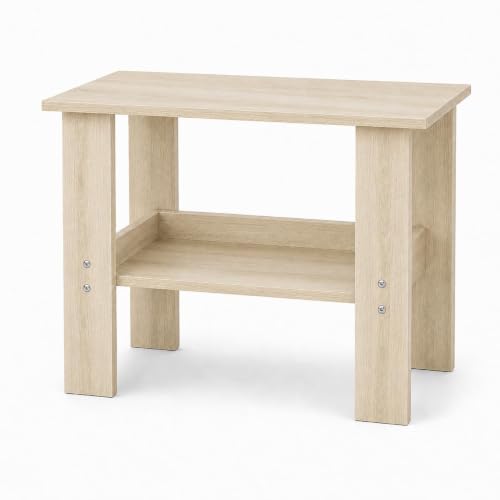
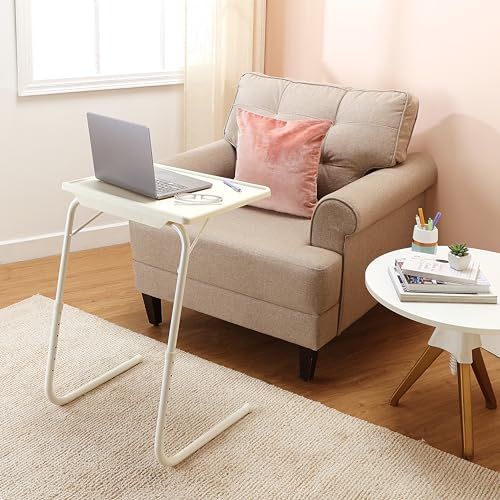
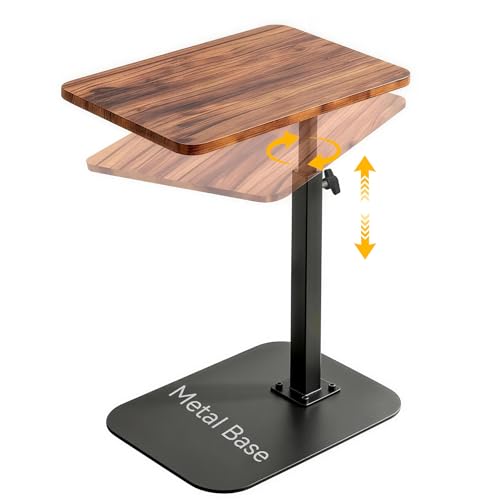
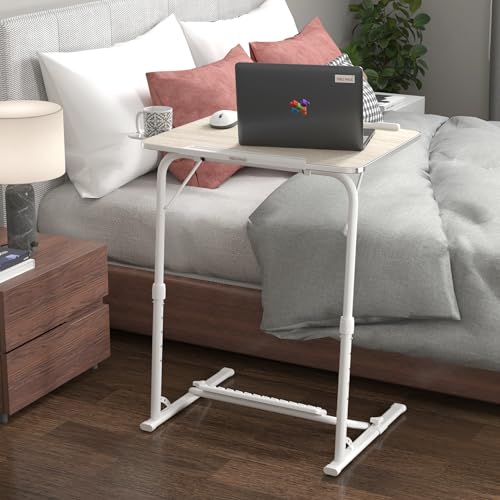

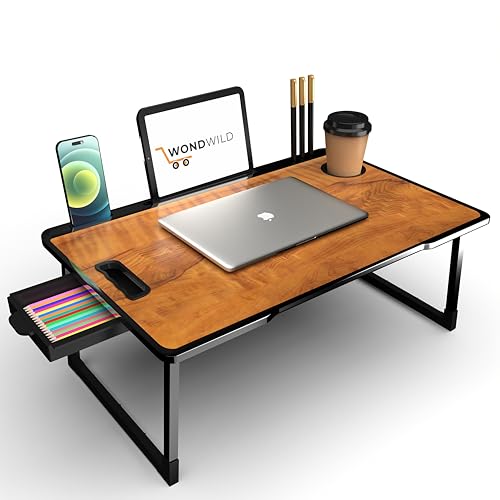
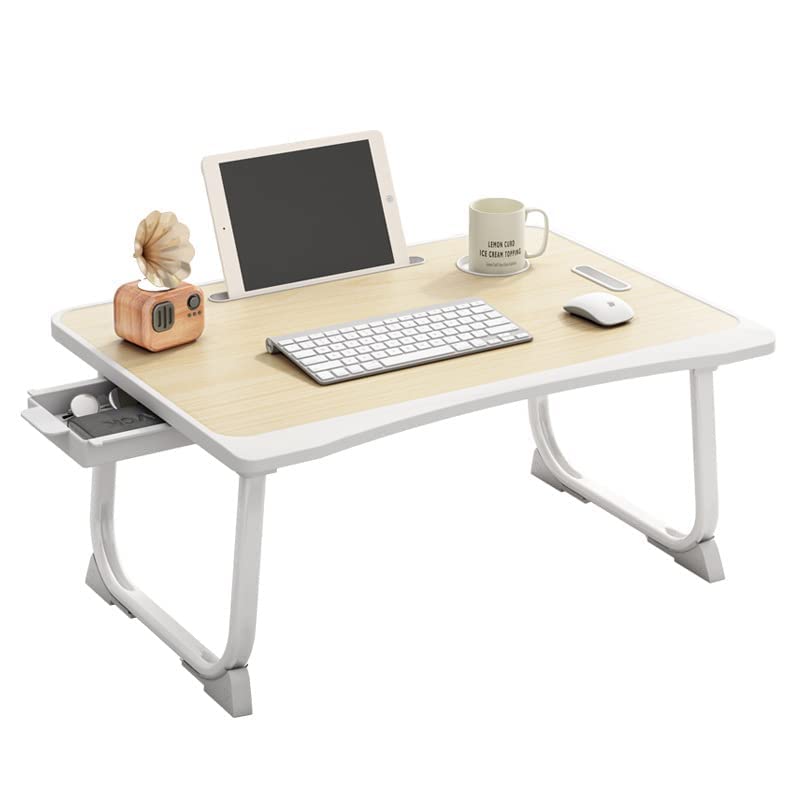
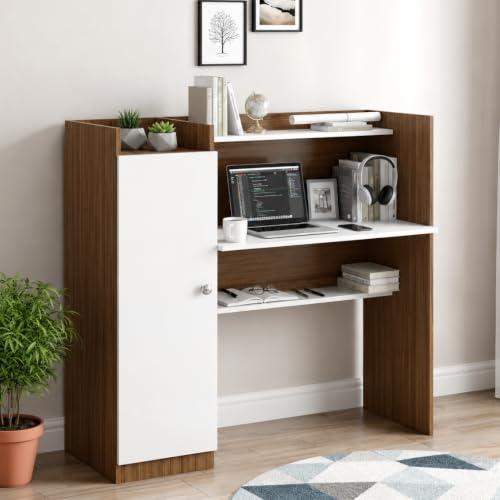
🗄️ 8. Laptop Table With Storage
Some Laptop Tables include drawers, shelves or compartments for accessories.
These can be useful for storing:
- Chargers
- Mouse
- Headphones
- Notebooks
- Pens
- Cables
The benefit is simple: everything you need can stay close to the laptop.
But don’t choose a bulky table just because it has five extra compartments.
Best For:
Students and users with lots of laptop accessories.

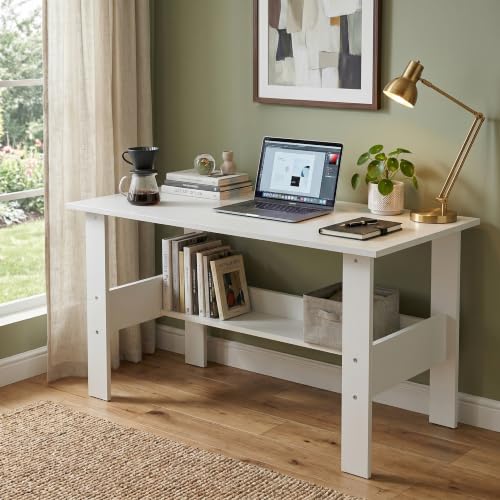
🧘 9. Ergonomic Laptop Table
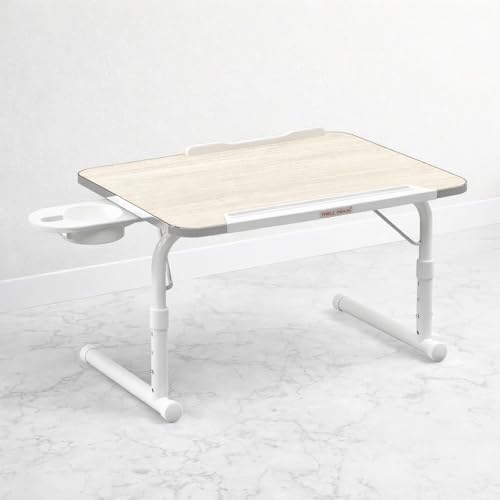
Ergonomic designs focus more on positioning and comfort.
Some allow you to adjust:
- Height
- Tabletop angle
- Screen position
This can be useful if you spend several hours working or studying.
Remember, though, a laptop table alone can’t fix every ergonomic issue.
Your:
- Chair
- Screen height
- Keyboard position
- Sitting posture
all matter too.
Best For:
Frequent laptop users and long work sessions.


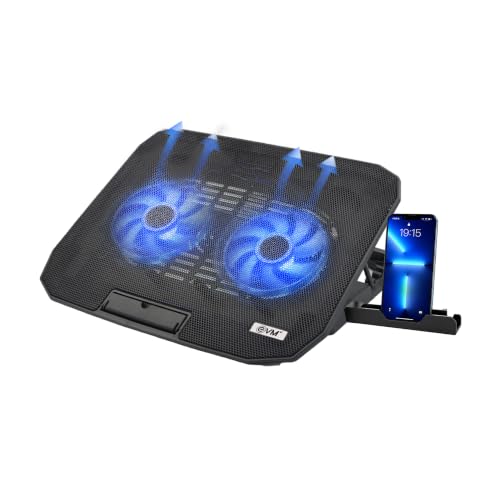
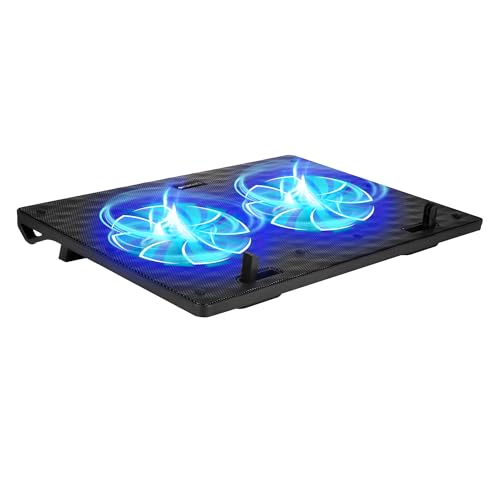
🌬️ 10. Laptop Table With Cooling Features
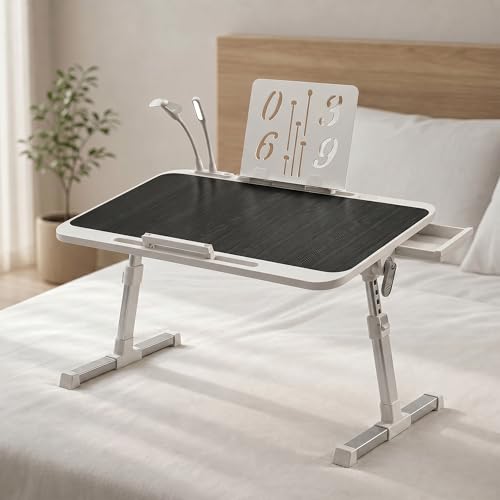
Some laptop tables include ventilation cut-outs or built-in cooling fans.
These can be useful for laptops that generate significant heat during demanding workloads.
However, don’t assume every laptop needs a cooling fan.
For normal tasks such as:
- Web browsing
- Writing
- Streaming
- Emails
- Basic office work
good ventilation and an appropriate surface may be sufficient.
Best For:
Users with laptops that run hot or handle demanding workloads.

📊 Laptop Tables at a Glance
| Laptop Table Type | Best For | Portability | Storage | Main Benefit |
|---|---|---|---|---|
| Adjustable | Long sessions | ⭐⭐⭐⭐ | ⭐⭐ | Flexible height |
| Bed Table | Bed use | ⭐⭐⭐⭐ | ⭐⭐⭐ | Comfortable positioning |
| Sofa Table | Sofa use | ⭐⭐⭐⭐ | ⭐⭐ | Convenient workspace |
| Foldable | Small spaces | ⭐⭐⭐⭐⭐ | ⭐ | Easy storage |
| Portable | Students/travel | ⭐⭐⭐⭐⭐ | ⭐ | Easy to move |
| Student Table | Studying | ⭐⭐⭐⭐ | ⭐⭐⭐ | Extra workspace |
| Compact Table | Small rooms | ⭐⭐⭐⭐⭐ | ⭐⭐ | Saves space |
| Storage Table | Accessories | ⭐⭐⭐ | ⭐⭐⭐⭐⭐ | Keeps items organized |
| Ergonomic Table | Long use | ⭐⭐⭐⭐ | ⭐⭐ | Better adjustability |
| Cooling Table | Heavy laptop use | ⭐⭐⭐ | ⭐⭐ | Improved airflow |
💻 What Makes a Good Laptop Table?
Before buying, think beyond the appearance.
A good laptop table should provide a stable and comfortable surface while matching the way you use your laptop.
Here are the features that matter most.
📐 1. Tabletop Size
The laptop should fit comfortably without hanging over the edge.
But ideally, you should have some extra space for accessories.
For example:
Laptop + mouse + notebook
requires more space than just a laptop.
If you use a larger 15-inch or 16-inch laptop, check the actual tabletop dimensions instead of assuming that every “laptop table” will fit it comfortably.
⚖️ 2. Weight Capacity
Check how much weight the table is designed to support.
Consider the total load of:
- Laptop
- Mouse
- Notebook
- External keyboard
- Tablet
- Accessories
A lightweight portable table can still be sturdy, but don’t overload it beyond the manufacturer’s recommended capacity.
🪑 3. Height
Fixed-height tables are simple and usually more affordable.
Adjustable models offer greater flexibility.
If you’re planning to work for several hours, an adjustable design can be useful because you can find a more comfortable position for your particular setup.
🔄 4. Tilt Adjustment
Some laptop tables allow you to tilt the tabletop.
This can be useful for:
- Reading
- Drawing
- Typing
- Viewing content
But make sure the table has a lip, stopper or anti-slip surface if you’re going to tilt it.
Otherwise, your laptop might slowly decide it wants to slide off the table. 😅
🧱 5. Stability
This is non-negotiable.
A laptop table should remain stable while you’re:
- Typing
- Using the trackpad
- Writing
- Connecting cables
Look at the leg design and overall frame.
For foldable tables, check whether the locking mechanism feels secure.
A table that wobbles every time you type can become incredibly irritating.
🪵 6. Material
Common materials include:
Wood
Offers a warm appearance and can feel sturdy.
Engineered Wood
Often used for affordable and modern designs.
Metal
Can provide strong structural support.
Plastic
Lightweight and easy to move, although construction quality varies.
Mixed Materials
Many practical designs combine a wooden or engineered tabletop with a metal frame.
For more furniture-material guidance, our Engineered Wood vs Solid Wood comparison can help when you’re deciding what type of construction suits your needs.
🧹 7. Easy-to-Clean Surface
Laptop tables are surprisingly good at collecting:
- Dust
- Fingerprints
- Food crumbs
- Coffee marks
A smooth surface is generally easier to maintain.
If you’re using the table in bed or on a sofa, spills are also more likely to happen because apparently laptops and coffee enjoy dangerous friendships. ☕💻
Choose a surface that’s easy to wipe and follow the manufacturer’s cleaning instructions.
🔌 8. Cable Management
If you’re using your laptop with a charger, mouse or external accessories, cable management can make the setup much cleaner.
Look for:
- Cable holes
- Cable clips
- Dedicated charging slots
- Open sides
- Space for a power adapter
Even without built-in cable management, you can use simple clips or sleeves to keep wires under control.
🧘 9. Think About Ergonomics
A laptop table can make working more convenient, but it shouldn’t encourage you to spend hours hunched over your screen.
Because the screen and keyboard are attached to the same device, laptops naturally create some ergonomic compromises.
When choosing a table, consider whether you can position your laptop at a comfortable height and distance.
Look for:
- Adjustable height
- Suitable tabletop depth
- Stable positioning
- Comfortable legroom
- Adjustable tilt where useful
If you regularly work for several hours, consider pairing the laptop table with an external keyboard and mouse when practical.
That allows you to raise the laptop screen without forcing your hands into an uncomfortable position.
🏆 Best For
Long work sessions and regular laptop users.
🌬️ 10. Don’t Ignore Laptop Ventilation
Your laptop needs appropriate airflow.
A table with a completely flat, soft or obstructive surface may not be ideal for some laptops, particularly if the device’s air intake is located underneath.
This doesn’t mean you automatically need a table with a cooling fan.
For many everyday tasks, simply providing a stable, hard surface with appropriate ventilation can be sufficient.
Cooling Features Can Include:
- Ventilation holes
- Mesh panels
- Raised platforms
- Built-in cooling fans
Best For:
Users whose laptops regularly run hot or handle demanding workloads.
📐 11. Check Laptop Compatibility
Not all Laptop Tables are the same size.
A compact table might be perfect for a 13-inch laptop but feel cramped with a larger 16-inch model.
Before buying, check:
Tabletop width
Tabletop depth
Laptop dimensions
Available mouse space
If you use a large gaming or workstation laptop, remember that the laptop itself may be considerably wider and heavier than a typical ultraportable.
Don’t rely solely on the phrase “fits all laptops.”
Check the actual measurements.
🖱️ 12. Leave Room for Your Accessories
Your laptop isn’t necessarily the only thing that will sit on the table.
You may also use:
- Mouse
- Smartphone
- Notebook
- Headphones
- External keyboard
- Tablet
- Charger
If you use a mouse, make sure the table provides enough usable surface beside the laptop.
A table where the laptop occupies almost the entire tabletop may be frustrating for everyday work.
💡 Quick Tip
Think about your complete setup, not just the laptop.
🗄️ 13. Consider Storage Features
Some laptop tables include small drawers, compartments or side shelves.
These can be useful for:
- Charging cables
- Pens
- Notebooks
- Earphones
- Mouse
- USB drives
- Phone
Storage is particularly useful if you want the table to double as a compact study desk.
But there’s a trade-off.
More storage can mean:
- More weight
- More bulk
- Less legroom
- Less portability
Choose storage only if you genuinely need it.
🔄 14. Folding Mechanism
If you’re buying a foldable laptop table, examine how the folding mechanism works.
Ideally, the legs should:
- Lock securely
- Open smoothly
- Remain stable
- Fold without excessive force
A foldable table is useful because you can store it after work.
But convenience shouldn’t come at the expense of stability.
Best For:
Small rooms, occasional users and flexible workspaces.
🎒 15. Portability
One of the biggest advantages of laptop tables is that many are easier to move than traditional desks.
If portability matters, consider:
- Overall weight
- Folding design
- Carrying handle
- Folded dimensions
- Frame construction
A lightweight design is useful if you regularly move between your bedroom, living room or another workspace.
For travel, look for something compact enough to actually fit in your luggage or vehicle.
🧱 16. Build Quality Matters
A cheap laptop table can look perfectly fine in photographs.
The real test begins when you start using it.
Check:
- Leg joints
- Hinges
- Screws
- Tabletop thickness
- Locking mechanisms
- Anti-slip features
- Overall frame
For adjustable or foldable designs, hardware quality is particularly important because those components are moved repeatedly.
A simple, sturdy table is often a better investment than a table overloaded with features that feel flimsy.
🛡️ 17. Look for Anti-Slip Features
If the tabletop tilts, an anti-slip mechanism becomes important.
Useful features include:
- Raised front lip
- Rubber grips
- Non-slip surface
- Adjustable stopper
These can help keep your laptop from sliding when the tabletop is angled.
If you’re using a laptop table on a bed or sofa, stability becomes even more important.
🛋️ Laptop Table for Bed vs Desk
These two setups serve different purposes.
| Feature | Bed Laptop Table | Regular Laptop Desk |
|---|---|---|
| Portability | ⭐⭐⭐⭐⭐ | ⭐⭐⭐ |
| Storage | ⭐⭐⭐ | ⭐⭐⭐⭐ |
| Workspace | ⭐⭐⭐ | ⭐⭐⭐⭐⭐ |
| Floor Space | Very Low | Medium |
| Long Work Sessions | Limited | Better suited |
| Casual Use | ⭐⭐⭐⭐⭐ | ⭐⭐⭐ |
| Stability | Depends on design | Generally better |
| Best For | Browsing & casual work | Regular work/study |
A bed table can be incredibly convenient, but for long daily work sessions, a proper desk and chair setup is generally more practical.
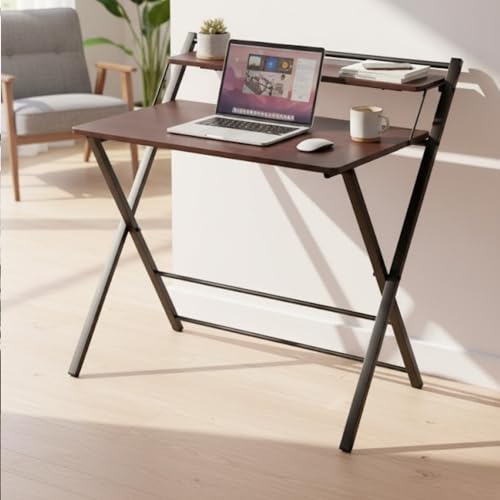
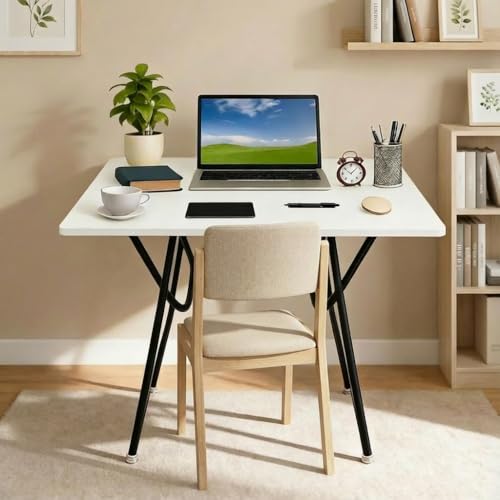
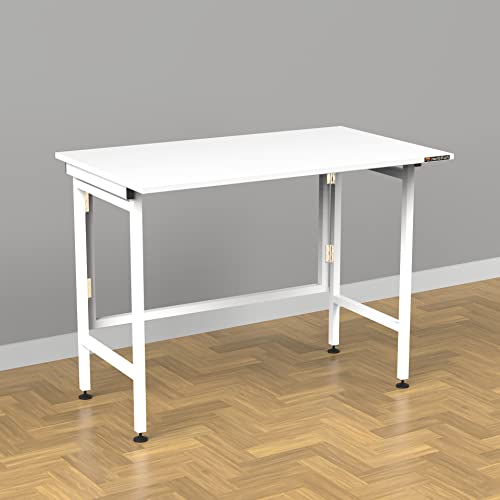
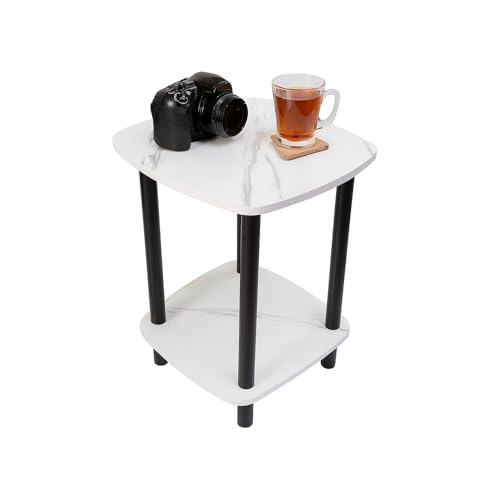
🏠 Laptop Table for Small Rooms
If you don’t have enough room for a traditional desk, a laptop table can be an excellent compromise.
Consider:
Foldable Table
Store it when you’re finished.
C-Shaped Table
Slide it next to a sofa or bed.
Wall-Mounted Desk
Ideal when you want a more permanent but compact workspace.
Compact Desk
Useful when you need a little more room than a lap table provides.
The key is choosing based on how often you use the workspace.
If you’re working eight hours a day, a tiny lap desk may become uncomfortable.
If you only use your laptop for an hour in the evening, there’s little reason to dedicate half your bedroom to a workstation.
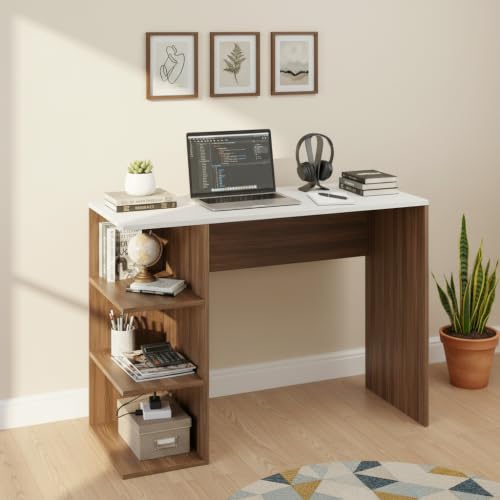
🎓 Laptop Tables for Students
Students often need a combination of portability and workspace.
A good student-oriented table should ideally accommodate:
- Laptop
- Notebook
- Textbook
- Mouse
- Stationery
If the table is used primarily for studying, don’t sacrifice writing space just to get extra features.
A simple table with a stable surface can be more useful than a complicated design with multiple compartments.
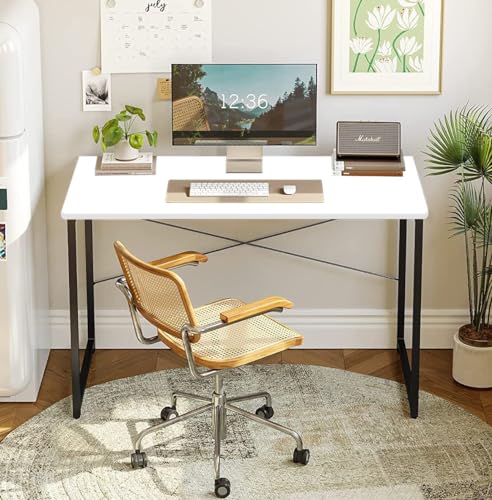
💼 Laptop Tables for Work From Home
Work-from-home users have different requirements.
If you’re using the table for several hours every day, prioritize:
Stability
No wobbling during typing.
Ergonomics
Comfortable screen and keyboard positioning.
Surface Area
Enough room for laptop, mouse and notebook.
Cable Management
Keep chargers organized.
Seating
Make sure the table works with your chair.
For full-time work, consider whether a traditional desk might be a better long-term investment than a portable laptop table.

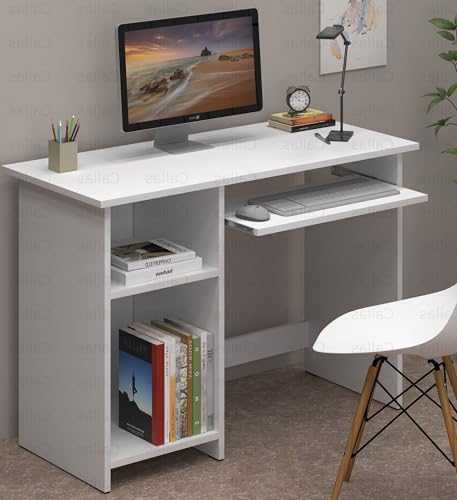

📊 Which Features Matter Most?
| Feature | Importance | Why |
|---|---|---|
| Stability | ⭐⭐⭐⭐⭐ | Prevents wobbling |
| Suitable Size | ⭐⭐⭐⭐⭐ | Fits laptop + accessories |
| Comfortable Height | ⭐⭐⭐⭐⭐ | Better positioning |
| Build Quality | ⭐⭐⭐⭐⭐ | Long-term reliability |
| Ventilation | ⭐⭐⭐⭐ | Helps airflow |
| Portability | ⭐⭐⭐⭐ | Useful for flexible spaces |
| Foldability | ⭐⭐⭐⭐ | Easy storage |
| Tilt Adjustment | ⭐⭐⭐ | Useful for viewing/reading |
| Storage | ⭐⭐⭐ | Keeps accessories nearby |
| Cooling Fan | ⭐⭐ | Useful only for some users |
| Cup Holder | ⭐ | Convenience feature |
The table shows an important point:
Not every feature deserves the same priority.
A cup holder may look fun, but stable construction matters far more. ☕😄
⚠️ Common Laptop Table Buying Mistakes
❌ Buying a Table That’s Too Small
Your laptop may fit, but there may be no space for a mouse or notebook.
❌ Ignoring Weight Capacity
A lightweight table isn’t automatically suitable for a heavy laptop.
❌ Choosing Features Over Stability
A table with a fan, cup holder, drawer and USB ports isn’t useful if it wobbles.
❌ Using a Bed Table for Full-Time Work
Convenient doesn’t always mean ergonomic.
❌ Forgetting Laptop Size
Always compare your laptop’s actual dimensions with the tabletop.
❌ Ignoring Ventilation
Especially important if your laptop draws air from underneath.
❌ Not Checking Folded Dimensions
A foldable table still needs somewhere to be stored.
❌ Buying Without Checking Reviews
Customer feedback can reveal wobbling, weak hinges or poor assembly.
🔎 How to Compare Laptop Tables Online
When comparing several Laptop Tables, create a quick checklist.
1. Dimensions
Check width, depth and height.
2. Laptop Compatibility
Compare the tabletop with your laptop size.
3. Weight Capacity
Consider the complete load.
4. Adjustability
Is height or angle adjustable?
5. Stability
Check the frame and customer feedback.
6. Material
Look at the tabletop and frame construction.
7. Ventilation
Check whether the design allows appropriate airflow.
8. Portability
Consider weight and folded size.
9. Storage
Decide whether you actually need it.
10. Warranty
Check what’s covered before purchasing.
🧠 A Simple Rule for Choosing
If you’re stuck between two models, ask:
Which one solves my biggest problem?
If your problem is space, choose compact or foldable.
If it’s comfort, consider adjustable height.
If it’s portability, choose lightweight.
If it’s storage, choose a model with compartments.
If it’s long work sessions, prioritize stability and ergonomics.
If it’s heat, prioritize appropriate ventilation.
Don’t pay extra for features you’ll never use.
🛍️ What to Check Before Buying
Before hitting the Buy Now button, check these ten things:
✔ Laptop dimensions
✔ Table dimensions
✔ Weight capacity
✔ Height
✔ Stability
✔ Material
✔ Ventilation
✔ Storage
✔ Foldability
✔ Customer reviews
If a product listing doesn’t clearly provide important specifications, that’s a reason to investigate further rather than simply guessing.
🏆 Laptop Tables: Which Type Should You Choose?
Here’s a quick way to narrow down your options:
| Your Need | Best Choice | Why |
|---|---|---|
| Small bedroom | Compact laptop table | Saves space |
| Bed use | Bed laptop table | Convenient positioning |
| Sofa work | C-shaped table | Slides beside furniture |
| Long work sessions | Adjustable table | Better positioning |
| Student use | Foldable table | Flexible & portable |
| Work from home | Stable laptop desk | Better everyday comfort |
| Travel | Portable table | Easy to carry |
| Accessories | Storage laptop table | Keeps items organized |
| Hot laptop | Ventilated table | Better airflow |
| Minimal setup | Simple laptop table | Less bulk |
🪑 Are Laptop Tables Good for Long Hours?
This is an important question.
A laptop table can be extremely useful, but where and how you use it matters.
A portable table used occasionally on the sofa can be perfectly convenient.
However, if you’re working on your laptop for six to eight hours every day, a proper desk-and-chair setup may be more appropriate.
Why?
Because laptops combine the screen and keyboard into one unit. If you raise the screen to a comfortable viewing height, the keyboard rises too.
That’s why frequent laptop users may benefit from:
- External keyboard
- External mouse
- Laptop stand
- Proper chair
- Larger desk
You don’t necessarily need all of these, but the idea is to create a setup where your screen and hands can be positioned comfortably.
💻 Laptop Table vs Study Table
Since you’re already looking at study furniture, here’s an important distinction.
| Feature | Laptop Table | Study Table |
|---|---|---|
| Portability | ⭐⭐⭐⭐⭐ | ⭐⭐ |
| Floor Space | Low | Medium–High |
| Workspace | Small–Medium | Medium–Large |
| Storage | Low–Medium | Medium–High |
| Adjustability | Often available | Depends on model |
| Bed/Sofa Use | Excellent | Poor |
| Long-Term Desk Use | Depends on design | Usually better |
| Best For | Flexible laptop use | Dedicated workspace |
🏆 Choose a Laptop Table If:
You want flexibility and portability.
🏆 Choose a Study Table If:
You need a permanent workspace with more room for books, devices and accessories.
If you’re setting up a dedicated study corner, our Study Table Buying Guide can help you evaluate dimensions, storage, materials and ergonomics.
🏠 Laptop Table Placement Ideas
Where you use the table can make a surprisingly big difference.
Bedroom
A compact or foldable model can be stored when not in use.
Living Room
A C-shaped laptop table can work well beside a sofa.
Study Corner
An adjustable or compact desk can provide a dedicated workstation.
Bed
Use a bed table for casual or short-duration work rather than treating it as a permanent office.
Balcony
A lightweight portable table can create a temporary work or reading spot, provided the furniture and electronics are protected from weather and moisture.
🧹 How to Keep Your Laptop Table Organized
Small tables can become messy very quickly because every item competes for limited space.
Try this simple arrangement:
Center
Keep the laptop here.
Side
Place your mouse or notebook.
Storage
Keep chargers and small accessories in drawers or organizers.
Cables
Route charging cables away from your main working area.
Drinks
If possible, keep drinks away from the laptop.
Because one accidental coffee spill can turn a productive morning into an expensive afternoon. ☕💻💸
🛡️ How to Make Your Laptop Table Last Longer
A little maintenance goes a long way.
Don’t Overload It
Stay within the manufacturer’s weight recommendation.
Keep It Dry
Wipe spills immediately.
Don’t Drag It Roughly
Lift foldable or lightweight tables when moving them.
Check Hinges
For adjustable and folding designs, occasionally check whether hinges or locks have become loose.
Clean the Surface
Use suitable cleaning products according to the manufacturer’s instructions.
Store It Properly
If it’s foldable, keep it somewhere dry and away from excessive moisture.
💰 How Much Should You Spend?
There’s no magic price point for a good laptop table.
Instead, consider how often you’ll use it.
Occasional Use
A simple and affordable table may be enough.
Daily Study
Spend more attention on stability, dimensions and comfort.
Work From Home
Prioritize ergonomics, workspace and build quality.
Travel
Pay more attention to weight and folded dimensions.
Premium Setup
Adjustability, better materials and additional features can be worthwhile if you’ll actually use them.
Don’t pay ₹₹₹ for a built-in cup holder when what you really need is a table that doesn’t wobble. 😂
⚖️ Laptop Table Pros and Cons
| Pros | Cons |
|---|---|
| Compact | Smaller workspace |
| Portable | May be less stable than a full desk |
| Easy to store | Limited storage |
| Useful in bedrooms | Not always ideal for long work sessions |
| Works on beds and sofas | Ergonomics can be challenging |
| Affordable options available | Quality varies |
| Foldable models save space | Hinges can wear over time |
| Adjustable models offer flexibility | Better models can cost more |
🧪 Our Research Methodology
For this Laptop Tables guide, we focused on the features that affect everyday usability rather than simply selecting tables based on appearance.
We considered:
- Tabletop dimensions
- Laptop compatibility
- Stability
- Weight capacity
- Height adjustment
- Tilt adjustment
- Portability
- Foldability
- Storage
- Ventilation
- Material
- Cable management
- Ergonomics
- Intended use
We also considered different users, including students, work-from-home users, casual laptop users, people with small rooms and users who prefer portable furniture.
The goal was to identify which Laptop Tables make sense for different situations rather than suggesting that one design is perfect for everyone.
🏆 Final Verdict
So, which are the Best Laptop Tables?
The answer depends on where and how you use your laptop.
🥇 Best for Small Rooms
Compact or foldable laptop table
Easy to store and doesn’t consume much floor space.
🛏️ Best for Bed Use
Dedicated bed laptop table
Convenient for casual work, browsing and studying.
🛋️ Best for Sofa Use
C-shaped laptop table
Slides neatly beside a sofa or chair.
🎓 Best for Students
Foldable or adjustable laptop table
Gives students flexibility without requiring a permanent desk.
💼 Best for Work From Home
Stable, adjustable laptop desk
Prioritize workspace and ergonomics over portability.
🎒 Best for Travel
Lightweight portable laptop table
Choose compact dimensions and easy storage.
🌬️ Best for Hot Laptops
Ventilated laptop table
Useful when your laptop needs better airflow.
🔎 Final Buying Checklist
Before buying, ask yourself:
☐ Does my laptop fit comfortably?
☐ Is there enough room for my mouse and notebook?
☐ Is the table stable?
☐ Is the height comfortable?
☐ Does it support the total weight?
☐ Does my laptop get adequate airflow?
☐ Do I need storage?
☐ Do I need it to fold?
☐ Will I move it frequently?
☐ Is it suitable for my intended usage time?
☐ Are the materials and construction clearly specified?
☐ Have I checked customer reviews?
If you can answer these questions confidently, you’re much less likely to end up with a laptop table that looks great online but doesn’t work in real life.
❓ Frequently Asked Questions
Are laptop tables worth buying?
Yes, especially if you need a compact, portable workspace or frequently use your laptop on a sofa or bed. For full-time desk work, however, a proper desk and chair setup may be more suitable.
What is the best laptop table for bed use?
A dedicated bed laptop table with stable legs, sufficient tabletop space and an anti-slip surface can be a practical choice.
Are adjustable laptop tables better?
They can be, particularly if you frequently change your sitting position or use the table for extended periods. However, stability should still be a priority.
What size laptop fits on a laptop table?
It depends on the tabletop dimensions. Always compare your laptop’s actual width and depth with the usable table surface.
Do laptop tables help with overheating?
A hard, well-ventilated surface can help provide appropriate airflow. Some tables include cooling fans, but these aren’t necessary for every laptop.
Can I use a laptop table for studying?
Absolutely. A suitable model can hold a laptop, notebook and basic study materials. Students should prioritize stability and sufficient workspace.
Is a laptop table better than a study table?
Neither is universally better. Laptop tables are more portable and compact, while study tables generally provide more workspace and are better suited to permanent setups.
What material is best for a laptop table?
Wood, engineered wood, metal and combinations of these materials can all work. Focus on construction quality, stability and intended use rather than choosing solely by material.
Are foldable laptop tables stable?
Quality varies. Check the leg-locking mechanism, frame construction and customer reviews before buying.
Can I work eight hours on a laptop table?
You can, but a small portable table may not be the most comfortable long-term setup. For full-time work, prioritize a proper desk, chair and ergonomic positioning.























[…] Also Read | Laptop Tables: 10 Smart Picks for Comfortable Work […]
[…] Also Read | Laptop Tables: 10 Smart Picks for Comfortable Work […]