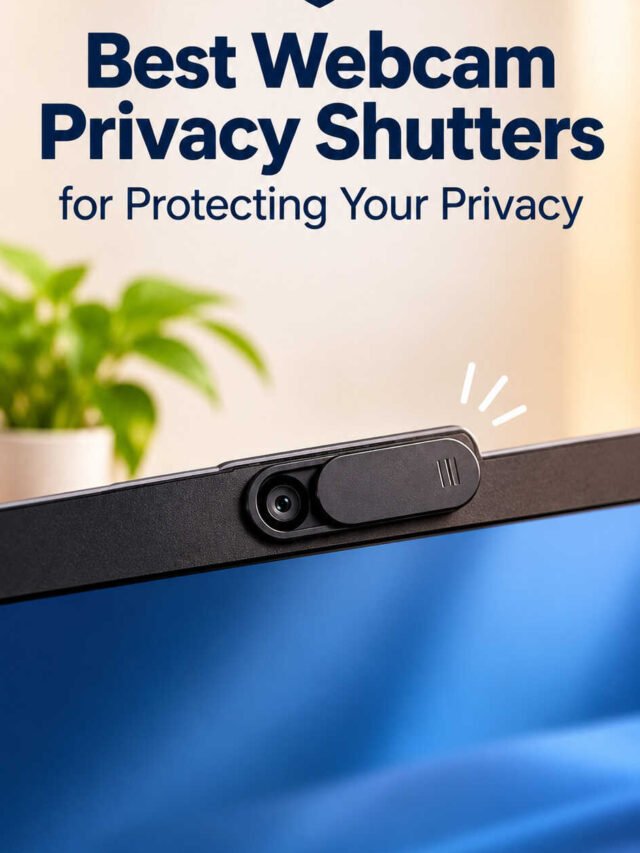
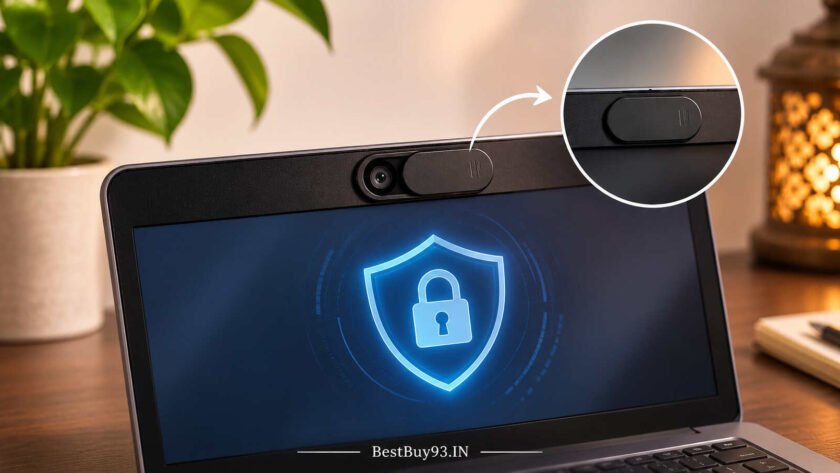

Webcams have become an essential part of everyday digital life. Whether you attend office meetings, participate in online classes, conduct interviews, stream videos, or connect with friends and family, your laptop or desktop camera is probably used more often than you realise. But have you ever thought about what happens when you are not using it?
Webcam privacy is an important part of maintaining digital security. Although operating systems offer camera permissions and privacy settings, some users prefer an additional physical layer of protection. This is where webcam privacy shutters and camera covers become useful.
These small accessories sit over your webcam and allow you to physically block the camera lens whenever it is not in use. Most sliding designs let you open the camera for video calls and close it again with a simple movement.
The good news is that you do not need an expensive security setup to get started. Webcam privacy covers are available in different materials, sizes, mounting styles, and multipacks, making them suitable for laptops, desktop computers, tablets, and compatible smartphones.
In this guide, we will explore the best webcam privacy shutters for protecting your privacy, compare different types of camera covers, discuss their advantages and disadvantages, and explain what to consider before buying one.
Best Webcam Privacy Shutters: Quick Comparison
Choosing a webcam privacy shutter becomes easier when you understand the differences between individual covers, multipacks, and ultra-thin sliding designs.
Here is a quick comparison of some options available in the Indian market.
| Product | Design | Best For |
|---|---|---|
| Sounce Laptop Camera Cover | Sliding cover | Everyday laptop privacy |
| Lapster Laptop Camera Cover | Ultra-thin slider | Laptop and PC users |
| Striff Webcam Cover | Sliding cover | Budget-conscious buyers |
| ANAB GI Webcam Cover | Multipack slider | Multiple devices |
| Tobfit Webcam Cover | Ultra-thin multipack | Homes and offices |
| ABS Ultra-Thin Camera Cover | Pack of three | Multiple compatible devices |
Prices and availability may change. Check the latest product listing before purchasing.
Best Webcam Privacy Shutters for Protecting Your Privacy
1. Sounce Laptop Camera Cover – A Simple Everyday Privacy Accessory
A sliding webcam cover is one of the easiest ways to physically block your laptop camera when you are not attending video calls.
The Sounce Laptop Camera Cover is an option worth considering if you want a straightforward privacy accessory without investing in a complicated security setup.
Its sliding-cover design allows users to move the shutter over the camera when privacy is required and uncover the lens when attending meetings or online classes.
What makes it worth considering?
- Sliding camera-cover design.
- Designed for laptops, PCs, tablets, and compatible smartphones.
- Compact accessory for everyday privacy.
- An affordable option for basic webcam protection.
Reasons to Buy:
- Simple physical camera-blocking solution.
- Suitable for users looking for a basic privacy accessory.
- Does not require software installation.
What to Check Before Buying:
- Actual cover dimensions.
- Compatibility with your laptop’s webcam position.
- Adhesive quality and installed thickness.
- Whether the cover interferes with nearby sensors.

- ✅【Comprehensive Privacy Protection with 10-Piece Value Pack】: This package includes 10 premium ultra-thin laptop camera …
- ✅【Reliable Security Against Hackers & Spyware】: In an era of increasing cyberattacks and digital surveillance, safeguard…
- ✅【Ultra-Slim & Sleek Design for Seamless Fit】: Engineered with a thickness of only 0.027 inches, this camera cover is am…
2. Lapster Laptop Camera Cover – For Everyday Laptop Users
If you regularly use your laptop for work, online meetings, and personal video calls, a sliding webcam cover can become a convenient everyday accessory.
The Lapster Laptop Camera Cover is another option for people looking for a simple camera-blocking solution.
Its product listing describes a sliding webcam-cover design intended for laptops, PCs, and tablets. This makes it worth exploring if you want to protect more than one compatible device.
What makes it worth considering?
- Sliding webcam-cover design.
- Intended for multiple device categories.
- Compact privacy accessory.
- Suitable for everyday camera protection.
Reasons to Buy:
- Convenient alternative to repeatedly placing tape over the camera.
- Simple manual operation.
- Can be considered for compatible devices around the home.
What to Check Before Buying:
- Camera opening dimensions.
- Whether the adhesive fits your device’s bezel.
- Total installed thickness.
- Whether the camera remains completely unobstructed when the shutter is open.
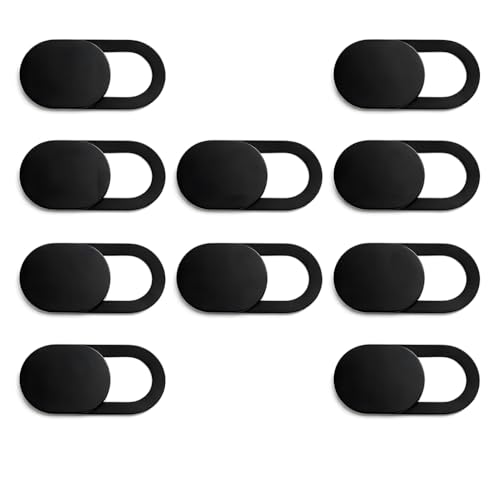
- Per Package includes 6 laptop camera cover slider
- Protecting from hackers due to possible video surveillance , this webcam cover easily slides over your camera making it …
- laptop camera cover slider is Slimmest in size (0.027inches) with perfect curve edges without feeling its existence when…
3. Striff Webcam Cover – A Budget-Friendly Privacy Option
Not everyone wants to spend much money on a webcam privacy accessory. If you simply need a small physical barrier for your camera, a basic sliding cover can be a practical choice.
The Striff Webcam Cover is a budget-oriented option worth exploring. Its sliding design provides a straightforward way to cover the camera lens whenever you are not using it.
It can be particularly useful for students, remote workers, and people who regularly participate in video conferences.
What makes it worth considering?
- Simple sliding webcam-cover format.
- Compact design.
- Budget-friendly purchase option.
- Suitable for users seeking basic physical camera protection.
Reasons to Buy:
- Affordable entry-level option.
- No electronic setup required.
- Easy-to-understand manual operation.
What to Check Before Buying:
- Adhesive specifications.
- Exact dimensions.
- Compatibility with narrow laptop bezels.
- Whether the shutter stays securely in position.
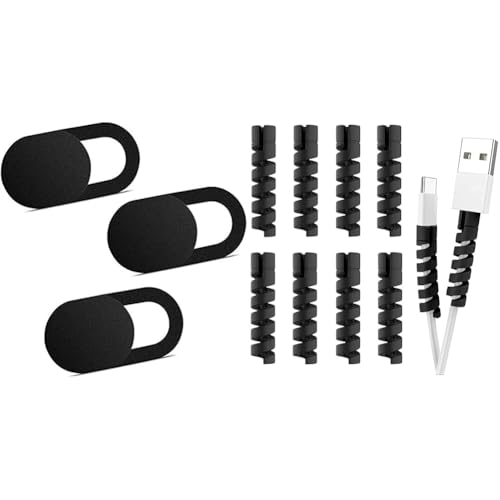
- Small But Mighty:Are you aware that hackers can easily access your webcam without your permission? Now you can cover and…
- Easy to Use: Simply peel off the sticker and apply on clean webcam area (cleaning pad included); place your finger on th…
- Thin and Hide: 0.6 mm super thin design and undetectable when the laptop lid is closed. The adhesive can be easily appli…
4. ANAB GI Webcam Cover – For Multiple Devices
If you have several devices at home, purchasing individual webcam covers may not be the most convenient approach.
The ANAB GI Webcam Cover is a multipack option designed for users who want to cover cameras across laptops, desktop computers, tablets, and compatible smartphones.
Its product listing describes a six-piece sliding camera-cover set. A multipack can be useful when several family members or employees need basic webcam privacy accessories.
What makes it worth considering?
- Six-piece pack.
- Sliding camera-cover design.
- Intended for multiple compatible devices.
- Useful for households and shared workspaces.
Reasons to Buy:
- Multiple covers in one purchase.
- Convenient for protecting several devices.
- Useful as replacement accessories.
What to Check Before Buying:
- Individual cover dimensions.
- Adhesive compatibility.
- Whether all devices have enough space around their cameras.
- Whether the covers are suitable for the intended laptop lid clearance.
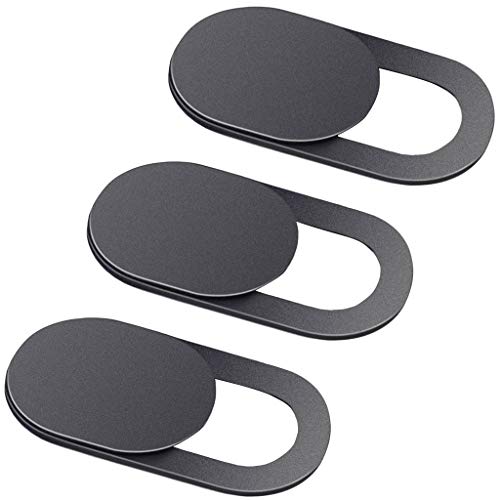
- Ultra-Thin Slider Web Camera Cover
- Colour: Black
- Easy to apply
5. Tobfit Laptop Camera Cover – For Home and Office Setups
Managing webcam privacy across several devices can be easier when you have multiple covers available.
The Tobfit Laptop Camera Cover is a multipack option worth considering for people who use several computers and compatible devices.
Its product listing describes a ten-pack of ultra-thin webcam covers, making it a potential option for larger households, offices, and people who want spare covers.
What makes it worth considering?
- Ten-piece pack.
- Sliding privacy-cover design.
- Designed for compatible laptops, computers, tablets, and other devices.
- Suitable for users looking for multiple covers.
Reasons to Buy:
- Larger multipack.
- Useful for multiple-device setups.
- Provides spare covers for future use.
What to Check Before Buying:
- Actual thickness rather than relying only on the ultra-thin description.
- Adhesive specifications.
- Camera and sensor placement.
- Laptop manufacturer’s guidance on lid clearance.
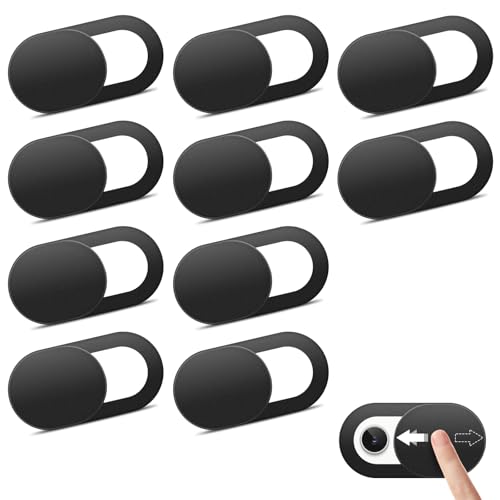
- 【Privacy & Security Protection】 Keep your personal and family privacy safe with this practical webcam cover. Simply slid…
- 【Ultra-Thin & Flexible Design】 Featuring an ultra-slim 0.022-inch thickness, this webcam cover is made from premium flex…
- 【Effortless Installation】 Equipped with upgraded strong adhesive, the cover stays firmly in place without falling off. I…
6. ABS Ultra-Thin Camera Cover – For Multi-Device Privacy
If you want a straightforward camera-cover accessory for more than one device, an ABS sliding cover is another option worth considering.
This three-piece ABS Ultra-Thin Camera Cover set is designed around a simple sliding mechanism that lets users cover or uncover compatible camera lenses.
The plastic construction may appeal to buyers looking for a basic, lightweight accessory rather than a more elaborate camera-shutter mechanism.
What makes it worth considering?
- Three-piece pack.
- ABS construction as described in the product listing.
- Sliding camera-cover format.
- Intended for compatible laptops and phones.
Reasons to Buy:
- Multiple covers in one pack.
- Simple camera-blocking mechanism.
- Suitable for buyers exploring basic privacy accessories.
What to Check Before Buying:
- Overall dimensions.
- Actual installed thickness.
- Adhesive strength and removal instructions.
- Compatibility with your camera’s position.
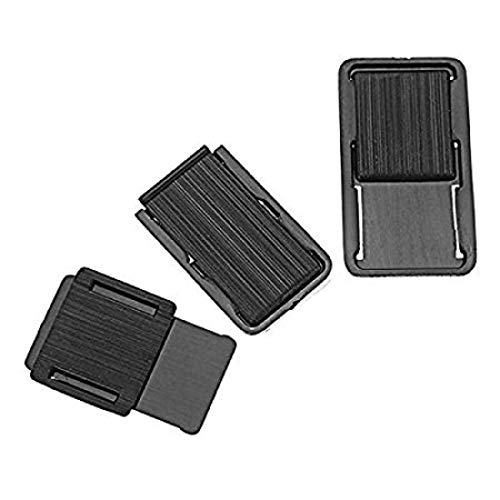
- Easy To Use
- 🖥[PREMIUM MATERIAL]– This web camera cover slide is made of premium material a dense high quality ABS material that is …
- 🖥[ULTRA THIN AND DURABLE]– The thickness is only 0.03 inches and does not interfere with your ability to completely clo…
Pros and Cons of Webcam Privacy Shutters
Webcam privacy shutters are inexpensive accessories, but they are not necessarily suitable for every laptop or camera setup.
Here are the main advantages and disadvantages to consider.
| What We Like | What We Don’t Like |
|---|---|
| Provides a physical barrier over the camera lens | May not fit every webcam design |
| Easy to open and close | Adhesive may lose its grip over time |
| Does not require software installation | Some designs add thickness to laptop bezels |
| Available in affordable multipacks | Can interfere with nearby sensors |
| Useful for laptops and compatible external cameras | Does not block microphone access |
| Offers visible confirmation that the lens is covered | Some covers may leave adhesive residue |
The most important consideration is compatibility. A webcam cover that physically blocks the camera but prevents your laptop lid from closing properly is not a worthwhile purchase.
How to Choose the Right Webcam Privacy Shutter
Before purchasing a webcam privacy cover, consider the following factors.
1. Compatibility With Your Device
Start by checking where your webcam is positioned.
Some laptops have cameras in the centre of the upper display bezel, while others feature narrow bezels, notches, recessed openings, or unusual camera placements.
A cover designed for a traditional laptop camera may not fit every device.
Check the product dimensions and compare them with the available space around your camera.
2. Thickness and Laptop Lid Clearance
Thickness is one of the most important factors when buying a webcam privacy shutter.
A bulky cover may prevent your laptop from closing completely. Over time, pressure between the display and keyboard can potentially damage the screen.
MacBook users should be particularly careful. Apple advises that a camera cover left in place while closing the lid must be no thicker than 0.1 mm and must not leave adhesive residue. Thicker covers should be removed before closing the laptop.
For other laptop brands, follow the manufacturer’s specific recommendations.
3. Sliding Mechanism
A sliding mechanism makes a webcam cover convenient for everyday use.
You should be able to open and close the shutter without struggling or accidentally moving the entire accessory.
Before buying, check whether the slider provides sufficient coverage and whether the camera remains completely unobstructed when opened.
4. Adhesive Quality
Most aftermarket webcam covers use adhesive to attach themselves to the device.
A good adhesive should hold the cover securely without making removal unnecessarily difficult.
Look for information about adhesive quality, replacement options, and residue-free removal. Always follow the manufacturer’s installation instructions.
5. Material and Durability
Webcam shutters are commonly available in plastic and metal constructions.
Plastic covers can be lightweight and affordable, while metal designs may offer a more rigid construction.
However, material alone does not determine quality. The sliding mechanism, adhesive, dimensions, and overall fit matter just as much.
6. Number of Covers in a Pack
Think about how many devices you actually need to protect.
A single cover may be sufficient for a personal laptop, while a three-piece, six-piece, or ten-piece pack may be more practical for families and offices.
Avoid purchasing a large pack simply because it looks economical. Make sure the covers fit your devices first.
Why Should You Use a Webcam Privacy Cover?
Webcam privacy covers offer a simple way to manage camera access when you are not using your device.
Here are some situations where they can be particularly useful.
Remote Workers: People working from home frequently participate in video meetings. A physical shutter provides a convenient way to block the camera between calls.
Students: Online classes, virtual examinations, and group discussions can involve frequent camera usage. A webcam cover provides an additional physical privacy measure.
Content Creators: Bloggers, YouTubers, streamers, and other digital creators often work with multiple cameras and recording devices. Physical shutters can help manage unused cameras.
Shared Computer Users: Families and offices may have computers used by several people. A visible shutter makes it easier to see whether a camera lens is physically covered.
Frequent Travellers: People who carry laptops between offices, cafés, and other locations may appreciate having an easy-to-use camera cover.
Remember that a webcam cover only blocks the camera lens. It does not prevent microphone recording, secure your files, or protect your device against malware.
Webcam Privacy Shutters vs. Software Privacy Controls
A physical webcam shutter and software privacy settings serve different purposes.
| Feature | Physical Webcam Shutter | Software Privacy Controls |
|---|---|---|
| Blocks camera view | Yes, when properly closed | No physical obstruction |
| Requires installation | Usually adhesive or built-in | No additional hardware |
| Controls microphone | No | Separate microphone permissions |
| Requires electricity | No | Yes, through the device |
| Works without changing app settings | Yes | Depends on system settings |
| Reusable | Yes | Yes |
| Suitable for additional physical privacy | Yes | No |
The best approach is to use both.
A physical shutter blocks the camera’s view, while software permissions help control which applications can access the camera.
You should also keep your operating system and security software updated, review application permissions, and avoid installing suspicious programs.
Frequently Asked Questions
1. What is a webcam privacy shutter?
A webcam privacy shutter is a small physical accessory that covers a camera lens when it is not being used. Most aftermarket models use a sliding mechanism that lets users open and close the camera manually.
2. Do webcam covers actually protect privacy?
Yes. A properly fitted, opaque webcam cover physically blocks the camera’s view when closed. However, it does not protect your microphone or prevent other forms of cyberattacks.
3. Can I use a webcam privacy shutter on my desktop monitor?
Yes, provided the cover is compatible with the external webcam or camera opening. Check the housing dimensions and available mounting surface before purchasing.
4. Are webcam privacy covers reusable?
Most sliding webcam covers are designed for repeated opening and closing. However, the adhesive may lose its effectiveness if the cover is removed and reattached frequently.
5. Can a webcam cover damage my laptop screen?
Yes, a cover that is too thick can interfere with laptop lid clearance and potentially damage the display. Always check your laptop manufacturer’s recommendations before installing one.
6. Do webcam privacy shutters block microphones?
No. Webcam covers only block the camera lens. Your laptop microphone may continue recording audio even when the webcam shutter is closed.
7. Are webcam covers suitable for MacBooks?
Some covers may physically fit a MacBook, but compatibility does not automatically mean they are safe to leave installed. Apple recommends a maximum thickness of 0.1 mm for a camera cover left in place while closing the lid. Thicker covers should be removed before closing.
8. Is a webcam cover better than disabling the camera through software?
They serve different purposes. Software controls manage application access, while a physical cover blocks the camera’s view. Using both provides an additional layer of privacy.
Final Thoughts
Webcam privacy is something every laptop and desktop user should consider, particularly when cameras are used regularly for work, education, and personal communication.
A simple sliding webcam shutter can provide an additional physical privacy measure without requiring complicated software or expensive equipment.
Before choosing one, pay attention to compatibility, thickness, adhesive quality, sliding mechanism, and the number of covers included in the pack. Laptop users should also check manufacturer recommendations to avoid problems with screen clearance.
Ultimately, the best webcam privacy shutter is not necessarily the most expensive one. It is the one that fits your device correctly, blocks the camera completely, and remains convenient to use.
Explore more technology buying guides, practical accessories, and everyday product recommendations at BestBuy93.IN.