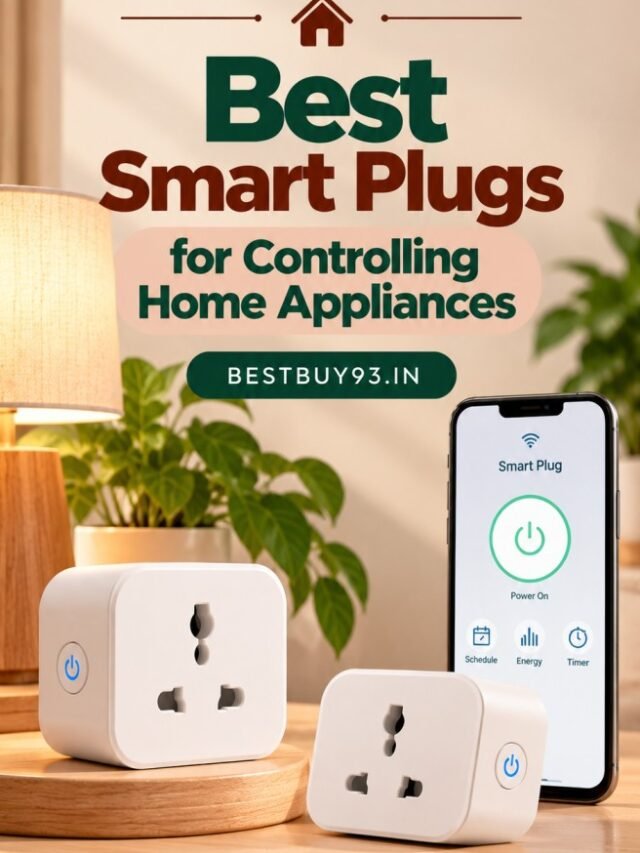

Imagine switching on a lamp without getting out of bed, scheduling a table fan to turn off at night, or checking how much electricity a connected appliance consumes. These conveniences are possible with a smart plug.
A smart plug is a compact home automation device that connects a compatible electrical appliance to a controllable power outlet. Depending on the model, you can switch the outlet on or off through a smartphone app, set schedules, use voice commands, and monitor energy consumption.
The best smart plugs for controlling home appliances can make everyday routines more convenient without requiring you to replace every appliance with a smart model.
However, choosing the right smart plug involves more than comparing prices. You need to check the appliance’s electrical load, the plug’s current rating, Wi-Fi compatibility, app features, and safety specifications.
In this guide, we explore smart plug options available in India, their useful features, common applications, and the important precautions to understand before buying one.
What Is a Smart Plug and How Does It Work?
A smart plug is an electrical outlet adapter with wireless control features. You connect a compatible appliance to the smart plug, then connect the plug to its companion app or supported smart home system.
Once configured, the plug can control the power supply to the connected appliance.
For example, if you connect a compatible table lamp to a smart plug, you may be able to switch the lamp on or off from your phone. If the model supports scheduling, you can also set a time for the outlet to turn on or off.
Most Wi-Fi smart plugs require a compatible Wi-Fi network, often on the 2.4 GHz band. Some models also support Bluetooth for setup or local control, while others support smart home standards such as Matter.
Important: A smart plug controls electrical power; it does not automatically make a regular appliance fully smart. It also cannot guarantee that an appliance will resume its previous operating mode after power is restored.
Quick Comparison: Smart Plugs to Consider in India
The following models and product families are worth comparing. Their suitability depends on the exact variant, appliance load, supported features, and current availability.
| Smart Plug | Best For | Features to Check |
|---|---|---|
| TP-Link Tapo P110 | App control and energy monitoring | Power monitoring, schedules, voice-assistant compatibility |
| Wipro 16A Wi-Fi Smart Plug | Compatible higher-load appliances | Current rating, app control, energy monitoring |
| Qubo Smart Plug | Connected home convenience | Exact amp rating, connectivity, supported automation |
| Portronics Splug 10 | Compatible lower-load appliances | 10A rating, Wi-Fi, voice control |
| Portronics Splug 16 | Compatible higher-load appliances | 16A rating, appliance compatibility, scheduling |
| Zebronics ZEB-SP110 | Everyday lower-load appliances | 10A rating, app support, voice control |
| AZIOT 16A Smart Plug | Buyers comparing higher-load models | Load rating, energy monitoring, safety protections |
Product availability and specifications can vary between versions and retailers. Verify the manufacturer’s current documentation before buying. A 16A rating alone does not establish that a plug is suitable for every high-power appliance.
1. TP-Link Tapo P110 Smart Plug
Best for: Buyers who want app-based control and energy monitoring.
The TP-Link Tapo P110 is worth considering if you want more than basic remote switching. Its feature set includes energy monitoring, scheduling, and compatibility with supported voice assistants.
Depending on the app version and product configuration, energy monitoring can help you understand how much electricity a connected appliance uses over time.
Key features to look for
- Smartphone-based switching.
- Scheduling and timers.
- Energy consumption monitoring.
- Compatibility with supported voice assistants.
- Wi-Fi setup through the Tapo app.
What should you know before buying?
Check the exact P110 variant sold in India and confirm its current rating and maximum load. Do not assume that every product with a similar model name has identical electrical specifications.
Buying tip: If energy tracking matters to you, look for a model that displays consumption data in its app rather than assuming every smart plug includes this feature.
Buy Now on Amazon India | Flipkart

- Remote Control ——Instantly turn connected devices on/off wherever you are through the Tapo app
- Schedule —— Preset a schedule to automatically manage devices
- Timer —Create countdown timer lists for connected electronics
2. Wipro 16A Wi-Fi Smart Plug
Best for: Buyers looking for a smart plug designed for compatible higher-load applications.
Wipro offers smart plug options with different current ratings. Its 16A model is worth comparing if your intended appliance requires a higher-rated outlet.
Depending on the exact version, features may include remote switching, scheduling, voice control, and energy monitoring.
Key features to check
- A clearly specified 16A rating.
- Compatibility with the appliance’s electrical requirements.
- Supported app and voice assistant integration.
- Energy monitoring, if required.
- Manufacturer warranty and service support.
What should you know before buying?
A 16A smart plug is not automatically suitable for every geyser, air conditioner, microwave, or heater. The appliance’s rated current, starting current where relevant, wall socket, wiring, and manufacturer’s instructions must all be considered.
For high-power or fixed appliances, a qualified electrician should confirm whether an external smart plug is appropriate. A properly installed smart switch or dedicated control solution may be more suitable.
Buying tip: Verify the exact model number and load specifications rather than relying only on the words “heavy duty” in a product title.
Buy Now on Amazon India | Flipkart

- Material: Polycarbonate, , Color: White
- Item Dimension: 6.35mm x 5.08mm x 8.1mm
- 1Year
3. Qubo Smart Plug
Best for: Buyers exploring connected-home products from an Indian brand.
Qubo is another smart home brand worth comparing when researching connected outlets. Depending on the model, smart plugs can provide app-based control and automation features.
Before selecting a Qubo plug, identify the precise model and intended application. Do not assume all Qubo smart plugs support the same load, connectivity options, or energy-monitoring features.
Key features to compare
- Current rating and maximum supported load.
- Wi-Fi or Bluetooth functionality.
- App-based switching and scheduling.
- Voice-assistant support.
- Energy monitoring, if included.
- Warranty and customer support.
What should you know before buying?
A feature such as Bluetooth may be useful for initial pairing or supported local functions, but it does not necessarily mean every feature will work without an internet connection.
Buying tip: Read the product manual to understand which functions require Wi-Fi, internet access, or a compatible smart home assistant.
Buy Now on Amazon India | Flipkart

4. Portronics Splug 10 Smart Plug
Best for: Compatible lower-load household appliances.
The Portronics Splug 10 is a model to compare if you want smart control for a compatible lower-load appliance. A 10A smart plug may be suitable for certain lamps, fans, or other devices, provided their electrical requirements fall within the plug’s specifications.
Potentially useful features
- Wi-Fi-based control.
- Remote switching through a compatible app.
- Voice control where supported.
- Timers and schedules, depending on the model.
What should you know before buying?
Do not select this model simply because it is affordable. First confirm the connected appliance’s rated current and power requirements.
A 10A plug should not be used as a substitute for a correctly rated outlet for a high-load appliance.
Buying tip: This type of smart plug is most useful when your main goal is convenient control of compatible everyday devices rather than heavy electrical equipment.
Buy Now on Amazon India | Flipkart

- Smart Control for Appliances: Power your appliances with this 10A Wi-Fi smart plug—ideal for 10A/6A appliances. Experien…
- No Hub, No Hassle: Avoid the hub and join wirelessly—this smart plug plugs into 2.4 GHz Wi-Fi network directly. Easy ins…
- Real-time Energy Monitoring: Keep tabs on your appliances’ current energy consumption using the DigiTap app. Conserve en…
5. Portronics Splug 16 Smart Plug
Best for: Buyers comparing higher-current smart plug options.
The Portronics Splug 16 is a higher-current option to investigate if your intended appliance requires a 16A-rated smart plug and the manufacturer explicitly supports that application.
Features to check
- Confirmed 16A rating and maximum load.
- Compatibility with your particular appliance.
- Wi-Fi app and voice-control support.
- Scheduling and timer functions.
- Safety protections specified by the manufacturer.
What should you know before buying?
A higher current rating does not automatically make a smart plug safe for every appliance. Motors and compressors can have different starting-current characteristics from resistive loads, and the wall outlet must also be suitable.
Buying tip: Never use an improvised adapter to connect a high-load appliance to an undersized plug or socket. If compatibility is unclear, consult an electrician.
Buy Now on Amazon India | Flipkart
6. Zebronics ZEB-SP110 Smart Wi-Fi Plug
Best for: Buyers comparing budget smart plugs for compatible everyday devices.
The Zebronics ZEB-SP110 is a smart plug option to investigate for simple home automation. It can be worth comparing against other entry-level plugs when you mainly want app-based switching and supported voice control.
Features to check
- Current rating and maximum supported load.
- App-based remote switching.
- Compatibility with supported voice assistants.
- Timer and scheduling options.
- Warranty and after-sales support.
What should you know before buying?
Confirm the exact variant. Zebronics sells products with different specifications, and a model intended for lower-load devices should not be used with a higher-load appliance.
Buying tip: Compare the final price, warranty, app requirements, and electrical rating instead of choosing the cheapest listing automatically.
Buy Now on Amazon India | Flipkart

- SMART HOME CONTROL: Turn compatible appliances on or off remotely and bring convenient smart control to your everyday ho…
- VOICE-ENABLED CONTROL: Works with Amazon Alexa and Google Assistant for convenient hands-free operation of compatible co…
- 10A OUTPUT: Supports up to 10A output with a maximum 2500W resistive load, making it suitable for compatible household e…
7. AZIOT 16A Smart Plug
Best for: Buyers comparing feature-rich higher-current models.
AZIOT offers smart plug options that may appeal to shoppers looking for higher-current support and additional monitoring or protection features.
Depending on the exact model, advertised functions may include energy monitoring, remote switching, scheduling, and protection mechanisms.
Features to check
- The exact current and wattage limits.
- Whether energy monitoring is included.
- Which app or smart home platform is required.
- The specific overload, over-current, or surge protections documented by the manufacturer.
- Warranty terms and support availability.
What should you know before buying?
Do not assume every safety feature is present simply because a listing describes a plug as “smart” or “heavy duty.” Look for documented protection specifications and confirm the intended appliance is supported.
Buying tip: If you are comparing several 16A models, prioritise electrical compatibility, quality documentation, and after-sales support before optional smart features.
Buy Now on Amazon India | Flipkart
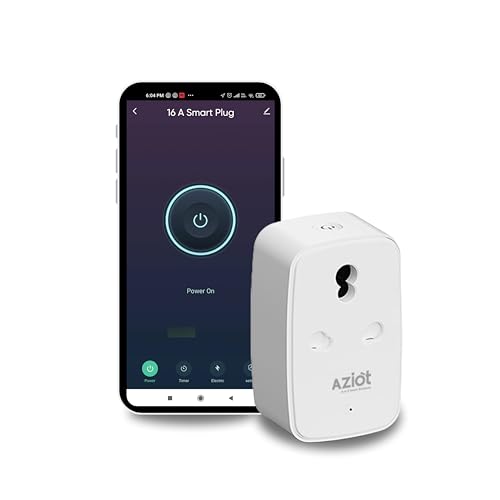
- Remote Control via WiFi & Bluetooth – Manage devices from anywhere using the Smart Life App, even without internet conne…
- Energy Monitoring & Smart Scheduling – Track power consumption and set schedules for geysers, ACs, lights, and more, red…
- Voice Control with Alexa & Google Home – Hands-free operation for turning appliances on/off using Amazon Alexa & Google …
What Can You Control With a Smart Plug?
Smart plugs are most useful for appliances that behave predictably when their power supply is switched on and off.
1. Table Lamps and Decorative Lighting
A smart plug can make it easier to control compatible lamps without reaching for a wall switch. You may be able to schedule a lamp to turn on in the evening or switch it off at bedtime.
For decorative lighting, confirm that the lights and their power adapters are compatible with the plug.
2. Fans
A compatible fan may be controlled through a smart plug, but the result depends on the fan’s controls. A fan with a mechanical switch that remains in the ON position may restart when power returns; a fan with electronic controls may not.
A smart plug does not provide fan-speed control unless the specific system supports that function.
3. Wi-Fi Routers
A smart plug can help you schedule or remotely power-cycle a compatible router. However, switching off the router also disconnects the smart plug from Wi-Fi, which can prevent remote commands until the network returns.
Avoid frequent automatic power cycling unless it is appropriate for your router and network setup.
4. Televisions and Media Devices
A smart plug can cut power to a compatible television or accessory, but this is not always recommended. Some devices require a proper shutdown to avoid interrupting updates, recordings, or background processes.
Use the device’s normal shutdown procedure whenever required.
5. Kitchen Appliances
Some small appliances may be suitable if their current and power requirements match the smart plug specifications. However, appliances with heating elements, motors, or high starting currents need particular care.
Do not assume an appliance is safe to operate unattended simply because it can be controlled remotely.
6. Geysers and Water Heaters
Geysers are high-power appliances that require careful electrical compatibility checks. Although some smart plugs are marketed for compatible higher-load appliances, using one does not automatically make a geyser installation safe.
Have an electrician confirm the appliance’s rating, the outlet and wiring, the smart plug’s suitability, and the manufacturer’s requirements. Never rely on a smart plug as a replacement for the geyser’s built-in safety controls.
7. Air Conditioners and Room Heaters
Air conditioners may draw substantial starting current, while room heaters can draw high continuous power. These devices may require dedicated electrical arrangements rather than a plug-in smart adapter.
Do not connect them to a smart plug unless the appliance manufacturer and smart plug manufacturer explicitly confirm compatibility.
10A vs 16A Smart Plugs: Which One Should You Buy?
This is one of the most important decisions when buying a smart plug in India.
| Factor | 10A Smart Plug | 16A Smart Plug |
|---|---|---|
| Typical use | Compatible lower-load devices | Compatible higher-load devices |
| Examples | Some lamps, routers, small electronics | Certain appliances requiring a higher-current outlet |
| Main check | Rated current and wattage | Rated current, wattage, starting current and appliance compatibility |
| Wall socket | Must match plug requirements | Must be a suitable 16A-rated outlet and installation |
| Universal recommendation? | No | No |
A current rating is a maximum limit, not a guarantee that every appliance below that number is suitable.
Before connecting any appliance, check:
- The appliance’s rated voltage, wattage, and current.
- The smart plug’s exact model specifications.
- The appliance manufacturer’s instructions.
- The rating and condition of the wall socket and wiring.
- Whether the appliance needs a dedicated circuit or a specific control arrangement.
Never force an incompatible plug into a socket or use an improvised conversion adapter to make a higher-load appliance fit.
Important Features to Look for in a Smart Plug
1. Smartphone App Control
The companion app should make it easy to switch the outlet on or off, see its status, and configure any supported automation.
2. Scheduling and Timers
Scheduling lets you set times for an outlet to turn on or off. A countdown timer can be useful for devices that are suitable for timed operation.
Remember that a schedule controls power, not necessarily the appliance’s internal operating mode.
3. Voice Assistant Compatibility
Some smart plugs work with Amazon Alexa, Google Assistant, or other supported systems. Check the exact model’s compatibility rather than assuming that all smart plugs support every assistant.
4. Energy Monitoring
Some smart plugs report power consumption and historical energy use. This can help you understand the electricity consumed by a connected device, although readings may vary in accuracy.
Energy monitoring does not itself reduce consumption; you must use the information to change how and when an appliance operates.
5. Connectivity Requirements
Check whether the plug requires 2.4 GHz Wi-Fi, a particular app, a hub, or an account. If your home router combines 2.4 GHz and 5 GHz networks, follow the manufacturer’s setup instructions.
6. Safety Protections
Look for clearly documented protections appropriate to the product, such as overload or over-current protection where provided. These features do not replace correct installation or suitable electrical ratings.
7. Physical Design
A bulky smart plug may block an adjacent outlet or place strain on a wall socket. Check its dimensions and weight, especially if your switchboard is crowded.
8. Warranty and Support
A smart plug depends on both hardware and software. Consider the manufacturer’s warranty, replacement policy, app support, and availability of assistance in India.
How to Set Up a Smart Plug
Most Wi-Fi smart plugs follow a similar setup process, although the exact steps depend on the manufacturer.
- Check compatibility: Confirm the appliance and wall socket meet the smart plug’s specifications.
- Install the companion app: Use the official app named in the product manual.
- Connect the plug: Insert it into a suitable wall outlet without forcing or overloading the connection.
- Enter pairing mode: Follow the manufacturer’s instructions, usually by pressing a button on the plug.
- Connect to Wi-Fi: Select the required network and complete the app’s pairing process.
- Name the device: Use a clear label such as “Bedroom Lamp” or “Living Room Fan.”
- Test manual control: Check that the plug switches correctly before configuring automation.
- Set a schedule if appropriate: Start with a simple schedule and confirm the connected appliance behaves as expected.
Do not attempt electrical modifications or open the smart plug housing. Stop using it if you notice unusual heat, a burning smell, sparking, discoloration, or a loose connection.
Common Smart Plug Mistakes to Avoid
- Ignoring the current rating: Match the plug to the appliance and installation.
- Assuming all appliances restart automatically: Electronic devices may remain off after power is restored.
- Using smart plugs with incompatible heaters or motors: Check both continuous load and starting current.
- Placing plugs near water: Keep them away from wet areas and follow the product’s environmental limits.
- Overloading an outlet: Do not exceed the rating of the smart plug, wall socket, or circuit.
- Ignoring app permissions and account security: Use the official app and secure your connected account.
- Expecting energy savings automatically: Scheduling only helps if it changes actual usage.
- Forgetting that remote control depends on connectivity: Internet or Wi-Fi outages can affect some functions.
In Case You Are Looking For –
- Best Smart Bulbs for Festive Lighting
- Best Smartphones Under ₹20,000
- Best Power Banks
- Best Wireless Chargers: MagSafe vs Qi
Frequently Asked Questions
1. What is the best smart plug for controlling home appliances?
The best model depends on the appliance, required current rating, connectivity, app features, and budget. TP-Link Tapo, Wipro, Qubo, Portronics, Zebronics, and AZIOT are brands worth comparing, but always verify the exact model specifications.
2. Can I control a smart plug when I am away from home?
Many Wi-Fi smart plugs support remote control through their companion apps when the plug and internet connection are working. Remote control may not be available during network or service outages.
3. Do smart plugs work with Alexa and Google Assistant?
Some models support Alexa, Google Assistant, or both. Check the product’s compatibility list before purchasing and follow the manufacturer’s linking instructions.
4. Do smart plugs reduce electricity bills?
A smart plug does not automatically reduce electricity consumption. Scheduling and remote switching may help you avoid unnecessary operating time, while energy monitoring can provide information about usage.
5. Can I use a smart plug with a geyser?
Only if the exact smart plug is explicitly suitable for the geyser and the electrical installation meets the required specifications. Have a qualified electrician check the appliance load, wall socket, wiring, and control arrangement. A 16A label alone is not sufficient proof of suitability.
6. Is a 10A smart plug enough for an air conditioner?
Do not assume so. Air conditioners can have substantial starting currents and may require a dedicated electrical arrangement. Follow the appliance manufacturer’s instructions and obtain professional advice before choosing a control device.
7. Do smart plugs need Wi-Fi?
Wi-Fi models generally need Wi-Fi for app-based features, while some models support additional local connectivity. Check which functions remain available without internet access.
8. Are smart plugs safe to leave plugged in?
A properly rated, correctly installed, undamaged product used according to its instructions is essential. Avoid overloading it, exposing it to moisture, or using it with incompatible appliances. Stop using any plug that becomes unusually hot or shows signs of damage.
Final Verdict: Which Smart Plug Should You Choose?
Your choice should start with the appliance you want to control, not the number of smart features advertised on the box.
- For energy monitoring: Compare the TP-Link Tapo P110 with other models that document this feature.
- For a compatible higher-load appliance: Investigate the Wipro 16A or Portronics Splug 16, but confirm the complete electrical requirements first.
- For a connected-home ecosystem: Compare Qubo and other models that explicitly support your preferred app or voice assistant.
- For everyday lower-load devices: Consider the Portronics Splug 10 or Zebronics ZEB-SP110 if the specific model’s rating matches your appliance.
- For additional protection features: Review the exact specifications of models such as AZIOT 16A rather than relying on broad marketing claims.
For most beginners, a smart plug for a compatible lamp or another low-load appliance is a straightforward way to explore home automation. High-power appliances require much more careful compatibility checks.
Before buying, compare the current price, exact model number, electrical rating, supported features, warranty, and manufacturer’s instructions. A well-matched smart plug can make everyday routines more convenient without compromising electrical safety.
Which appliance would you like to control with a smart plug first? Share your thoughts in the comments and explore more home and technology guides on BestBuy93.IN.