


Whether you’re working from home, studying, running a small business or spending hours at your computer, your office chair is one piece of furniture you shouldn’t treat as an afterthought. 🪑💻
A beautiful desk with an uncomfortable chair is basically a fancy invitation to start shifting positions every five minutes. And if you’re sitting for several hours a day, things like seat height, lumbar support, backrest design, cushioning and adjustability can make a noticeable difference to everyday comfort.
The good news? You don’t necessarily need the biggest or most expensive chair.
The right office chair is the one that matches your body, desk, workspace and daily routine.
In this guide, we’re looking at 10 types of office chairs suitable for different needs from ergonomic chairs for long work sessions and breathable mesh chairs to compact options for small rooms and comfortable chairs for work-from-home setups.
We’ll also cover the features worth checking before buying, so you can spend your money on useful functionality rather than a chair that simply looks impressive. 😄
Also Read | Laptop Tables: 10 Smart Picks for Comfortable Work
🏆 10 Office Chair Types Worth Considering
There isn’t one perfect office chair for everyone.
Someone working eight hours a day has very different requirements from someone who sits at a desk for an hour to check emails or study.
Here are the main types worth considering.
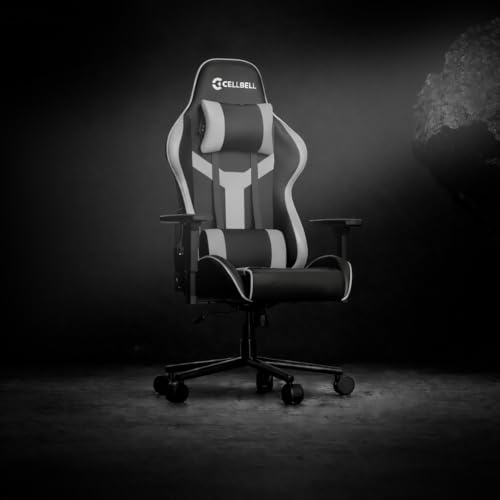
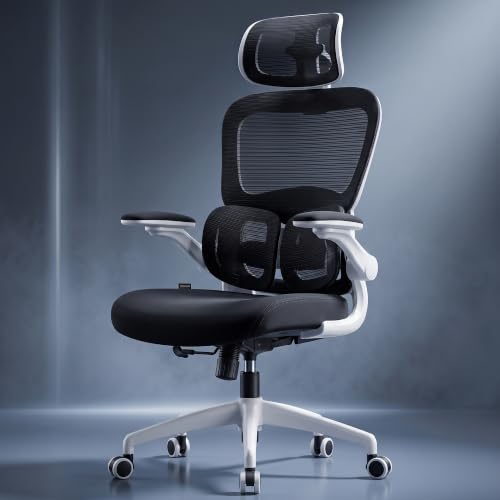
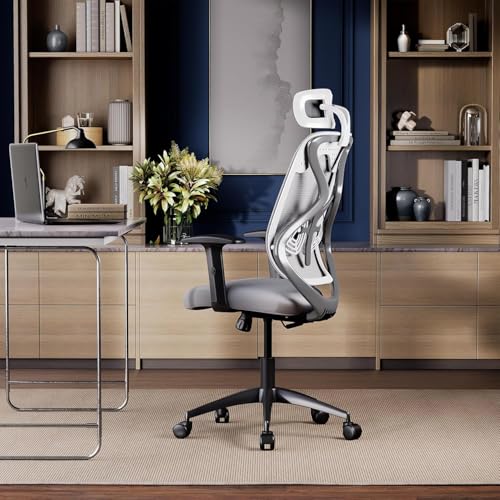
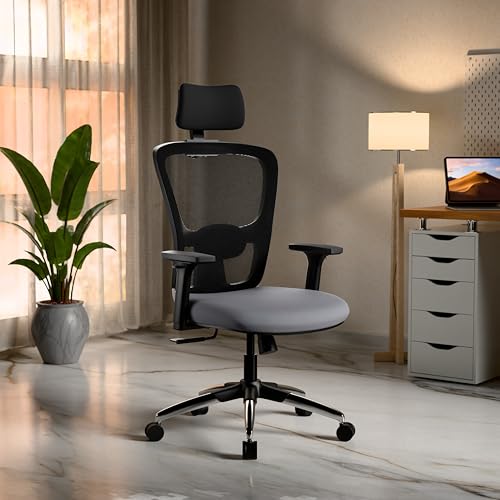
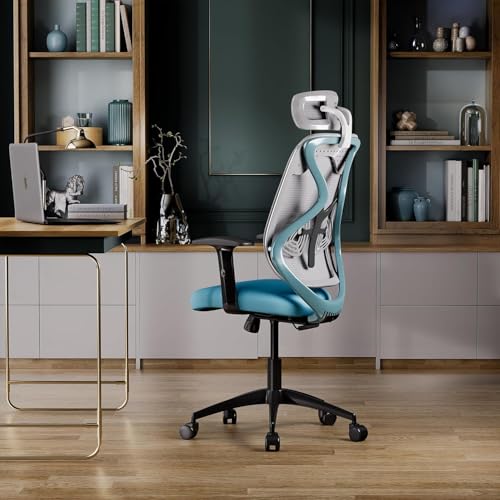
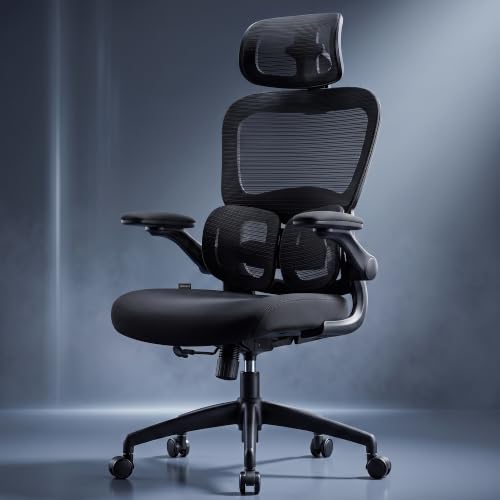
1. Ergonomic Office Chair
An ergonomic office chair is designed around adjustability and comfortable body positioning.
Depending on the model, you may find adjustments for:
- Seat height
- Backrest
- Lumbar support
- Armrests
- Headrest
- Recline angle
- Seat depth
The advantage is flexibility.
Instead of forcing your body to adapt to one fixed position, you can adjust the chair to better suit your desk and sitting posture.
🏆 Best For
People who spend several hours working or studying at a desk.
What We Like
- Multiple adjustments
- Better customization
- Suitable for longer sessions
- Available in different designs
What to Watch
More adjustment mechanisms can also mean a higher price and more components that may eventually require maintenance.

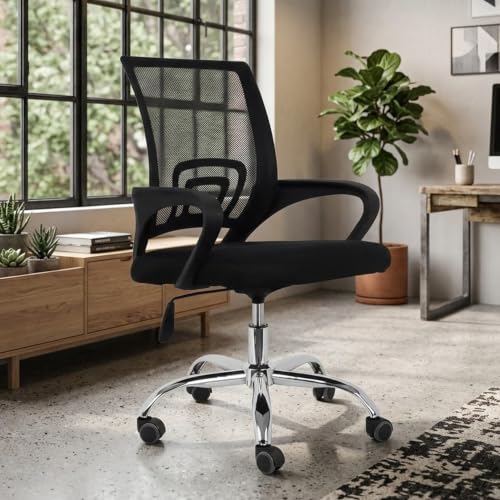
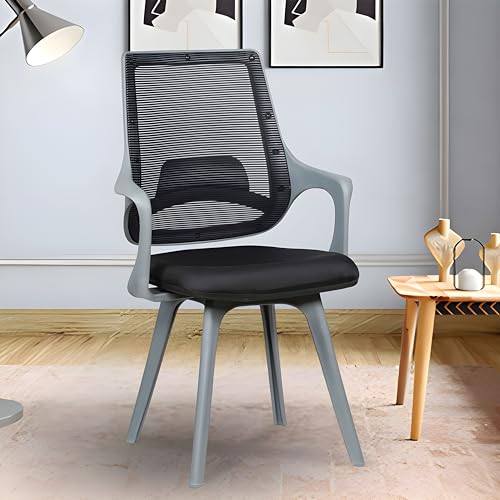
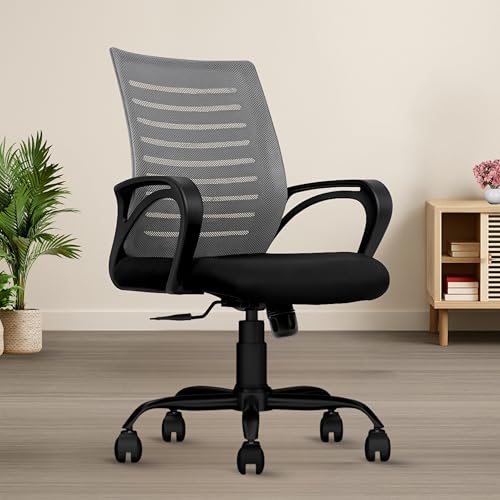
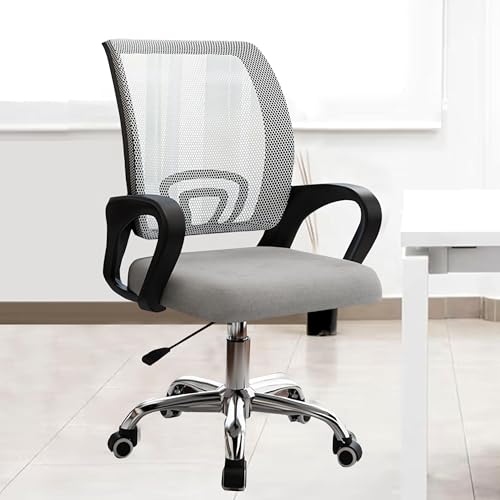
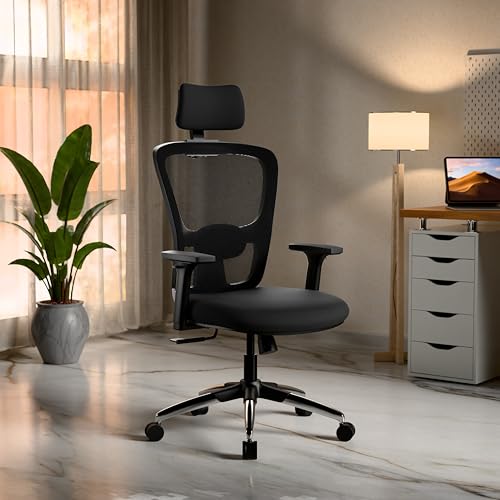
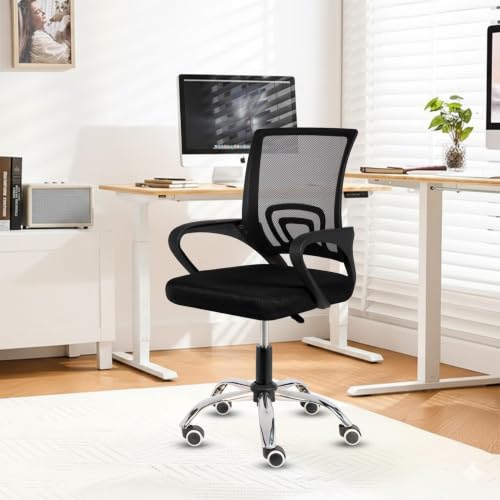
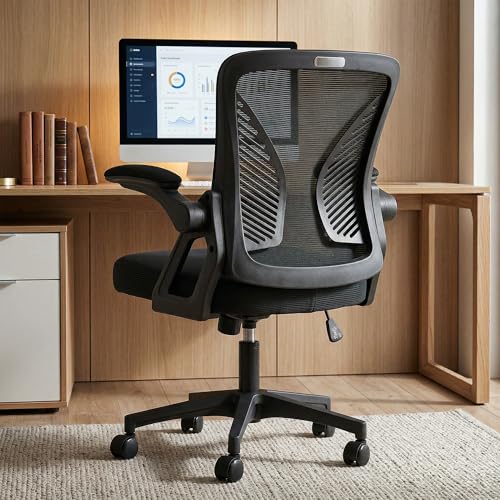
2. Mesh Office Chair
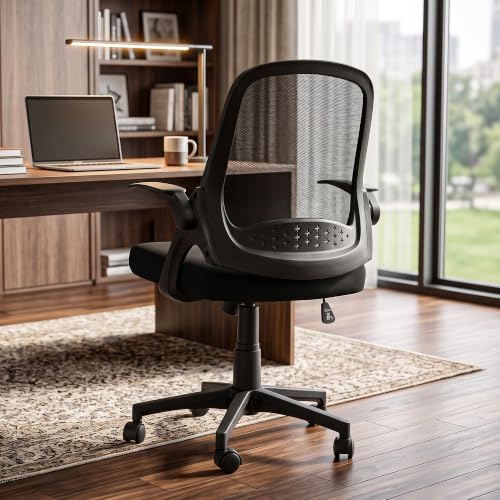
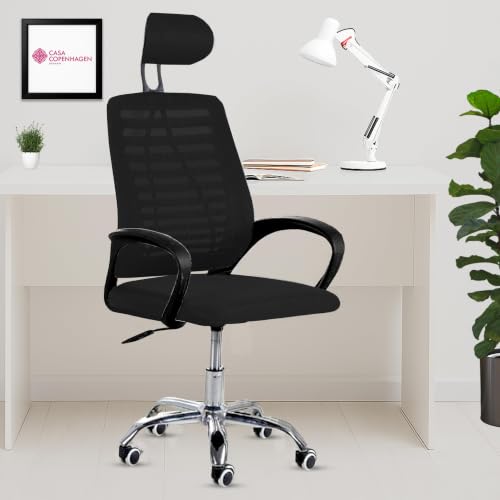
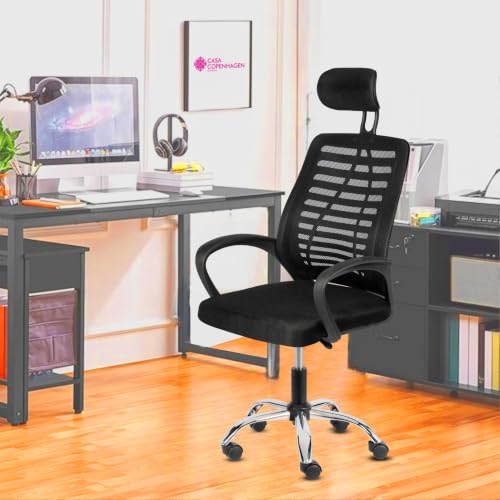
Mesh office chairs have become particularly popular for home offices because the backrest allows air to circulate.
That can be useful in warmer climates where sitting against a padded backrest for hours can become uncomfortable.
A mesh chair may feature:
- Mesh back
- Padded seat
- Adjustable armrests
- Lumbar support
- Reclining backrest
🏆 Best For
Warm rooms and people who prefer a breathable backrest.
What We Like
- Good airflow
- Lightweight appearance
- Often suitable for modern workspaces
- Easy to pair with minimalist furniture
What to Watch
Not all mesh is equally comfortable. Mesh tension, frame design and overall construction matter.
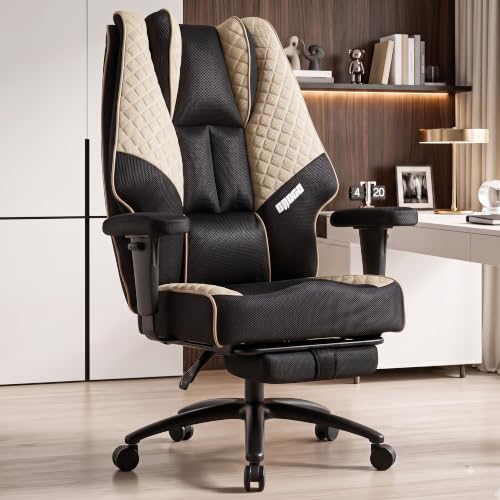
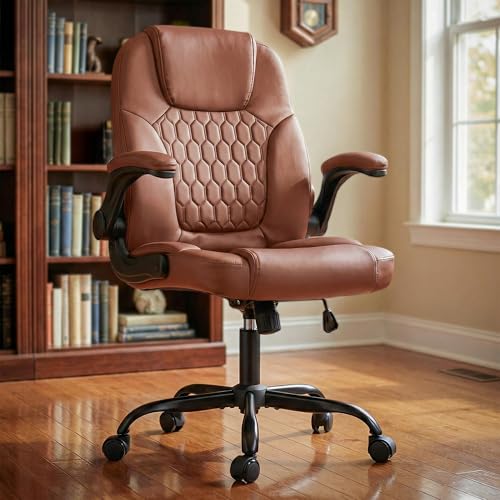
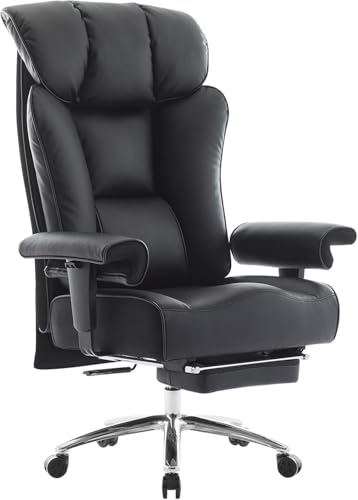
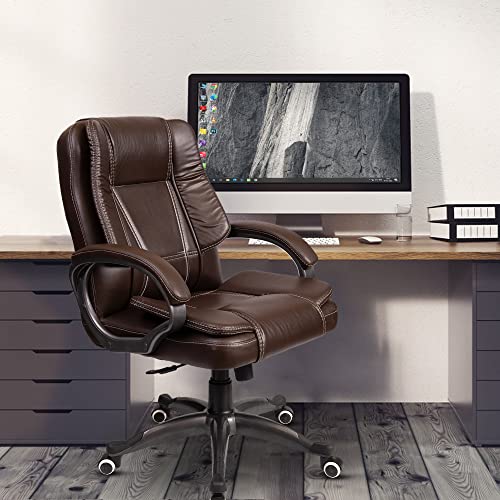
3. Executive Office Chair
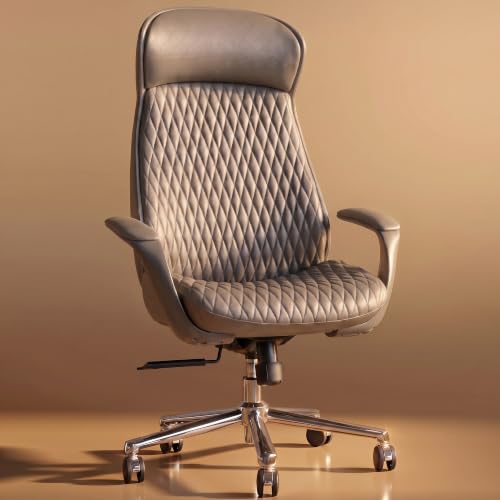
If you want something with a more substantial appearance, an executive office chair may be appealing.
These chairs typically feature:
- High backrests
- Generous cushioning
- Wide seats
- Armrests
- Reclining mechanisms
They’re often designed to look more traditional and substantial than lightweight mesh chairs.
🏆 Best For
Spacious home offices and users who prefer a cushioned, premium-looking chair.
What We Like
- Generous cushioning
- High-back designs
- Classic appearance
- Often wider seating
What to Watch
They’re usually bulkier than mesh or compact chairs.
If your room is small, measure carefully before buying.
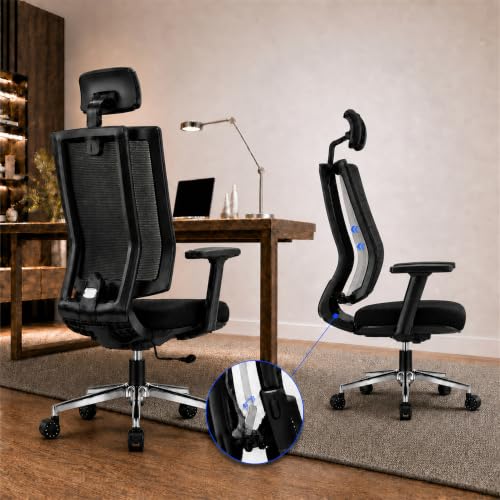
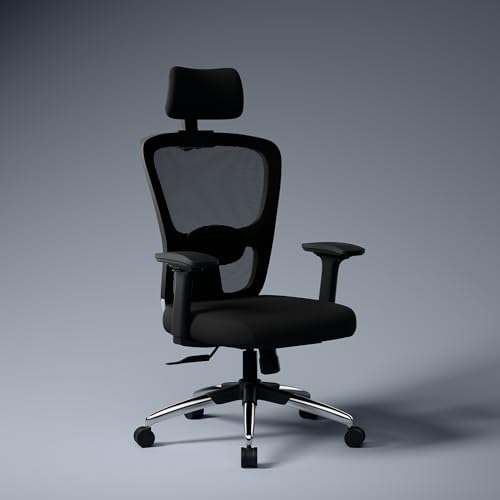
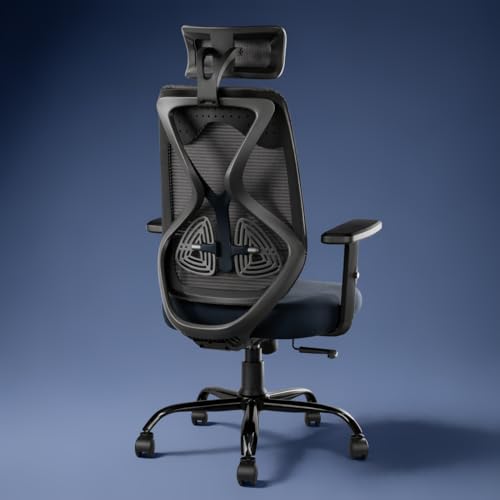
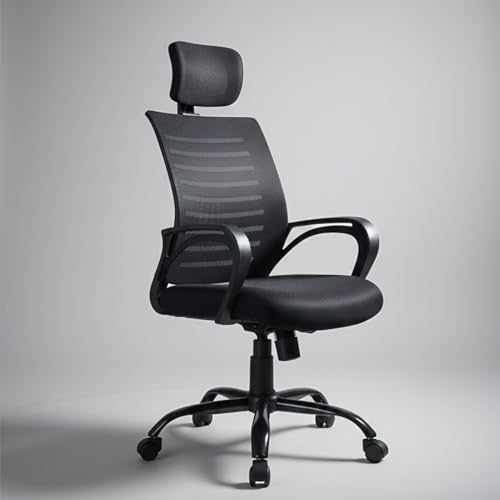
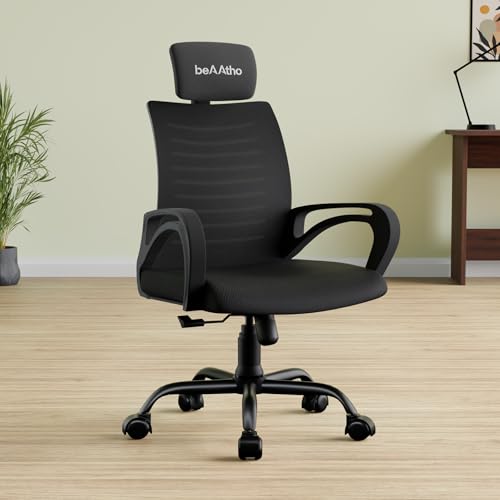
4. High-Back Office Chair
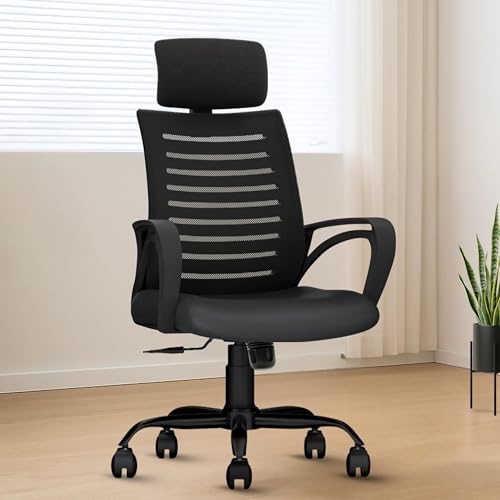
A high-back office chair provides support across more of the back than a typical low- or mid-back design.
Some models also include a headrest.
This can be useful for people who prefer a more supportive chair during longer sessions.
🏆 Best For
Long work sessions and users who prefer extensive back support.
What We Like
- Taller backrest
- Supportive design
- Often available with recline functions
- Suitable for larger desks
What to Watch
The larger backrest can make the chair visually and physically bulkier.

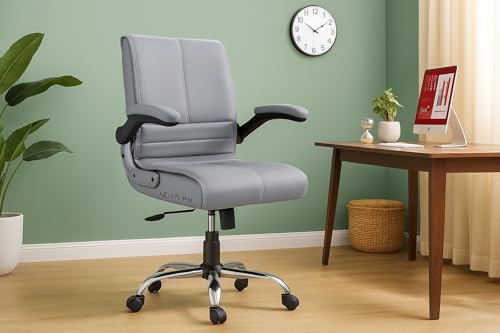
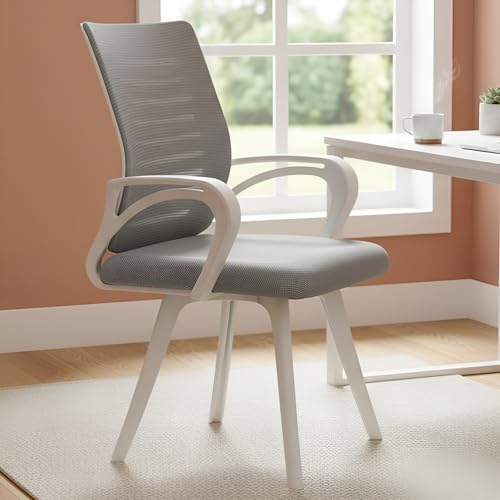
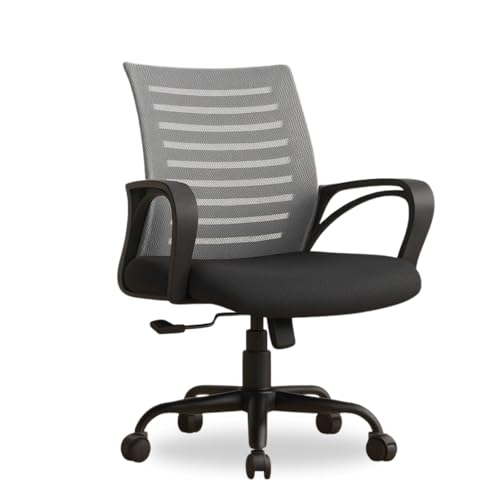
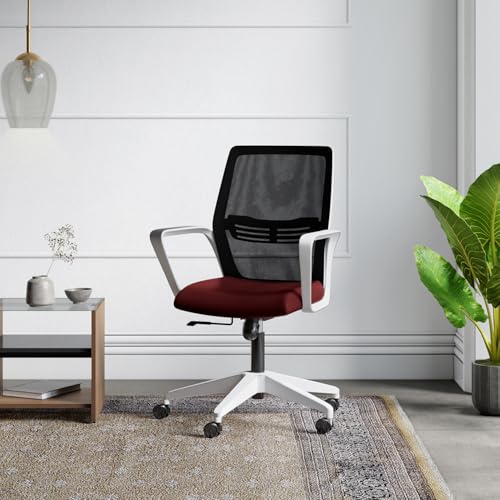
5. Mid-Back Office Chair
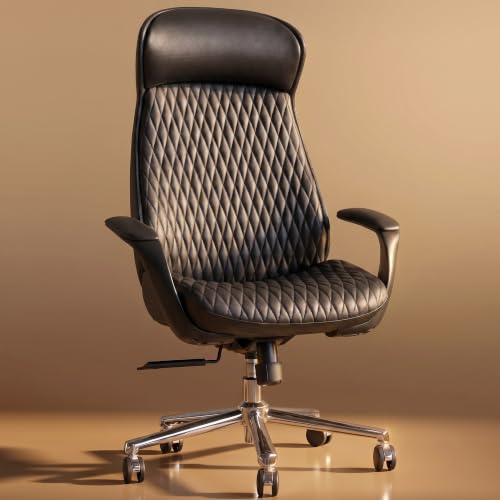
Mid-back chairs offer a balance between support and compactness.
They generally provide support around the middle and upper back without extending as high as a high-back chair.
They’re often a good fit for:
- Smaller rooms
- Compact desks
- Everyday computer work
- Study spaces
🏆 Best For
Users who want a practical everyday chair without a large footprint.
What We Like
- Compact
- Easier to fit into smaller rooms
- Usually lighter-looking
- Works well with smaller desks
What to Watch
You may get less upper-back and neck support compared with a high-back design.

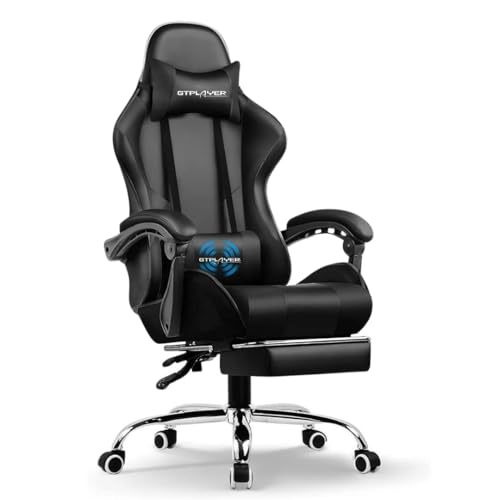
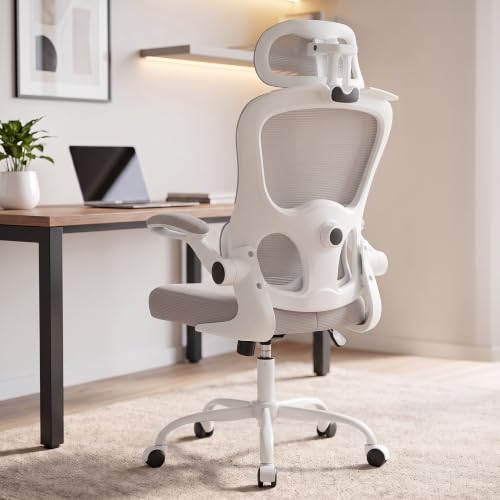
6. Office Chair With Headrest
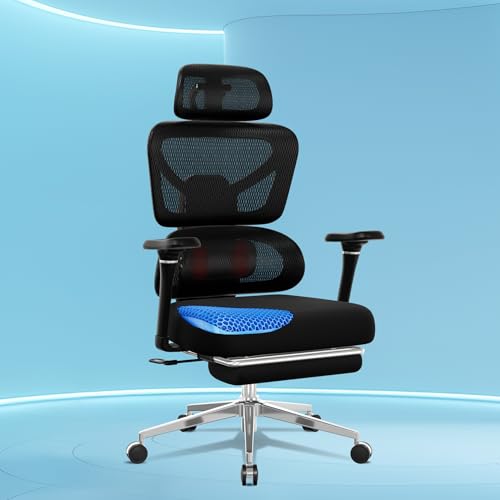
A headrest can be useful if you regularly recline your chair.
It gives your head and neck a place to rest when you move away from an upright working position.
However, a headrest isn’t automatically necessary for everyone.
If you primarily sit upright while typing, you may find that a well-designed backrest and appropriate monitor height matter more.
🏆 Best For
Users who like to recline, read or take breaks in their chair.
What We Like
- Additional neck support
- Useful when reclining
- Can make the chair feel more substantial
What to Watch
A poorly positioned headrest can feel awkward rather than helpful.
Adjustability is a useful feature.
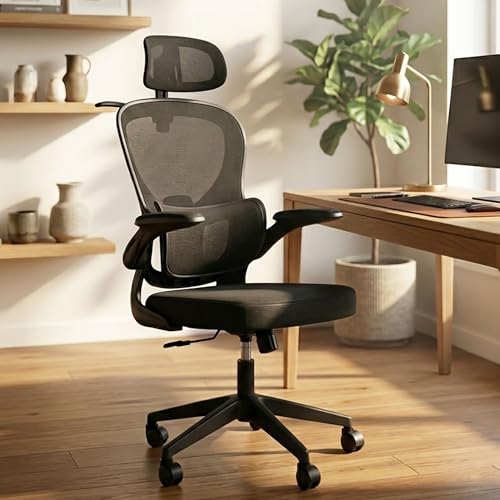
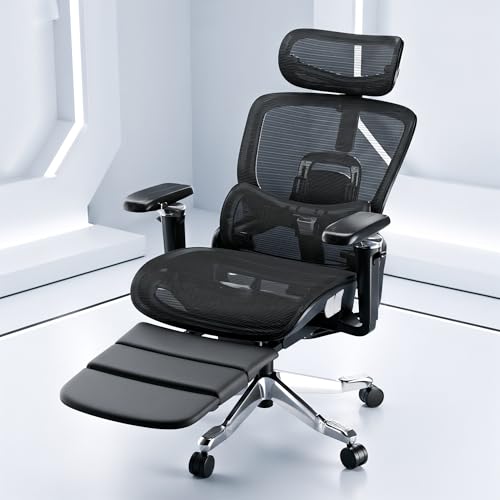
7. Office Chair With Lumbar Support
Lumbar support is designed to support the lower portion of your back.
Some chairs use:
- Fixed lumbar padding
- Adjustable lumbar support
- Flexible lumbar panels
- Built-in contours
Adjustability is particularly useful because everyone’s body shape is different.
🏆 Best For
People who prioritize lower-back support during desk work.
What We Like
- Can improve sitting comfort
- Available in many chair styles
- Adjustable versions offer more flexibility
What to Watch
Don’t assume that a large cushion automatically means better support.
The position and shape of the lumbar support matter.
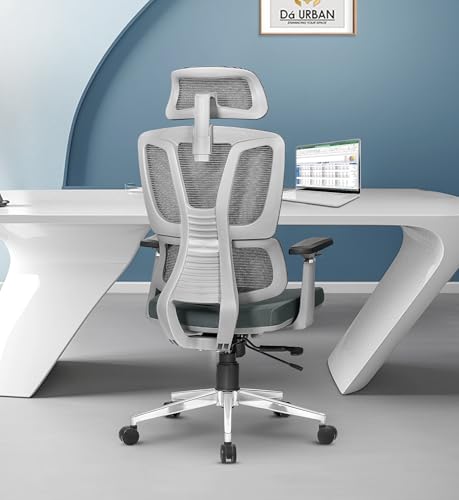

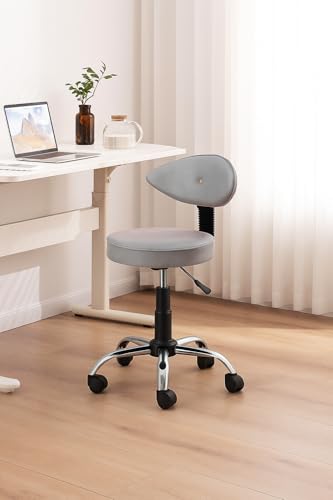
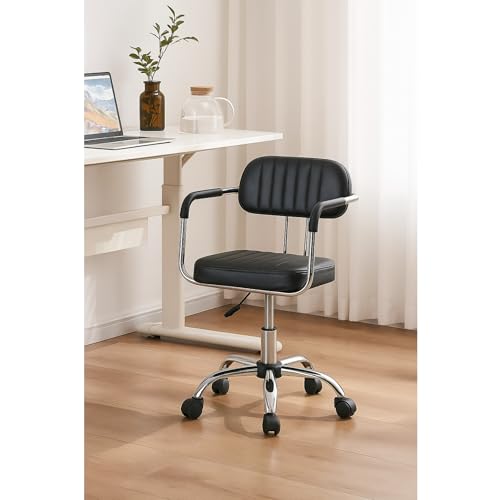
8. Compact Office Chair
If you’re setting up a workspace in a small bedroom, a huge executive chair might simply be overkill.
Compact office chairs are designed to occupy less visual and physical space.
Look for:
- Smaller footprint
- Slim armrests
- Medium-height backrest
- Suitable seat width
- Lightweight construction
🏆 Best For
Small bedrooms, apartments and compact home offices.
What We Like
- Space-saving
- Easier to move
- Works well with compact study tables
- Less visually bulky
What to Watch
Don’t sacrifice necessary seat width just to save a few centimetres.
You still need enough room to sit comfortably.
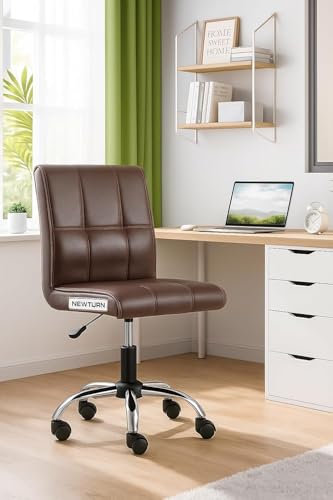
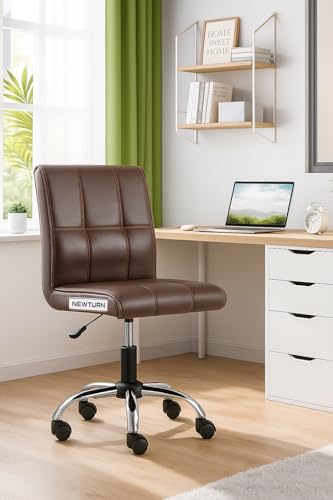
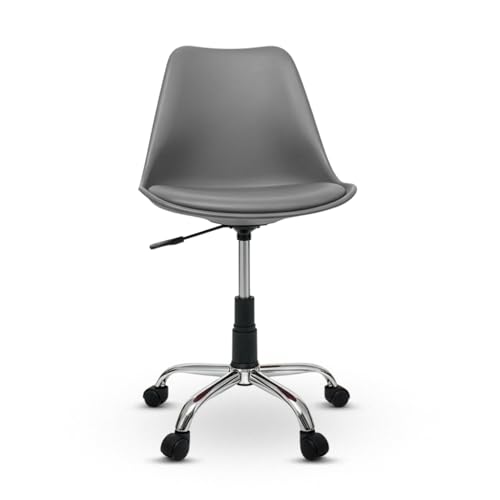
9. Work-From-Home Office Chair
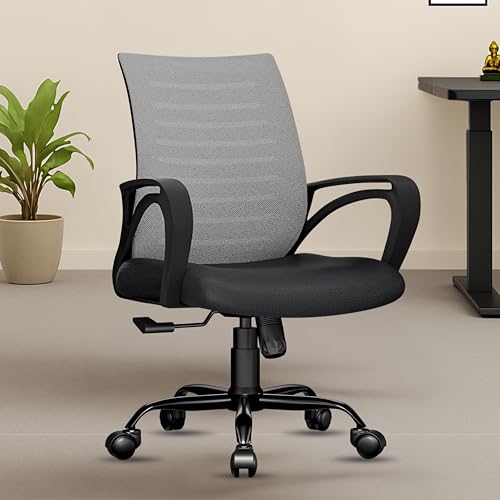
Working from home often means your office is also your bedroom, living room or study corner.
A good work-from-home chair should balance:
Comfort + adjustability + size + appearance
You may not need an enormous executive chair.
A practical ergonomic or mesh model can often work better, especially if your workspace doubles as another part of the home.
🏆 Best For
Remote workers and home-office setups.
What We Like
- Designed for regular desk use
- Many compact options available
- Works with laptop or monitor setups
What to Watch
Make sure the chair fits your desk height and available floor space.

10. Study Chair
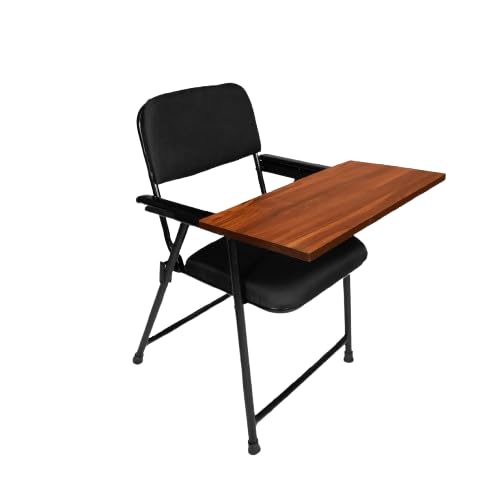
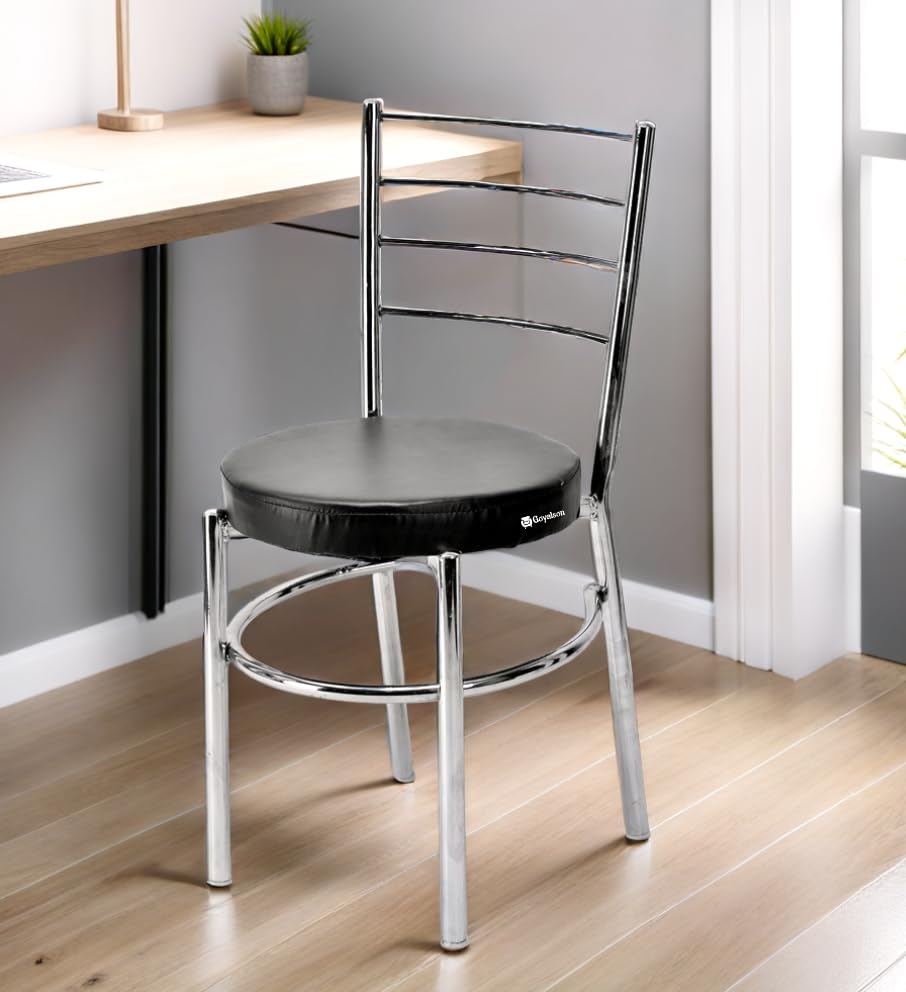
A study chair is generally designed for students and everyday desk use.
It doesn’t necessarily need all the adjustments found on a premium ergonomic chair.
A good study chair should provide:
- Comfortable seat
- Appropriate height
- Stable base
- Supportive backrest
- Easy movement
For students, pairing the chair with a correctly sized study table is just as important as choosing the chair itself.
🏆 Best For
Students and casual desk users.
What We Like
- Practical
- Often compact
- Suitable for study spaces
- Available across different price ranges
What to Watch
Don’t choose based purely on appearance. A chair that looks stylish but becomes uncomfortable after 30 minutes isn’t much of a bargain.


📊 Office Chairs at a Glance
| Office Chair Type | Best For | Main Advantage | Space Requirement |
|---|---|---|---|
| Ergonomic | Long work sessions | Adjustability | Medium |
| Mesh | Warm rooms | Breathability | Medium |
| Executive | Premium setups | Cushioning | High |
| High-Back | Extended sitting | Back support | Medium–High |
| Mid-Back | Everyday use | Compact design | Medium |
| With Headrest | Reclining | Neck support | Medium |
| Lumbar Support | Desk work | Lower-back support | Medium |
| Compact | Small rooms | Space-saving | Low |
| WFH Chair | Remote work | Balanced design | Medium |
| Study Chair | Students | Practicality | Low–Medium |
🪑 What Makes a Good Office Chair?
Before choosing between different office chairs, think about how you’ll actually use yours.
A good chair should work with your:
- Height
- Desk
- Workspace
- Sitting habits
- Working hours
- Available room
For example, someone who works eight hours a day may benefit from an adjustable ergonomic chair.
Someone who studies for one or two hours may prefer a simpler and more compact design.
And someone living in a tiny bedroom might reasonably care more about the chair’s footprint than whether it has seventeen adjustment settings.
📏 1. Check the Seat Height
Seat height is one of the most important specifications.
Your chair should allow you to sit comfortably with your feet supported and your arms able to reach the desk without excessive shoulder elevation.
An adjustable seat makes it easier to match the chair with your desk.
This is particularly important if your desk has a fixed height.
🪑 2. Look at Seat Width and Depth
Don’t only check whether the chair “looks comfortable.”
Check the actual measurements.
A seat that’s too narrow can feel restrictive.
A seat that’s too deep may prevent shorter users from sitting comfortably against the backrest.
Look for dimensions that suit your body rather than choosing the largest chair available.
🧘 3. Consider the Backrest
The backrest should provide appropriate support while allowing you to sit naturally.
Depending on your preference, you may want:
- Mid-back
- High-back
- Contoured backrest
- Mesh back
- Adjustable backrest
A taller backrest isn’t automatically better.
The important thing is whether it supports you comfortably.
🔧 4. Prioritize Useful Adjustments
When comparing office chairs, prioritize adjustments you’ll actually use.
Useful features can include:
- Seat height adjustment
- Recline adjustment
- Tilt tension
- Armrest adjustment
- Lumbar adjustment
- Seat-depth adjustment
More adjustments aren’t automatically better.
If you never use half of them, you’re simply paying for extra mechanisms.
🌬️ 5. Consider Breathability
If you live somewhere warm, a breathable chair can be more comfortable during long sessions.
Mesh backrests allow more airflow than heavily padded upholstery.
A padded seat can still be comfortable while the mesh back helps reduce heat buildup around your back.
⚖️ 6. Check the Weight Capacity
Always check the manufacturer’s recommended weight capacity.
Don’t assume that a larger chair automatically has a higher capacity.
The base, cylinder, frame and casters all contribute to the chair’s overall support.
🛞 7. Don’t Ignore the Base and Wheels
The base should feel stable and the casters should move smoothly on your floor type.
Consider whether you’ll be using the chair on:
- Tile
- Wood
- Laminate
- Carpet
Some chairs may benefit from a suitable floor mat, especially on smooth flooring.
A chair that rolls beautifully can be convenientbut you don’t want it taking off across the room every time you reach for something. 😄
What should you check before buying one? 🪑💻
A chair can look incredibly comfortable in a product photo and still leave you wondering why you ever trusted that photograph after an hour of sitting. So let’s break down the specifications that deserve your attention.
🧘 1. Lumbar Support
Lumbar support is one of the first things to check when comparing office chairs.
The lumbar region is the lower part of your back, and a chair with appropriate support can help maintain a more comfortable seated position.
You may find:
- Fixed lumbar padding
- Adjustable lumbar support
- Flexible lumbar panels
- Contoured backrests
Adjustable vs Fixed
An adjustable lumbar system gives you more control over where the support sits.
That’s useful because people have different body proportions.
🏆 What to Look For
The support should feel comfortable rather than aggressively pushing into your back.
More padding doesn’t automatically mean better support.
💺 2. Seat Cushioning
The seat is where you’ll spend most of your time, so don’t ignore it.
Office chairs may use:
- Foam cushioning
- High-density foam
- Fabric upholstery
- Mesh seating
- Padded synthetic upholstery
A very soft seat may feel luxurious initially but may not provide the support you want over longer periods.
A very firm seat can also become uncomfortable.
The sweet spot?
Look for adequate cushioning with supportive construction.
And whenever possible, check the actual seat dimensions rather than judging comfort from photographs.
📏 3. Seat Height Adjustment
Adjustable seat height is one of the most useful features an office chair can have.
It allows you to position yourself appropriately relative to your desk.
Ideally, you should be able to sit with your feet comfortably supported while keeping your arms in a relaxed position when using your keyboard.
A chair that is too high or too low can make your entire workstation feel awkward.
🏆 Priority
Very High
If you’re buying a chair for daily work, height adjustment is worth prioritizing.
↔️ 4. Seat Depth
Seat depth is often overlooked.
A seat that’s too deep can make it difficult for shorter users to sit comfortably against the backrest.
A seat that’s too shallow may not provide enough thigh support.
If you’re particularly short or tall, pay closer attention to the chair’s seat-depth measurement.
Some ergonomic office chairs offer adjustable seat depth, which gives you more flexibility.
🏆 Best For
Users who have difficulty finding comfortable fixed-size chairs.
💪 5. Armrests
Armrests can provide support for your arms while you’re working.
Depending on the model, they may be:
- Fixed
- Height adjustable
- Width adjustable
- Depth adjustable
- Pivoting
- Fully adjustable
You don’t necessarily need the most advanced armrests.
But if you work for several hours a day, adjustable armrests can make it easier to find a comfortable position.
💡 Quick Tip
Your armrests shouldn’t force your shoulders upward.
If your shoulders are constantly raised because the armrests are too high, the feature isn’t doing you any favours.
🧠 6. Headrest
A headrest is useful mainly when you recline or want additional neck support.
It isn’t essential for everyone.
If you spend most of your time sitting upright and typing, your priority should generally be:
Seat → Backrest → Lumbar Support → Desk Height
before worrying about a headrest.
🏆 Consider a Headrest If:
- You recline regularly
- You take breaks in your chair
- You prefer additional neck support
- You use the chair for reading or watching content
🔄 7. Recline and Tilt
A reclining backrest allows you to change your position during the day.
Some office chairs let you:
- Lock the backrest upright
- Recline partially
- Recline deeply
- Adjust tilt tension
This can be useful because remaining in exactly the same position for hours isn’t particularly comfortable.
A chair that allows some movement can make the workstation feel more flexible.
🏆 Best For
People who spend long periods at their desk.
⚙️ 8. Tilt Tension
Some chairs allow you to adjust how easily the backrest reclines.
If the tension is too loose, you may feel like you’re constantly leaning backward.
If it’s too tight, reclining can require unnecessary effort.
A tension adjustment allows you to find a balance that suits your weight and preference.
💡 What to Check
Don’t just look for the words “tilt function.”
Check whether the chair allows meaningful control over the tilt.
🌬️ 9. Breathability
If you’re shopping for an office chair in a warm environment, breathability deserves serious attention.
A mesh backrest can allow air to circulate around your back.
This can feel more comfortable than thick upholstery during extended use.
Mesh Advantages
- Better airflow
- Lightweight appearance
- Modern design
- Often easier to maintain
Upholstered Chair Advantages
- Softer feel
- More cushioning
- Traditional appearance
- Can feel warmer and more substantial
There’s no universal winner.
Your room temperature and personal preference matter.
🧵 10. Upholstery Material
Office chairs commonly use:
Mesh
Breathable and lightweight.
Fabric
Soft and relatively comfortable.
Faux Leather
Easy to wipe and gives a more executive appearance.
Genuine Leather
Premium feel but generally more expensive and requires appropriate care.
Synthetic Upholstery
Can offer a balance between appearance, price and easy cleaning.
When choosing material, consider how much you actually use the chair.
A chair used eight hours a day has very different requirements from one used occasionally.
🛞 11. Wheels and Casters
The casters affect how easily your chair moves.
Look for a stable five-point base and wheels appropriate for your floor.
Hard Flooring
Tile, wood and laminate may work well with standard casters, although a floor mat can help protect the surface.
Carpet
Some chairs may roll differently on carpet, so consider caster design and wheel size.
💡 Important
Smooth movement is useful, but the chair shouldn’t feel unstable when you move.
🧱 12. Base and Frame Construction
The base carries the weight of the chair and user, so construction matters.
Common materials include:
- Metal
- Reinforced plastic
- Aluminium
- Steel
The exact material isn’t the only factor.
Look at the overall construction, weight capacity and manufacturer’s specifications.
A well-built chair should feel stable when you sit down, recline and move.
⚖️ 13. Weight Capacity
Always check the manufacturer’s stated weight capacity.
Consider the chair’s:
- Base
- Gas lift
- Frame
- Seat
- Casters
If you’re buying online, don’t skip this specification.
And don’t assume:
Bigger chair = higher weight capacity.
Check the actual number.
🖥️ 14. Match the Chair to Your Desk
Here’s a mistake people make all the time:
They buy a chair first and only later realize that it doesn’t work well with their desk.
Your chair and desk should function as one system.
Check:
- Desk height
- Chair height range
- Armrest clearance
- Legroom
- Keyboard position
For example, if the chair’s armrests can’t fit underneath your desk, you may not be able to sit close enough to the workstation.
Measure before buying.
💻 15. Office Chair for Work From Home
A work-from-home chair usually needs to balance comfort with the realities of a residential space.
You may not have a huge office.
Your workspace could be:
- Bedroom corner
- Living room
- Study room
- Dining area
- Compact home office
For daily WFH use, prioritize:
Adjustability
Lumbar support
Seat comfort
Breathability
Stable base
Appropriate size
You don’t necessarily need an executive chair.
A well-designed ergonomic or mesh chair may be a better fit for a smaller home workspace.
🎓 16. Office Chair for Students
Students often don’t need every premium adjustment.
Instead, focus on:
- Comfortable seat
- Appropriate height
- Supportive backrest
- Stable base
- Suitable dimensions
If the chair is going to be used for several hours every day, don’t treat comfort as optional.
A basic but properly sized chair can be more useful than a feature-packed chair that doesn’t fit the desk.
🏠 17. Office Chair for Small Rooms
Space matters.
A large executive chair can dominate a small bedroom.
If your workspace is compact, consider:
- Mid-back design
- Slim armrests
- Compact base
- Moderate seat width
- Lightweight frame
Also measure the chair’s overall width, not just the seat.
You need enough room to pull it away from the desk.
🧼 18. Ease of Cleaning
Office chairs collect dust, hair, crumbs and general desk-life debris.
Mesh and hard surfaces can often be relatively easy to maintain.
Fabric may require more attention if spills occur.
Faux leather can be convenient to wipe clean, but care instructions still matter.
Before Buying
Check the manufacturer’s recommended cleaning method.
Avoid assuming every material can be cleaned with the same household product.
🔧 19. Assembly
Many office chairs arrive partially or completely disassembled.
Before buying, check:
- Assembly requirements
- Included tools
- Number of components
- Availability of instructions
- Whether replacement hardware is available
If you’re not comfortable assembling furniture, consider whether you can get assistance.
A chair with ten adjustment functions isn’t much fun if you’ve spent two hours trying to figure out which screw belongs where. 😂
🛡️ 20. Warranty
A warranty can be particularly useful for chairs with moving components.
Look at what’s covered:
- Frame
- Gas lift
- Wheels
- Mechanisms
- Upholstery
- Armrests
Also check the warranty duration and any exclusions.
A longer warranty isn’t automatically proof of better quality, but it can provide additional peace of mind.
📊 Office Chair Buying Checklist
| Feature | Importance | Why It Matters |
|---|---|---|
| Seat Height | ⭐⭐⭐⭐⭐ | Matches chair to desk |
| Lumbar Support | ⭐⭐⭐⭐⭐ | Supports lower back |
| Seat Comfort | ⭐⭐⭐⭐⭐ | Important for long sessions |
| Backrest | ⭐⭐⭐⭐⭐ | Provides back support |
| Stability | ⭐⭐⭐⭐⭐ | Safe, steady movement |
| Armrests | ⭐⭐⭐⭐ | Supports arms |
| Recline | ⭐⭐⭐⭐ | Allows position changes |
| Breathability | ⭐⭐⭐⭐ | Useful in warm rooms |
| Seat Depth | ⭐⭐⭐⭐ | Important for body fit |
| Headrest | ⭐⭐⭐ | Useful when reclining |
| Cable Management | ⭐ | Not relevant to chair |
| Wheel Quality | ⭐⭐⭐⭐ | Smooth movement |
| Weight Capacity | ⭐⭐⭐⭐⭐ | Important for safety |
| Warranty | ⭐⭐⭐⭐ | Long-term protection |
🚨 Common Office Chair Buying Mistakes
❌ Choosing Based Only on Appearance
A chair can look luxurious and still be uncomfortable.
❌ Ignoring Dimensions
Always compare seat width, depth, height and overall chair size.
❌ Assuming More Features = Better
You don’t need every adjustment available.
❌ Forgetting Desk Compatibility
The best chair won’t work well if it doesn’t fit your desk.
❌ Ignoring Breathability
Especially relevant in warm rooms.
❌ Buying Without Checking Weight Capacity
Always verify the manufacturer’s specification.
❌ Ignoring Customer Reviews
Look for repeated complaints about:
- Wobbling
- Weak wheels
- Poor cushioning
- Difficult assembly
- Noisy mechanisms
- Uncomfortable lumbar support
❌ Buying the Largest Chair Available
Bigger isn’t automatically better.
Your body and workspace determine the appropriate size.
🧠 The Simple Rule for Choosing Office Chairs
If you don’t want to get lost in dozens of specifications, start with these five:
1. Comfort
Can you sit in it comfortably?
2. Adjustability
Can you match it to your desk and body?
3. Support
Does the backrest provide appropriate support?
4. Stability
Does the chair feel secure when sitting and moving?
5. Size
Does it actually fit your workspace?
Get those right first.
Then worry about the headrest, fancy upholstery and other extras.
📊 Office Chairs: Detailed Comparison
| Chair Type | Comfort | Adjustability | Breathability | Space Needed | Best For |
|---|---|---|---|---|---|
| Ergonomic | ⭐⭐⭐⭐⭐ | ⭐⭐⭐⭐⭐ | ⭐⭐⭐⭐ | Medium | Long work sessions |
| Mesh | ⭐⭐⭐⭐ | ⭐⭐⭐⭐ | ⭐⭐⭐⭐⭐ | Medium | Warm rooms |
| Executive | ⭐⭐⭐⭐⭐ | ⭐⭐⭐ | ⭐⭐ | High | Premium offices |
| High-Back | ⭐⭐⭐⭐⭐ | ⭐⭐⭐⭐ | ⭐⭐⭐ | Medium–High | Extended sitting |
| Mid-Back | ⭐⭐⭐⭐ | ⭐⭐⭐ | ⭐⭐⭐⭐ | Medium | Everyday use |
| Headrest Chair | ⭐⭐⭐⭐ | ⭐⭐⭐⭐ | ⭐⭐⭐ | Medium | Reclining |
| Lumbar Support | ⭐⭐⭐⭐⭐ | ⭐⭐⭐⭐ | ⭐⭐⭐⭐ | Medium | Desk work |
| Compact | ⭐⭐⭐⭐ | ⭐⭐⭐ | ⭐⭐⭐⭐ | Low | Small rooms |
| WFH Chair | ⭐⭐⭐⭐ | ⭐⭐⭐⭐ | ⭐⭐⭐⭐ | Medium | Remote work |
| Study Chair | ⭐⭐⭐⭐ | ⭐⭐⭐ | ⭐⭐⭐⭐ | Low–Medium | Students |
Quick takeaway: Ergonomic chairs are generally the most versatile for extended desk use, while mesh chairs are particularly attractive in warm environments. Compact chairs make more sense when floor space is limited.
⚖️ Office Chair Pros & Cons
| Type | What We Like | What We Don’t Like |
|---|---|---|
| Ergonomic | Highly adjustable, versatile | Can be expensive |
| Mesh | Breathable, lightweight | Mesh quality varies |
| Executive | Comfortable, premium appearance | Bulky |
| High-Back | Extensive back support | Requires more space |
| Mid-Back | Compact, practical | Less upper-back support |
| Headrest | Useful when reclining | Not necessary for everyone |
| Lumbar Support | Lower-back support | Fixed designs may not suit everyone |
| Compact | Space-saving | Smaller workspace footprint |
| WFH | Balanced for home use | Quality varies widely |
| Study Chair | Simple and practical | Fewer premium adjustments |
🏆 Which Office Chair Is Best for You?
Let’s make the decision a little easier.
💼 Best for Long Work Hours: Ergonomic Office Chair
If you’re sitting at your desk for several hours every day, an ergonomic chair is usually the most sensible category to explore.
Prioritize:
- Adjustable seat height
- Lumbar support
- Comfortable seat
- Adjustable armrests
- Recline function
- Stable base
Verdict
Best overall choice for extended desk work.
🌬️ Best for Warm Rooms: Mesh Office Chair
If your room gets warm or you dislike sitting against heavily padded upholstery, a mesh-back chair can be a great option.
The breathable backrest allows air to circulate.
Verdict
Excellent choice for warm environments and long sitting sessions.
🏠 Best for Work From Home: Ergonomic or Mesh Chair
For a home office, you don’t necessarily need a massive executive chair.
An ergonomic or mesh design can provide the right combination of:
- Comfort
- Adjustability
- Breathability
- Reasonable footprint
Verdict
Choose based on your room and working hours.
🏡 Best for Small Rooms: Compact Office Chair
If your study table is tucked into a bedroom corner, choose a chair that doesn’t dominate the room.
A compact mid-back chair can provide sufficient comfort while keeping the workspace visually lighter.
Verdict
Best for space-conscious setups.
🎓 Best for Students: Study or Compact Office Chair
Students don’t necessarily need a premium ergonomic chair with every possible adjustment.
If study sessions are relatively short, a comfortable, appropriately sized chair can be sufficient.
For long study sessions, however, investing in better adjustability and support becomes more worthwhile.
Verdict
Simple chair for occasional study; ergonomic chair for long sessions.
👑 Best for a Premium Home Office: Executive Office Chair
If you have a spacious home office and prefer a substantial, traditional appearance, an executive chair can be appealing.
These chairs often offer:
- Wide seats
- Thick cushioning
- High backs
- Reclining mechanisms
- Premium-looking upholstery
But don’t buy one simply because it looks expensive.
Verdict
Best when appearance, cushioning and a spacious setup matter.
🧘 Best for Reclining: High-Back Chair With Headrest
If you like to lean back while reading, watching videos or taking breaks, a high-back chair with a suitable headrest can be useful.
Look for an adjustable headrest and a reliable reclining mechanism.
Verdict
Best for users who regularly change positions.
🛒 What Should You Prioritize When Buying?
If you’re comparing several office chairs, use this order:
🥇 1. Fit
The chair should suit your body dimensions.
🥈 2. Seat Height
It needs to work with your desk.
🥉 3. Back Support
Look at the shape and lumbar support.
4. Seat Comfort
Check dimensions and cushioning.
5. Adjustability
Prioritize adjustments you’ll actually use.
6. Stability
Check the base, casters and frame.
7. Breathability
Especially important in warm environments.
8. Materials
Consider durability and maintenance.
9. Weight Capacity
Verify the manufacturer’s specification.
10. Warranty
Check coverage before buying.
🚨 Office Chair Buying Mistakes to Avoid
1. Buying the Cheapest Chair
Price matters, but extremely low-cost chairs may compromise on construction, cushioning or mechanisms.
2. Buying the Most Expensive Chair
Premium pricing doesn’t guarantee that the chair fits your body or workspace.
3. Ignoring Measurements
Always check seat width, depth, height range and overall dimensions.
4. Choosing a Chair That Is Too Large
A massive chair can make a compact bedroom feel even smaller.
5. Focusing on the Headrest
A headrest is useful, but it’s not more important than seat height or back support.
6. Ignoring Your Desk
The chair and desk should be considered as one setup.
7. Not Checking the Weight Capacity
Always verify the manufacturer’s stated capacity.
8. Ignoring Reviews
Repeated complaints about broken wheels, weak gas lifts or uncomfortable seats shouldn’t be ignored.
🧪 Our Research Methodology
For this Office Chairs guide, we focused on the factors that influence practical everyday use rather than selecting chairs based purely on appearance or feature count.
We evaluated chair categories based on:
- Seat height adjustment
- Seat dimensions
- Lumbar support
- Backrest design
- Armrest adjustability
- Headrest availability
- Reclining mechanism
- Seat cushioning
- Breathability
- Materials
- Base construction
- Casters
- Weight capacity
- Workspace requirements
- Maintenance
- Intended usage
We also considered different users, including work-from-home professionals, students, long-hour computer users and people working in compact rooms.
The goal is to help you understand which type of office chair makes sense for a particular situation rather than suggesting that one chair category is universally perfect.
🏆 Final Verdict
So, what are the best office chairs?
There’s no single winner, but here’s the simplest breakdown:
🥇 Best Overall: Ergonomic Office Chair
Choose this if you want adjustability and plan to spend long periods at your desk.
🌬️ Best for Warm Weather: Mesh Office Chair
Great if breathability is one of your priorities.
💼 Best for Work From Home: Ergonomic or Mesh
Both can work well depending on your space, climate and working hours.
🏠 Best for Small Spaces: Compact Office Chair
Choose a smaller footprint without sacrificing essential comfort.
🎓 Best for Students: Study or Compact Chair
A practical choice for everyday studying, especially when paired with the right study table.
👑 Best for a Spacious Premium Setup: Executive Chair
Ideal if you prefer generous cushioning and a substantial appearance.
⭐ Our Final Advice
When choosing office chairs, don’t get distracted by a long list of features.
Start with the fundamentals:
Does it fit you?
Does it fit your desk?
Can you adjust it appropriately?
Does it provide comfortable support?
Does it fit your room?
Is it built well enough for your usage?
If the answer to those questions is yes, you’re already on the right track.
And remember: a ₹20,000 chair isn’t automatically better for you than a ₹7,000 chair.
If the cheaper chair fits your body, desk and routine better, that’s the better chair.
Furniture isn’t a competition. Your back doesn’t care about the price tag. 😄
❓ Frequently Asked Questions
What is the best office chair for long hours?
An adjustable ergonomic office chair is generally a good category to consider for extended desk work. Look for appropriate seat height, lumbar support, comfortable cushioning and adjustable armrests.
Is a mesh office chair better than a cushioned chair?
Neither is universally better. Mesh generally provides better airflow, while cushioned upholstery can provide a softer, more traditional feel.
Do I need an office chair with a headrest?
Not necessarily. A headrest can be useful when reclining, but it isn’t essential for everyone. Seat height, back support and overall fit are generally more important.
Is lumbar support important?
It can be an important feature, particularly for people who spend extended periods sitting at a desk. Adjustable lumbar support can offer greater flexibility.
What should I look for in a work-from-home office chair?
Prioritize comfortable seating, appropriate dimensions, lumbar support, adjustability, stability and breathability. Also make sure the chair works with your existing desk.
Are executive office chairs good for long hours?
They can be comfortable, but size and construction vary considerably. Don’t assume an executive design is automatically more ergonomic than an ergonomic office chair.
What is the best office chair for a small bedroom?
A compact mid-back or smaller ergonomic office chair can work well. Check the overall width and base dimensions before buying.
How high should an office chair be?
The appropriate height depends on your body and desk. Ideally, your feet should be comfortably supported while your arms can reach the desk without forcing your shoulders upward.
Is a more expensive office chair better?
Not necessarily. Build quality, fit, adjustability and comfort matter more than price alone.
How do I maintain an office chair?
Follow the manufacturer’s cleaning instructions, keep the wheels and base free from debris, check screws and mechanisms periodically and avoid exceeding the recommended weight capacity.






















[…] Read | Office Chairs: 10 Smart Picks for Comfortable Work | Gaming Chairs: Elevate Your […]