
A sudden power cut can interrupt your video calls, online classes, movie streaming, gaming sessions and work-from-home routine. Even if your broadband connection is working perfectly, your Wi-Fi router may switch off as soon as the electricity supply stops.
A practical solution is a mini UPS for your Wi-Fi router. This compact backup device supplies power to compatible networking equipment during an outage, helping you avoid unnecessary router restarts.
Unlike a conventional computer UPS, a dedicated router UPS is designed for low-power devices such as compatible Wi-Fi routers, broadband modems and optical network terminals (ONTs).
In this guide, we explore seven UPS options worth considering for Indian homes, including compact mini UPS models from Oakter, Portronics, Resonate, Artis, V-Guard and other brands. We will also explain voltage compatibility, estimated backup requirements, installation and common buying mistakes.
Important: Product specifications, prices, warranties and availability may change. The backup times mentioned below are manufacturer or listing claims, not independent test results. Always verify the exact model specifications before ordering.
Quick Comparison: Best UPS for Wi-Fi Routers
| Product | Best For | Indicative Price |
|---|---|---|
| Oakter Mini UPS Basic | Basic router backup | ₹800–₹1,000 |
| Portronics Power Plus II | Higher-current 12V devices | ₹850–₹1,200 |
| Resonate RouterUPS | Dedicated router backup | ₹1,000–₹1,500 |
| Artis AR-MINIDC-2 | Multi-voltage compatibility, subject to model specifications | ₹1,200–₹1,700 |
| V-Guard Envibe 12D4 | Brand-focused buyers | ₹1,500–₹2,000 |
| Cuzor Mini UPS 12V 2A | Replaceable-battery design | ₹1,000–₹1,500 |
| FEDUS Mini UPS 12V 2A | Buyers seeking a longer warranty | ₹900–₹1,200 |
Prices are indicative shopping ranges, not guaranteed live offers. Check the exact model, current seller listing and included accessories before purchasing.
1. Oakter Mini UPS Basic for Wi-Fi Router
Best for: Users who need straightforward backup for a compatible 12V router.
Oakter Mini UPS Basic is a compact option for households that want their router to continue receiving power when the mains supply fails. Its small form factor makes it convenient for a desk, TV unit or home-office setup.
It is designed for compatible 12V networking equipment, so it is important to check the router’s voltage and current requirements before buying.
Key features to check
- 12V DC output compatibility.
- Automatic transition to battery power.
- Compact design for everyday home use.
- Battery and circuit protection features specified for the selected model.
Pros
- Simple setup for compatible devices.
- Compact and convenient.
- Suitable for buyers who do not need a full-sized computer UPS.
Cons
- The Basic model is not suitable for every router voltage.
- Backup time depends on the connected device’s power consumption and battery condition.
- It may not power a separate fibre ONT at the same time unless the setup supports it.
Who should buy it?
Consider this model if you have one compatible router and want a dedicated backup device without investing in a larger UPS.
Buy Now on Amazon India | Flipkart
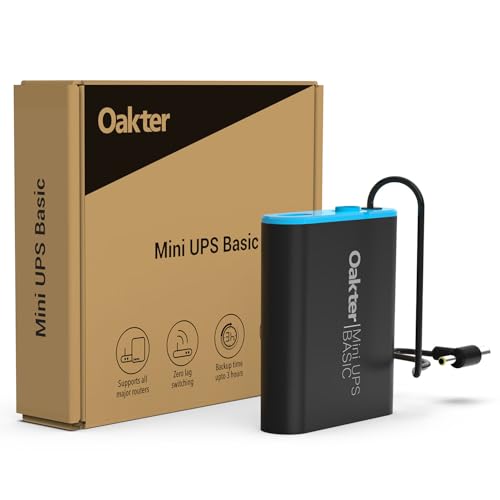
- Oakter Mini UPS Basic: Uninterrupted Power for Your WiFi Router!: Stay connected, always! Get up to 3 hours of power bac…
- Smart UPS Technology: Mini UPS Basic (Product RNo.: 84007030, Battery RNo. : 81022748)features an intelligent battery ma…
- Seamless Streaming & Long-Lasting Power Backup: Zero lag and interference ensure a comfortable streaming experience. Get…
2. Portronics Power Plus II Mini UPS
Best for: Compatible 12V routers and modems with higher current requirements.
The Portronics Power Plus II is a compact mini UPS designed for networking equipment. It is worth considering if your router requires a higher current rating than some entry-level backup units support.
The product is advertised for compatible 12V devices, with automatic power switching and current-surge protection. Verify the exact model number and output rating on the seller’s listing before purchase.
Key features
- 12V output, with the advertised model supporting up to 3A.
- Automatic switching to battery backup.
- Compact construction.
- Intended for compatible Wi-Fi routers and broadband modems.
Pros
- Higher rated output current than some basic 12V/2A models.
- Convenient for home-office networking equipment.
- Dedicated router-backup format.
Cons
- The maximum supported current does not guarantee a particular backup duration.
- It will not automatically suit routers requiring a different voltage.
- It may not power both a router and ONT unless the device and total load support that arrangement.
Who should buy it?
This is an option for users whose router label specifies 12V and a current requirement within the UPS’s supported rating.
Buy Now on Amazon India | Flipkart
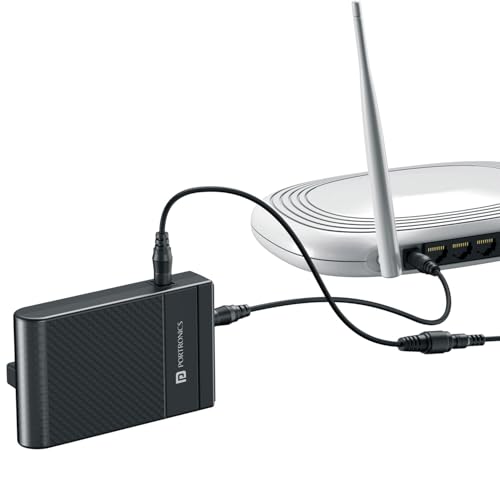
- Uninterrupted Internet During Power Cuts – Keep your 12V DC Wi-Fi routers powered even when electricity goes off, ensuri…
- Quick & Easy Plug-and-Play Installation – With its simple design, you can set up the Power Plus II in just a few minutes…
- Specially Designed for 12V DC Devices – Engineered to deliver safe and efficient power supply for 12V DC routers and oth…
3. Resonate RouterUPS
Best for: Users looking for a dedicated router-backup device.
Resonate RouterUPS is a purpose-built mini UPS intended to keep compatible routers running during power interruptions. It is an option for people who want a small backup device rather than a conventional computer UPS.
The product family includes different versions, so check the exact model’s output voltage, maximum current, connector and battery specifications before ordering.
Key features to verify
- Output voltage and current for your router.
- Automatic power switchover.
- Battery capacity and stated backup duration.
- Warranty and available battery replacement support.
Pros
- Designed specifically for networking equipment.
- Compact setup.
- Useful for maintaining router power through short outages.
Cons
- Specifications may differ across RouterUPS versions.
- A router and separate fibre modem may need separate compatible outputs.
- Actual backup duration varies with load and battery condition.
Who should buy it?
Consider Resonate if you want a dedicated router UPS and can confirm that the selected version matches your equipment.
Buy Now on Amazon India | Flipkart
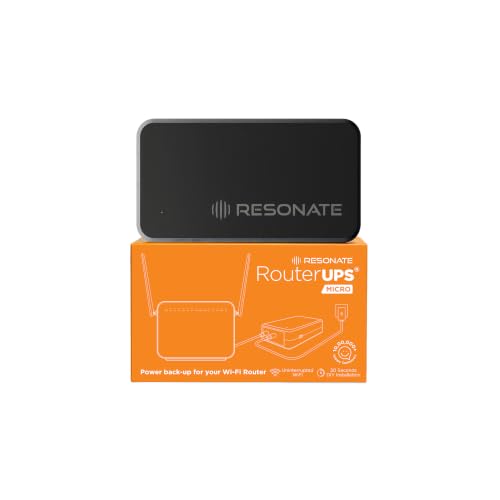
- Original RouterUPS MICRO: Invented and Manufactured by Resonate, the pioneers of Router UPS. Enjoy uninterrupted interne…
- Seamless Connectivity 24/7: Say goodbye to disconnects during power cuts. Designed for round-the-clock use, this plug-an…
- Intelligent Charging & Maximum Safety: Enjoy longer battery life with advanced intelligent charging technology. Certifie…
4. Artis AR-MINIDC-2 Mini UPS
Best for: Buyers considering a compact DC UPS with model-specific voltage options.
Artis offers mini DC UPS products for low-power electronic devices. The AR-MINIDC series is worth comparing if you need backup for networking equipment and want to check whether a particular model supports your router’s input voltage.
Do not assume that all products in the AR-MINIDC range have identical outputs. Read the specifications for the exact model you intend to buy.
Key features to check
- Supported DC output voltage.
- Current rating for each output.
- Battery capacity.
- Number and type of connectors.
- Stated backup duration under load.
Pros
- Compact form factor.
- Useful alternative to compare with other dedicated router UPS products.
- May suit specific DC-powered networking setups.
Cons
- Compatibility is model-specific.
- More output options do not necessarily mean every device can be connected simultaneously.
- Battery runtime should be checked against your expected outage duration.
Who should buy it?
Compare this option if your router or modem requires a voltage supported by the particular Artis model.
Buy Now on Amazon India | Flipkart

- Massive 8800mah battery provides upto 8 hours of backup. Battery Level indicator helps check charge/backup Level. Compat…
5. V-Guard Envibe 12D4 Router UPS
Best for: Buyers who prefer comparing an established power-backup brand.
V-Guard’s Envibe router UPS range is another option to consider for keeping compatible networking equipment powered during outages. It is particularly worth comparing if you want to review the manufacturer’s warranty and support terms alongside the technical specifications.
Before ordering, verify the output voltage, maximum current, connector type and supported devices for the exact Envibe variant.
Key features to check
- Router voltage compatibility.
- Output-current rating.
- Automatic switchover.
- Battery protection and warranty terms.
Pros
- Dedicated backup format for compatible equipment.
- Useful option for brand-conscious buyers.
- Compact enough for many home networking arrangements.
Cons
- The correct variant must match the router’s electrical requirements.
- Do not assume it can power multiple networking devices simultaneously.
- Actual runtime depends on the load and battery condition.
Who should buy it?
Consider it if the official specifications match your router and the warranty terms suit your needs.
Buy Now on Amazon India | Flipkart

- UNINTERRUPTED INTERNET CONNECTIVITY : Zero Change-Over Time Technology | 4-5 Hours of Uninterrupted Power (depending on …
- EASY & STRAIGHT-FORWARD INSTALLATION : Plug & Play Design | Colour-Coded Input & Output Jacks
- ASSURED DEVICE SAFETY : Multi-Layered Safety Features for Your 12 V Device | Over-Current Protection | Ripple-Protection…
6. Cuzor Mini UPS 12V 2A
Best for: Compatible 12V routers and buyers interested in a replaceable-battery design.
Cuzor’s 12V 2A mini UPS is designed for compatible networking equipment. Its advertised features include automatic switching and a replaceable battery design, which may be useful for buyers thinking about long-term maintenance.
The manufacturer describes backup of up to approximately five hours for typical router loads. This is a claim rather than a guarantee: a router with higher power consumption will generally use the battery faster.
Key features
- 12V output.
- Up to 2A output-current rating for the relevant model.
- Automatic switchover.
- Replaceable-battery design advertised by the brand.
Pros
- Compact, dedicated router backup.
- Replaceable battery may simplify future maintenance.
- Suitable for compatible 12V networking equipment.
Cons
- Not suitable for a device requiring a different voltage.
- The 2A limit must not be exceeded.
- Long-term battery replacement availability and cost should be confirmed.
Who should buy it?
This option is worth comparing if your router needs 12V at no more than 2A and you value battery replaceability.
Buy Now on Amazon India | Flipkart

- UNINTERRUPTED CONNECTIVITY: Cuzor Mini UPS provides up to 5 hours power backup for your WiFi router with 2x2900mAh heavy…
- VERSATILE: Cuzor Mini UPS is compatible with all 12V WiFi routers. Supports 12V0.5A, 12V1A, 12V1.5A and 12V2A router pow…
- REPLACEMENT WARRANTY: Hassle-free 1-year replacement warranty where we send you a brand new UPS. Includes free doorstep …
7. FEDUS Mini UPS 12V 2A
Best for: Buyers who want to compare compact router UPS options with a longer advertised warranty.
The FEDUS Mini UPS is marketed for compatible 12V routers and broadband equipment. Some listings advertise a 4,400mAh battery arrangement, up to around four hours of backup and a two-year warranty.
Confirm that those specifications apply to the exact product listing you are purchasing. Warranty coverage can also vary by seller and product version.
Key features
- 12V/2A output for the advertised model.
- Battery capacity stated in the listing.
- Automatic switching advertised for compatible devices.
- Warranty terms to verify before purchase.
Pros
- Compact design.
- A useful comparison for buyers prioritising warranty coverage.
- Designed for compatible networking equipment.
Cons
- Claimed runtime depends on the connected load.
- Warranty exclusions and replacement procedures matter.
- The 2A output limit may not suit every router or modem.
Who should buy it?
Consider FEDUS if the specifications match your device and the seller clearly confirms the warranty and support arrangements.
Buy Now on Amazon India | Flipkart

- ▶ZERO DISCONNECTS: lets you keep your Zoom or video calls, your kid’s online classes, video yoga or gym session, online …
- ▶NO LAG AND INTELLIGENT CHARGING: This Mini UPS does not require switching between two paths in case of power failure or…
- ▶ASSURED DEVICE SAFETY: Multi-layered safety Features for Your 12 V Device: Over-current protection, Ripple Protection, …
How to Choose the Right UPS for Your Wi-Fi Router
Buying a mini UPS is not just about selecting the cheapest product or the one advertising the longest backup time. Electrical compatibility is the first priority.
1. Check the router’s voltage
Turn your router over and inspect its rating label, or look at the original power adapter.
You may see a specification such as:
- Output: 12V DC
- Current: 1A
This means the router expects a 12V power supply and can draw up to the stated current under its rated conditions.
The UPS output voltage must match the device’s required voltage. Do not connect a 9V router to a 12V output simply because the plug fits.
2. Check the current rating
The UPS must be capable of supplying at least the current required by the connected device.
For example, if your router requires 12V/1.5A, a compatible 12V UPS rated for 2A may be suitable, provided its connector, polarity and other requirements also match.
A higher current rating is not a problem by itself when the voltage and other electrical specifications are correct; the device draws the current it needs.
3. Decide whether you need backup for the router or the router and ONT
With fibre broadband, the router and fibre ONT may be separate devices.
If both devices need power, you must ensure that both remain powered during the outage. A UPS connected only to the router may not be enough if the ONT switches off.
Check whether the selected UPS supports both devices and whether the combined power demand falls within its rated output. Alternatively, use two suitable backup units.
4. Consider how long your power cuts last
Choose your backup based on the typical duration of your outages.
| Typical requirement | What to consider |
|---|---|
| Short interruptions | Automatic switchover and suitable basic capacity |
| Around 2–4 hours | Compare battery capacity and runtime claims under load |
| Longer outages | Higher-capacity options, battery replacement and recharge time |
| Router plus ONT | Separate output support or two compatible UPS units |
Treat advertised runtime as an estimate. Your actual result may be lower depending on device power consumption, battery age and operating conditions.
5. Look for safety features
Useful features include overcharge protection, short-circuit protection, over-discharge protection and suitable thermal safeguards.
Also review the warranty, seller reputation and availability of replacement batteries where applicable.
6. Check connector size and polarity
Two devices may use the same voltage but have different barrel connectors or polarity requirements.
Verify the connector dimensions, polarity and included cables before purchasing. Never force a connector into a socket.
Mini UPS vs Regular UPS vs Home Inverter
Which type of backup should you choose?
| Feature | Mini UPS | Regular Computer UPS | Home Inverter |
|---|---|---|---|
| Best use | Compatible router or other low-power DC device | Computer and selected AC devices | Multiple household loads |
| Size | Compact | Usually larger | Larger installation |
| Power connection | DC output, model-dependent | AC sockets | Household power circuit |
| Installation | Often straightforward | Usually straightforward | May require installation |
| Runtime | Depends on battery and device load | Depends on battery and load | Depends on battery, inverter and load |
| Best for | Keeping compatible networking equipment powered | Protecting a computer and peripherals | Wider household backup needs |
If your only priority is keeping a compatible router online, a mini UPS is often the simpler solution. If you also want to back up a desktop computer, monitor or other AC equipment, a regular UPS may make more sense.
A home inverter is worth considering when you need backup for multiple household appliances, rather than just networking equipment.
How to Connect a Mini UPS to Your Wi-Fi Router
Most compatible mini UPS devices follow a simple setup process, although the exact connections vary by model.
- Check the router’s input voltage, current, connector and polarity.
- Confirm that the mini UPS supports those requirements.
- Connect the supplied power adapter to the UPS input.
- Connect the UPS output to the compatible router.
- Allow the battery to charge according to the manufacturer’s instructions.
- Test the setup by briefly disconnecting the mains input while keeping the router and UPS connected correctly.
If your broadband connection uses a separate ONT, make sure it also has power backup.
Do not open the unit or modify its wiring. Follow the product manual, and stop using the device if you notice unusual heat, swelling, a burning smell or damage.
Common Mistakes to Avoid
Buying based on price alone: A cheap UPS is not useful if it cannot supply the correct voltage or current.
Assuming every router uses 12V: Check the rating label instead of relying on the router brand.
Ignoring the fibre ONT: Keeping the router powered does not help if the separate ONT is switched off.
Trusting the maximum runtime without checking the load: Battery life varies with power consumption and battery condition.
Using a regular phone power bank without checking compatibility: A typical USB power bank may not provide the voltage, connector, polarity or automatic switchover your router needs.
Forgetting about internet-provider outages: A UPS can keep your local equipment powered, but it cannot guarantee that your broadband provider’s network remains operational during a power cut.
In Case You Are Looking For –
- Best Multi-Device Charging Stations for Home
- Best Surge Protectors for Home Electronics
- Best Smart Plugs for Controlling Home Appliances
Frequently Asked Questions
1. Which is the best UPS for a Wi-Fi router in India?
There is no single best model for every router. Oakter, Portronics, Resonate, Artis, V-Guard, Cuzor and FEDUS offer options worth comparing. Choose based on voltage, current, connector compatibility, battery capacity, warranty and your required runtime.
2. How many hours can a mini UPS power a Wi-Fi router?
It depends on the UPS battery capacity and the router’s power consumption. Some products advertise around three to five hours or more, but actual runtime can differ significantly. Check the manufacturer’s conditions and reviews for the exact model.
3. Will my Wi-Fi work during a power cut if I use a mini UPS?
It can continue working if the router remains powered and your broadband provider’s network is still operating. For fibre connections with a separate ONT, that device may also need backup power.
4. Can one mini UPS power both a router and a modem?
Yes, but only when the unit supports the devices’ required voltages, connectors and combined power demand. Check the number of outputs and total output-current limits before connecting both devices.
5. Is a 12V/2A mini UPS suitable for every router?
No. It is suitable only when the router’s electrical requirements and connector specifications are compatible with the UPS. Devices requiring another voltage or more current need a different solution.
6. Can I use a normal UPS for my Wi-Fi router?
Yes, if the router’s power adapter can be connected to a suitable battery-backed AC socket on the UPS. A dedicated mini UPS is often more compact when you only need backup for low-power DC equipment.
7. Does a router UPS improve internet speed?
No. A router UPS provides backup power; it does not increase your broadband plan’s speed, Wi-Fi coverage or signal strength.
8. Is a router UPS useful for work from home?
It can be useful if you regularly experience power cuts during video meetings, uploads or remote work. Ensure that your router and any required fibre ONT have compatible backup power.
9. Can I leave a mini UPS connected all the time?
Many models are designed for continuous use, but follow the manufacturer’s charging and operating instructions. Keep the unit ventilated and discontinue use if the battery swells, becomes unusually hot or shows signs of damage.
10. Will a mini UPS work with JioFiber or Airtel Xstream?
It depends on the exact router and ONT supplied with your connection. Check the input rating on each device and compare it with the UPS specifications before purchasing.
Final Verdict
A dedicated mini UPS can be a convenient way to keep your Wi-Fi router powered during electricity interruptions, especially when you work from home or depend on a stable connection for online classes.
For a straightforward setup, compare the Oakter Mini UPS Basic and Portronics Power Plus II. If you want to explore other dedicated router-backup options, consider Resonate RouterUPS, Cuzor Mini UPS, FEDUS Mini UPS, Artis AR-MINIDC-series products and V-Guard Envibe, checking the exact model specifications before making your decision.
Most importantly, match the UPS to your router’s voltage, current, connector and polarity. If your fibre modem or ONT is separate, plan backup for that device as well.
The right choice is the one that meets your electrical requirements, provides adequate backup for your typical power cuts and comes with dependable support.